
vue组件弹窗
定义弹窗组件
先写一个普通的vue组件,其显示的内容就是弹窗的内容。
文件的位置 /src/views/toast/toast.vue
<template>
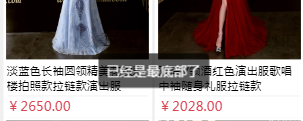
  <div class="wrap">已经是最底部了</div>
</template>

<script>
export default {
  name: 'Toast'
}
</script>

<style lang="scss" scoped>
  .wrap{
    position: fixed;
    left: 50%;
    top:50%;
    background: rgba(0,0,0,.65);
    padding: 10px;
    border-radius: 5px;
    transform: translate(-50%,-50%);
    color:#fff;
  }
</style>
引用弹窗组件
组件注册定义好了,那接下来就是引入组件,使用弹窗组件了。
<template>
  <div class="movies-list">
<!-- 其他代码 -->
这里写页面的其他代码
<!-- 其他代码 -->
    <toast v-if="cont"></toast>
  </div>
</template>

<script>
// 引入弹窗组件
import toast from './toast/toast';
export default {
  name: 'Homepage',
  components: {toast},
  data() {
    return {
      cont: false
    }
  },

  created () {
let _this = this;
    if(某个条件为真) {
        _this.cont = true;
        // 显示1s
        setTimeout(function(){
          _this.cont = false;
        }, 1000);
      }
  }
}
</script>
效果图

 浙公网安备 33010602011771号