
在vscode中配置ESLint
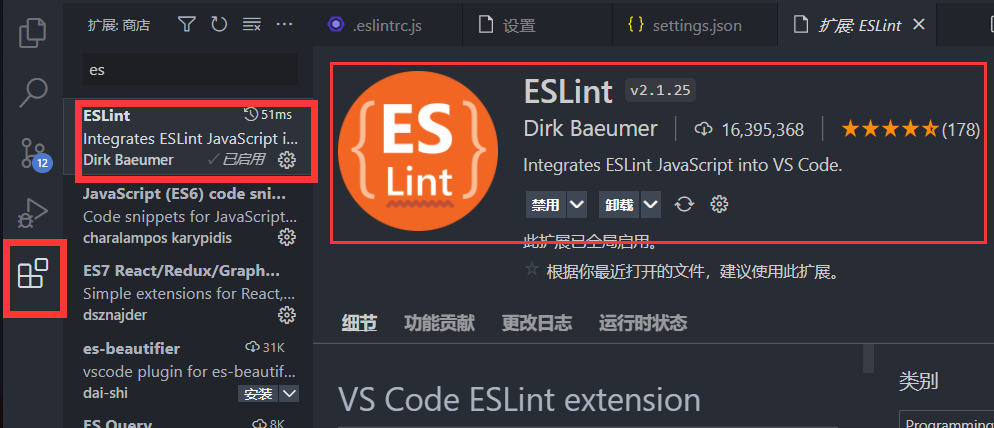
1.下载插件
2.打开settings.json
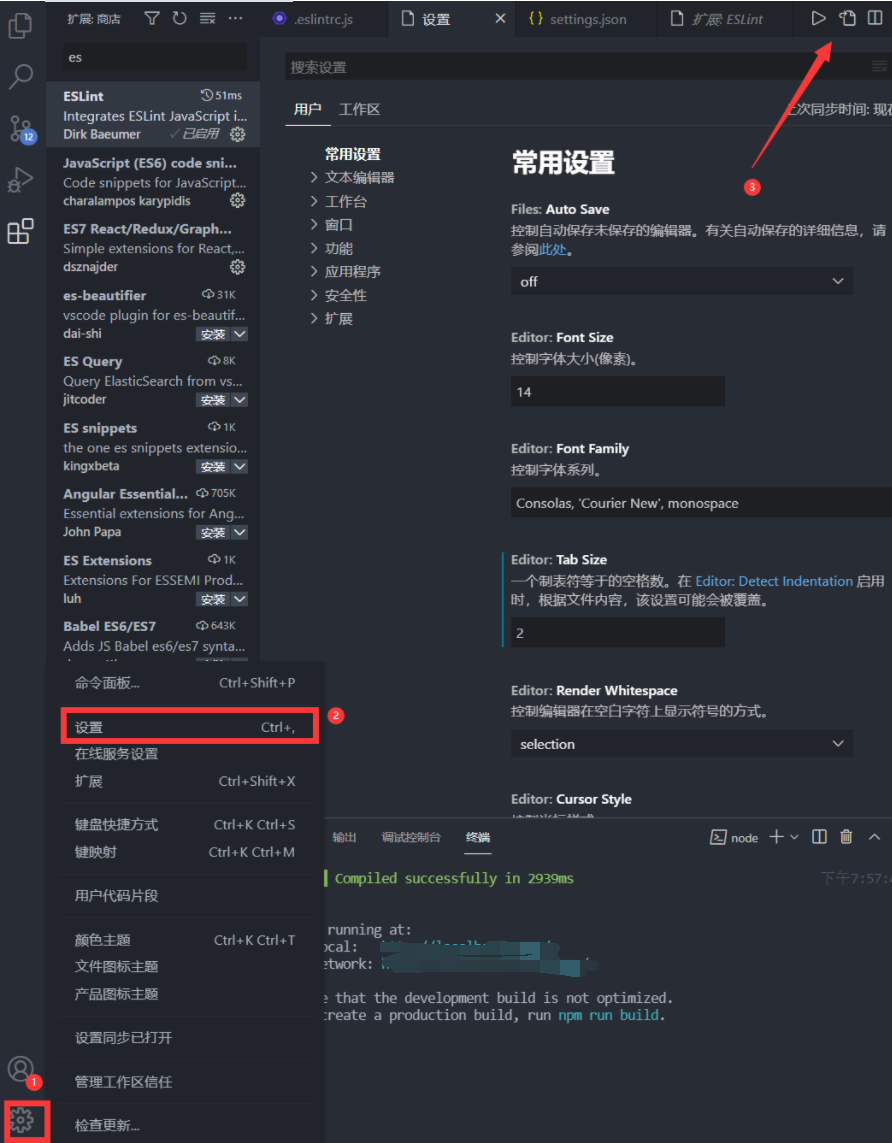
左下角设置-----》然后右上角“打开设置(json)”
新增如下:
"editor.codeActionsOnSave": {
    // ESLint 插件的配置
    "source.fixAll": true
},
// 开启保存自动格式化
"editor.formatOnSave": true
settings.json左下角设置-----》然后右上角“打开设置(json)”
新增如下:
"editor.codeActionsOnSave": {
// ESLint 插件的配置
"source.fixAll": true
},
// 开启保存自动格式化
"editor.formatOnSave": true

 浙公网安备 33010602011771号