
nginx部署
安装前配置环境
在安装nginx前首先要确认系统中安装了gcc、pcre-devel、zlib-devel、openssl-devel。
 通过一下命令检测是否安装过
 $yum list installed | grep "gcc"//""内为需要检测的程序
下载Nginx
【nginx下载地址:https://nginx.org/download】
【镜像网站下载地址http://mirrors.sohu.com/nginx/ 】
安装Nginx
下载“nginx.tar.gz”,移动到/usr/local/下。
## 解压
$tar -zxvf nginx.tar.gz
##进入nginx目录
$cd nginx
## 配置./configure --prefix=/usr/local/nginx# makemakemake $install
##执行make
$make
##执行make install
$make install
测试是否安装成功
 ##
 $cd /usr/loca/nginx/sbin/
 $./nginx -t
 ##返回is ok即目前没有问题
安装正常即返回
nginx: the configuration file /usr/local/nginx/conf/nginx.conf syntax is ok nginx: configuration file /usr/local/nginx/conf/nginx.conf test is successful
启动nginx
 $cd /usr/local/nginx/sbin
 $./nginx //启动nginx
在浏览器中输入服务器的ip地址,如:192.168.1.12 测试
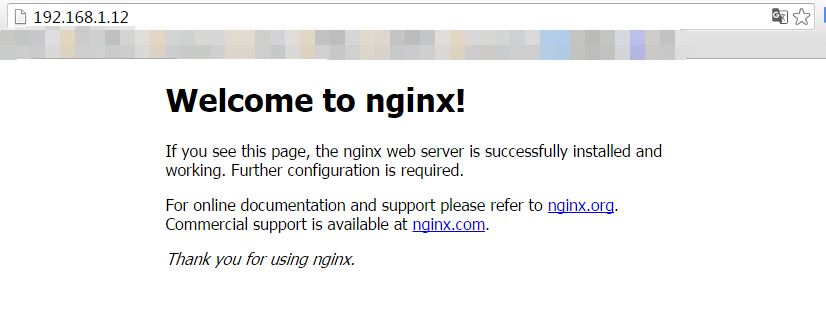
配置nginx.conf文件
进入到nginx目录
进入conf目录
$vi nginx.conf
user root;
worker_processes 1;
#error_log logs/error.log;
#error_log logs/error.log notice;
#error_log logs/error.log info;
#pid logs/nginx.pid;
events {
worker_connections 1024;
}
http {
include mime.types;
default_type application/octet-stream;
sendfile on;
keepalive_timeout 65;
server {##代理转发二级域名;!!html文件要设置为index.html
listen 80;
server_name abc.foresthan.com;##二级域名填写在这儿;
root /www/wwwroot/www.foresthan.com/fire/;##网页存放的地址
location / { ##什么都不用写;
}
}
server {##代理转发配置;!!要在阿里云解析二级域名
listen 80;
server_name vip.foresthan.com;##绑定的域名;
location / {
proxy_set_header X-Real-IP $remote_addr;
proxy_set_header Host $http_host;
proxy_pass http://127.0.0.1:3000;##启动的服务的IP:端口号;
}
}
}
保存退出返回 上一级
进入sbin目录
运行nginx
nginx常用命令
#./nginx 启动nginx服务
# systemctl stop nginx.service 停止服务
#./nginx -s reload 重新启动服务
# systemctl list-units --type=service 查看所有已启动的服务
# systemctl status nginx.service 查看服务当前状态
# systemctl enable nginx.service 设置开机自启动
# systemctl disable nginx.service 停止开机自启动

 浙公网安备 33010602011771号