
FreeSWITCH installation on Debain 12, step by step
 FreeSWITCH开源之路--Building From Source
一、简介:FreeSWITCH是一个跨平台的开源电话交换平台,具有很强的伸缩性。旨在为音频、视频、文字或任何其他形式的媒体,提供路由和互连通信协议。他与很多开源软件包之间有调用关系,以前安装Windows版本时遇到了一些问题,为了长期测试这次部署到了基于aliyun的Debain 12上面。
二、准备:
1.Create a Personal Access Token from signalwire.com.
2.Debain 12 server, git was installed.
3.Linux knowledge, especially on software install, vi, file management.
三、操作步骤
1.安装FreeSWITCH
Follow up the steps of FS official online document. https://rts.cn/freeswitch/FreeSWITCH-Explained/Installation/Linux/Debian_67240088. Suggest to start from Building From Source-->Compiling Latest Master(for testing), you should meet some errors, then look for the solution for them, you will learn something.
2. Post tasks after installation
Before Starting FreeSWITCH, conduct the Post tasks after installation, https://rts.cn/freeswitch/FreeSWITCH-Explained/Installation/Linux/Deprecated-Installation-Instructions/Debian-Post-Install-Tasks_13172868#about. DO NOT Refer "Deprecated Installation Instructions", they are Nightmares.
a. Set owner and permissions
# create user 'freeswitch'
# add it to group 'freeswitch'
# change owner and group of the freeswitch installation
cd /usr/local
groupadd freeswitch
adduser --quiet --system --home /usr/local/freeswitch --gecos "FreeSWITCH open source softswitch" --ingroup freeswitch freeswitch --disabled-password
chown -R freeswitch:freeswitch /usr/local/freeswitch/
chmod -R ug=rwX,o= /usr/local/freeswitch/
chmod -R u=rwx,g=rx /usr/local/freeswitch/bin/*
b. Systemd: service management system.
i. Vim freeswitch.service configuration
vi /usr/src/freeswitch/debian/freeswitch-systemd.freeswitch.service
ii. Copy it to /ect folder
cp /usr/src/freeswitch/debian/freeswitch-systemd.freeswitch.service /etc/systemd/system/freeswitch.service
iii. Start freeswitch service
systemctl daemon-reload
systemctl restart freeswitch #--------------or systemctl start freeswitch
iv. To configure FreeSWITCH to start automatically at boot time:
systemctl enable freeswitch
c. Is FreeSWITCH Running?
ps aux | grep freeswitch
ps -e | grep freeswitch
pidof freeswitch
3. Disable SignalWire adoption check for FS
FS 安装时默认安装了mod_signalwire,登录fs_cli时经常会提示进行SignalWire adoption check.
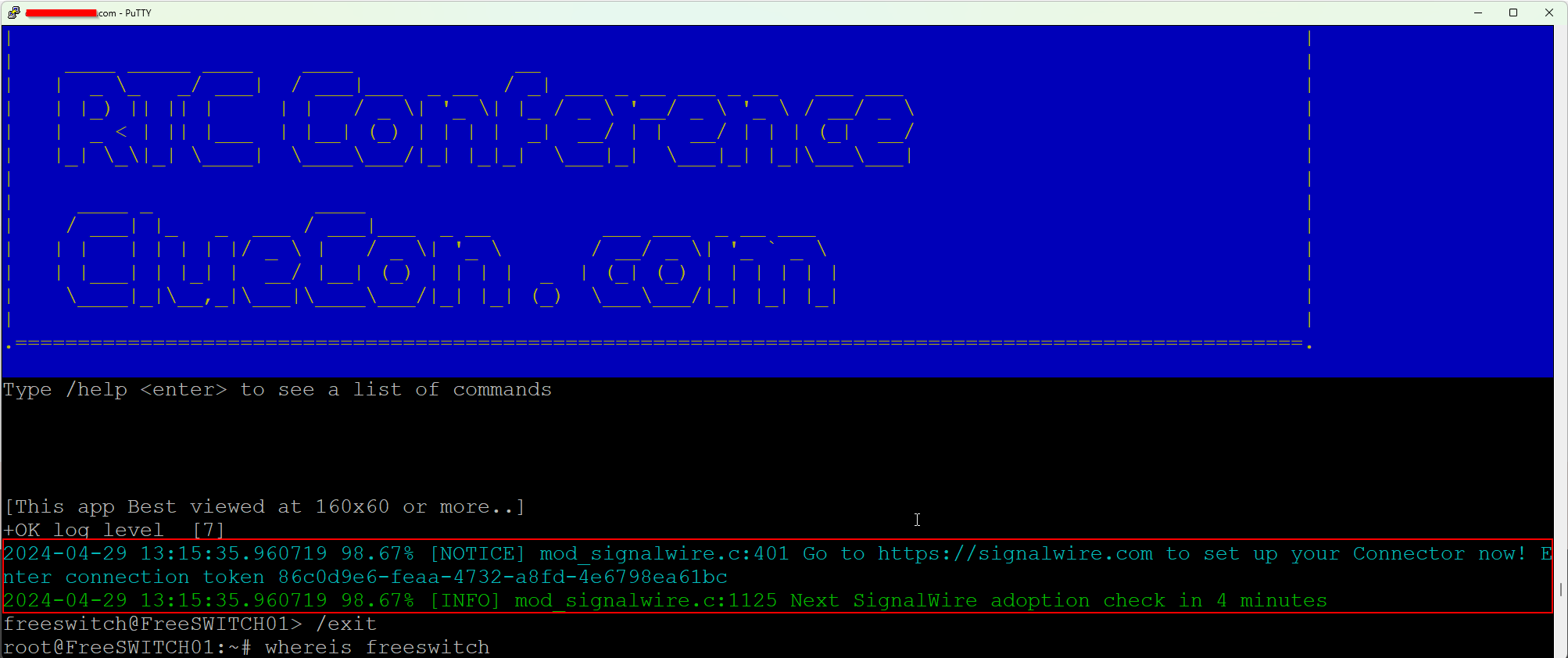
我们可以在安装时或安装后把mod_signalwire注释掉,这样以后就不再提示了。
root@FreeSWITCH01:# vi /usr/local/freeswitch/conf/autoload_configs/modules.conf.xml
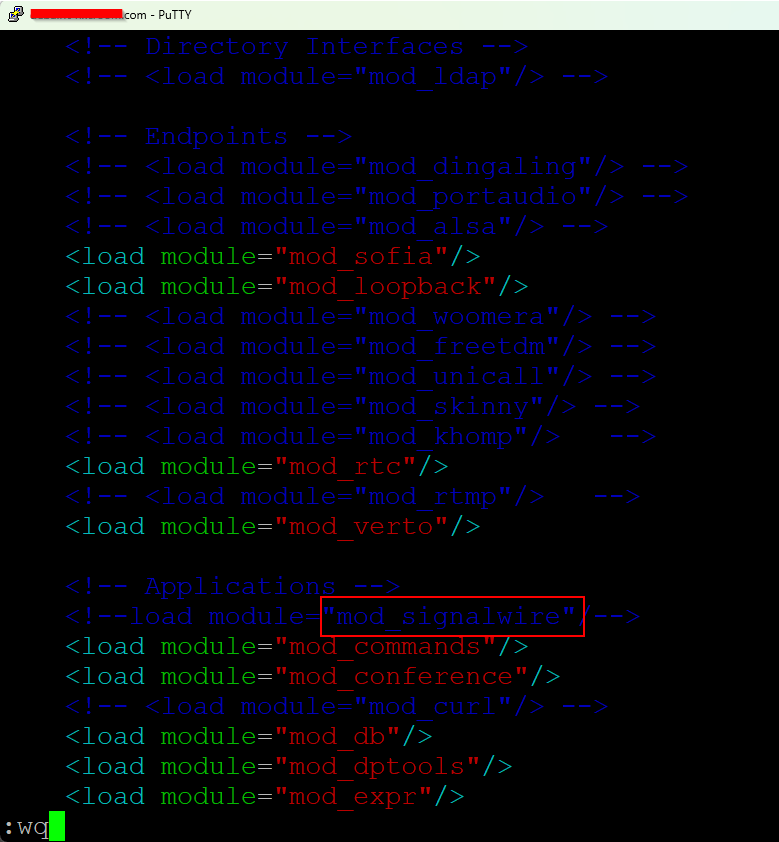
保存后重新加载和启动FS服务。
systemctl daemon-reload
systemctl restart freeswitch
四、测试结果
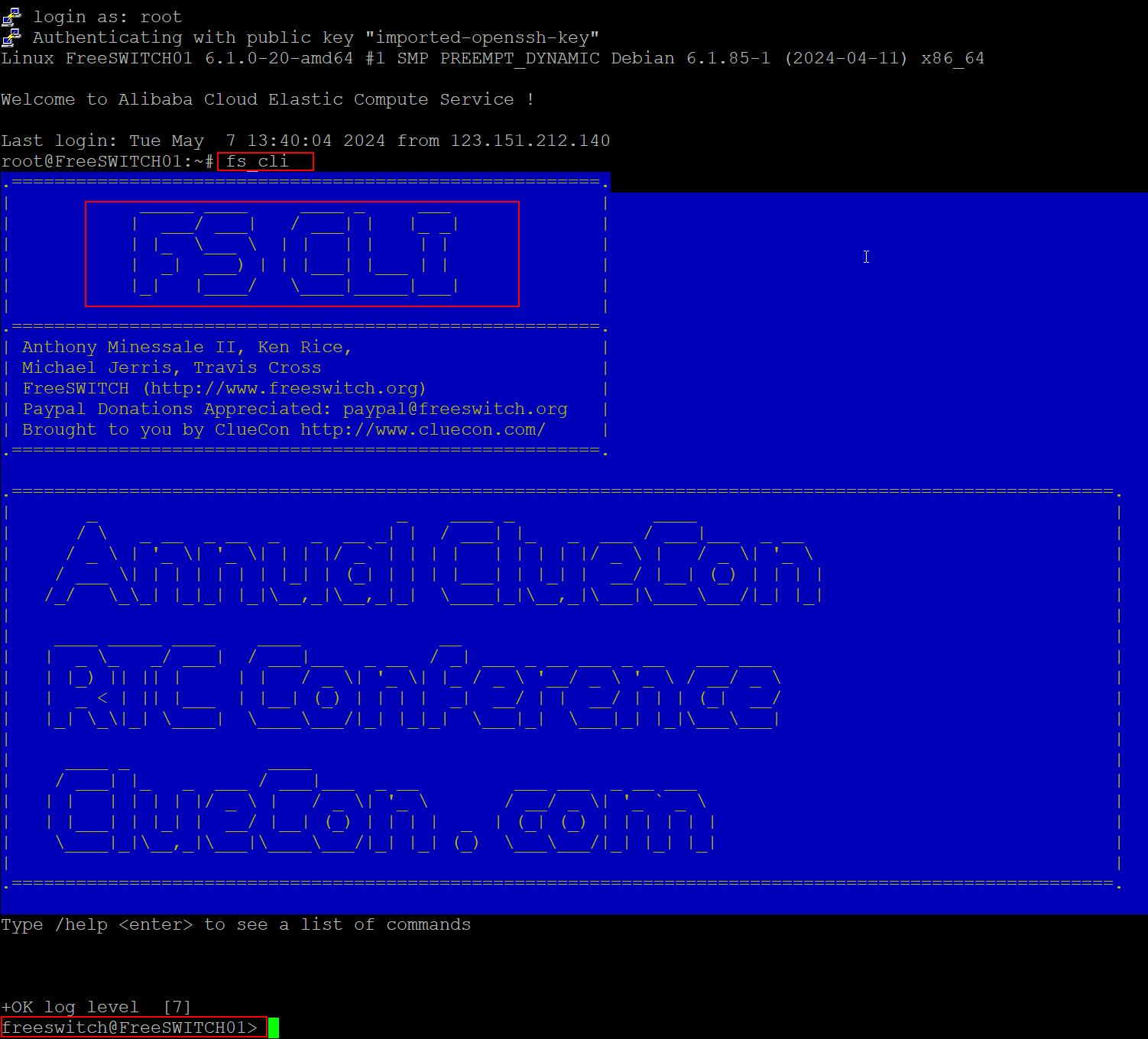
1.登录freeswitch命令行管理接口,使用fs_cli命令
2,使用开源软电话注册到服务器
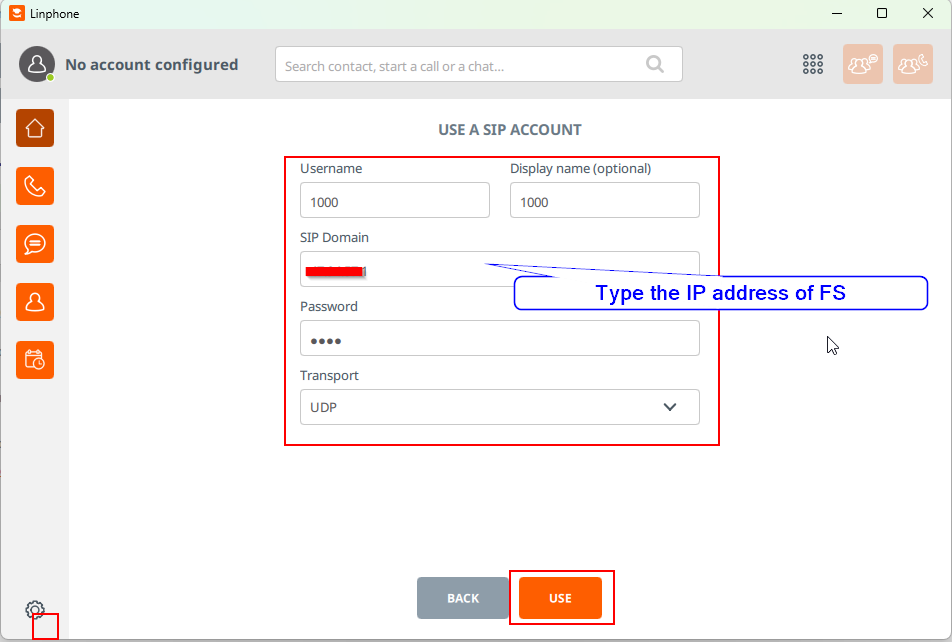
FS安装后,默认已经配置了20个用户,1000~1019,默认密码1234。
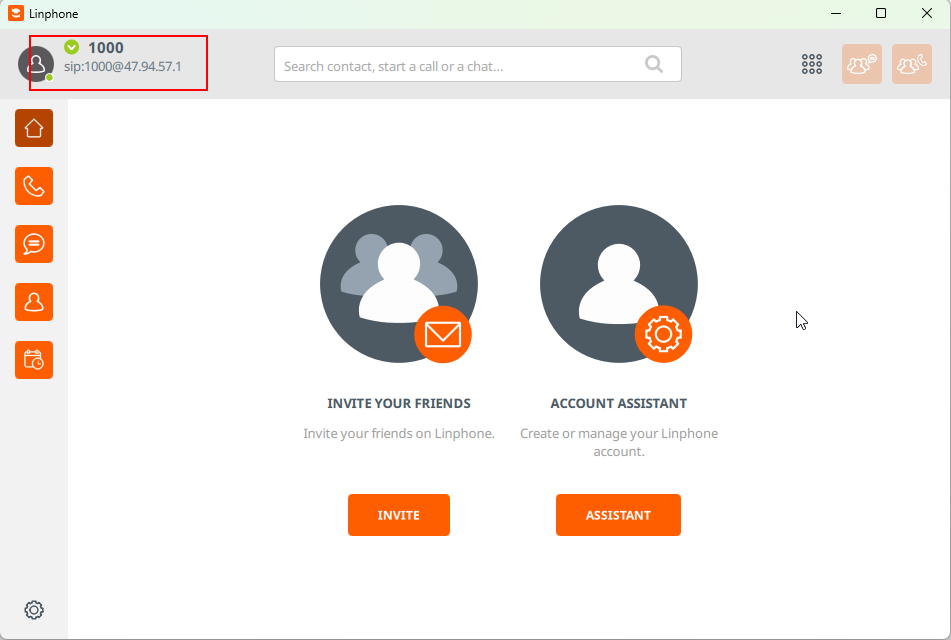
- 使用LinPhone注册用户1000。
下载LinPhone https://linphone.org/,
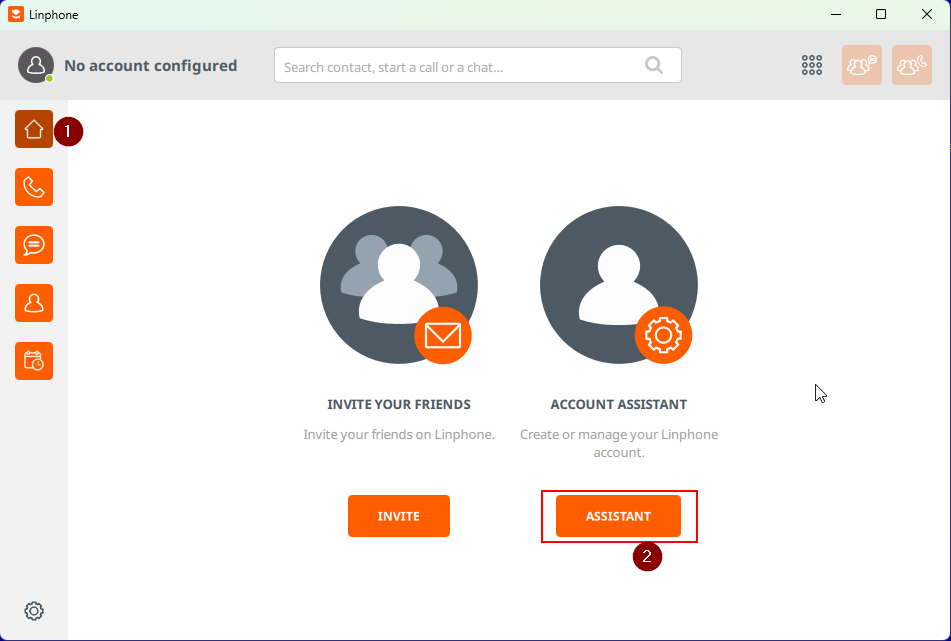
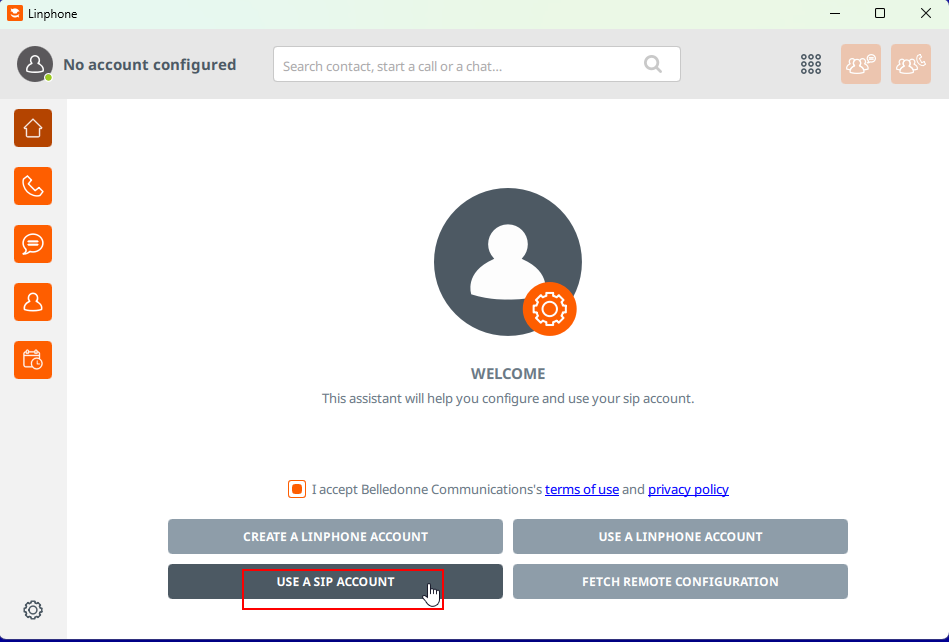
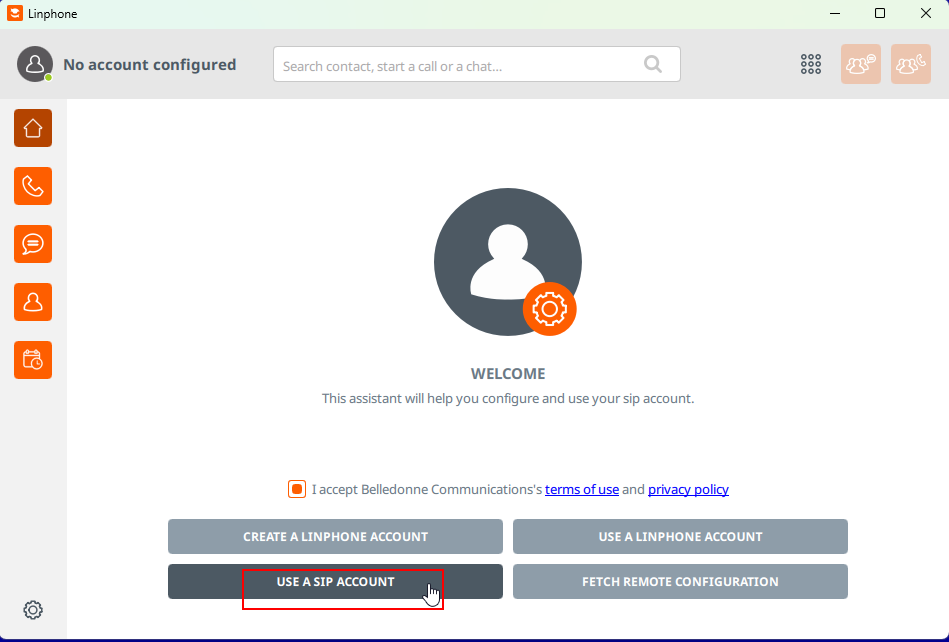
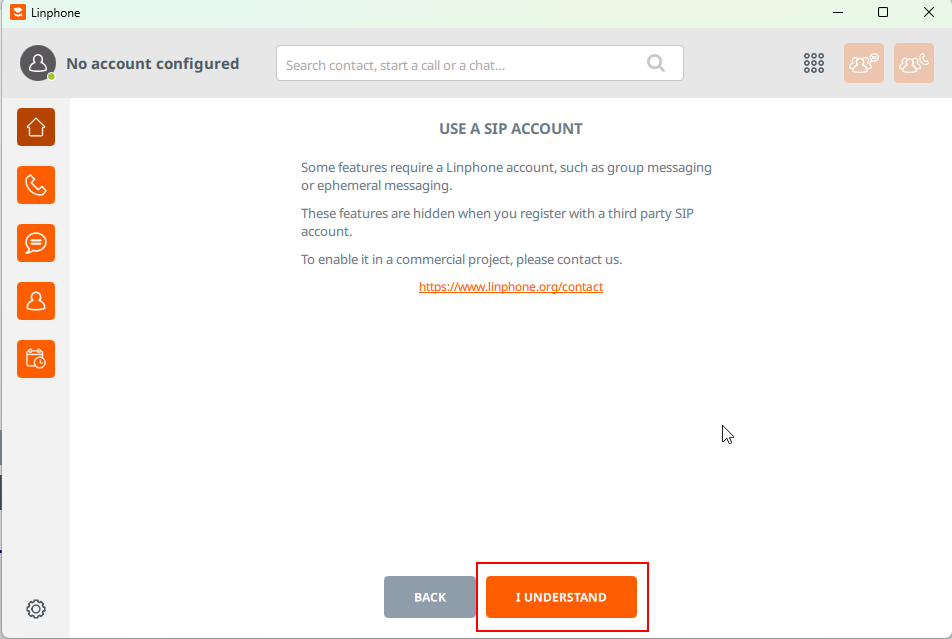
LinPHone对DNS支持貌似有问题,我测试了2次DNS均不能注册,所以推荐输入IP地址。
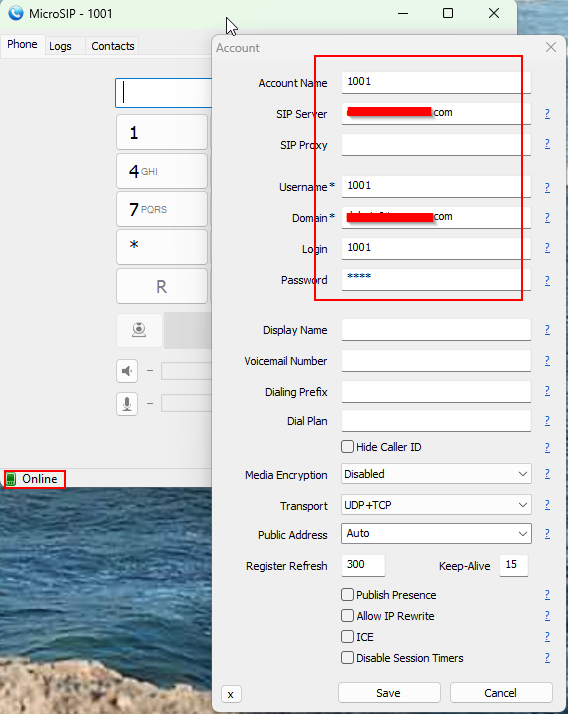
- 使用MicroSIP注册1001。
下载MicroSIP https://www.microsip.org/, MicroSIP现在只支持Windows和Linux, 不支持Android和iPhone, iPad。
3.查看用户注册状态
使用sofia status profile internal reg命令,查以看到有2个用户已经注册,这两个用户来自同一地址的不同udp端口, Agent头信息可以看到客户端名称和版本。Bingo!!
freeswitch@FreeSWITCH01> sofia status profile internal reg
Registrations:
=================================================================================================
Call-ID: 2e72080b7fa848a28834b0acb439e270
User: 1001@172.29.117.48
Contact: "" <sip:1001@192.168.28.13:54784;ob;fs_nat=yes;fs_path=sip%3A1001%40123.151.212.140%3A5002%3Bob>
Agent: MicroSIP/3.21.3
Status: Registered(UDP-NAT)(unknown) EXP(2024-05-07 15:35:49) EXPSECS(233)
Ping-Status: Reachable
Ping-Time: 0.00
Host: FreeSWITCH01
IP: 123.151.212.140
Port: 5002
Auth-User: 1001
Auth-Realm: 47.94.57.1
MWI-Account: 1001@172.29.117.48
Call-ID: iGWZ3zML6M
User: 1000@172.29.117.48
Contact: "1000" <sip:1000@123.151.212.140:5001;transport=udp>
Agent: Linphone-Desktop/5.2.4 (1000) windows/10 Qt/5.15.2 LinphoneSDK/5.3.41
Status: Registered(UDP)(unknown) EXP(2024-05-07 15:34:46) EXPSECS(170)
Ping-Status: Reachable
Ping-Time: 0.00
Host: FreeSWITCH01
IP: 123.151.212.140
Port: 5001
Auth-User: 1000
Auth-Realm: 47.94.57.1
MWI-Account: 1000@172.29.117.48
Total items returned: 2
=================================================================================================
freeswitch@FreeSWITCH01>
五、常见问题及解决方法
1.Error for mod_spandsp_dsp.c when you install FS
Error message:
mod_spandsp_dsp.c: In function 'get_v18_mode':
mod_spandsp_dsp.c:159:17: error: 'V18_MODE_5BIT_4545' undeclared (first use in this function)
Solution: Reinstall spandsp from branch version.
cd /spandsp
git log
git reset --hard 67d2455efe02e7ff0d897f3fd5636fed4d54549e
#Reconfigure, compile, reinstall spandsp
Refer to https://github.com/signalwire/freeswitch/issues/2184 and https://github.com/signalwire/freeswitch/issues/2158
2.Error (code=exited, status=203/EXEC) when try to start Freeswitch service.
Error messges:
Process: 60729 ExecStart=/usr/bin/freeswitch -u ${USER} -g ${GROUP} -ncwait ${DAEMON_OPTS} (code=exited, status=203/EXEC)
Solution:
Review the path and correct the installation folder for error code status=203/EXEC,You can update the ExecStart path
or link the two paths by "sudo ln -s /usr/local/freeswitch/bin/freeswitch /usr/bin/freeswitch"
3.Error (code=exited, status=216/GROUP) when try to start Freeswitch service.
Error message:
Process: 60511 ExecStart=/usr/local/freeswitch/bin/freeswitch -u root -g root -ncwait -rp (code=exited, status=216/GROUP)
Solution:Be commented out the User and Group in [Service] part of /etc/systemd/system/freeswitch.service
;User=root
;Group=deamon

 浙公网安备 33010602011771号