

定时调度之Quartz.Net (一)
工作中我们经常碰到定时或者固定时间点去做一些事情,然后每天到时间点就会去做这样的事情,如果理解这样的场景,我们就要引入今天我们的主角Quartz,其实这个跟数据库的作业类似,但是不仅仅局限于数据库。
一: quartZ引入&三大核心对象简介
1:在项目中打开Nuget管理,然后搜索QuartZ,现在最新的版本是3.0.7,需要在Framework4.5.2上面使用。
2:quartZ的三大核心对象
A:IScheduler:单元/实例,在这里去完成定时任务的配置,只有单元启动,里面的作业才能正常运行
B:IJob:任务,定时执行动作就是Job
C:ITrigger:定时策略(设置执行的频率或者执行方式)
二:三大核心对象的初始化以及使用如下:
#region scheduler
Console.WriteLine("初始化scheduler......");
StdSchedulerFactory factory = new StdSchedulerFactory();
IScheduler scheduler = await factory.GetScheduler();
//scheduler.ListenerManager.AddSchedulerListener(new CustomSchedulerListener());
//scheduler.ListenerManager.AddTriggerListener(new CustomTriggerListener());
//scheduler.ListenerManager.AddJobListener(new CustomJobListener());
await scheduler.Start();
#endregion

//IJob  ITrigger
{
    //创建作业
    IJobDetail jobDetail = JobBuilder.Create<TestJob>()
        .WithIdentity("testjob", "group1")
        .WithDescription("This is TestJob")
        .Build();

    //IJobDetail jobDetail = JobBuilder.Create<TestStatefulJob>()
    //    .WithIdentity("testjob", "group1")
    //    .WithDescription("This is TestJob")
    //    .Build();

    jobDetail.JobDataMap.Add("student1", "Milor");
    jobDetail.JobDataMap.Add("student2", "心如迷醉");
    jobDetail.JobDataMap.Add("student3", "宇洋");
    jobDetail.JobDataMap.Add("Year", DateTime.Now.Year);

    //ITrigger trigger = TriggerBuilder.Create()
    //       .WithIdentity("trigger1", "group1")
    //       .StartNow()
    //       .WithSimpleSchedule(x => x
    //           .WithIntervalInSeconds(10)
    //           .WithRepeatCount(10)
    //           .RepeatForever())
    //           .WithDescription("This is testjob's Trigger")
    //       .Build();

    //创建时间策略
    ITrigger trigger = TriggerBuilder.Create()
                  .WithIdentity("testtrigger1", "group1")
                  .StartAt(new DateTimeOffset(DateTime.Now.AddSeconds(10)))
                 //.StartNow()//StartAt
                 .WithCronSchedule("5/10 * * * * ?")//每隔一分钟
                                                    //"10,20,30,40,50,0 * * * * ?"
                 .WithDescription("This is testjob's Trigger")
                 .Build();

    trigger.JobDataMap.Add("student4", "Ray");
    trigger.JobDataMap.Add("student5", "心欲无痕");
    trigger.JobDataMap.Add("student6", "风在飘动");
    trigger.JobDataMap.Add("Year", DateTime.Now.Year + 1);

    await scheduler.ScheduleJob(jobDetail, trigger);
    Console.WriteLine("scheduler作业添加完成......");
}
[PersistJobDataAfterExecution] //执行后可以保留执行结果
[DisallowConcurrentExecution] // 让一个任务执行完毕以后 才去执行下一个任务
public class TestJob : IJob
 {
     public TestJob()
        {
            Console.WriteLine("This is TestJob的构造。。。");
        }

     public async Task Execute(IJobExecutionContext context)
        {
            await Task.Run(() =>
            {
                Console.WriteLine();
                Console.WriteLine("*****************************");
                {
                    JobDataMap dataMap = context.JobDetail.JobDataMap;
                    Console.WriteLine(dataMap.Get("student1"));
                    Console.WriteLine(dataMap.Get("student2"));
                    Console.WriteLine(dataMap.Get("student3"));
                    Console.WriteLine(dataMap.GetInt("Year"));
                }
                Console.WriteLine($"This is {Thread.CurrentThread.ManagedThreadId} {DateTime.Now}");
                //可以换成去数据库查询,可以做啥啥啥
                //但是很多情况下,我们也是需要参数的
                {
                    JobDataMap dataMap = context.Trigger.JobDataMap;
                    Console.WriteLine(dataMap.Get("student4"));
                    Console.WriteLine(dataMap.Get("student5"));
                    Console.WriteLine(dataMap.Get("student6"));
                    Console.WriteLine(dataMap.GetInt("Year"));
                }
                {
                    Console.WriteLine("&&&&&&&&&&&&&&&&&&&&&&&&&&&&&&&");
                    JobDataMap dataMap = context.MergedJobDataMap;
                    Console.WriteLine(dataMap.Get("student1"));
                    Console.WriteLine(dataMap.Get("student2"));
                    Console.WriteLine(dataMap.Get("student3"));
                    Console.WriteLine(dataMap.Get("student4"));
                    Console.WriteLine(dataMap.Get("student5"));
                    Console.WriteLine(dataMap.Get("student6"));
                    Console.WriteLine(dataMap.GetInt("Year"));
                }
                Console.WriteLine("*****************************");
                Console.WriteLine();
            });
        }
 }
三:任务或者定时策略传参
1:通过定时任务进行传参如下:

然后接收通过:

2:定时策略进行传参:
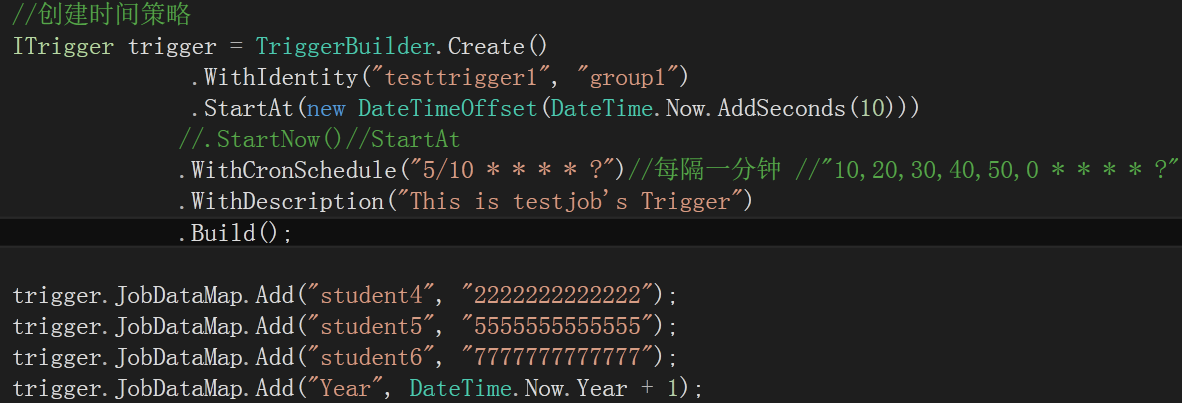
接收如下:

注意以上两种传参也可以统一通过下面的方式来接收参数,但是如果key相同,则会进行覆盖掉
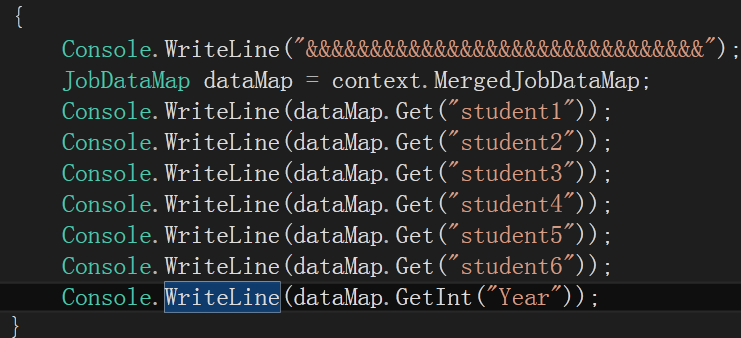
context.MergedJobDataMap.Get("Year") 也是一样
四:常用的Trigggr
1:SimpleTrigger:从什么时间开始,间隔多久执行重复操作,可以限制最大次数,如下:
ITrigger trigger = TriggerBuilder.Create()
        .WithIdentity("trigger1", "group1")
        .StartNow()
        .WithSimpleSchedule(x => x
            .WithIntervalInSeconds(10)
            .WithRepeatCount(10)
            .RepeatForever()) //从什么时间开始,间隔多久执行重复操作,可以限制最大次数
            .WithDescription("This is testjob's Trigger")
        .Build();
2:Cron:表达式的方式,可以灵活订制时间规则
CronTrigger
CronTriggers往往比SimpleTrigger更有用,如果您需要基于日历的概念,而非SimpleTrigger完全指定的时间间隔,复发的发射工作的时间表。
CronTrigger,你可以指定触发的时间表如“每星期五中午”,或“每个工作日9:30时”,甚至“每5分钟一班9:00和10:00逢星期一上午,星期三星期五“。
即便如此,SimpleTrigger一样,CronTrigger拥有的startTime指定的时间表时生效,指定的时间表时,应停止(可选)结束时间。

Cron Expressions
cron的表达式被用来配置CronTrigger实例。 cron的表达式是字符串,实际上是由七子表达式,描述个别细节的时间表。这些子表达式是分开的空白,代表:

1.        Seconds
2.        Minutes
3.        Hours
4.        Day-of-Month
5.        Month
6.        Day-of-Week
7.        Year (可选字段)
例  "0 0 12 ? * WED" 在每星期三下午12:00 执行,

个别子表达式可以包含范围, 例如,在前面的例子里("WED")可以替换成 "MON-FRI", "MON, WED, FRI"甚至"MON-WED,SAT".

“*” 代表整个时间段.

每一个字段都有一套可以指定有效值,如

Seconds (秒)         :可以用数字0-59 表示,

Minutes(分)          :可以用数字0-59 表示,

Hours(时)             :可以用数字0-23表示,

Day-of-Month(天) :可以用数字1-31 中的任一一个值,但要注意一些特别的月份

Month(月)            :可以用0-11 或用字符串  “JAN, FEB, MAR, APR, MAY, JUN, JUL, AUG, SEP, OCT, NOV and DEC” 表示

Day-of-Week(每周):可以用数字1-7表示(1 = 星期日)或用字符口串“SUN, MON, TUE, WED, THU, FRI and SAT”表示

“/”:为特别单位,表示为“每”如“0/15”表示每隔15分钟执行一次,“0”表示为从“0”分开始, “3/20”表示表示每隔20分钟执行一次,“3”表示从第3分钟开始执行

“?”:表示每月的某一天,或第周的某一天

“L”:用于每月,或每周,表示为每月的最后一天,或每个月的最后星期几如“6L”表示“每月的最后一个星期五”

“W”:表示为最近工作日,如“15W”放在每月(day-of-month)字段上表示为“到本月15日最近的工作日”

““#”:是用来指定“的”每月第n个工作日,例 在每周(day-of-week)这个字段中内容为"6#3" or "FRI#3" 则表示“每月第三个星期五”

1)Cron表达式的格式:秒 分 时 日 月 周 年(可选)。

               字段名                 允许的值                        允许的特殊字符
               秒                         0-59                               , - * /
               分                         0-59                               , - * /
               小时                     0-23                               , - * /
               日                         1-31                               , - * ? / L W C
               月                         1-12 or JAN-DEC         , - * /
               周几                     1-7 or SUN-SAT           , - * ? / L C #
               年 (可选字段)     empty, 1970-2099      , - * /


               “?”字符:表示不确定的值

               “,”字符:指定数个值

               “-”字符:指定一个值的范围

               “/”字符:指定一个值的增加幅度。n/m表示从n开始,每次增加m

               “L”字符:用在日表示一个月中的最后一天,用在周表示该月最后一个星期X

               “W”字符:指定离给定日期最近的工作日(周一到周五)

               “#”字符:表示该月第几个周X。6#3表示该月第3个周五


         2)Cron表达式范例:

                 每隔5秒执行一次:*/5 * * * * ?

                 每隔1分钟执行一次:0 */1 * * * ?

                 每天23点执行一次:0 0 23 * * ?

                 每天凌晨1点执行一次:0 0 1 * * ?

                 每月1号凌晨1点执行一次:0 0 1 1 * ?

                 每月最后一天23点执行一次:0 0 23 L * ?

                 每周星期天凌晨1点实行一次:0 0 1 ? * L

                 在26分、29分、33分执行一次:0 26,29,33 * * * ?

                 每天的0点、13点、18点、21点都执行一次:0 0 0,13,18,21 * * ?
ITrigger trigger = TriggerBuilder.Create()
              .WithIdentity("testtrigger1", "group1")
              .StartAt(new DateTimeOffset(DateTime.Now.AddSeconds(10)))
             //.StartNow()//StartAt
             .WithCronSchedule("5/10 * * * * ?")//每隔一分钟 //"10,20,30,40,50,0 * * * * ?"
             .WithDescription("This is testjob's Trigger")
             .Build();
五:Listener框架的各个环节--事件能做的监听
如果我们自己写定时任务的时候,因为是定时或者周期去做一些事情,所以有时候有问题或者出现了什么故障,我们只能通过我们自己写一下具体的日志,但是Quartz里面的Listener里面内置封装了一些监听接口,分别为:ISchedulerListener,ITriggerListener,IJobListener,里面有一些方法可以让我们去做一下其它的事情,我们下面分别实现了三个接口,代码如下:
1:jobListerer
public class CustomJobListener : IJobListener
    {
        public string Name => "CustomJobListener";

        public async Task JobExecutionVetoed(IJobExecutionContext context, CancellationToken cancellationToken = default(CancellationToken))
        {
            await Task.Run(()=> {
                Console.WriteLine($"CustomJobListener JobExecutionVetoed {context.JobDetail.Description}");
            });
        }

        public async Task JobToBeExecuted(IJobExecutionContext context, CancellationToken cancellationToken = default(CancellationToken))
        {
            await Task.Run(() => {
                Console.WriteLine($"CustomJobListener JobToBeExecuted {context.JobDetail.Description}");
            });
        }

        public async Task JobWasExecuted(IJobExecutionContext context, JobExecutionException jobException, CancellationToken cancellationToken = default(CancellationToken))
        {
            await Task.Run(() => {
                Console.WriteLine($"CustomJobListener JobWasExecuted {context.JobDetail.Description}");
            });
        }
    }
2:ITriggerListener
public class CustomTriggerListener : ITriggerListener
    {
        public string Name => "CustomTriggerListener";

        public async Task TriggerComplete(ITrigger trigger, IJobExecutionContext context, SchedulerInstruction triggerInstructionCode, CancellationToken cancellationToken = default(CancellationToken))
        {
            await Task.Run(() =>
            {
                Console.WriteLine($"CustomTriggerListener TriggerComplete {trigger.Description}");
            });
        }

        public async Task TriggerFired(ITrigger trigger, IJobExecutionContext context, CancellationToken cancellationToken = default(CancellationToken))
        {
            await Task.Run(() =>
            {
                Console.WriteLine($"CustomTriggerListener TriggerFired {trigger.Description}");
            });
        }

        public async Task TriggerMisfired(ITrigger trigger, CancellationToken cancellationToken = default(CancellationToken))
        {
            await Task.Run(() =>
            {
                Console.WriteLine($"CustomTriggerListener TriggerMisfired {trigger.Description}");
            });
        }

        /// <summary>
        /// 要不要放弃job
        /// </summary>
        /// <param name="trigger"></param>
        /// <param name="context"></param>
        /// <param name="cancellationToken"></param>
        /// <returns></returns>
        public async Task<bool> VetoJobExecution(ITrigger trigger, IJobExecutionContext context, CancellationToken cancellationToken = default(CancellationToken))
        {
            await Task.Run(() =>
            {
                Console.WriteLine($"CustomTriggerListener TriggerMisfired {trigger.Description}");
            });
            return false;//false才能继续执行
        }
    }
3:ISchedulerListener
public class CustomSchedulerListener : ISchedulerListener
    {
        public async Task JobAdded(IJobDetail jobDetail, CancellationToken cancellationToken = default(CancellationToken))
        {
            await Task.Run(() =>
            {
                Console.WriteLine($"This is {nameof(CustomSchedulerListener)} JobAdded {jobDetail.Description}");
            });
        }

        public Task JobDeleted(JobKey jobKey, CancellationToken cancellationToken = default(CancellationToken))
        {
            throw new NotImplementedException();
        }

        public Task JobInterrupted(JobKey jobKey, CancellationToken cancellationToken = default(CancellationToken))
        {
            throw new NotImplementedException();
        }

        public Task JobPaused(JobKey jobKey, CancellationToken cancellationToken = default(CancellationToken))
        {
            throw new NotImplementedException();
        }

        public Task JobResumed(JobKey jobKey, CancellationToken cancellationToken = default(CancellationToken))
        {
            throw new NotImplementedException();
        }

        public Task JobScheduled(ITrigger trigger, CancellationToken cancellationToken = default(CancellationToken))
        {
            throw new NotImplementedException();
        }

        public Task JobsPaused(string jobGroup, CancellationToken cancellationToken = default(CancellationToken))
        {
            throw new NotImplementedException();
        }

        public Task JobsResumed(string jobGroup, CancellationToken cancellationToken = default(CancellationToken))
        {
            throw new NotImplementedException();
        }

        public Task JobUnscheduled(TriggerKey triggerKey, CancellationToken cancellationToken = default(CancellationToken))
        {
            throw new NotImplementedException();
        }

        public Task SchedulerError(string msg, SchedulerException cause, CancellationToken cancellationToken = default(CancellationToken))
        {
            throw new NotImplementedException();
        }

        public Task SchedulerInStandbyMode(CancellationToken cancellationToken = default(CancellationToken))
        {
            throw new NotImplementedException();
        }

        public Task SchedulerShutdown(CancellationToken cancellationToken = default(CancellationToken))
        {
            throw new NotImplementedException();
        }

        public Task SchedulerShuttingdown(CancellationToken cancellationToken = default(CancellationToken))
        {
            throw new NotImplementedException();
        }

        public async Task SchedulerStarted(CancellationToken cancellationToken = default(CancellationToken))
        {
            await Task.Run(() =>
            {
                Console.WriteLine($"This is {nameof(CustomSchedulerListener)} SchedulerStarted ");
            });
        }

        public async Task SchedulerStarting(CancellationToken cancellationToken = default(CancellationToken))
        {
            await Task.Run(() =>
            {
                Console.WriteLine($"This is {nameof(CustomSchedulerListener)} SchedulerStarting ");
            });
        }

        public Task SchedulingDataCleared(CancellationToken cancellationToken = default(CancellationToken))
        {
            throw new NotImplementedException();
        }

        public Task TriggerFinalized(ITrigger trigger, CancellationToken cancellationToken = default(CancellationToken))
        {
            throw new NotImplementedException();
        }

        public Task TriggerPaused(TriggerKey triggerKey, CancellationToken cancellationToken = default(CancellationToken))
        {
            throw new NotImplementedException();
        }

        public Task TriggerResumed(TriggerKey triggerKey, CancellationToken cancellationToken = default(CancellationToken))
        {
            throw new NotImplementedException();
        }

        public Task TriggersPaused(string triggerGroup, CancellationToken cancellationToken = default(CancellationToken))
        {
            throw new NotImplementedException();
        }

        public Task TriggersResumed(string triggerGroup, CancellationToken cancellationToken = default(CancellationToken))
        {
            throw new NotImplementedException();
        }
    }
然后通过下面代码来融合到实例中:
StdSchedulerFactory factory = new StdSchedulerFactory();
            IScheduler scheduler = await factory.GetScheduler();
            scheduler.ListenerManager.AddSchedulerListener(new CustomSchedulerListener());
            scheduler.ListenerManager.AddTriggerListener(new CustomTriggerListener());
            scheduler.ListenerManager.AddJobListener(new CustomJobListener());
            await scheduler.Start();
这样就完美的结合在一起了,然后实例,任务,策略每次发生的动作,都会以日志的形式输出来,当然可以记录任何形式的日志。
六:LogProvider可以展示框架运行的一些信息
Quartz.Logging内置了一些记录日志的类,然后需要记录日志的话,可以直接拿来使用,不用自己再去引用配置等记录日志了,下面是自己试着写了一个:
public class CustomConsoleLogProvider : ILogProvider
    {
        public Logger GetLogger(string name)
        {
            return new Logger((level, func, exception, parameters) =>
            {
                if (level >= LogLevel.Info && func != null)
                {
                    Console.WriteLine($"[{ DateTime.Now.ToLongTimeString()}] [{ level}] { func()} {string.Join(";", parameters.Select(p => p == null ? " " : p.ToString()))}  自定义日志{name}");
                }
                return true;
            });
        }
        public IDisposable OpenNestedContext(string message)
        {
            throw new NotImplementedException();
        }

        public IDisposable OpenMappedContext(string key, string value)
        {
            throw new NotImplementedException();
        }
    }
然后在DispatcherManager中的init方法中
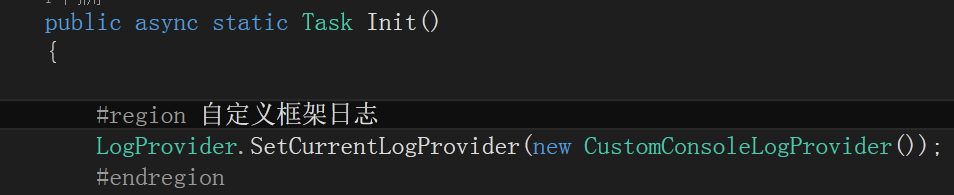
这样即实现了log的日志
如果想要测试,可以通过:
static void Main(string[] args)
 {
     try
     {
         Console.WriteLine("QuartZ.Net定时调度");
         DispatcherManager.Init().GetAwaiter().GetResult();
     }
     catch (Exception ex)
     {
         Console.WriteLine(ex.Message);
     }
     Console.Read();
 }
七:LogProvider可以展示框架运行的一些信息

付费内容,请联系本人QQ:1002453261
本文来自博客园,作者:明志德道,转载请注明原文链接:https://www.cnblogs.com/for-easy-fast/p/12459831.html

 浙公网安备 33010602011771号