
idea 设置springboot 热部署
idea开发工具设置springboot项目热部署
1.在maven中添加devtool包
        <dependency>
            <groupId>org.springframework.boot</groupId>
            <artifactId>spring-boot-devtools</artifactId>
            <scope>runtime</scope>
            <optional>true</optional>
        </dependency>
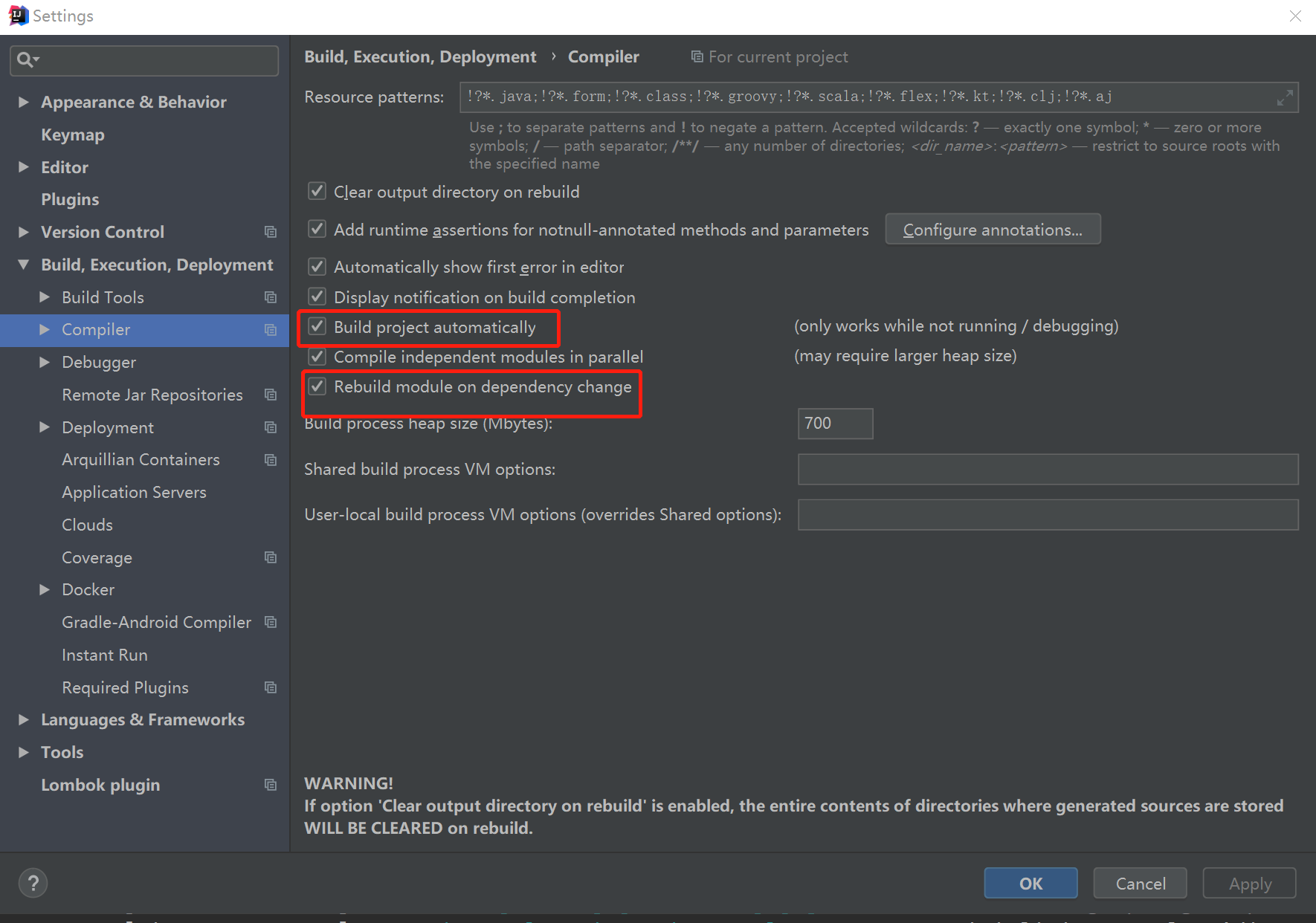
2.开启自动化编译功能,点击菜单 File->Settings->Compile 按照如图进行勾选
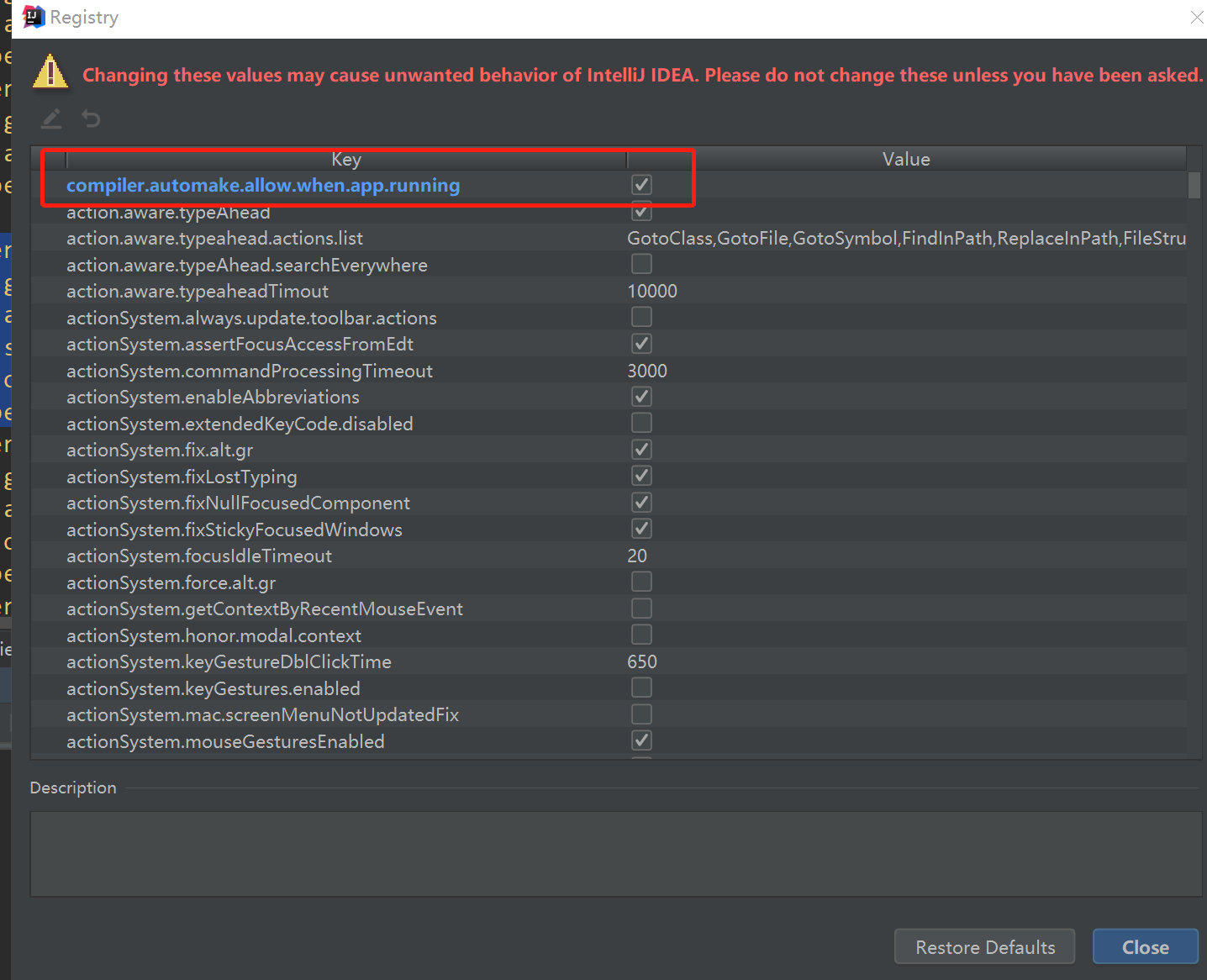
3.同时按下 Shift+Ctrl+Alt+/ ,选择Registry 如图
4.然后重启idea,热部署设置完成,更改相应的java文件后,idea会自动进行热部署。

 浙公网安备 33010602011771号