
Idea开启热部署
当代码改动后,项目自动重启。
1.pom.xml 中添加依赖jar包,使用devtools实现热部署
<!-- https://mvnrepository.com/artifact/org.springframework.boot/spring-boot-devtools -->
<dependency>
    <groupId>org.springframework.boot</groupId>
    <artifactId>spring-boot-devtools</artifactId>
   	<scope>runtime</scope>
    <optional>true</optional>
</dependency>
2.pom.xml 中添加插件
<build>
  <plugins>
    <plugin>
      	<groupId>org.springframework.boot</groupId>
      	<artifactId>spring-boot-maven-plugin</artifactId>
      	<configuration>
        <fork>true</fork>
        <addResources>true</addResources>
      </configuration>
    </plugin>
  </plugins>
</build>
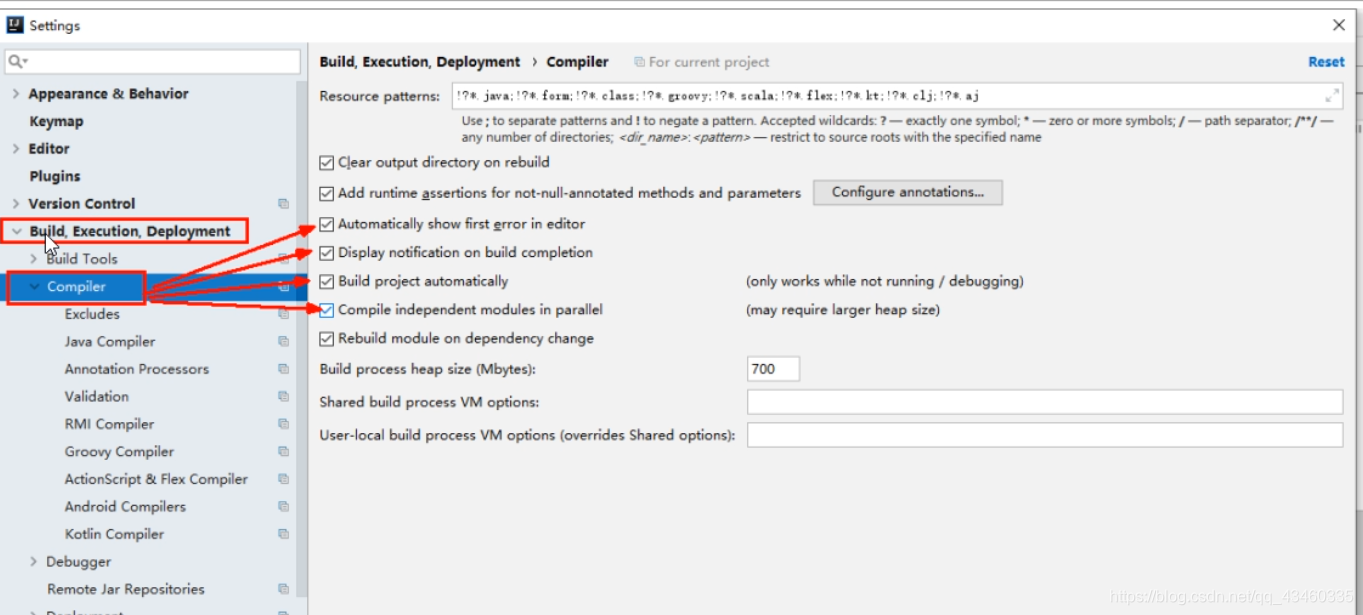
3.settings中开启自动编译权限
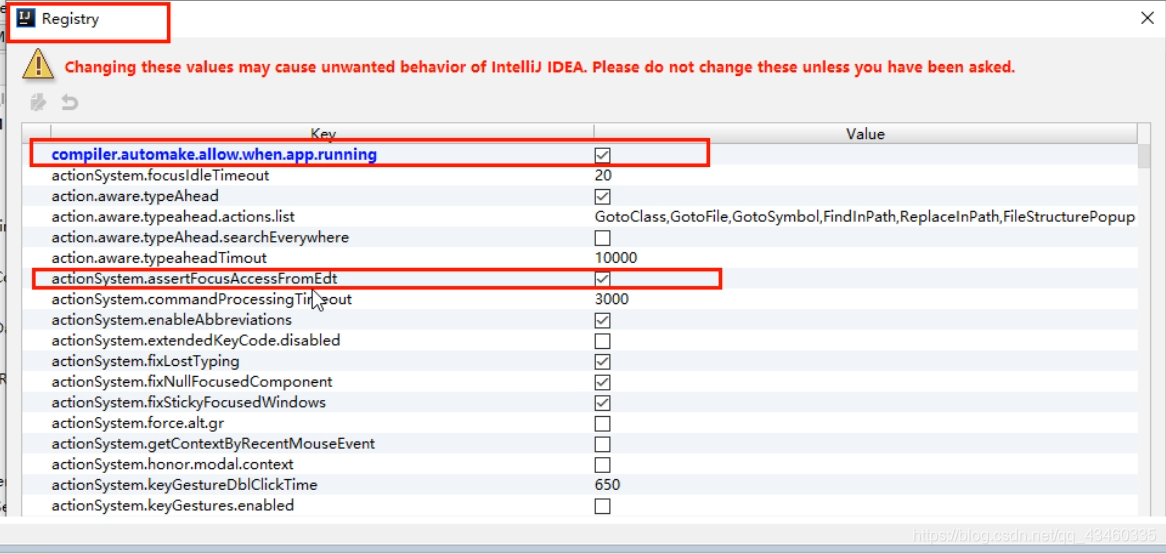
4.更改注册表开启自动编译。
打开注册表快捷键:Ctrl+Shift+Alt+/
这样热部署就成功开启了!

 浙公网安备 33010602011771号