
VB6.0串口通信
这是form图片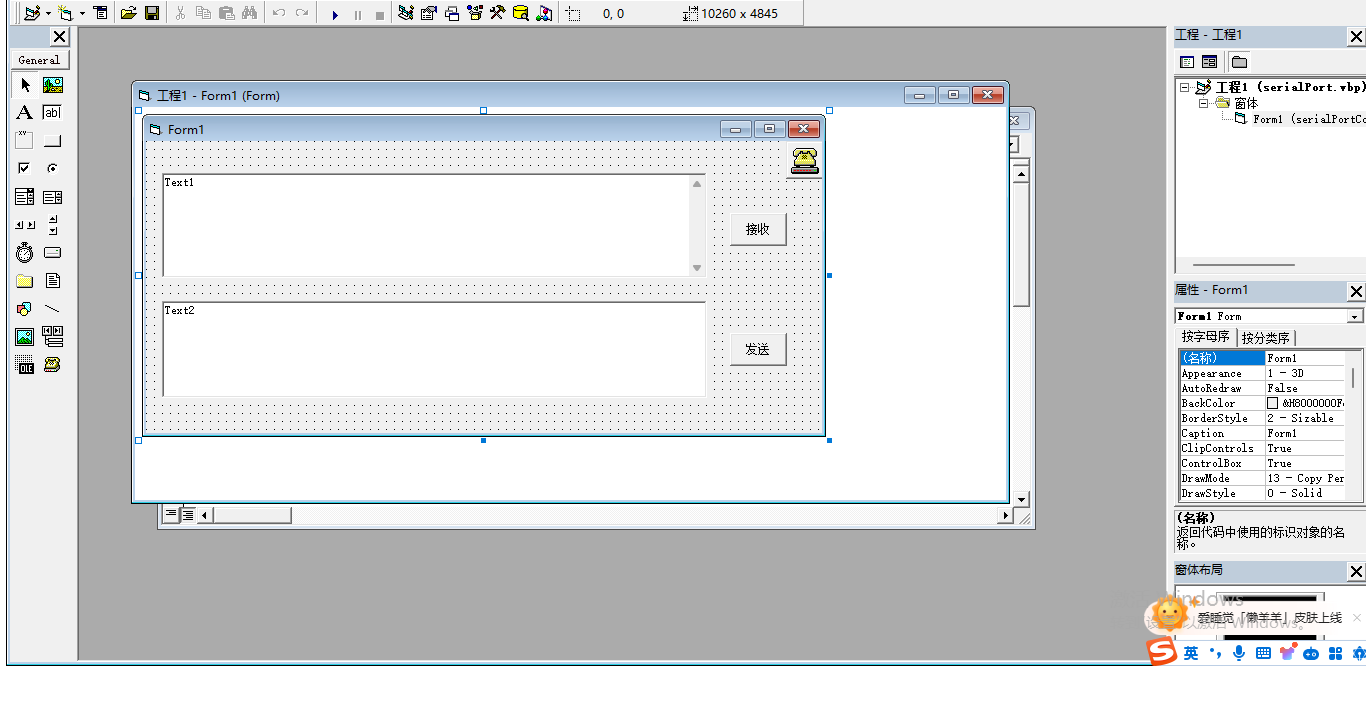
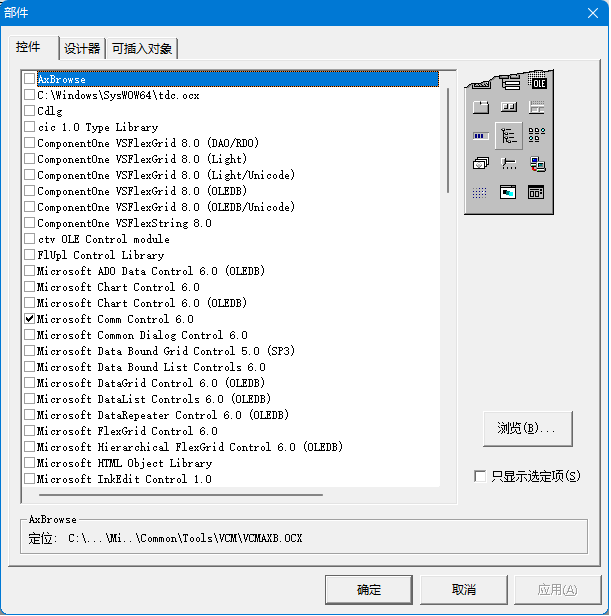
1.MSComm控件的添加方式,工程->部件->控件-> Microsoft Comm Control 6.0 选中,如下图
2.编辑如下源代码
Option Explicit

Dim inString As String  'save substring buffer
Dim buffer As String    'save buffer string

Private Sub Command1_Click()
buffer$ = "SAY:"
MSComm1.CommPort = 3    ' using port 3
MSComm1.Settings = "19200,N,8,1"
'When input activated,telling control item reading total buffer
MSComm1.InputLen = 0    '一次性读取所有数据
MSComm1.RThreshold = 1  '每收一次数据产生一个OnCOMM事件

'opening port
If MSComm1.PortOpen = False Then
    MSComm1.PortOpen = True
End If
'send attention command to 调制解调器
'MSComm1.Output = "HELLOWORLD" & Chr$(13) ' 确保调制解调器以 OK 响应,等待数据返回到串口
Do
   DoEvents
buffer$ = buffer$ & MSComm1.Input
Text1.Text = buffer & vbCrLf
Loop Until InStr(buffer$, "HELLOWORLD" & vbCrLf)
'从串口读"OK"响应
'关闭串口
If MSComm1.PortOpen = True Then
    MSComm1.PortOpen = False
End If
End Sub

Private Sub Command2_Click()
Dim data(8) As Byte
data(0) = &H31
data(1) = &H32
data(2) = &H33
data(3) = &H35
data(4) = &H39
data(5) = &H30
data(6) = &HD
data(7) = &HA

MSComm1.SThreshold = 0  '一次性写入所有数据
MSComm1.Output = data
MSComm1.OutBufferCount = 0 '清空发送缓存区

End Sub
3.全编译执行

 浙公网安备 33010602011771号