

解决Elasticsearch集群状态yellow/red色,unassigned INDEX_CREATED
解决Elasticsearch集群状态黄色,unassigned INDEX_CREATED
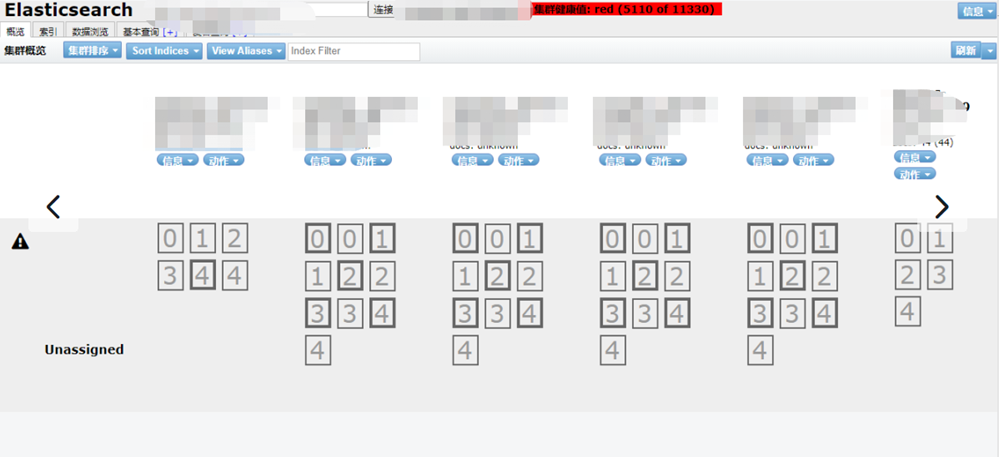
#查看集群状态curl -XGET "http://ip:port/_cluster/health?pretty"
{
"cluster_name" : "log4x-cluster02",
"status" : "yellow",
"timed_out" : false,
"number_of_nodes" : 26,
"number_of_data_nodes" : 13,
"active_primary_shards" : 1747,
"active_shards" : 5163,
"relocating_shards" : 0,
"initializing_shards" : 0,
"unassigned_shards" : 26, #未分配的分片数
"delayed_unassigned_shards" : 0,
"number_of_pending_tasks" : 0,
"number_of_in_flight_fetch" : 0,
"task_max_waiting_in_queue_millis" : 0,
"active_shards_percent_as_number" : 99.49894006552323
}
#查看UNASSIGNED状态的索引
curl -XGET "http://ip:port/_cat/shards?h=index,shard,prirep,state,unassigned.reason"|grep UNASSIGNED
#查看索引的分片数number_of_replicas
curl -XGET "ip:port/索引名/_settings"
#重新分配副本
curl -XPUT -H "Content-Type:application/json" "ip:port/索引名/_settings" -d '{"number_of_replicas": 0}'
curl -XPUT -H "Content-Type:application/json" "ip:port/索引名/_settings" -d '{"number_of_replicas": 2}'
#查看重新分配分片的信息(初始化)curl -XGET "http://ip:port/_cat/shards?v"|grep INITIALIZING
curl -XGET "http://ip:port/_cluster/health?pretty"
{
"cluster_name" : "log4x-cluster02",
"status" : "yellow",
"timed_out" : false,
"number_of_nodes" : 26,
"number_of_data_nodes" : 13,
"active_primary_shards" : 1747,
"active_shards" : 5163,
"relocating_shards" : 0,
"initializing_shards" : 0, #重新分配初始化的分片数,这个数变成0,集群green
"unassigned_shards" : 0, #未分配的分片数
"delayed_unassigned_shards" : 0,
"number_of_pending_tasks" : 0,
"number_of_in_flight_fetch" : 0,
"task_max_waiting_in_queue_millis" : 0,
"active_shards_percent_as_number" : 99.49894006552323
}

 浙公网安备 33010602011771号