
支付宝当面付功能demo运行解读
下载java版本的sdk的demo:
然后拷入idea中:
准备工作:
(1)验签工具下载:蚂蚁金服上面下载:
https://openclub.alipay.com/read.php?tid=955&fid=46
网址:https://openclub.alipay.com/read.php?tid=955&fid=46

(2)二维码生成器:草料二维码
https://cli.im/text?ea6dabbb8c0330198716a121dbc6c973
网址:https://www.bejson.com/
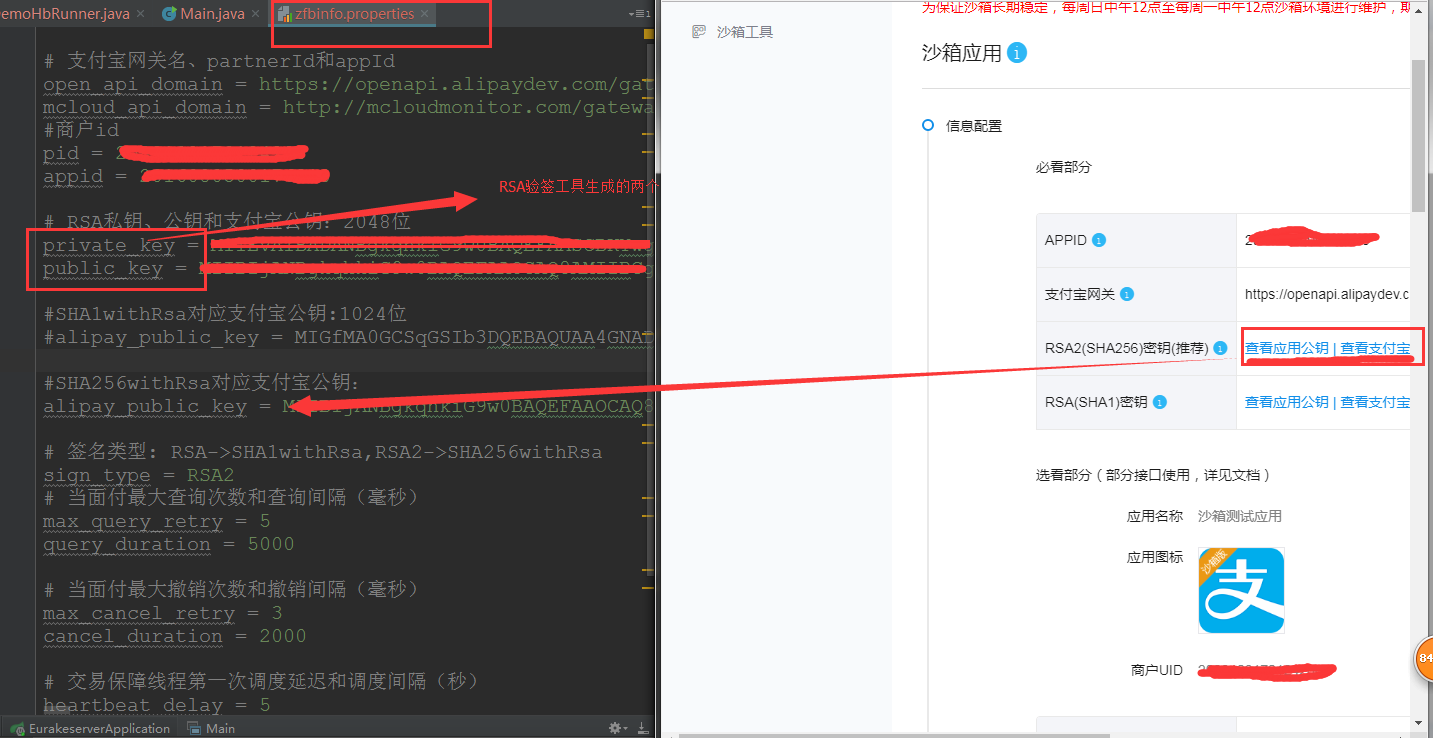
(4)修改demo的配置文件为自己支付宝的东西:修改如上图所示。其中

(5)运行main函数:
可以查看入参:
{
    "out_trade_no": "tradeprecreate15135977745583678986",
    "seller_id": "",
    "total_amount": "0.01",
    "undiscountable_amount": "0",
    "subject": "xxx品牌xxx门店当面付扫码消费",
    "body": "购买商品3件共20.00元",
    "goods_detail": [
        {
            "goods_id": "goods_id001",
            "goods_name": "xxx小面包",
            "quantity": 1,
            "price": "10"
        },
        {
            "goods_id": "goods_id002",
            "goods_name": "xxx牙刷",
            "quantity": 2,
            "price": "5"
        }
    ],
    "operator_id": "test_operator_id",
    "store_id": "test_store_id",
    "extend_params": {
        "sys_service_provider_id": "2088100200300400500"
    },
    "timeout_express": "120m"
}
响应结果:
{
"code": "10000",
"msg": "Success",
"out_trade_no": "tradeprecreate15135977745583678986",
"qr_code": "https://qr.alipay.com/bax088418zec0q1wkhgm00a9"
}

 浙公网安备 33010602011771号