
rancher 部署k8s
yum install -y yum-utils device-mapper-persistent-data lvm2
curl -o /etc/yum.repos.d/CentOS-Base.repo http://mirrors.aliyun.com/repo/Centos-7.repo
yum-config-manager --add-repo https://mirrors.aliyun.com/docker-ce/linux/centos/docker-ce.repo
yum list docker-ce --showduplicates | sort -r
yum install -y docker-ce-19.03.9-3.el7
$ sudo yum install docker-ce-<VERSION_STRING> docker-ce-cli-<VERSION_STRING> containerd.io
$ sudo systemctl start docker
通过运行 hello-world 镜像来验证是否正确安装了 Docker Engine-Community 。
$ sudo docker run hello-world
mkdir -p /etc/docker
[root@rancher ~]# cat /etc/docker/daemon.json
{
"registry-mirrors": ["https://v16stybc.mirror.aliyuncs.com"],
"exec-opts": ["native.cgroupdriver=systemd"]
}
[root@rancher ~]# cat /etc/hosts
127.0.0.1 localhost localhost.localdomain localhost4 localhost4.localdomain4
::1 localhost localhost.localdomain localhost6 localhost6.localdomain6
192.168.30.109 rancher
192.168.30.117 master01
192.168.30.118 node01
192.168.30.119 node02
192.168.30.120 node03
timedatectl set-timezone Asia/Shanghai
ntpdate ntp1.aliyun.com
关闭交换分区
sed -i.bak '/swap/s/^/#/' /etc/fstab
swapoff -a
docker pull rancher/rancher:v2.5.2-linux-amd64
docker images
mkdir -p /mnt/rancher_data
docker run -d --privileged -p 80:80 -p 443:443 -v /mnt/rancher_data:/var/lib/rancher --restart=always --name rancher-v2.5.2 rancher/rancher:v2.5.2-linux-amd64
docker ps
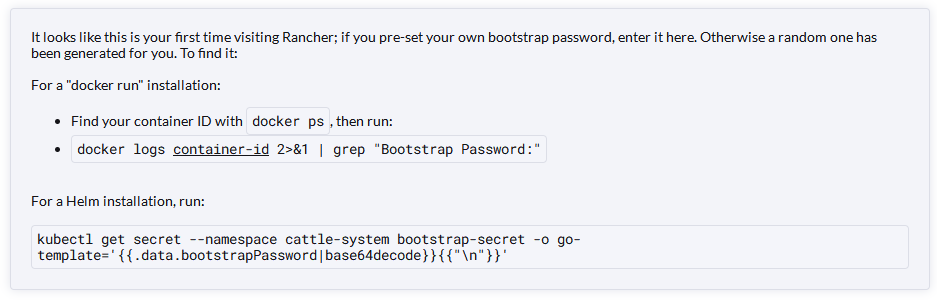
登入 rancher https://192.168.30.109/dashboard/auth/login
posted on 2022-10-27 11:50 FLOWERS_WAN 阅读(144) 评论(0) 收藏 举报

 浙公网安备 33010602011771号