

实验7:基于REST API的SDN北向应用实践
-
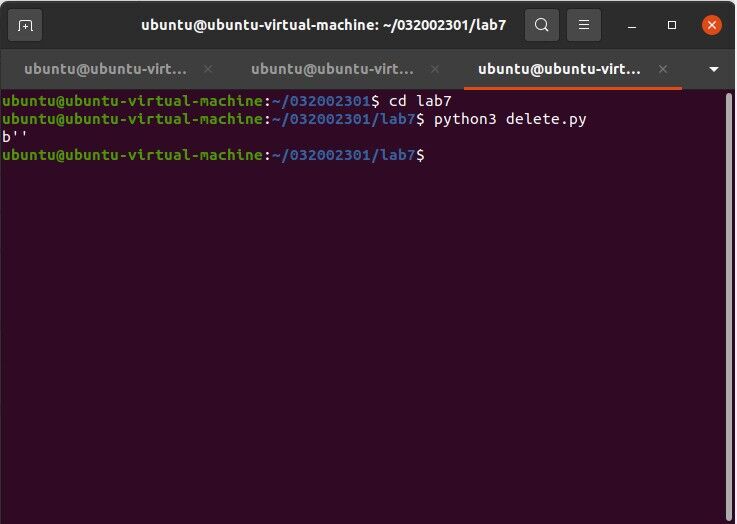
创建并编写delete.py文件
# delete.py
import requests
from requests.auth import HTTPBasicAuth
if __name__ == "__main__":
    url = 'http://127.0.0.1:8181/restconf/config/opendaylight-inventory:nodes/node/openflow:1/'
    headers = {'Content-Type': 'application/json'}
    res = requests.delete(url, headers=headers, auth=HTTPBasicAuth('admin', 'admin'))
    print (res.content)
-
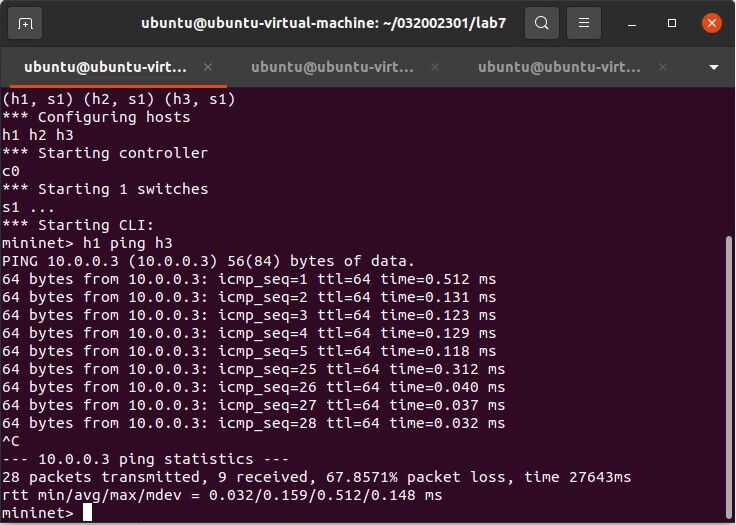
创建并编写 hardtime.py 文件
# hardtime.py
import requests
from requests.auth import HTTPBasicAuth

if __name__ == "__main__":
    url = 'http://127.0.0.1:8181/restconf/config/opendaylight-inventory:nodes/node/openflow:1/flow-node-inventory:table/0/flow/1'
    with open("./hardtime.json") as f:
        jstr = f.read()
    headers = {'Content-Type': 'application/json'}
    res = requests.put(url, jstr, headers=headers, auth=HTTPBasicAuth('admin', 'admin'))
    print (res.content)
-
创建并编写 hardtime.json 文件
# hardtime.json
{
  "flow": [
    {
      "id": "1",
      "match": {
        "in-port": "1",
        "ethernet-match": {
          "ethernet-type": {
            "type": "0x0800"
          }
        },
        "ipv4-destination": "10.0.0.3/32"
      },
      "instructions": {
        "instruction": [
          {
            "order": "0",
            "apply-actions": {
              "action": [
                {
                  "order": "0",
                  "drop-action": {}
                }
              ]
            }
          }
        ]
      },
      "flow-name": "flow1",
      "priority": "65535",
      "hard-timeout": "20",
      "cookie": "2",
      "table_id": "0"
    }
  ]
}

-
创建并编写 getflow.py 文件
# getflow.py
import requests
from requests.auth import HTTPBasicAuth
if __name__ == "__main__":
    url = 'http://127.0.0.1:8181/restconf/operational/opendaylight-inventory:nodes/node/openflow:1/flow-node-inventory:table/0/opendaylight-flow-table-statistics:flow-table-statistics'
    headers = {'Content-Type': 'application/json'}
    res = requests.get(url,headers=headers, auth=HTTPBasicAuth('admin', 'admin'))
    print (res.content)

-
创建并编写 hardtime2.py 文件
# hardtime2.py
import requests
if __name__ == "__main__":
    url = 'http://127.0.0.1:8080/stats/flowentry/add'
    with open("./hardtime2.json") as file:
        str = file.read()
    headers = {'Content-Type': 'application/json'}
    res = requests.post(url, str, headers=headers)
    print (res.content)
-
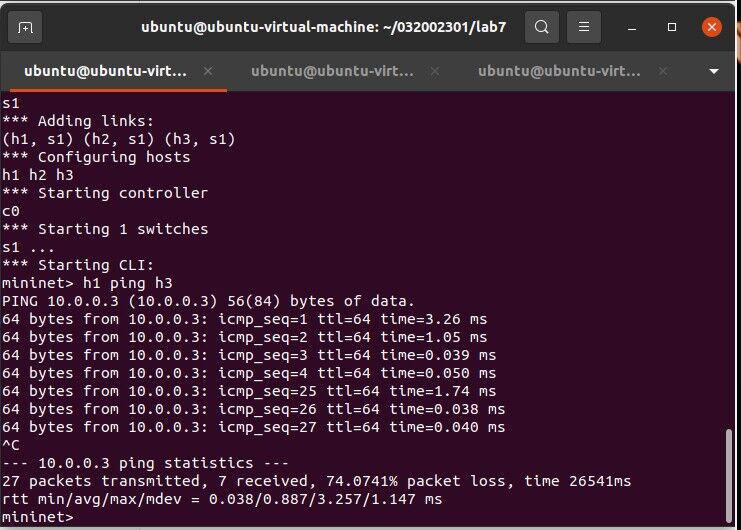
创建并编写 hardtime2.json 文件
# hardtime2.json
{
    "dpid": 1,
    "cookie": 1,
    "cookie_mask": 1,
    "table_id": 0,
    "hard_timeout": 20,
    "priority": 65535,
    "flags": 1,
    "match":{
        "in_port":1
    },
    "actions":[

    ]
 }

-
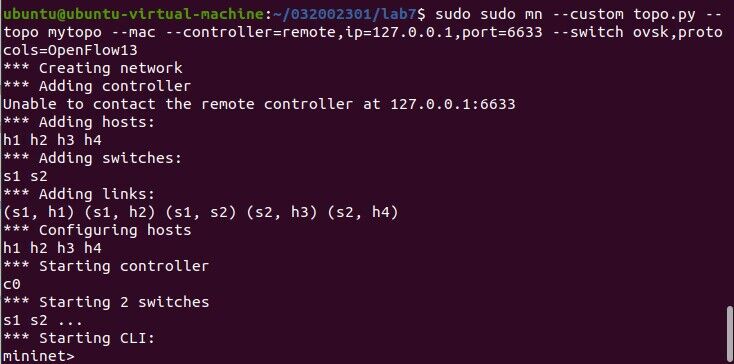
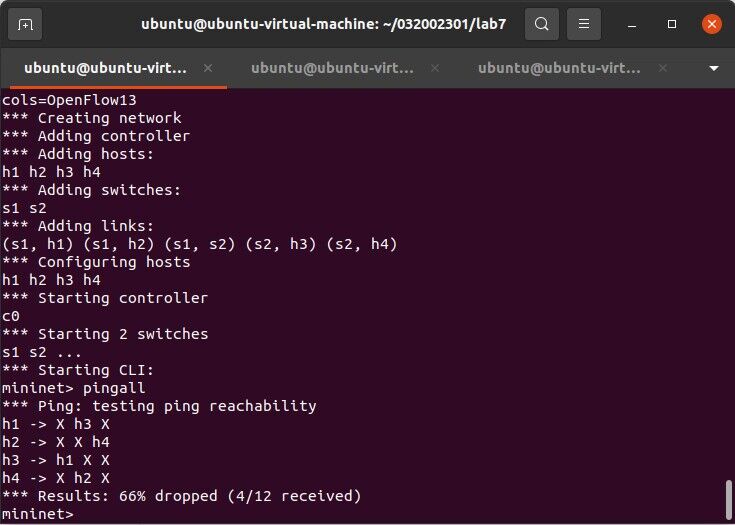
创建并编写 topo.py 文件
# topo.py

from mininet.topo import Topo

class MyTopo(Topo):
    def __init__(self):
        # initilaize topology
        Topo.__init__(self)

        self.addSwitch("s1")
        self.addSwitch("s2")

        self.addHost("h1")
        self.addHost("h2")
        self.addHost("h3")
        self.addHost("h4")

        self.addLink("s1", "h1")
        self.addLink("s1", "h2")
        self.addLink("s2", "h3")
        self.addLink("s2", "h4")
        self.addLink("s1", "s2")

topos = {'mytopo': (lambda: MyTopo())}
-
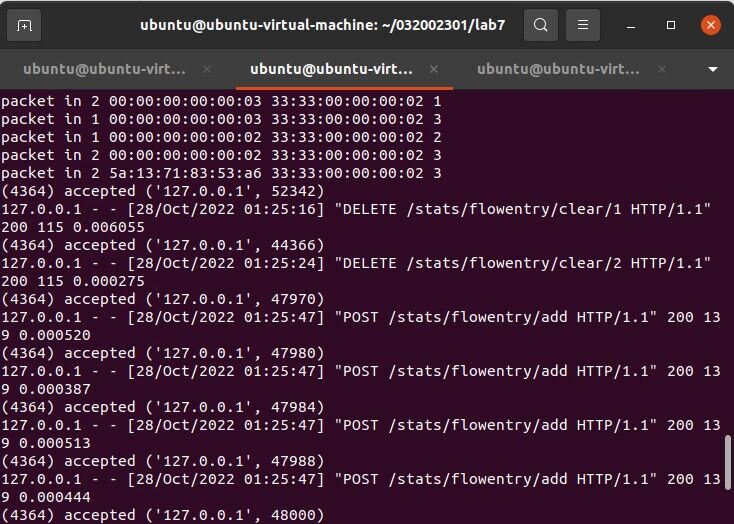
创建并编写 ryuvlan.py 文件
# ryuvlan.py

import json

import requests

if __name__ == "__main__":
    url = 'http://127.0.0.1:8080/stats/flowentry/add'
    headers = {'Content-Type': 'application/json'}
    flow1 = {
        "dpid": 1,
        "priority": 1,
        "match":{
            "in_port": 1
        },
        "actions":[
            {
                "type": "PUSH_VLAN",
                "ethertype": 33024
            },
            {
                "type": "SET_FIELD",
                "field": "vlan_vid",
                "value": 4096
            },
            {
                "type": "OUTPUT",
                "port": 3
            }
        ]
    }
    flow2 = {
        "dpid": 1,
        "priority": 1,
        "match":{
            "in_port": 2
        },
        "actions":[
            {
                "type": "PUSH_VLAN",
                "ethertype": 33024
            },
            {
                "type": "SET_FIELD",
                "field": "vlan_vid",
                "value": 4097
            },
            {
                "type": "OUTPUT",
                "port": 3
            }
        ]
    }
    flow3 = {
        "dpid": 1,
        "priority": 1,
        "match":{
            "vlan_vid": 0
        },
        "actions":[
            {
                "type": "POP_VLAN",
                "ethertype": 33024
            },
            {
                "type": "OUTPUT",
                "port": 1
            }
        ]
    }
    flow4 = {
        "dpid": 1,
        "priority": 1,
        "match": {
            "vlan_vid": 1
        },
        "actions": [
            {
                "type": "POP_VLAN",
                "ethertype": 33024
            },
            {
                "type": "OUTPUT",
                "port": 2
            }
        ]
    }
    flow5 = {
        "dpid": 2,
        "priority": 1,
        "match": {
            "in_port": 1
        },
        "actions": [
            {
                "type": "PUSH_VLAN",
                "ethertype": 33024
            },
            {
                "type": "SET_FIELD",
                "field": "vlan_vid",
                "value": 4096
            },
            {
                "type": "OUTPUT",
                "port": 3
            }
        ]
    }
    flow6 = {
        "dpid": 2,
        "priority": 1,
        "match": {
            "in_port": 2
        },
        "actions": [
            {
                "type": "PUSH_VLAN",
                "ethertype": 33024
            },
            {
                "type": "SET_FIELD",
                "field": "vlan_vid",
                "value": 4097
            },
            {
                "type": "OUTPUT",
                "port": 3
            }
        ]
    }
    flow7 = {
        "dpid": 2,
        "priority": 1,
        "match": {
            "vlan_vid": 0
        },
        "actions": [
            {
                "type": "POP_VLAN",
                "ethertype": 33024
            },
            {
                "type": "OUTPUT",
                "port": 1
            }
        ]
    }
    flow8 = {
        "dpid": 2,
        "priority": 1,
        "match": {
            "vlan_vid": 1
        },
        "actions": [
            {
                "type": "POP_VLAN",
                "ethertype": 33024
            },
            {
                "type": "OUTPUT",
                "port": 2
            }
        ]
    }
    res1 = requests.post(url, json.dumps(flow1), headers=headers)
    res2 = requests.post(url, json.dumps(flow2), headers=headers)
    res3 = requests.post(url, json.dumps(flow3), headers=headers)
    res4 = requests.post(url, json.dumps(flow4), headers=headers)
    res5 = requests.post(url, json.dumps(flow5), headers=headers)
    res6 = requests.post(url, json.dumps(flow6), headers=headers)
    res7 = requests.post(url, json.dumps(flow7), headers=headers)
    res8 = requests.post(url, json.dumps(flow8), headers=headers)

-
个人总结
本次实验难度较大,需要自己编写代码。指导书上步骤不甚详细,很多需要自己摸索。实验过程中遇到很多错误,有幸得同学不吝赐教,我受益匪浅。不知其然的各种错误令我头都要裂开,学海无涯,我仍需要继续努力。
第一次搭建拓扑
sudo mn --topo=single,3 --controller=remote,ip=127.0.0.1,port=6633 --switch ovsk,protocols=OpenFlow13
Beryllium 版本 连接OpenDaylight
./distribution-karaf-0.4.4-Beryllium-SR4/bin/karaf feature:install odl-restconf odl-l2switch-switch-ui odl-openflowplugin-all odl-mdsal-apidocs odl-dlux-core odl-dlux-node odl-dlux-yangui
(关闭ryu并退出mininet后)清除拓扑
sudo mn -c
启动ryu控制器
ryu-manager ryu.app.simple_switch_13 ryu.app.ofctl_rest
第二次创建拓扑
sudo mn --topo=single,3 --mac --controller=remote,ip=127.0.0.1,port=6633 --switch ovsk,protocols=OpenFlow13
第三次创建拓扑
sudo sudo mn --custom topo.py --topo mytopo --mac --controller=remote,ip=127.0.0.1,port=6633 --switch ovsk,protocols=OpenFlow13
安装curl
sudo apt install curl
删除流表
curl -X DELETE http://127.0.0.1:8080/stats/flowentry/clear/1
curl -X DELETE http://127.0.0.1:8080/stats/flowentry/clear/2

 浙公网安备 33010602011771号