
python安装第三方库
python安装第三方库
1. 通过PyCharm安装
打开File-Settings-Project-Python Interpreter
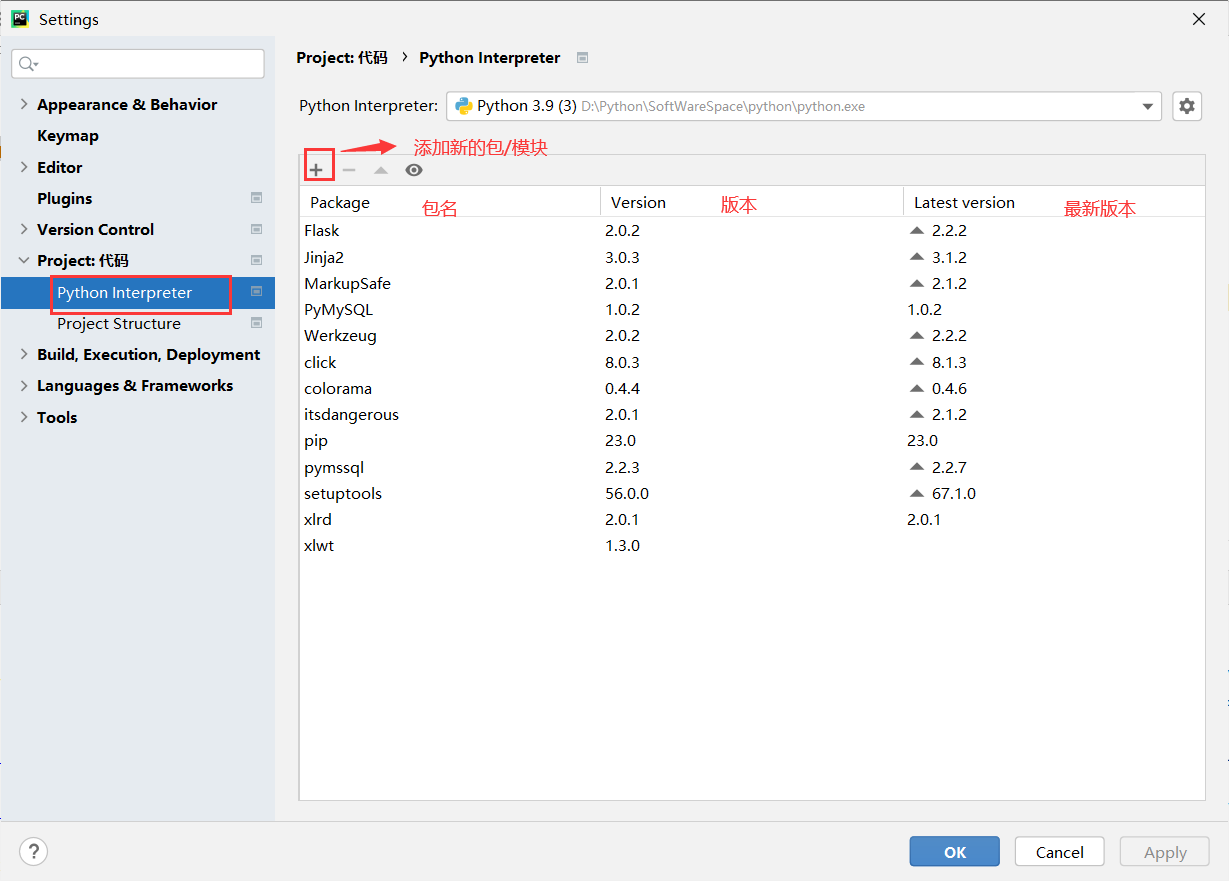
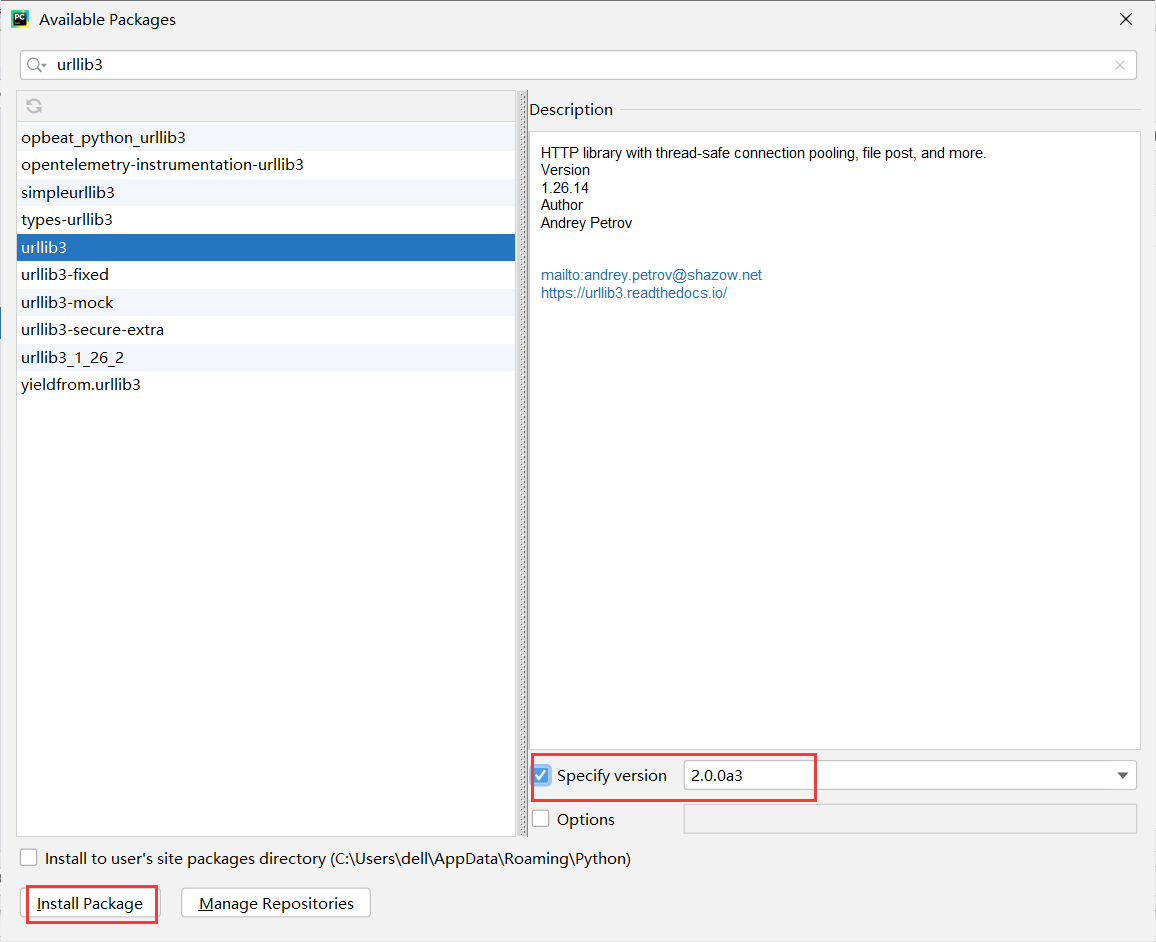
从这里可以看到你已经安装的第三方库以及版本,然后点击下方的加号可以进行添加。这里我以urllib3为例,在上方进行搜索你想要的库,然后在右下方可以选择你想要的版本,如果不勾选则默认为最新版本,点击Install Packages即可进行安装。
2. pip安装
如果在PyCharm中安装失败了,或者没有使用PyCharm,可以直接使用pip进行安装。
pip是Python的包安装程序
也可以说pip是Python标准库的一个包,只不过这个包可以管理Python标准库之中其它的包
pip 是一个命令行程序。 安装 pip 后,会向系统添加一个 pip 命令,该命令可以从命令提示符运行
打开cmd后,输入pip+回车,可以看到pip的使用说明
Usage:
  pip <command> [options]

Commands:
  install                     #安装软件包
  download                    #下载包
  uninstall                   #卸载包
  freeze                      #输出已安装的包(带版本号)
  list                        #已安装的包;
  show                        #显示包的详细信息
  check                       #验证已安装的包是否有兼容选项
  config                      #管理本地和全局配置
  search                      #在pypi中搜索包
  cache                       #检查和管理匹配的库
  index                       Inspect information available from package indexes.
  wheel                       Build wheels from your requirements.
  hash                        Compute hashes of package archives.
  completion                  A helper command used for command completion.
  debug                       Show information useful for debugging.
  help                        Show help for commands.
这里补充一些关于pip的指令:
-
pip自身的升级
py -m pip install --upgrade pip -
pip安装/卸载/升级
pip install 包名 #安装 pip uninstall 包名 #卸载 pip install --upgrade 包名 #升级 -
查看已安装的包
pip list -
检查那些包需要更新
pip list --outdated -
查看某个包的详细信息
pip show 包名 -
pip安装指定版本的包
pip install 包名==版本号
例如:
pip install numpy==1.20.3
pip install 'matplotlib>3.4'
pip install 'matplotlib>3.4.0,<3.4.3'	#可以通过使用==,>=,<=,>,< 来指定版本号
借鉴:(https://blog.csdn.net/wongyinger/article/details/122890031)

 浙公网安备 33010602011771号