

高级程序设计第十次个人作业
| 这个作业属于哪个课程 | <班级的链接> |
|---|---|
| 这个作业要求在哪里 | <作业链接> |
| 学号 | 092300303 |
| 姓名 | 池博洋 |
@
目录
编写一个程序,将一个文件的内容复制到另一个文件中。
点击查看代码
#include <stdio.h>
#include <stdlib.h>

int main() {
    FILE *sourceFile, *targetFile;
    char sourcePath[100], targetPath[100];
    char ch;

    printf("输入源文件名: ");
    scanf("%s", sourcePath);
    printf("输入目标文件名: ");
    scanf("%s", targetPath);

    sourceFile = fopen(sourcePath, "r");
    if (sourceFile == NULL) {
        printf("无法打开源文件!\n");
        return 1;
    }

    targetFile = fopen(targetPath, "w");
    if (targetFile == NULL) {
        printf("无法创建目标文件!\n");
        fclose(sourceFile);
        return 1;
    }

    while ((ch = fgetc(sourceFile)) != EOF) {
        fputc(ch, targetFile);
    }

    printf("文件复制成功!\n");

    fclose(sourceFile);
    fclose(targetFile);

    return 0;
}
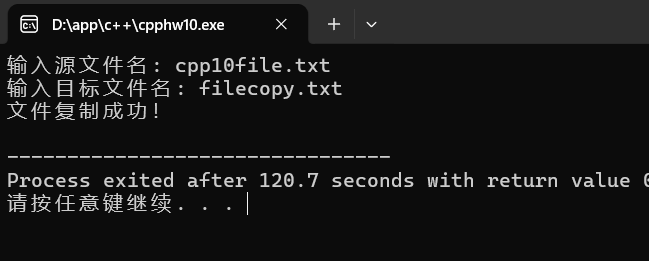
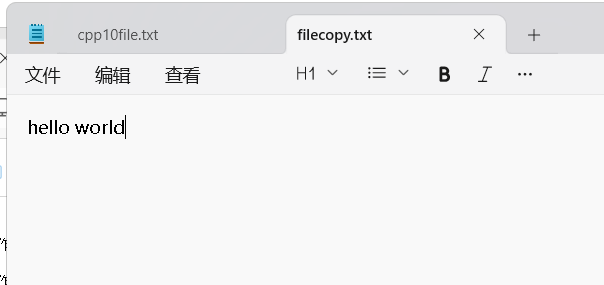
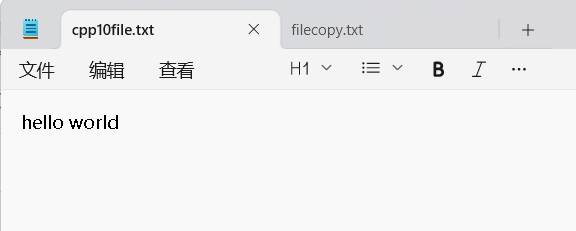
运行结果:
编写一个程序,统计一个文本文件中的字符数。
点击查看代码
#include <stdio.h>
#include <stdlib.h>

int main() {
    FILE *file;
    char filename[100];
    char ch;
    int count = 0;

    printf("输入文件名: ");
    scanf("%s", filename);

    file = fopen(filename, "r");
    if (file == NULL) {
        printf("无法打开文件!\n");
        return 1;
    }

    while ((ch = fgetc(file)) != EOF) {
        count++;
    }

    printf("文件 '%s' 中的字符数为: %d\n", filename, count);

    fclose(file);

    return 0;
}
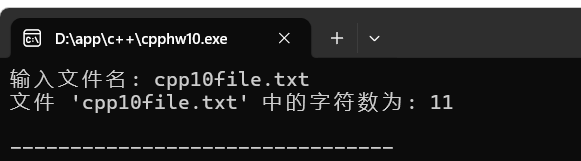
结果:
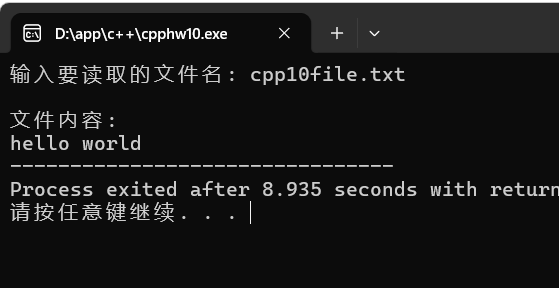
编写一个程序,读取一个文本文件的内容,并在控制台上显示。
点击查看代码
#include <stdio.h>
#include <stdlib.h>

int main() {
    FILE *file;
    char filename[100];
    char ch;

    printf("输入要读取的文件名: ");
    scanf("%s", filename);

    file = fopen(filename, "r");
    if (file == NULL) {
        printf("无法打开文件!\n");
        return 1;
    }

    printf("\n文件内容:\n");

    while ((ch = fgetc(file)) != EOF) {
        putchar(ch);
    }


    fclose(file);

    return 0;
}
结果:
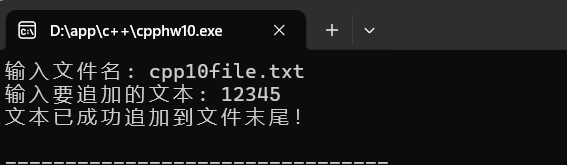
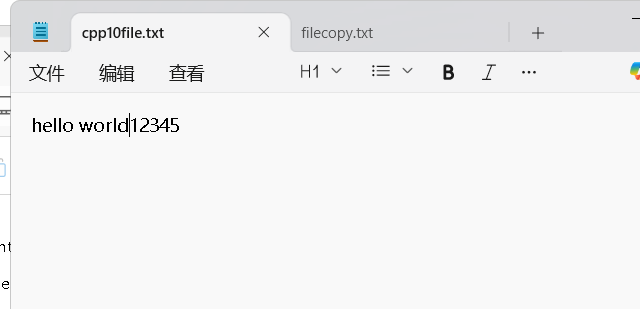
编写一个程序,向一个文本文件的末尾追加一行文本。
点击查看代码
#include <stdio.h>
#include <stdlib.h>
#include <string.h>

int main() {
    FILE *file;
    char filename[100];
    char text[1000];

    printf("输入文件名: ");
    scanf("%s", filename);

    // 清除输入缓冲区
    while (getchar() != '\n');

    printf("输入要追加的文本: ");
    fgets(text, sizeof(text), stdin);

    // 移除末尾的换行符(如果有)
    text[strcspn(text, "\n")] = 0;

    file = fopen(filename, "a");
    if (file == NULL) {
        printf("无法打开文件!\n");
        return 1;
    }

    fprintf(file, "%s\n", text);

    printf("文本已成功追加到文件末尾!\n");

    fclose(file);

    return 0;
}
结果:
编写一个程序,读取一个文本文件,删除文件中的特定行(例如,包含特定单词的行),并将结果保存到新文件中。
点击查看代码
#include <stdio.h>
#include <stdlib.h>
#include <string.h>

int main() {
    FILE *sourceFile, *targetFile;
    char sourcePath[100], targetPath[100];
    char keyword[100];
    char line[1000];
    int lineNum = 0, deletedLines = 0;

    printf("输入源文件名: ");
    scanf("%s", sourcePath);
    printf("输入目标文件名: ");
    scanf("%s", targetPath);
    printf("输入要删除的关键词: ");
    scanf("%s", keyword);

    sourceFile = fopen(sourcePath, "r");
    if (sourceFile == NULL) {
        printf("无法打开源文件!\n");
        return 1;
    }

    targetFile = fopen(targetPath, "w");
    if (targetFile == NULL) {
        printf("无法创建目标文件!\n");
        fclose(sourceFile);
        return 1;
    }

    while (fgets(line, sizeof(line), sourceFile) != NULL) {
        lineNum++;

        if (strstr(line, keyword) == NULL) {
            fputs(line, targetFile);
        } else {
            printf("删除了第 %d 行: %s", lineNum, line);
            deletedLines++;
        }
    }

    printf("\n处理完成!\n");
    printf("删除了 %d 行包含关键词 '%s' 的内容\n", deletedLines, keyword);
    printf("结果已保存到文件: %s\n", targetPath);

    fclose(sourceFile);
    fclose(targetFile);

    return 0;
}
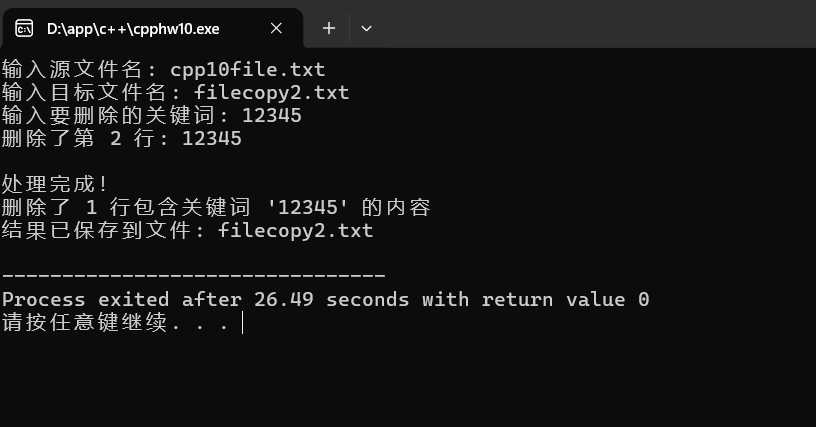
结果:
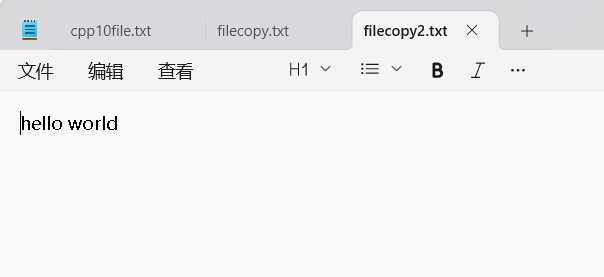
在这一步之前cpp10file.txt文件被我分行了,第一行是hello world第二行是12345.
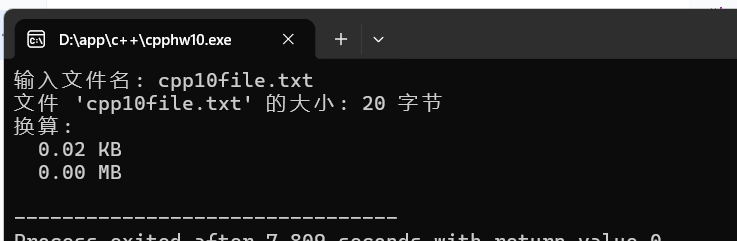
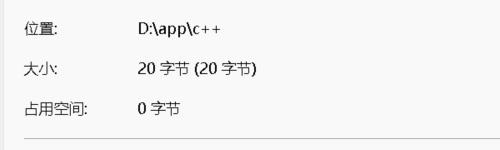
计算并显示一个文件的大小(以字节为单位),要求使用ftell。
点击查看代码
#include <stdio.h>
#include <stdlib.h>

int main() {
    FILE *file;
    char filename[100];
    long size;

    printf("输入文件名: ");
    scanf("%s", filename);

    file = fopen(filename, "rb");
    if (file == NULL) {
        printf("无法打开文件!\n");
        return 1;
    }

    // 将文件指针移动到文件末尾
    fseek(file, 0, SEEK_END);

    // 获取当前位置(即文件大小)
    size = ftell(file);

    printf("文件 '%s' 的大小: %ld 字节\n", filename, size);
    printf("换算:\n");
    printf("  %.2f KB\n", size / 1024.0);
    printf("  %.2f MB\n", size / (1024.0 * 1024.0));

    fclose(file);

    return 0;
}
结果:
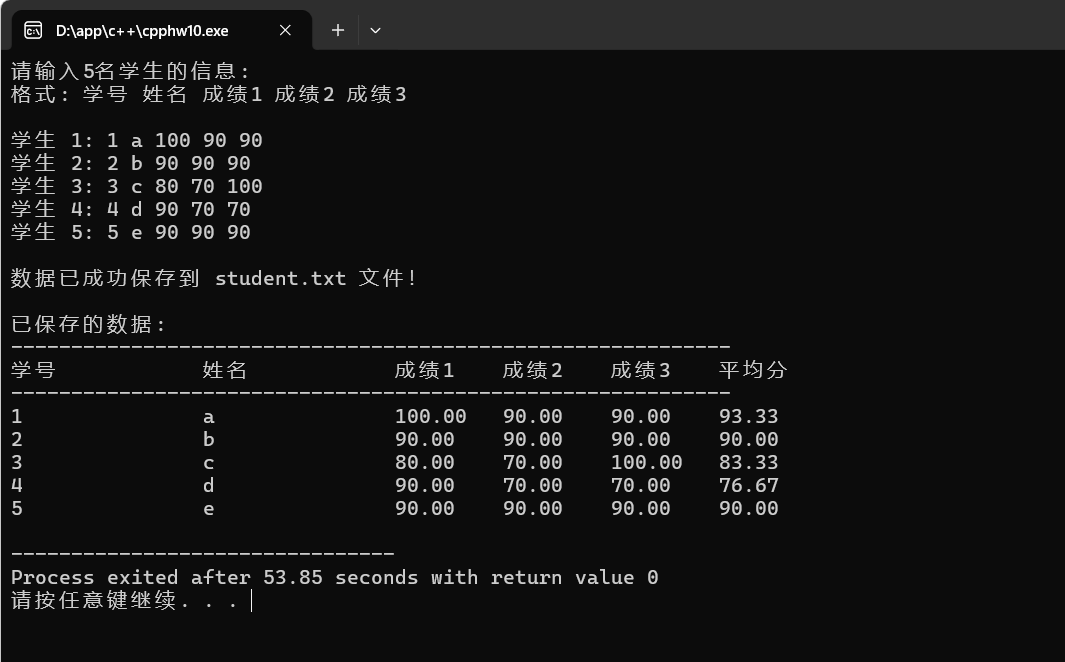
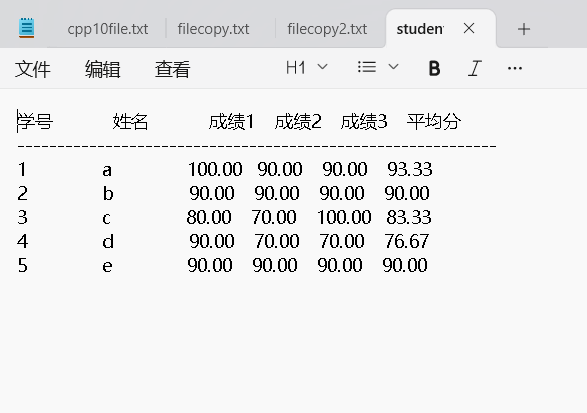
有五个学生,每个学生有 3 门课的成绩,从键盘输入以上数据(包括学号,姓名,三门课成绩),计算出平均成绩,将原有的数据和计算出的平均分数存放在磁盘文件"student.txt"中。
点击查看代码
#include <stdio.h>
#include <stdlib.h>

struct Student {
    char id[20];
    char name[50];
    float score1;
    float score2;
    float score3;
    float average;
};

int main() {
    struct Student students[5];
    FILE *file;
    int i;

    printf("请输入5名学生的信息:\n");
    printf("格式: 学号 姓名 成绩1 成绩2 成绩3\n\n");

    // 输入学生信息
    for (i = 0; i < 5; i++) {
        printf("学生 %d: ", i + 1);
        scanf("%s %s %f %f %f",
              students[i].id,
              students[i].name,
              &students[i].score1,
              &students[i].score2,
              &students[i].score3);

        // 计算平均成绩
        students[i].average = (students[i].score1 +
                              students[i].score2 +
                              students[i].score3) / 3.0;
    }

    // 写入文件
    file = fopen("student.txt", "w");
    if (file == NULL) {
        printf("无法创建文件 student.txt!\n");
        return 1;
    }

    // 写入表头
    fprintf(file, "%-15s %-15s %-8s %-8s %-8s %-8s\n",
            "学号", "姓名", "成绩1", "成绩2", "成绩3", "平均分");
    fprintf(file, "------------------------------------------------------------\n");

    // 写入学生数据
    for (i = 0; i < 5; i++) {
        fprintf(file, "%-15s %-15s %-8.2f %-8.2f %-8.2f %-8.2f\n",
                students[i].id,
                students[i].name,
                students[i].score1,
                students[i].score2,
                students[i].score3,
                students[i].average);
    }

    fclose(file);

    printf("\n数据已成功保存到 student.txt 文件!\n");

    // 显示已保存的数据
    printf("\n已保存的数据:\n");
    printf("------------------------------------------------------------\n");
    printf("%-15s %-15s %-8s %-8s %-8s %-8s\n",
           "学号", "姓名", "成绩1", "成绩2", "成绩3", "平均分");
    printf("------------------------------------------------------------\n");

    for (i = 0; i < 5; i++) {
        printf("%-15s %-15s %-8.2f %-8.2f %-8.2f %-8.2f\n",
               students[i].id,
               students[i].name,
               students[i].score1,
               students[i].score2,
               students[i].score3,
               students[i].average);
    }

    return 0;
}
结果:

 浙公网安备 33010602011771号