
每日总结(14)
所用时间:晚上两小时
代码:100
博客:1
知识点:
vuex的基本使用
安装:npm install vuex@3/4
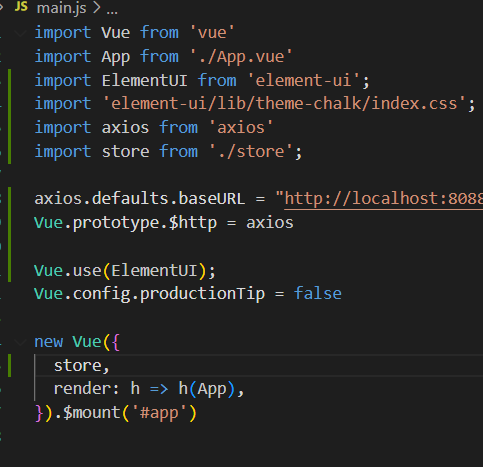
main中配置
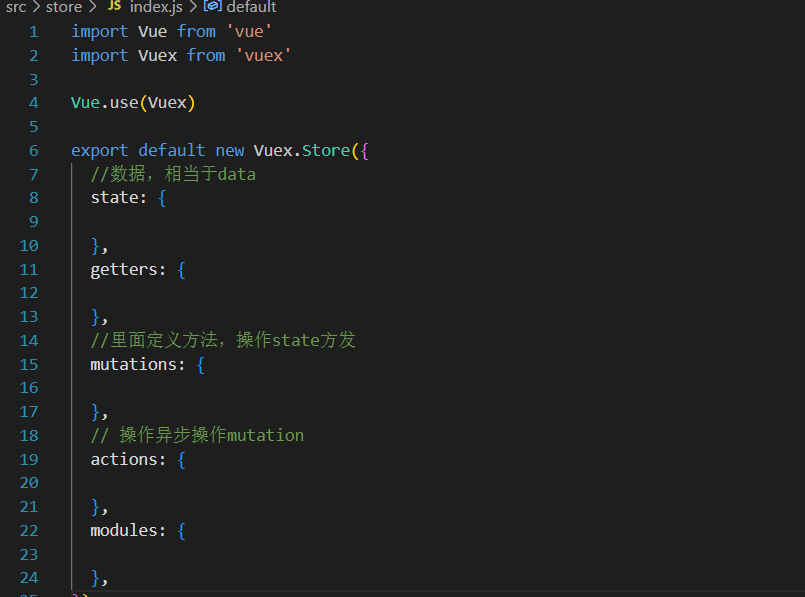
index.js中
State
 1  在vuex中state中定义数据,可以在任何组件中进行调用
 2
 3 import Vue from 'vue'
 4 import Vuex from 'vuex'
 5
 6 Vue.use(Vuex)
 7
 8 export default new Vuex.Store({
 9   state: {
10
11     count:0
12   },
13 })
this.$store.state.全局数据名称
 1 Getter 接受 state 作为其第一个参数:
 2
 3 const store = createStore({
 4   state: {
 5     todos: [
 6       { id: 1, text: '...', done: true },
 7       { id: 2, text: '...', done: false }
 8     ]
 9   },
10   getters: {
11     doneTodos (state) {
12       return state.todos.filter(todo => todo.done)
13     }
14   }
15 })
 1 更改 Vuex 的 store 中的状态的唯一方法是提交 mutation。Vuex 中的 mutation 非常类似于事件:每个 mutation 都有一个字符串的事件类型 (type)和一个回调函数 (handler)。这个回调函数就是我们实际进行状态更改的地方,并且它会接受 state 作为第一个参数:
 2
 3 const store = createStore({
 4   state: {
 5     count: 1
 6   },
 7   mutations: {
 8     increment (state) {
 9       // 变更状态
10       state.count++
11     }
12   }
13 })
你可以向 store.commit 传入额外的参数,即 mutation 的载荷(payload):
// ...
mutations: {
  increment (state, n) {
    state.count += n
  }
}
store.commit('increment', 10)

 浙公网安备 33010602011771号