Java SpringBoot学习笔记 40 SpringBoot整合Shiro环境搭建
来自B站【狂神说Java】SpringBoot最新教程IDEA版通俗易懂
1. 新建模块 shiro-springboot


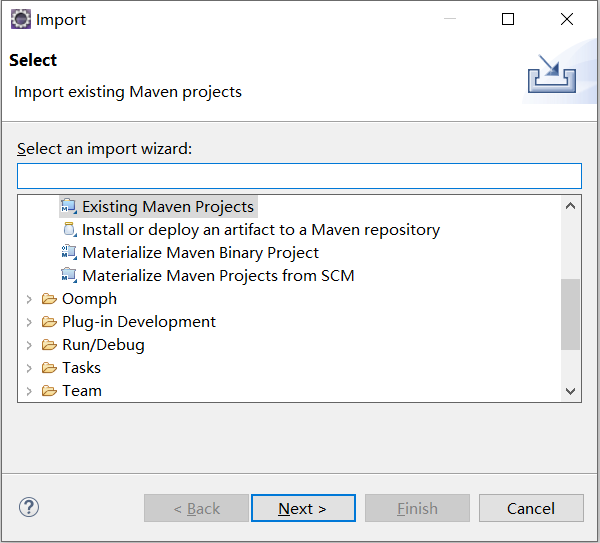
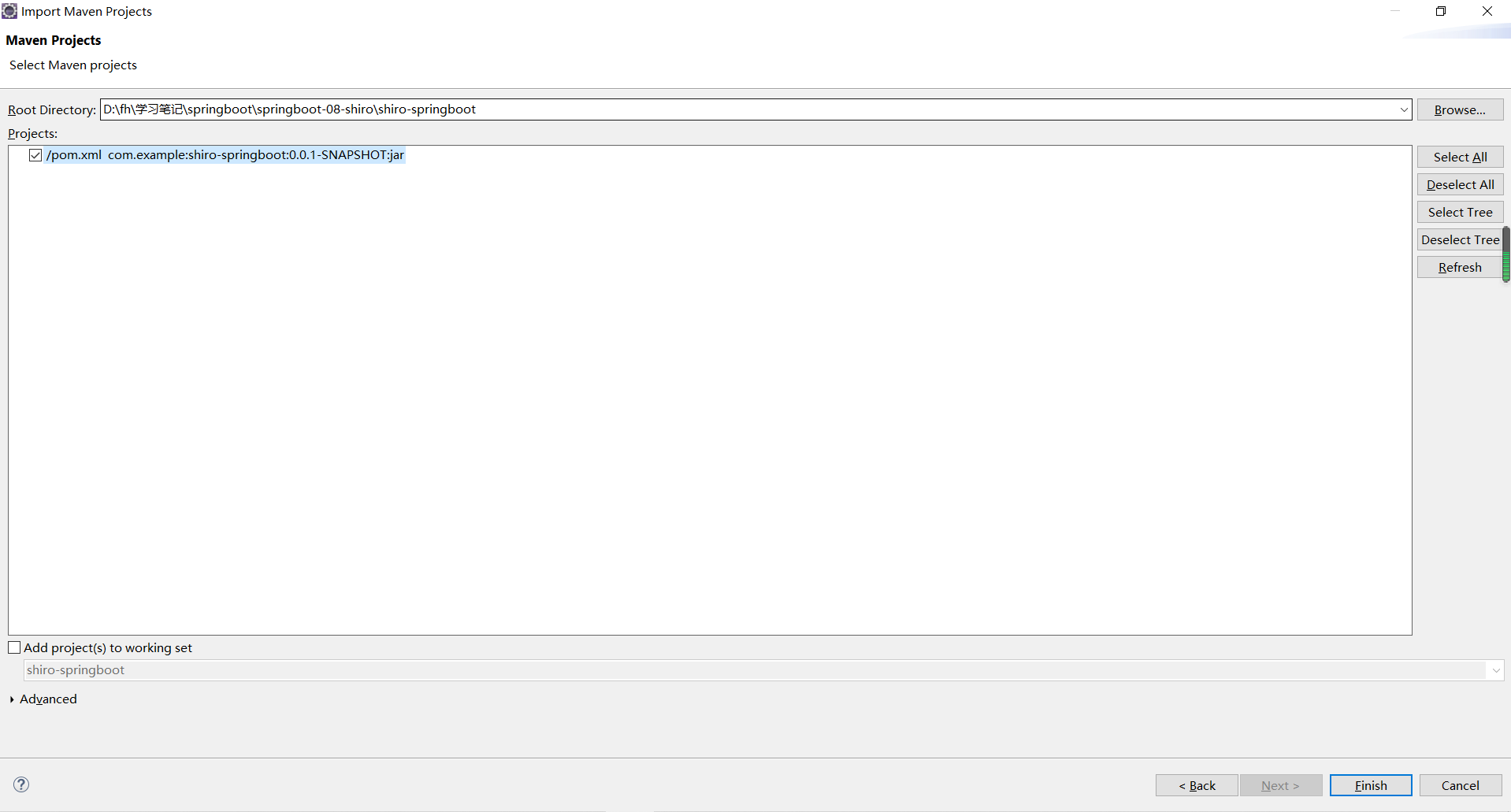
2. templates 下新增首页 index.html
<!DOCTYPE html>
<html xmlns:th="http://www.thymeleaf.org">
<head>
<meta charset="UTF-8">
<title>Insert title here</title>
<style>
* {
	color: orange;
}
</style>
</head>
<body>
<h1>首页</h1>
<p th:text="${msg}"></p>
</body>
</html>
3. 新增 Controller
package com.example.shiro.controller;

import org.springframework.stereotype.Controller;
import org.springframework.ui.Model;
import org.springframework.web.bind.annotation.RequestMapping;

@Controller
public class MyController {

	@RequestMapping({"/", "/index"})
	public String toIndex(Model model) {
		model.addAttribute("msg", "Hello Shiro!");
		return "index";
	}

}
4. 启动测试
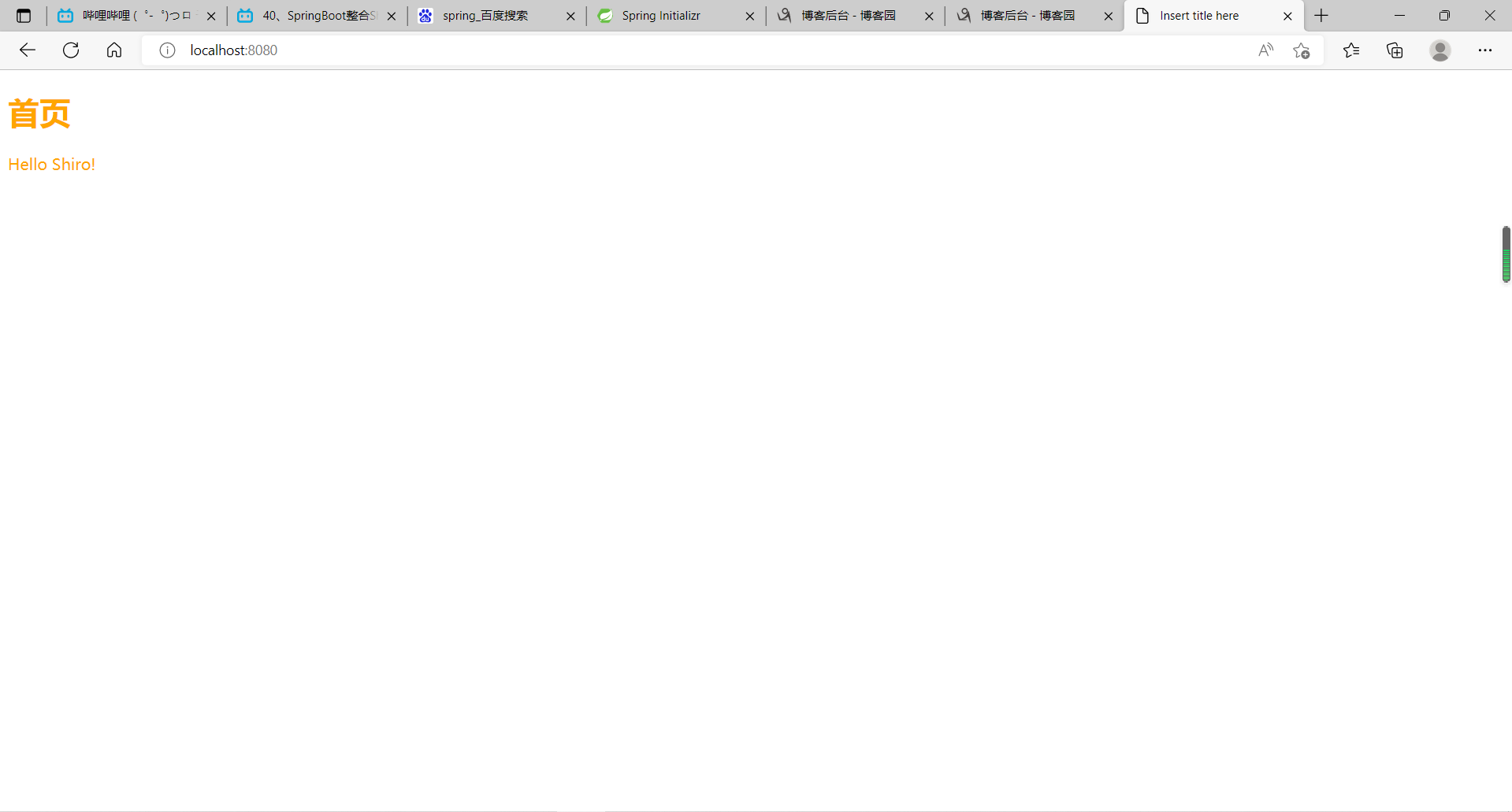
5. 导入jar包
                <dependency>
		    <groupId>org.apache.shiro</groupId>
		    <artifactId>shiro-spring</artifactId>
		    <version>1.9.1</version>
		</dependency>
5. 增加 UserRealm
package com.example.shiro.config;

import org.apache.shiro.authc.AuthenticationException;
import org.apache.shiro.authc.AuthenticationInfo;
import org.apache.shiro.authc.AuthenticationToken;
import org.apache.shiro.authz.AuthorizationInfo;
import org.apache.shiro.realm.AuthorizingRealm;
import org.apache.shiro.subject.PrincipalCollection;

public class UserRealm extends AuthorizingRealm {

	/**
	 * 授权
	 */
	@Override
	protected AuthorizationInfo doGetAuthorizationInfo(PrincipalCollection principals) {
		System.out.println("执行了 => 授权 doGetAuthorizationInfo");
		return null;
	}

	/**
	 * 认证
	 */
	@Override
	protected AuthenticationInfo doGetAuthenticationInfo(AuthenticationToken token) throws AuthenticationException {
		System.out.println("执行了 => 认证 doGetAuthenticationInfo");
		return null;
	}

}
6. 增加 shiro配置
package com.example.shiro.config;

import org.apache.shiro.spring.web.ShiroFilterFactoryBean;
import org.apache.shiro.web.mgt.DefaultWebSecurityManager;
import org.springframework.beans.factory.annotation.Qualifier;
import org.springframework.context.annotation.Bean;
import org.springframework.context.annotation.Configuration;

@Configuration
public class ShiroConfig {

	/**
	 * ShiroFilterFactoryBean
	 * @param defaultWebSecurityManager
	 * @return
	 */
	@Bean
	public ShiroFilterFactoryBean getShiroFilterFactoryBean(@Qualifier("securityManager") DefaultWebSecurityManager defaultWebSecurityManager) {
		ShiroFilterFactoryBean bean = new ShiroFilterFactoryBean();
		// 设置安全管理器
		bean.setSecurityManager(defaultWebSecurityManager);
		return bean;
	}

	/**
	 * DefaultWebSecurityManager
	 * @param userRealm
	 * @return
	 */
	@Bean(name = "securityManager")
	public DefaultWebSecurityManager getDefaultWebSecurityManager(@Qualifier("userRealm") UserRealm userRealm) {
		DefaultWebSecurityManager securityManager = new DefaultWebSecurityManager();
		// 关联 UserRealm
		securityManager.setRealm(userRealm);
		return securityManager;
	}

	/**
	 * 创建 realm 对象,需要自定义类
	 */
	@Bean
	public UserRealm userRealm() {
		return new UserRealm();
	}

}
7. MyController 增加请求
	@RequestMapping("/user/add")
	public String add() {
		return "user/add";
	}

	@RequestMapping("/user/update")
	public String update() {
		return "user/update";
	}
8. templates 下增加两个文件 user/add.html user/update.html
<!DOCTYPE html>
<html>
<head>
<meta charset="UTF-8">
<title>Insert title here</title>
<style>
* {
	color: orange;
}
</style>
</head>
<body>
<h1>add</h1>
</body>
</html>
<!DOCTYPE html>
<html>
<head>
<meta charset="UTF-8">
<title>Insert title here</title>
<style>
* {
	color: orange;
}
</style>
</head>
<body>
<h1>update</h1>
</body>
</html>
9. index.html 中增加跳转的链接
<!DOCTYPE html>
<html xmlns:th="http://www.thymeleaf.org">
<head>
<meta charset="UTF-8">
<title>Insert title here</title>
<style>
* {
	color: orange;
}
</style>
</head>
<body>
<h1>首页</h1>
<p th:text="${msg}"></p>
<hr/>
<a th:href="@{/user/add}">add</a> | <a th:href="@{/user/update}">update</a>
</body>
</html>
10. 启动测试


 浙公网安备 33010602011771号