
在 nuget 私服 BaGet 中应用https 以及 gitea action runner 自动打包
最近赋闲,想起之前工作中代码管理的一点经历,就是在打包项目的时候,类库的版本号几乎没变过,一个项目运行多少年了,版本号还是1.0.0。😂 即使用到了 nuget 私服,基本上也是手动打包的,CI 工具基本都是用到 api 项目。于是想结合 gitea 的 CI 工具 act runner 试用一下 minver,minver 是一个使用 git tag 来给类库打版本号的工具。
环境:Windows + WSL2
Windows 作为代码开发环境,gitea 和 act runner 运行在 WSL(Ubuntu-22.04) 中。Ubuntu 中也安装了 .NET SDK 9.0
0. SSL 证书
在 Windows 自签证书之后,需要将根证书导入到 gitea act runner 运行的主机中,这里是 Ubuntu-22.04。
mkcert 的根证书在 Windows 的路径是 C:\Users\Z\AppData\Local\mkcert。
scp .\rootCA.pem ubuntu@127.0.0.1:/home/ubuntu
同时将带密码的 pfk 证书也上传到 Ubuntu。然后在 Ubuntu 中将 rootCA.pem 添加信任。
sudo cp rootCA.pem /usr/local/share/ca-certificates/rootCA.crt
sudo update-ca-certificates
如果没有这个步骤,即使 BaGet 带证书启动服务,act runner 在推送 nuget 包时也会报下面这个错误。
==error: Unable to load the service index for source ***.
error:   The SSL connection could not be established, see inner exception.
error:   The remote certificate is invalid because of errors in the certificate chain: PartialChain
1. BaGet 搭建 nuget 私服
docker run -d --restart=always --name baget-server -p 555:555 -p 543:543 -v "$(pwd)/baget-data:/var/baget" -v "$(pwd)/appsettings.json:/app/appsettings.json" -v "$(pwd)/localcert.pfk:/home/localcert.pfk" loicsharma/baget:latest
appsettings.json 中注意证书路径和 docker 容器挂载的证书路径一致。
{
    "ApiKey": "your-baget-server-api-key",
    "PackageDeletionBehavior": "Unlist",
    "AllowPackageOverwrites": false,

    "Database": {
      "Type": "Sqlite",
      "ConnectionString": "Data Source=baget.db"
    },

    "Storage": {
      "Type": "FileSystem",
      "Path": ""
    },

    "Search": {
      "Type": "Database"
    },

    "Mirror": {
      "Enabled": false,

      // Uncomment this to use the NuGet v2 protocol
      //"Legacy": true,
      "PackageSource": "https://api.nuget.org/v3/index.json"
    },

    // Uncomment this to configure BaGet to listen to port 8080.
    // See: https://docs.microsoft.com/en-us/aspnet/core/fundamentals/servers/kestrel?view=aspnetcore-3.1#listenoptionsusehttps
    "Kestrel": {
     "Endpoints": {
       "Http": {
         "Url": "http://*:555"
       },
       "Https": {
        "Url": "https://*:543",
        "Certificate": {
          "Path": "/home/localcert.pfk",
          "Password": "changeit",
          "AllowInvalid": true
        }
      }
     }
    },

    "Logging": {
      "IncludeScopes": false,
      "Debug": {
        "LogLevel": {
          "Default": "Warning"
        }
      },
      "Console": {
        "LogLevel": {
          "Microsoft.Hosting.Lifetime": "Information",
          "Default": "Warning"
        }
      }
    }
  }

appsettings.json
2. gitea workflows
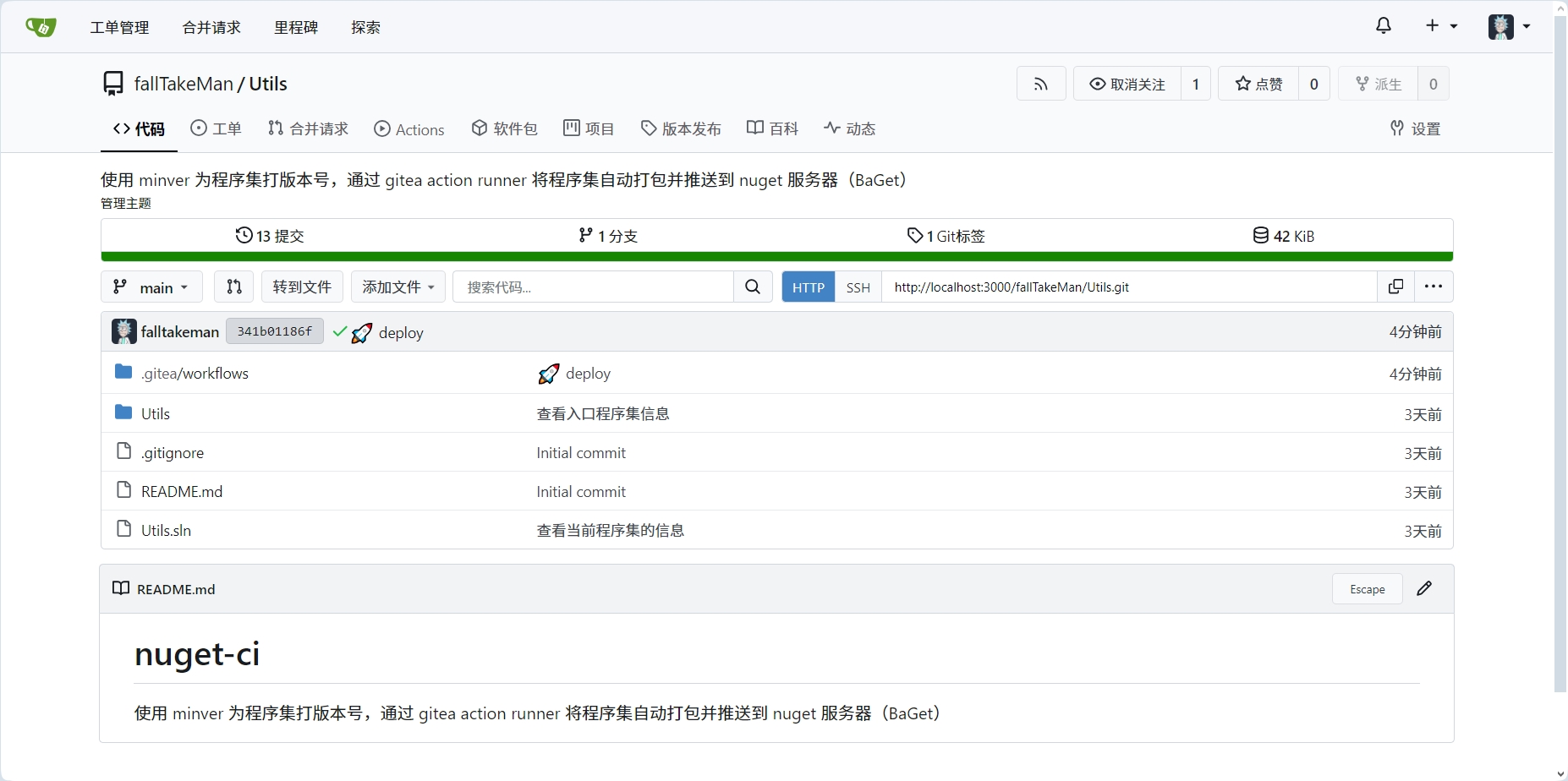
这里是示例项目的代码结构。
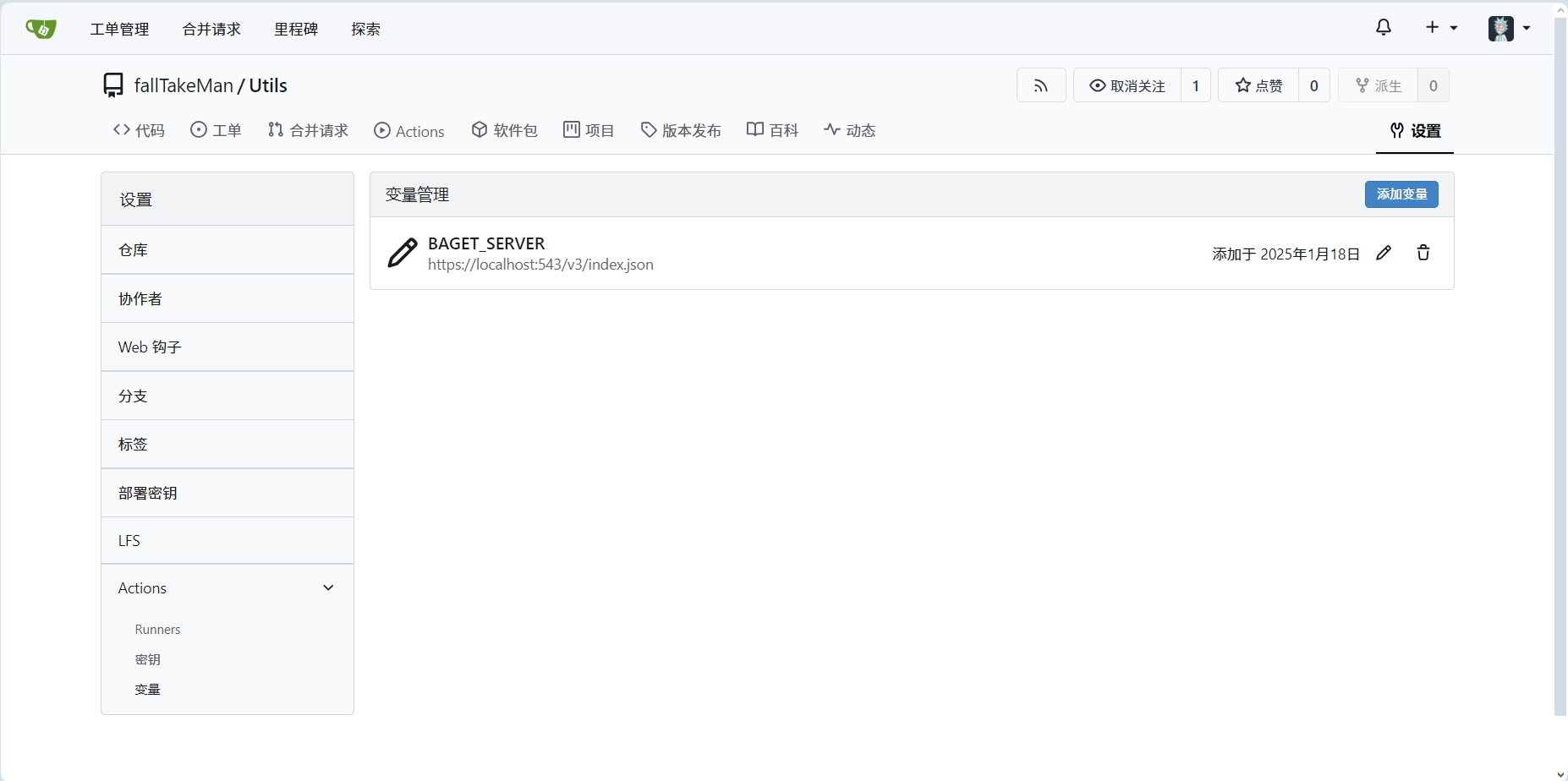
在设置中为工作流添加变量。BaGet 服务的 api key 添加到密钥中。
在代码仓库 .gitea/workflows 下创建一个 release.yaml 文件,文件名随意,格式需要是 yaml,支持多个文件。
name: publish library to baget
run-name: ${{ gitea.actor }} is publishing a nuget package 🚀
on:
  push:
    tags:
      - "v*.*"

jobs:
  build:
    runs-on: linux_amd64
    steps:
      - name: check out repository code
        uses: actions/checkout@v4
      - name: restore dependencies
        run: dotnet restore ./Utils/Utils.csproj
      - name: build
        run: dotnet build --no-restore -c Release ./Utils/Utils.csproj
      - name: pack
        run: dotnet pack -c Release ./Utils/Utils.csproj
      - name: get package version
        id: get_version
        run: echo "version=${GITHUB_REF#refs/tags/v}" >> $GITHUB_OUTPUT
      - name: push
        run: dotnet nuget push -s ${{ vars.BAGET_SERVER }} -k ${{ secrets.BAGET_SERVER_API_KEY }} ./Utils/bin/Realese/Utils.${{ steps.get_version.outputs.version }}.nupkg
(补充):actions/checkout 默认是从 github 下载,由于从所周知的原因,工作流脚本中本来是 https://gitea.com/actions/checkout@v4,但是今天下午 gitea 网站突然不能访问了,于是还是改成了从 github 下载 checkout 源码。
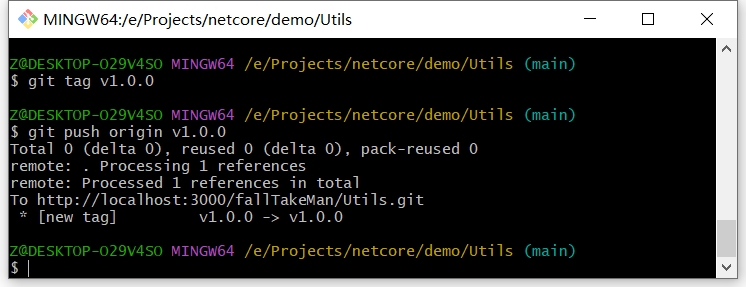
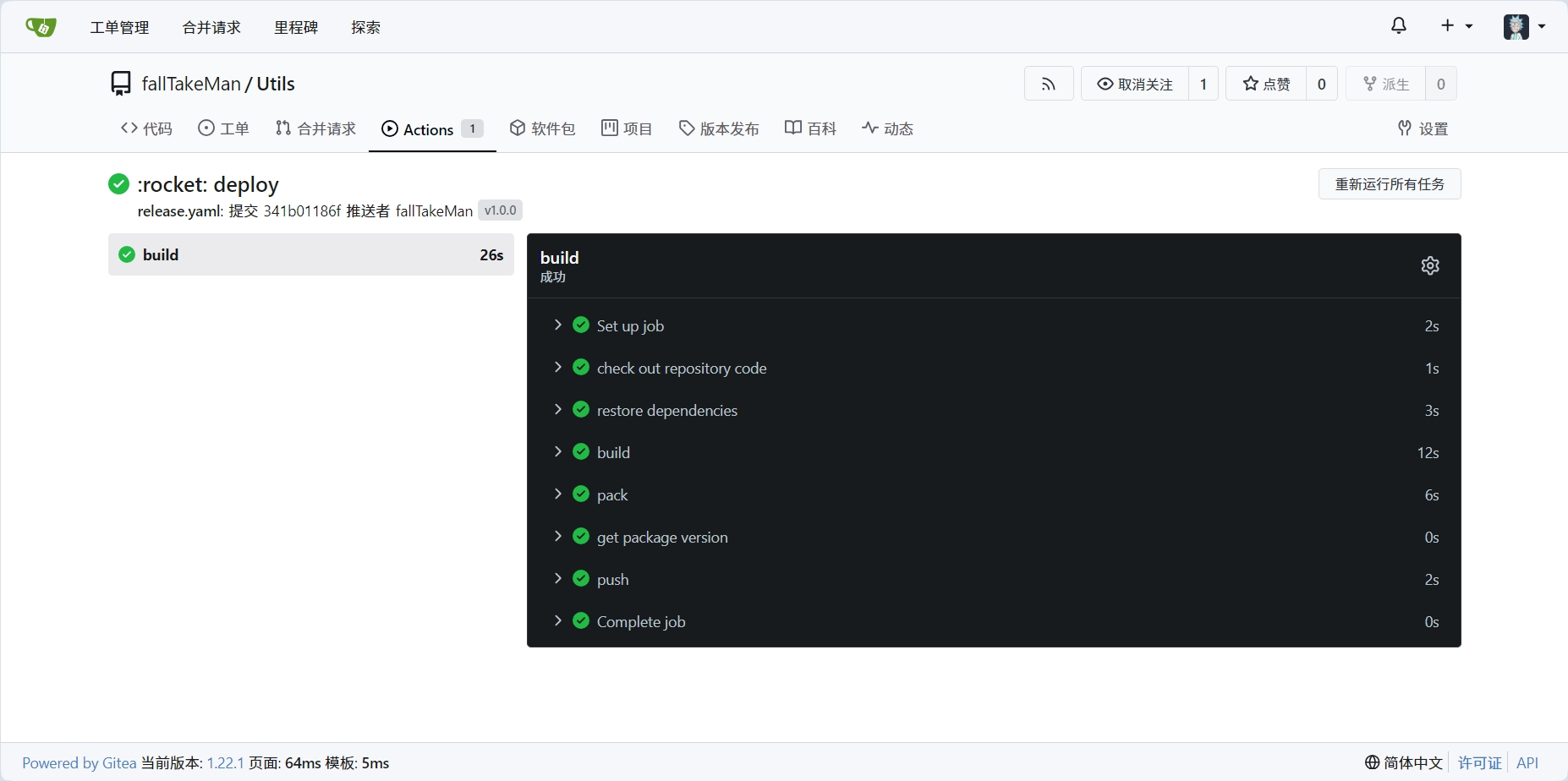
通过推送以 "v" 开头的标签到代码仓库触发工作流。
3. BaGet 浏览
可以看到 nuget 包已经上传到 BaGet 服务器,并且服务也是走的 SSL 协议。 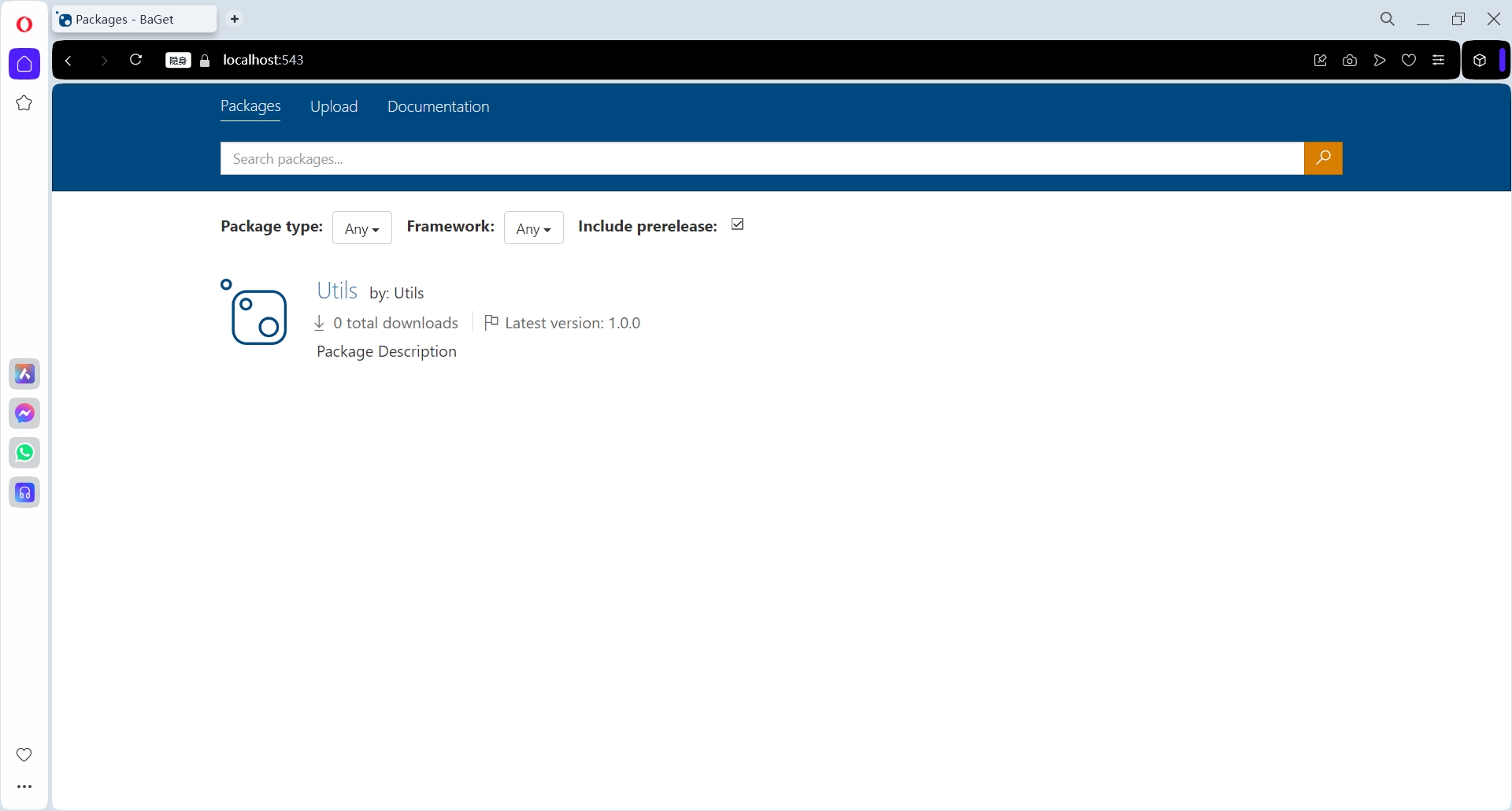
如果你的 nuget 私服也是 v3 版本,推送包的时候遇到这样的警告:
warn : You are running the 'push' operation with an 'HTTP' source, 'http://localhost:555/v3/index.json'. Non-HTTPS access will be removed in a future version. Consider migrating to an 'HTTPS' source.
想在 nuget 私服启用 https 链接,以上可以作为参考。

 浙公网安备 33010602011771号