
raylib U2 - 绘图功能
基本使用
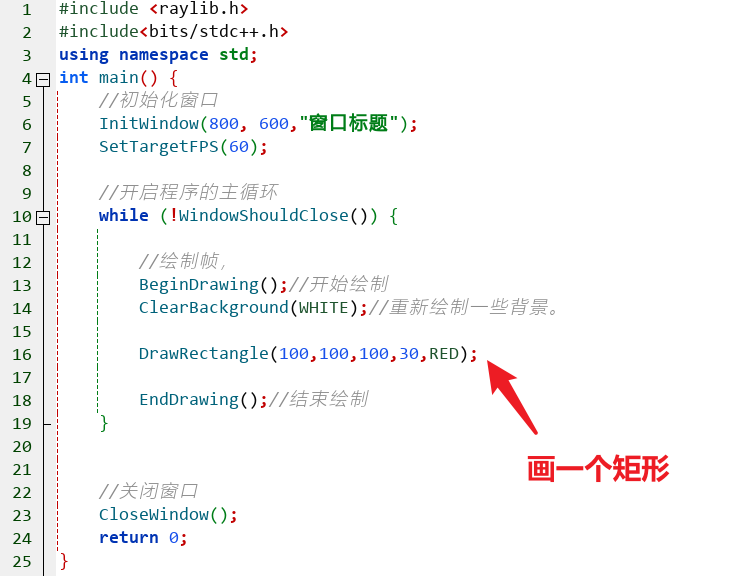
看上面的代码里,除了基本结构只写了一行 DrawRectangle(100,100,100,30,RED);
下面给出几个常见形状的对比
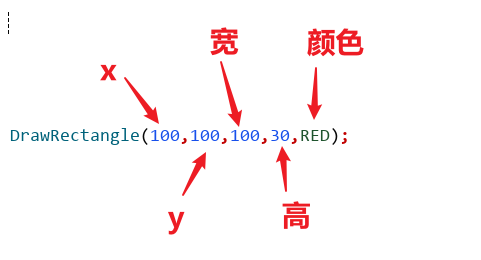
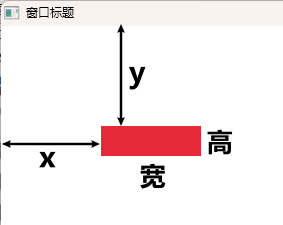
画矩形
函数原型:
void DrawRectangle(int posX, int posY, int width, int height, Color color);
画圆形
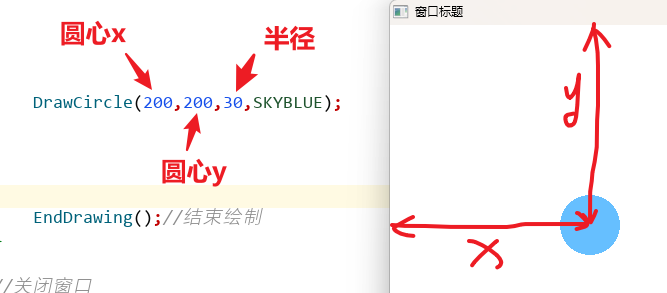
函数原型:
RLAPI void DrawCircle(int centerX, int centerY, float radius, Color color);
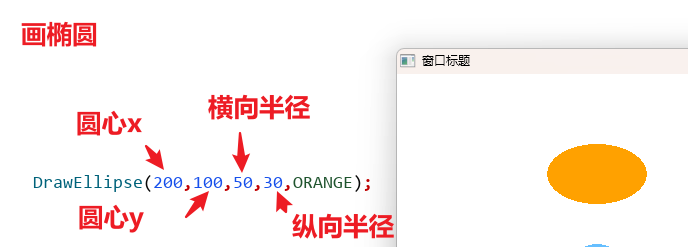
画椭圆
函数原型:
DrawEllipse(int centerX, int centerY, float radiusH, float radiusV, Color color);
画一条线
函数原型:
void DrawLine(int startPosX, int startPosY, int endPosX, int endPosY, Color color);
参数的意思分别是:起始点的x,起始点的y,结束点的x,结束点的y,颜色

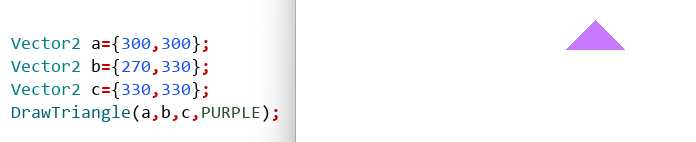
画三角形
函数原型:
void DrawTriangle(Vector2 v1, Vector2 v2, Vector2 v3, Color color);
这里有一个Vector2,我们先要知道它是什么
typedef struct Vector2 {
    float x;                // Vector x component
    float y;                // Vector y component
} Vector2;
Vector2是一个结构体,用来记录一个点的x和y坐标。
所以对于三角形函数的三个参数v1,v2,v3,分别表示三角形的三个顶点
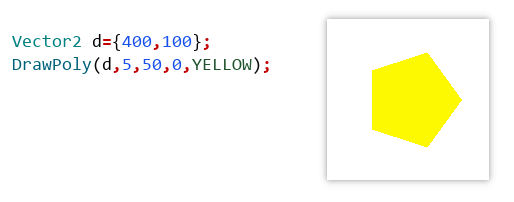
画正多边形
函数原型:
void DrawPoly(Vector2 center, int sides, float radius, float rotation, Color color);
参数作用分别是:中心点坐标,边数,半径,旋转角度,颜色
其他
raylib提供了很多绘图的函数,上面我们只是给出了一部分。同学们可以自己进入raylib的头文件查看

 浙公网安备 33010602011771号