
VS2015添加Microsoft SQL Server数据源时,遇到无法添加数据连接。 Could not load file or assembly 'Microsoft.SqlServer.Management.Sdk.Sfc, Version=12.0.0.0,
故障现象:VS2015添加Microsoft SQL Server数据源时,遇到无法添加数据连接。
Could not load file or assembly 'Microsoft.SqlServer.Management.Sdk.Sfc, Version=12.0.0.0, Culture=neutral, PublicKeyToken=89845dcd8080cc91' or one of its dependencies.系统找不到指定的文件.

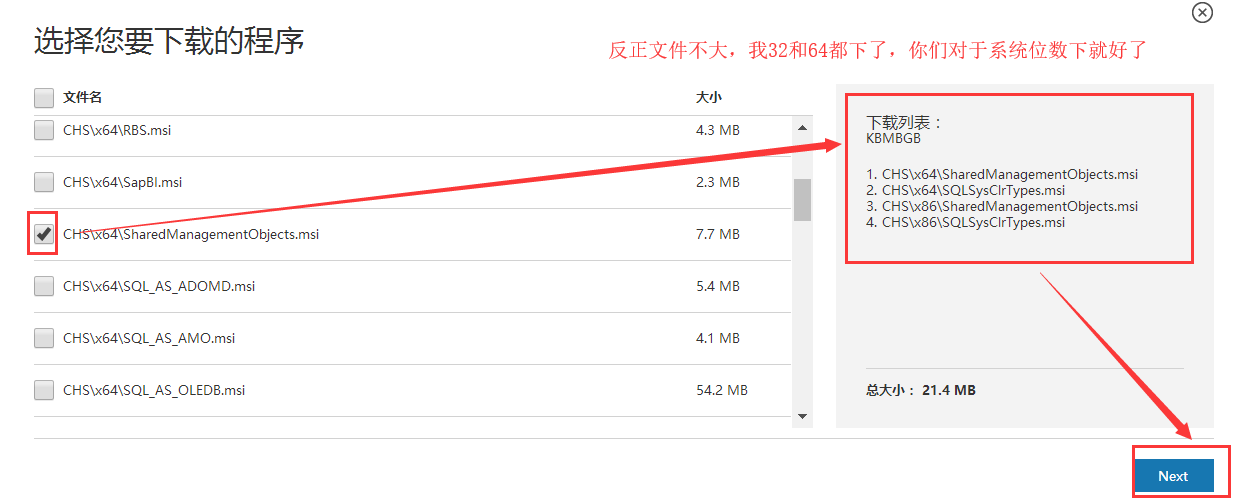
解决过程:重点是下载对应数据库版本 的 2个EXE: SQLSysClrTypes.msi 和 SharedManagementObjects.msi。 ps:(我原来不知道安装了2012的怎么试都不行)
Version=12.0.0.0 即是 Microsoft® SQL Server® 2014 功能包
Version=11.0.0.0 即是 Microsoft® SQL Server® 2012 功能包
下载链接 : https://www.microsoft.com/zh-CN/download/details.aspx?id=42295
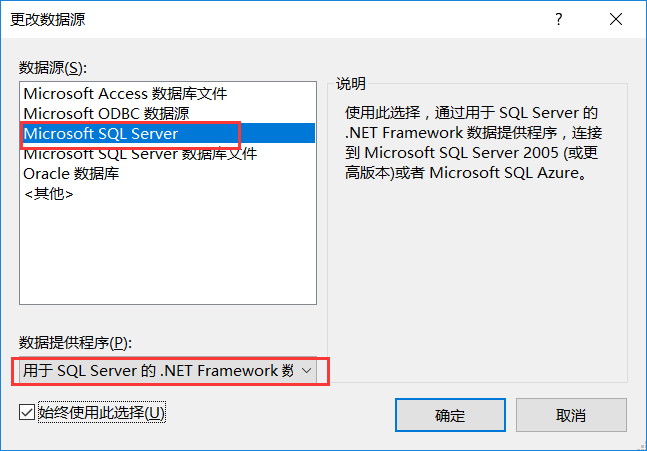
在VS下测试正常了。



 浙公网安备 33010602011771号