
CSS示例
目录
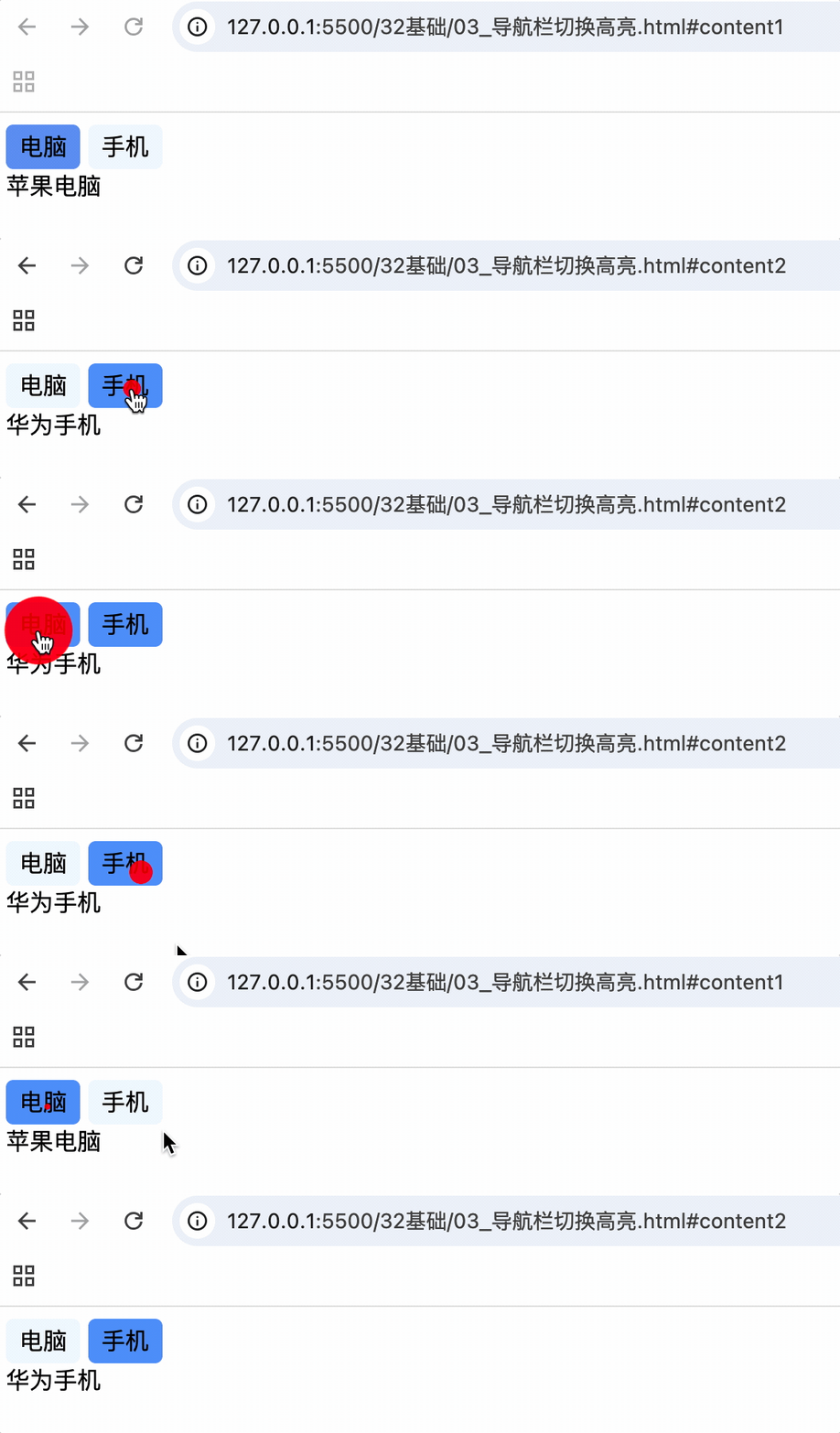
纯CSS导航切换
锚点 + 目标伪类 + 兄弟元素实现
<style>
  a {
    text-decoration: none;
    color: black;
    background-color: aliceblue;
    display: inline-block;
    width: 50px;
    height: 30px;
    line-height: 30px;
    text-align: center;
    border-radius: 5px;
  }

  a:hover {
    background-color: rgb(86, 152, 250);
  }

  .content {
    display: none;
  }

  /* 锚点选中时样式 */
  #content1:target,
  #content2:target {
    display: block;
  }

  /* 锚点选中时,该锚点上面的元素为.container的元素 然后再选中其第一个子元素的a标签 */
  .container:has(~ #content1:target) a:nth-child(1) {
    background-color: rgb(86, 152, 250);
  }
  /* 锚点选中时,该锚点上面的元素为.container的元素 然后再选中其第二个子元素的a标签 */
  .container:has(~ #content2:target) a:nth-child(2) {
    background-color: rgb(86, 152, 250);
  }
</style>
<body>
  <div class="container">
    <a href="#content1">电脑</a>
    <a href="#content2">手机</a>
  </div>
  <div class="content" id="content1">苹果电脑</div>
  <div class="content" id="content2">华为手机</div>
</body>

 浙公网安备 33010602011771号