
作业二
重点 实验一:使用 kickstart 半自动化安装CentOS系统
1)、centos7上 生成应答文件
vim ks.cfg
#platform=x86, AMD64, or Intel EM64T
#version=DEVEL
# Install OS instead of upgrade
install
# Keyboard layouts
keyboard 'trq'
# Root password
rootpw --plaintext 123456
# System language
lang en_US
# System authorization information
auth  --useshadow  --passalgo=sha512
# Use text mode install
text
firstboot --disable
# SELinux configuration
selinux --disabled


# Firewall configuration
firewall --disabled
# Network information
network  --bootproto=dhcp --device=eth0
# Reboot after installation
reboot
# System timezone
timezone Africa/Abidjan --isUtc
# Use network installation
url --url="http://10.0.0.8/centos/7/os/x86_64/"
# System bootloader configuration
bootloader --append="net.ifnaems=0" --location=mbr --password="123456" --boot-drive=sda

# Clear the Master Boot Record
zerombr
# Partition clearing information
clearpart --all --initlabel
ignoredisk --only-use=sda
# Disk partitioning information
part / --fstype="xfs" --size=102400
part /boot --fstype="xfs" --size=1024
part swap --fstype="swap" --size=2048

%post --nochroot
useradd wang
echo 123456 | passwd --stdin wang

mkdir /etc/yum.repos.d/backup -pv
mv /etc/yum.repos.d/*.repo /etc/yum.repos.d/backup
cat > /etc/yum.repos.d/base.repo << EOF
[base]
name=nase-repo
baseurl=https://mirrors.aliyun.com/centos/7/os/x86_64/
        https://mirrors.huaweicloud.com/centos/7/os/x86_64/
gpgcheck=1
gpgkey=file:///etc/pki/rpm-gpg/RPM-GPG-KEY-CentOS-7

[extras]
name=extras-repo
baseurl=https://mirrors.huaweicloud.com/centos/7/extras/x86_64/
        https://mirrors.aliyun.com/centos/7/extras/x86_64/
gpgcheck=1
gpgkey=file:///etc/pki/rpm-gpg/RPM-GPG-KEY-CentOS-7

[epel]
name=epel
baseurl=https://mirrors.aliyun.com/epel/7/x86_64/
        https://mirrors.huaweicloud.com/epel/7/x86_64/
gpgcheck=0
gpgkey=file:///etc/pki/rpm-gpg/RPM-GPG-KEY-cento7
EOF
%end
2)、检查应答文件
[root@centos7 ~]#ksvalidator ks.cfg
3)、在centos8 安装httpd 并启动
yum -y install httpd ; systemctl enable --now httpd
4)、 创建所需文件夹 并挂载光盘
[root@centos8 ~]#mkdir /var/www/html/centos/7/os/x86_64/
mkdir: cannot create directory ‘/var/www/html/centos/7/os/x86_64/’: No such file or directory
[root@centos8 ksdir]#mount /dev/sr0 /var/www/html/centos/7/os/x86_64/
mount: /var/www/html/centos/7/os/x86_64: WARNING: device write-protected, mounted read-only.
5)、创建文件夹。从7上把应答文件发到8上
[root@centos8 html]#mkdir /var/www/html/ksdir/
[root@centos7 ~]#scp ks.cfg 10.0.0.8:/var/www/html/ksdir/
root@10.0.0.8's password:
ks.cfg                                                                                                         100% 1822     1.1MB/s   00:00
6)、网上下载centos7光盘,新建一个机器(内存必须2G以上),并把光盘挂载上

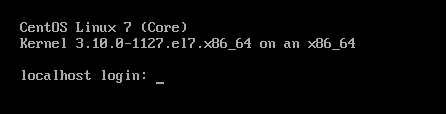
7)、开机按esc键
linux ks=http://10.0.0.8/ksdir/ks.cfg ip=dhcp
重点 实验八:实现pxe安装双系统centos6、centos7
1)、安装相关软件包并启用
[root@centos8 ~]#yum -y install dhcp-server tftp-server httpd syslinux-nonlinux ; systemctl enable --now httpd tftp dhcp
2)、配置dhcp服务
[root@centos8 ~]#cat /etc/dhcp/dhcpd.conf
#
# DHCP Server Configuration file.
#   see /usr/share/doc/dhcp-server/dhcpd.conf.example
#   see dhcpd.conf(5) man page
#
option domain-name "magedu.com";
option domain-name-servers 180.76.76.76,223.6.6.6;
default-lease-time 600;
max-lease-time 7200;
log-facility local7;
subnet 10.0.0.0 netmask 255.255.255.0 {
    range 10.0.0.100 10.0.0.200;
    option routers 10.0.0.2;
    next-server 10.0.0.8;
    filename "pxelinux.0";
}
[root@centos8 ~]#systemctl start dhcpd
[root@centos8 ~]#systemctl status dhcpd
● dhcpd.service - DHCPv4 Server Daemon
   Loaded: loaded (/usr/lib/systemd/system/dhcpd.service; disabled; vendor p>
   Active: active (running) since Sat 2020-09-12 14:42:17 CST; 12s ago
3)、准备yum源和相关目录
[root@centos8 centos]#mkdir -pv /var/www/html/centos/6/os/x86_64/
mkdir: created directory '/var/www/html/centos/6'
mkdir: created directory '/var/www/html/centos/6/os'
mkdir: created directory '/var/www/html/centos/6/os/x86_64/'
[root@centos8 centos]#mkdir -pv /var/www/html/centos/7/os/x86_64/
mkdir: created directory '/var/www/html/centos/7'
mkdir: created directory '/var/www/html/centos/7/os'
mkdir: created directory '/var/www/html/centos/7/os/x86_64/'

#挂载光盘
[root@centos8 ~]#mount /dev/sr1 /var/www/html/centos/6/os/x86_64/
[root@centos8 ~]#mount /dev/sr2 /var/www/html/centos/7/os/x86_64/
[root@centos8 ~]#lsblk
NAME        MAJ:MIN RM  SIZE RO TYPE MOUNTPOINT
sr1          11:1    1  3.7G  0 rom  /var/www/html/centos/6/os/x86_64
sr2          11:2    1  9.6G  0 rom  /var/www/html/centos/7/os/x86_64
nvme0n1     259:0    0  200G  0 disk
├─nvme0n1p1 259:1    0    1G  0 part /boot
├─nvme0n1p2 259:2    0  100G  0 part /
├─nvme0n1p3 259:3    0    2G  0 part [SWAP]
├─nvme0n1p4 259:4    0    1K  0 part
└─nvme0n1p5 259:5    0   50G  0 part /data
4)、准备应答文件
[root@centos8 ~]#mkdir /var/www/html/ksdir/
#centos6的应答文件
[root@centos8 ksdir]#cat ks6.cfg
install
text
reboot
url --url=http://10.0.0.8/centos/6/os/x86_64/
lang en_US.UTF-8
keyboard us
network --onboot yes --device eth0 --bootproto dhcp  --noipv6
rootpw  --iscrypted $6$j9YhzDUnQVnxaAk8$qv7rkMcPAEbV5yvwsP666DXWYadd3jYjkA9fpxAo9qYotjGGBUclCGoP1TRvgHBpqgc5n0RypMsPTQnVDcpO01
firewall --disabled
authconfig --enableshadow --passalgo=sha512
selinux --disabled
timezone Asia/Shanghai
bootloader --location=mbr --driveorder=sda --append="crashkernel=auto rhgb quiet"
zerombr
clearpart --all --initlabel
part /boot --fstype=ext4 --size=1024
part / --fstype=ext4 --size=50000
part /data --fstype=ext4 --size=30000
part swap --size=2048
%packages
@core
@server-policy
@workstation-policy
autofs
vim-enhanced
%end
%post
useradd wang
echo magedu | passwd --stdin wang &> /dev/null
mkdir  /etc/yum.repos.d/bak
mv /etc/yum.repos.d/* /etc/yum.repos.d/bak
cat > /etc/yum.repos.d/base.repo <<EOF
[base]
name=base
baseurl=file:///misc/cd
gpgcheck=0
EOF
%end

[root@centos8 ~]#vim /var/www/html/ks/centos7.cfg
install
xconfig --startxonboot
keyboard --vckeymap=us --xlayouts='us'
rootpw --iscrypted $6$0V7M8ctDRIVNIUTw$uQZ2EtfbtgpaW1MRS3CCMvt9Z145BUlYHchG4wlNCXSFAnm3W81twhWJhNQjl0HAPAxYq0I7lwJThaYkTRXNk0
url --url="http://10.0.0.8/centos/7/os/x86_64"
lang en_US
auth --useshadow --passalgo=sha512
text
firstboot --enable
selinux --disabled
skipx
ignoredisk --only-use=sda
firewall --disabled
network --bootproto=dhcp --device=eth0
reboot
timezone Asia/Shanghai --nontp
bootloader --append="crashkernel=auto" --location=mbr --boot-drive=sda
zerombr
clearpart --all --initlabel
part / --fstype="xfs" --ondisk=sda --size=102400
part /boot --fstype="xfs" --ondisk=sda --size=1024
part swap --fstype="swap" --ondisk=sda --size=2048
part /data --fstype="xfs" --ondisk=sda --size=51200

%packages
@^minimal
vim-enhanced
wget
curl
tree
%end
%post
useradd wang
echo centos | passwd --stdin wang
%end

#centos7的应答文件
[root@centos8 ksdir]#cat ks7.cfg
#platform=x86, AMD64, or Intel EM64T
#version=DEVEL
# Install OS instead of upgrade
install
# Keyboard layouts
keyboard 'trq'
# Root password
rootpw --plaintext 123456
# System language
lang en_US
# System authorization information
auth  --useshadow  --passalgo=sha512
# Use text mode install
text
firstboot --disable
# SELinux configuration
selinux --disabled


# Firewall configuration
firewall --disabled
# Network information
network  --bootproto=dhcp --device=eth0
# Reboot after installation
reboot
# System timezone
timezone Africa/Abidjan --isUtc
# Use network installation
url --url="http://10.0.0.8/centos/7/os/x86_64/"
# System bootloader configuration
bootloader --append="net.ifnaems=0" --location=mbr --password="123456"  --boot-drive=sda

# Clear the Master Boot Record
zerombr
# Partition clearing information
clearpart --all --initlabel
ignoredisk --only-use=sda
# Disk partitioning information
part / --fstype="xfs" --size=102400
part /boot --fstype="xfs" --size=1024
part swap --fstype="swap" --size=2048

%post --nochroot
useradd wang
echo 123456 | passwd --stdin wang

mkdir /etc/yum.repos.d/backup -pv
mv /etc/yum.repos.d/*.repo /etc/yum.repos.d/backup
cat > /etc/yum.repos.d/base.repo << EOF
[base]
name=nase-repo
baseurl=https://mirrors.aliyun.com/centos/7/os/x86_64/
        https://mirrors.huaweicloud.com/centos/7/os/x86_64/
gpgcheck=1
gpgkey=file:///etc/pki/rpm-gpg/RPM-GPG-KEY-CentOS-7

[extras]
name=extras-repo
baseurl=https://mirrors.huaweicloud.com/centos/7/extras/x86_64/
        https://mirrors.aliyun.com/centos/7/extras/x86_64/
gpgcheck=1
gpgkey=file:///etc/pki/rpm-gpg/RPM-GPG-KEY-CentOS-7

[epel]
name=epel
baseurl=https://mirrors.aliyun.com/epel/7/x86_64/
        https://mirrors.huaweicloud.com/epel/7/x86_64/
gpgcheck=0
gpgkey=file:///etc/pki/rpm-gpg/RPM-GPG-KEY-cento7
EOF
%end
5)、准备PXE启动的相关文件
[root@centos8 ~]#mkdir /var/lib/tftpboot/centos{6,7}
[root@centos8 ~]#cp /var/www/html/centos/6/os/x86_64/isolinux/{vmlinuz,initrd.img} /var/lib/tftpboot/centos6
[root@centos8 ~]#cp /var/www/html/centos/7/os/x86_64/isolinux/{vmlinuz,initrd.img} /var/lib/tftpboot/centos7
[root@centos8 syslinux]#cp /usr/share/syslinux/{pxelinux.0,menu.c32} /var/lib/tftpboot/
[root@centos8 ~]#mount /dev/sr0 /misc
mount: /misc: WARNING: device write-protected, mounted read-only.
[root@centos8 ~]#ls /misc/
AppStream  BaseOS  EFI  images  isolinux  media.repo  TRANS.TBL
[root@centos8 ~]#ll /misc/isolinux/
total 69141
-r--r--r--. 1 root root     2048 Jan  4  2020 boot.cat
-r--r--r--. 1 root root       84 Jan  4  2020 boot.msg
-r--r--r--. 1 root root      293 Jan  4  2020 grub.conf
-r--r--r--. 2 root root 62113500 Jan  4  2020 initrd.img
-r--r--r--. 1 root root    38912 Jan  4  2020 isolinux.bin
-r--r--r--. 1 root root     3075 Jan  4  2020 isolinux.cfg
-r--r--r--. 1 root root   116096 Nov  9  2019 ldlinux.c32
-r--r--r--. 1 root root   180700 Nov  9  2019 libcom32.c32
-r--r--r--. 1 root root    22804 Nov  9  2019 libutil.c32
-r--r--r--. 1 root root   182704 May 13  2019 memtest
-r--r--r--. 1 root root      186 Jul 31  2019 splash.png
-r--r--r--. 1 root root     2885 Jan  4  2020 TRANS.TBL
-r--r--r--. 1 root root    26788 Nov  9  2019 vesamenu.c32
-r-xr-xr-x. 2 root root  8106744 Dec  5  2019 vmlinuz

[root@centos8 ~]#cp -av /misc/isolinux/{ldlinux.c32,libcom32.c32,libutil.c32} /var/lib/tftpboot/
'/misc/isolinux/ldlinux.c32' -> '/var/lib/tftpboot/ldlinux.c32'
'/misc/isolinux/libcom32.c32' -> '/var/lib/tftpboot/libcom32.c32'
'/misc/isolinux/libutil.c32' -> '/var/lib/tftpboot/libutil.c32

[root@centos8 ~]#mkdir -v /var/lib/tftpboot/pxelinux.cfg/
mkdir: created directory '/var/lib/tftpboot/pxelinux.cfg/'
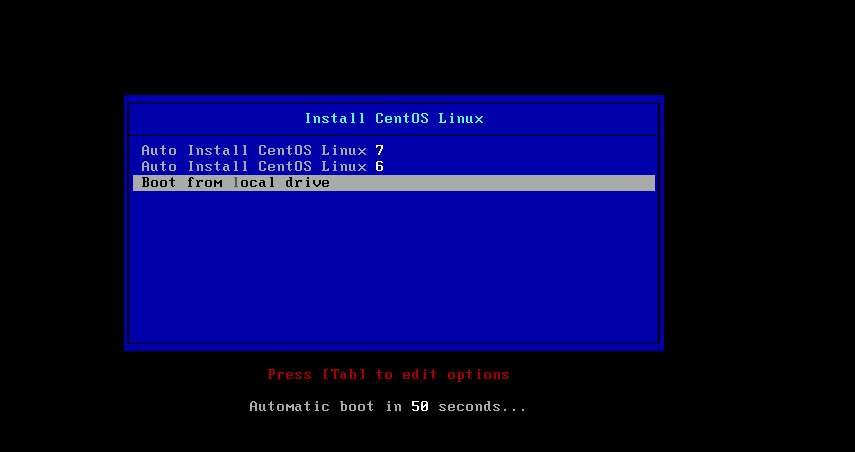
[root@centos8 pxelinux.cfg]#cat /var/lib/tftpboot/pxelinux.cfg/default
default menu.c32
timeout 600
menu title Install CentOS Linux

label linux7
  menu label Auto Install CentOS Linux ^7
  kernel centos7/vmlinuz
  append initrd=centos7/initrd.img ks=http://10.0.0.8/ksdir/ks7.cfg

label linux6
  menu label Auto Install CentOS Linux ^6
  kernel centos6/vmlinuz
  append initrd=centos6/initrd.img ks=http://10.0.0.8/ksdir/ks6.cfg

label local
  menu default
  menu label Boot from ^local drive
  localboot 0xffff

#查看所需文件是否完整
[root@centos8 ~]#tree /var/lib/tftpboot/
/var/lib/tftpboot/
├── centos6
│   ├── initrd.img
│   └── vmlinuz
├── centos7
│   ├── initrd.img
│   └── vmlinuz
├── ldlinux.c32
├── libcom32.c32
├── libutil.c32
├── menu.c32
├── pxelinux.0
└── pxelinux.cfg
    └── default

3 directories, 10 files
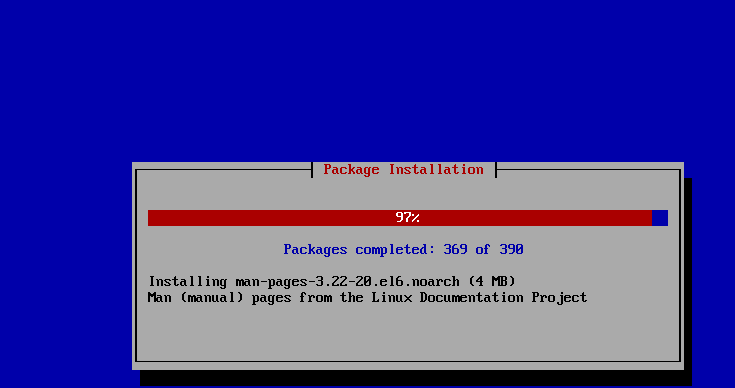
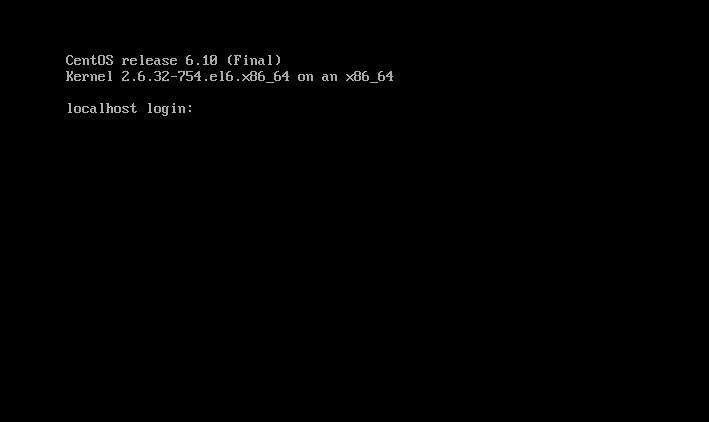
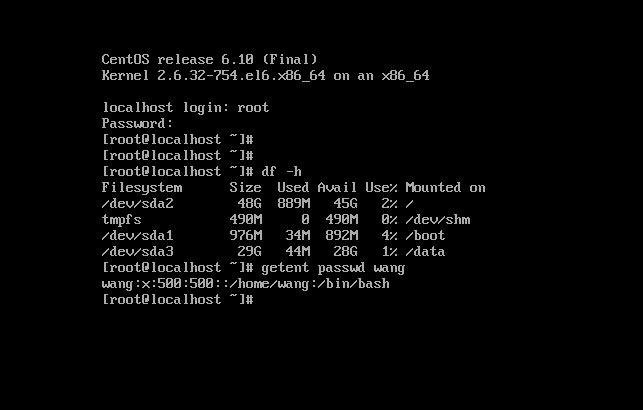
6)、创建一台新机器,安装centos6
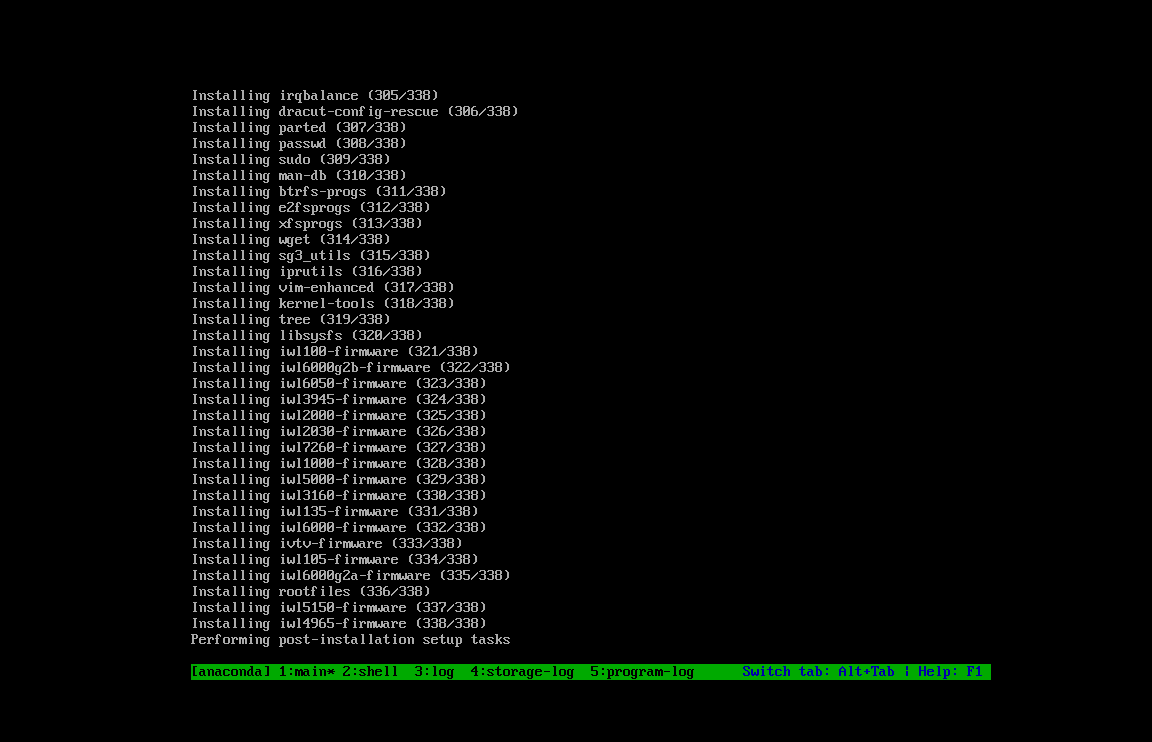
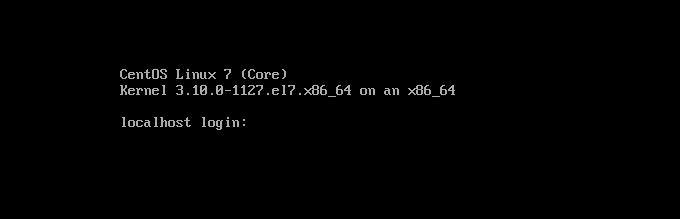
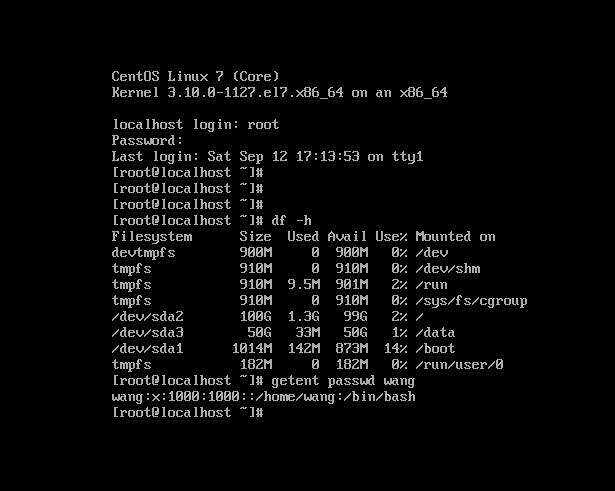
7)、创建一台新机器,安装centos7

 浙公网安备 33010602011771号