
github访问慢和clone慢的解决方案
用浏览器访问 IPAddress.com 使用 IP Lookup 工具获得这个域名的ip地址,输入上述域名后,分别获得github.com和github.global.ssl.fastly.net对应的ip
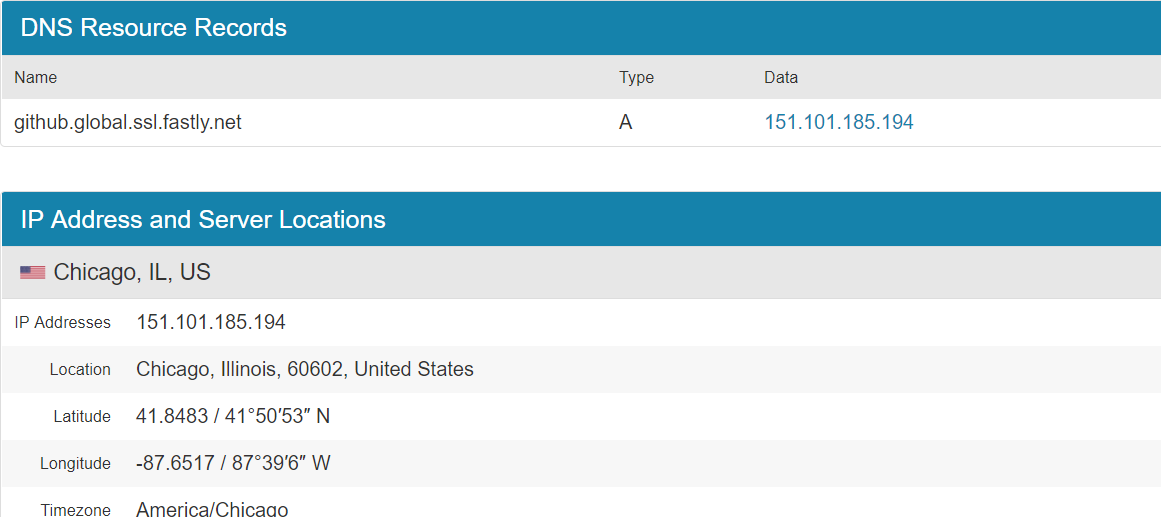
linux 下修改/etc/hosts文件 增加
192.168.xx.xx github.com
185.31.17.xx github.global.ssl.fastly.net
在命令行中输入sudo dscacheutil -flushcache
windows 下修改 c:\Windows\System32\drivers\etc\hosts 增加
192.168.xx.xx github.com
185.31.17.xx github.global.ssl.fastly.net
在cmd命令窗口 输入ipconfig /flushdns 使hosts 生效

 浙公网安备 33010602011771号