
解决intellij IEDA mapper.xml文件警告以及could not autowire的错误提示
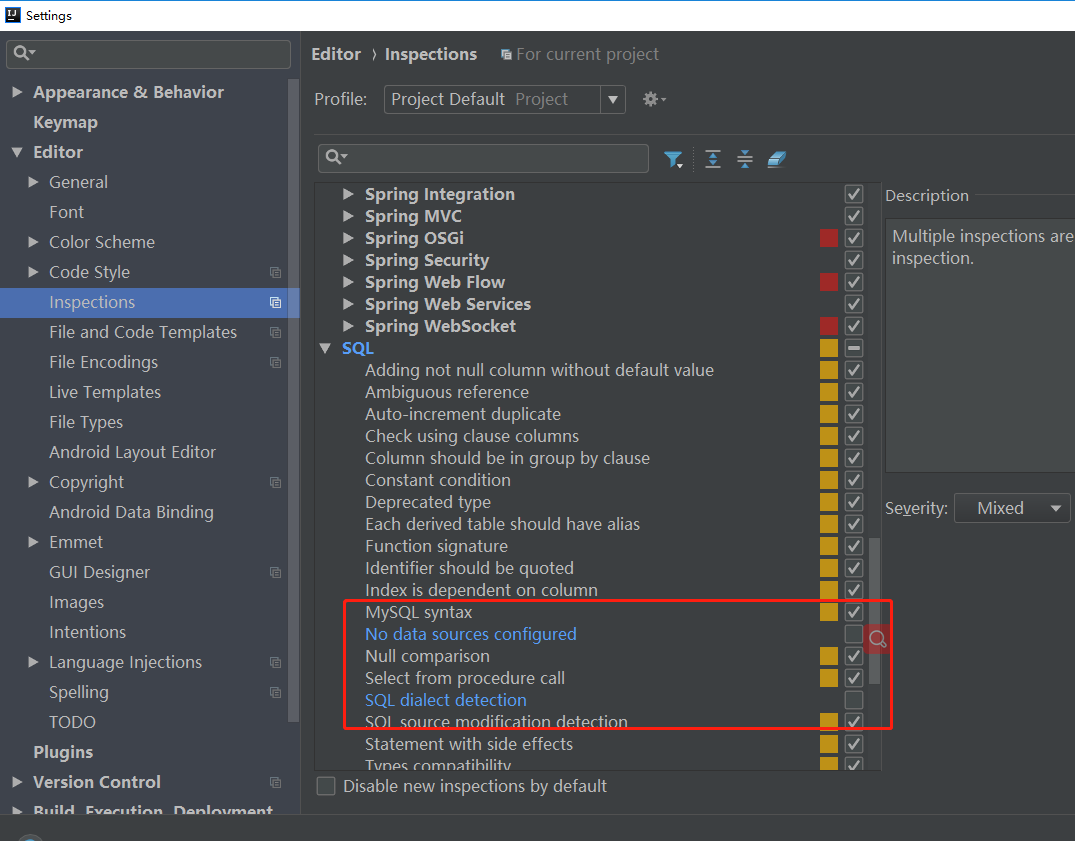
Settings ⇒ Editor ⇒ Inspections ⇒ SQL ⇒ No data sources configure
⇒ SQL dialect delction 将这两项后面的对勾 勾掉即可
解决could not autowire错误提示入下图设置

Settings ⇒ Editor ⇒ Inspections ⇒ SQL ⇒ No data sources configure
⇒ SQL dialect delction 将这两项后面的对勾 勾掉即可
解决could not autowire错误提示入下图设置

 浙公网安备 33010602011771号