NGINX配置案例1:用户认证
NGINX配置案例1:用户认证
需求:在访问网页的时候需要使用用户密码验证
-
配置方案
-
修改Nginx配置文件,添加认证配置
server { listen 80; server_name localhost; auth_basic "Input Password:"; // 启用认证,在引号内添加需要在认证登录时提示的话术 auth_basic_user_file "/usr/local/nginx/pass"; //指定认证用户的密码存储文件 location / { root html; index index.html index.htm; } } -
生成密码文件,并且创建用于web认证的用户和密码
该操作需要借助httpd-tools工具
yum -y install httpd-tools [root@nginx conf]# htpasswd -c /usr/local/nginx/pass admin //指定密码文件目录和生成密码的用户名 New password: Re-type new password: Adding password for user admin -
重新加载配置文件,未报错则表示成功
[root@nginx nginx]# /usr/local/nginx/sbin/nginx -s reload [root@nginx nginx]# -
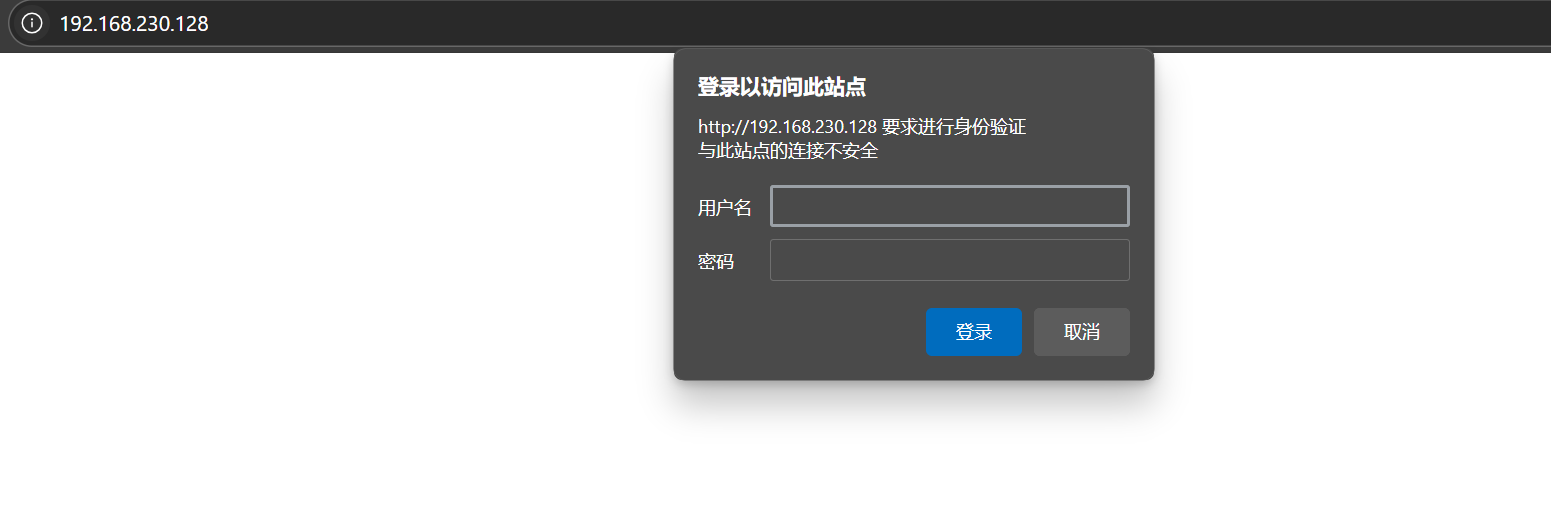
此时功能已经生效
![image]()
-

 浙公网安备 33010602011771号