杂记一
- 在线查看android源码 androidxref
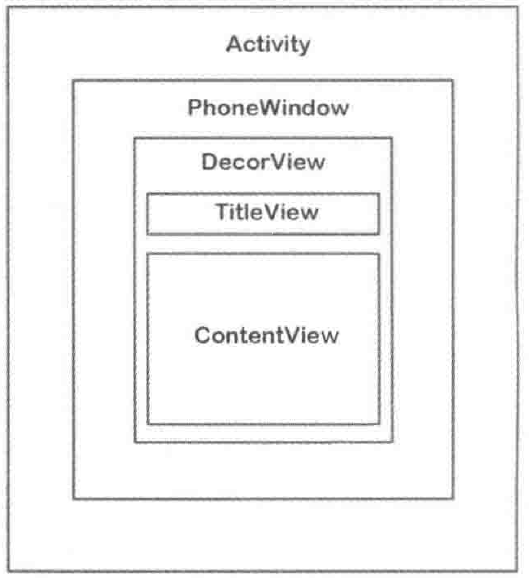
- 每个Activity里面有个window对象
- Window是个抽象类,具体实现PhoneWindow
- Window里面有个Callback interface,里面含有dispatchXXXevent,等
- window里面也有setContentview,界面等相关
![]()
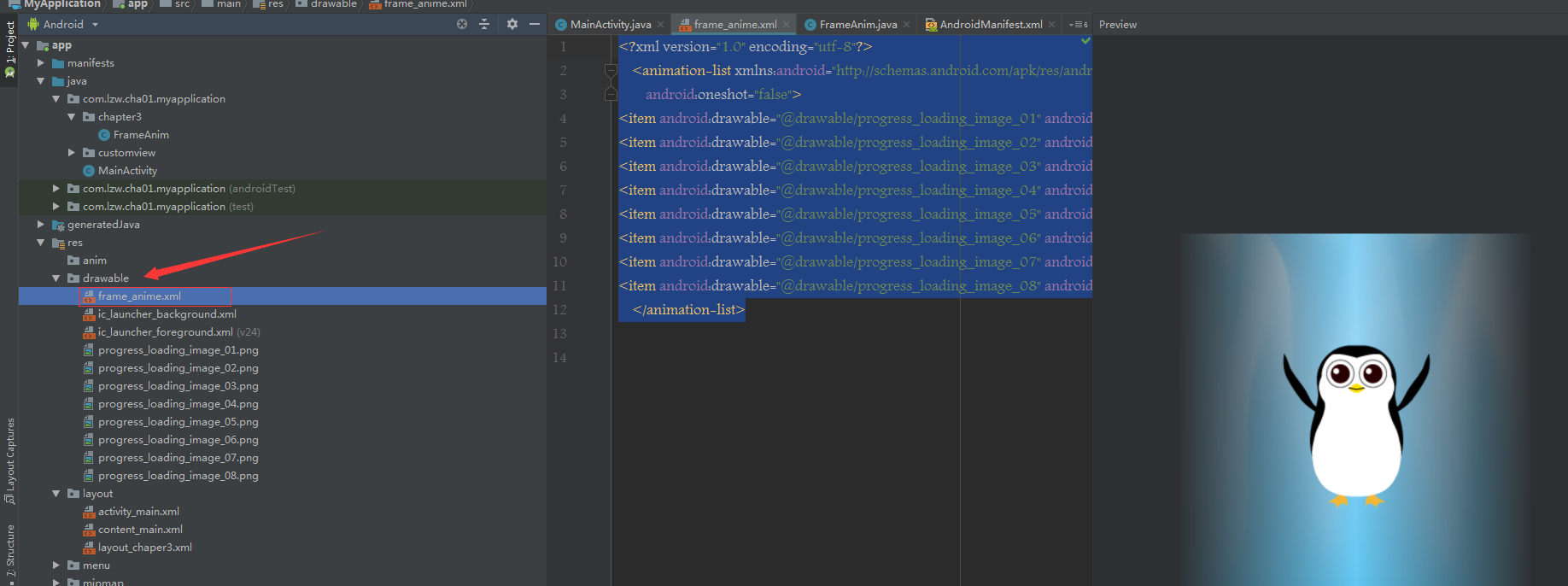
- 补:AndroidStudio中帧动画相关的xml文件放在drawable文件夹中而不是anim文件夹中。
-
  imageView.setBackgroundResource(R.drawable.frame_anime);
  animationDrawable = (AnimationDrawable) imageView.getBackground();
   animationDrawable.start();
<?xml version="1.0" encoding="utf-8"?> <animation-list xmlns:android="http://schemas.android.com/apk/res/android" android:oneshot="false"> <item android:drawable="@drawable/progress_loading_image_01" android:duration="100"/> <item android:drawable="@drawable/progress_loading_image_02" android:duration="100"/> <item android:drawable="@drawable/progress_loading_image_03" android:duration="100"/> <item android:drawable="@drawable/progress_loading_image_04" android:duration="100"/> <item android:drawable="@drawable/progress_loading_image_05" android:duration="100"/> <item android:drawable="@drawable/progress_loading_image_06" android:duration="100"/> <item android:drawable="@drawable/progress_loading_image_07" android:duration="100"/> <item android:drawable="@drawable/progress_loading_image_08" android:duration="100"/> </animation-list>![]()
GitHub demo:https://github.com/wujianning/AndroidAnimation.git
- xml的帧动画,也可以用代码代替
  animationDrawable = new AnimationDrawable();
        for (int i = 0; i < 8; i++) {
            int id = getResources().getIdentifier("progress_loading_image_0"+String.valueOf(i+1),"drawable",getPackageName());
            Drawable drawable = getResources().getDrawable(id);
            animationDrawable.addFrame(drawable,120);

        }
        imageView.setBackground(animationDrawable);

        animationDrawable = (AnimationDrawable) imageView.getBackground();
- xml的帧动画,也可以用代码代替
-
Dana.Lee
To:Dana_Lee1016@126.com


 浙公网安备 33010602011771号