

利用github action 在github上生成pages
之前一直使用的是Travis CI 结合vuepress生成文档,但是前段时间 travis Cl 网站升级,不知如何不能自动部署。
直接改用了 github 自带的 action 进行。
记录如下
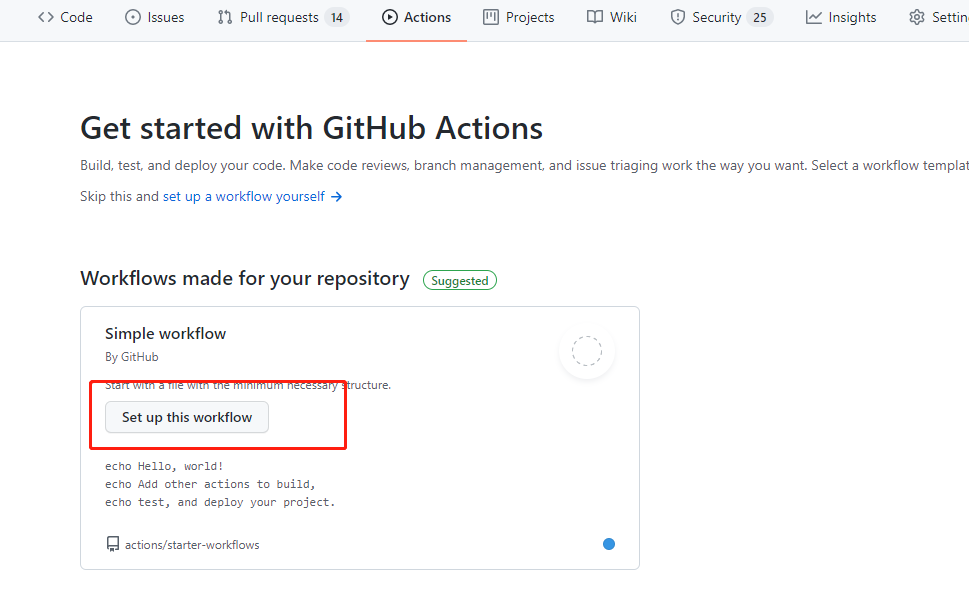
点击仓库下的Action

点击 如下
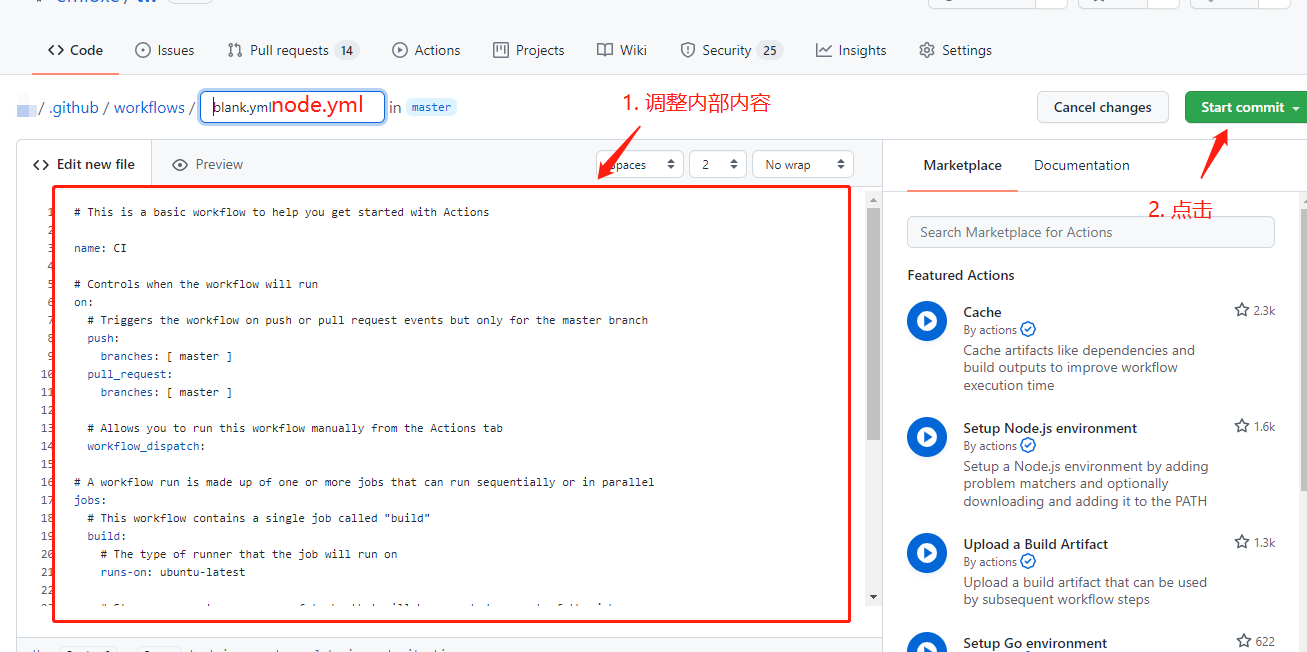
内部内容填写为
# This is a basic workflow to help you get started with Actions

name: CI

# Controls when the workflow will run
on:
  # Triggers the workflow on push or pull request events but only for the master branch
  push:
    branches: [ master ]

  # Allows you to run this workflow manually from the Actions tab
  workflow_dispatch:

# A workflow run is made up of one or more jobs that can run sequentially or in parallel
jobs:
  # This workflow contains a single job called "build"
  build:
    # The type of runner that the job will run on
    runs-on: ubuntu-latest

    # Steps represent a sequence of tasks that will be executed as part of the job
    steps:
      # Checks-out your repository under $GITHUB_WORKSPACE, so your job can access it
      - uses: actions/checkout@v2

      - name: Use Node.js 10.x
        uses: actions/setup-node@v2
        with:
          node-version: '12.x'
          registry-url: 'https://registry.npmjs.org'

      - name: npm install, build
        run: |
          npm install
          npm run build --if-present
        env:
          CI: true

      - name: deploy
        uses: JamesIves/github-pages-deploy-action@releases/v3
        with:
          # 发布到指定分支
          BRANCH: gh-pages
          # 构建成果所在目录,默认位置都是在根目录
          FOLDER:  ./docs/.vuepress/dist
然后提交该段代码,就可以了。这样vuepress修改的内容就会自动部署到gh-pages分支下
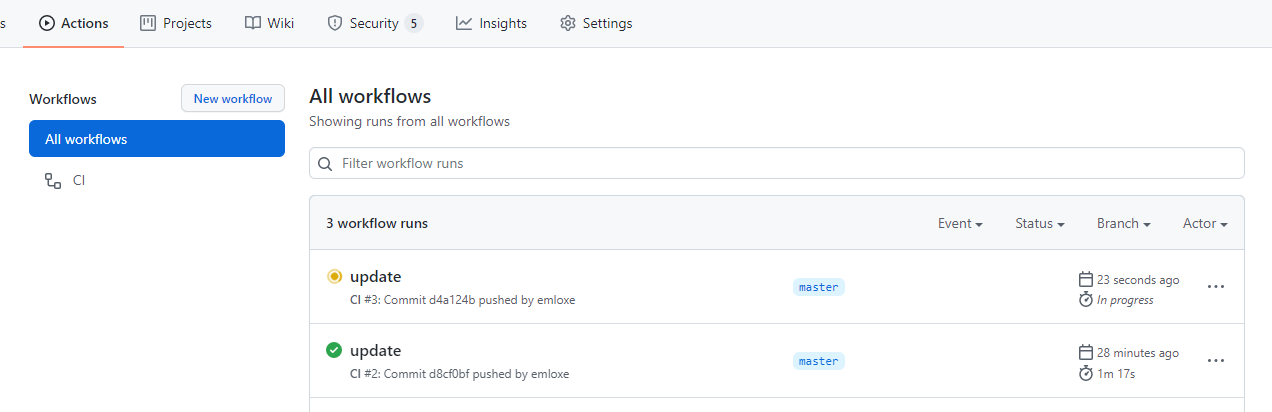
点击action 就可以看到 部署的记录了

 浙公网安备 33010602011771号