
C#调用python的grpc服务发送文件
之前用python写了一个文件接收的Demo(地址),用来接收ifc文件并处理。由于ifc文件是自动转的,需要使用revit的dll,所以用C#做一个传文件的demo。proto文件用之前的,.netframework用4.7.2
1、创建解决方案和项目
分别创建一个控制台项目和一个类库项目。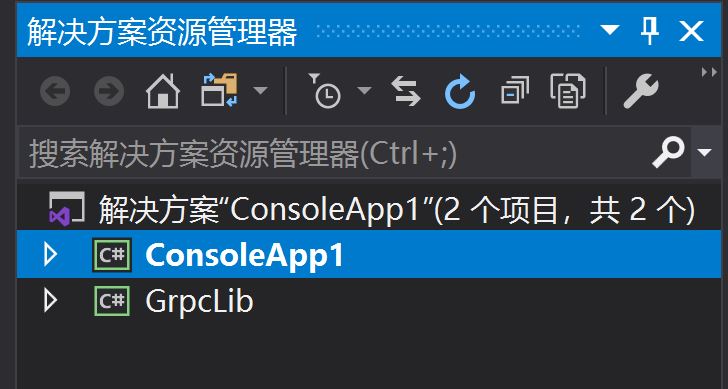
2、用包管理器安装相关的库
控制台项目: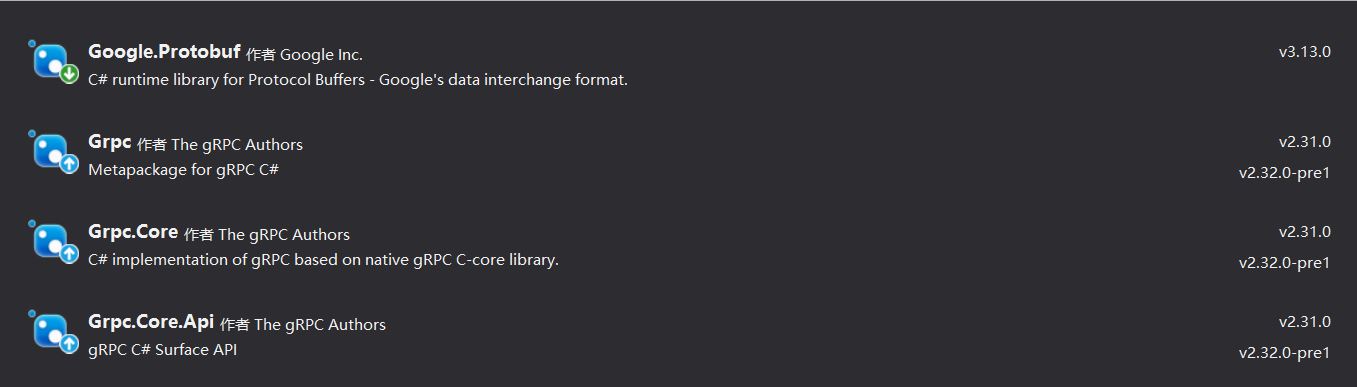
类库项目: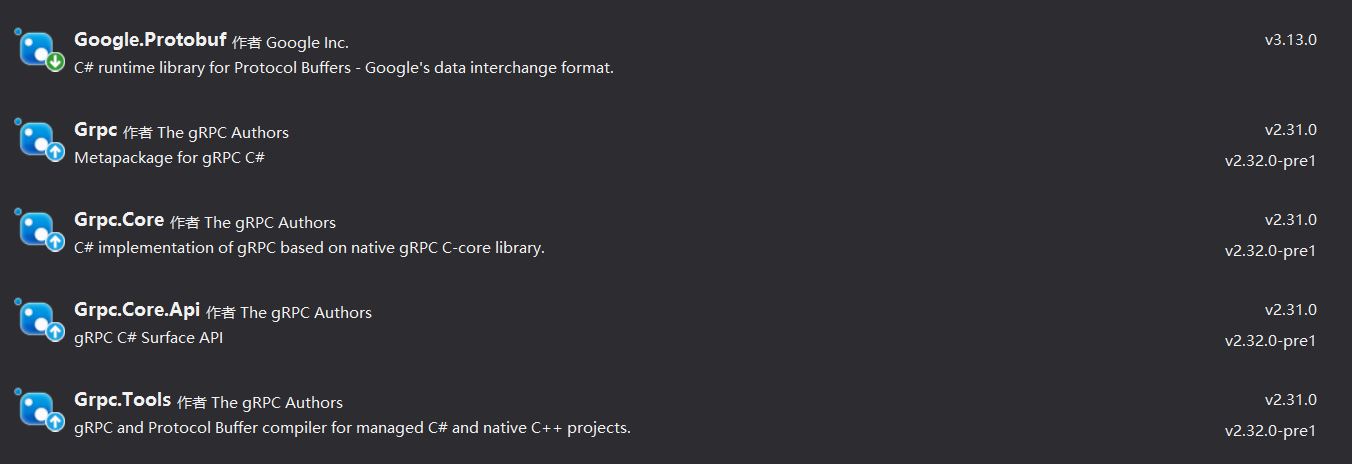
3、利用工具生成代码
在解决方案的packages目录下找到Grpc.Tools.2.31.0\tools\windows_x86目录,下面有2个文件grpc_csharp_plugin.exe和protoc.exe。
将python下的helloworld.proto文件复制到目录下,然后运行:
protoc -I . --csharp_out . --grpc_out . --plugin=protoc-gen-grpc=grpc_csharp_plugin.exe HelloWorld.proto
运行后会生成HelloWorld.cs和HelloWorldGrpc.cs两个文件。将这2个文件复制到GrpcLib的目录下并包含到项目中。根据proto文件中的定义,命名空间为Helloworld,类名为FileService。
4、编写客户端代码
控制台程序先引用GrpcLib项目
using Google.Protobuf;
using Grpc.Core;
using System;
using System.Collections.Generic;
using System.IO;
using System.Linq;
using System.Text;
using System.Threading.Tasks;

namespace ConsoleApp1
{
    class Program
    {
        static void Main(string[] args)
        {
            //读文件 转为Stream
            FileStream fileStream = new FileStream("d:\\yazf.ifc", FileMode.Open, FileAccess.Read, FileShare.Read);
            byte[] bytes = new byte[fileStream.Length];
            fileStream.Read(bytes, 0, bytes.Length);
            fileStream.Close();
            Stream stream = new MemoryStream(bytes);
            ByteString bs = ByteString.FromStream(stream); //转为protobuf中的bytestring对象

            //建立grpc通道
            Channel channel = new Channel("127.0.0.1:50051", ChannelCredentials.Insecure);
            var client = new Helloworld.FileService.FileServiceClient(channel);

            //调用方法
            var response = client.Upload(new Helloworld.FileRequest
            {
                File = bs,
                Name = "test.ifc"
            });
            Console.WriteLine(response.Msg); //返回的消息
            channel.ShutdownAsync().Wait(); //关闭通道
        }
    }
}
5、运行
先启动python服务,在运行client,正常情况下会在python的目录下生成一个test.ifc文件

 浙公网安备 33010602011771号