PCMIS项目问题库
1.on: Failed to convert value of type 'java.lang.String' to required type 'java.lang.Long'; nested exception is java.lang.NumberFormatException: For input string: "{parentId}"
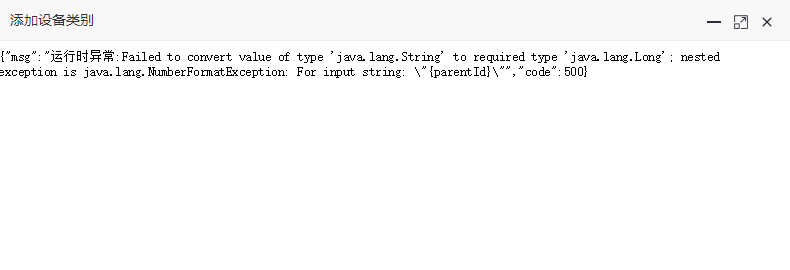
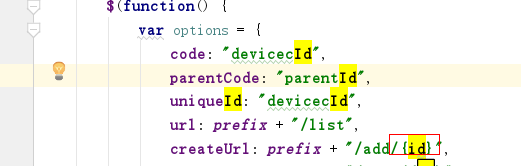

2.org.springframework.expression.spel.SpelEvaluationException: EL1007E: Property or field 'devicecId' cannot be found on null
答:是pcdevicec定义错误 mmap.put("pcdevicec", pcdevicecService.selectPcdevicecById(parentId));
3. 增加时,点击个改设备类别提示:
61:39 Uncaught ReferenceError: selectDevicectree is not defined
at HTMLInputElement.onclick (1:39)
答: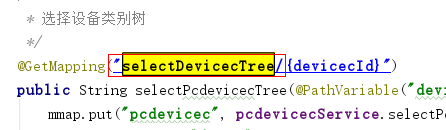
4.
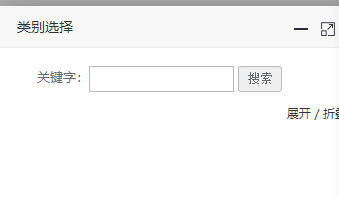
var url = ctx + "/basic/pcdevicec/treedata";路径填写错误 去掉/
点击增加类别时出现空的
5. 修改设备类别
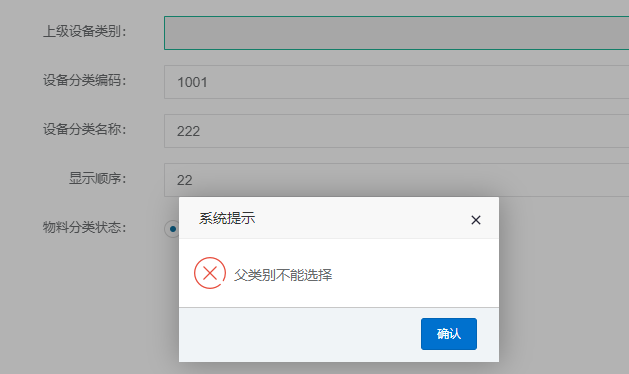
Invalid property 'parentName' of bean class [com.pcmis.project.basic.pcdevicec.domain.Pcdevicec]: Bean property 'parentName' is not readable or has an invalid getter method: Does the return type of the getter match the parameter type of the setter?
at org.springframework.beans.AbstractNestablePropertyAccessor.getPropertyValue(AbstractNestablePropertyAccessor.java:622)
原因:
1.在domain->Pcdevice 增加
/**
 * 父类别名称
 */
private String parentName;
2.修改 devicecMapper.xml
<result property="parentName" column="parent_name"/>
3.修改edit.html
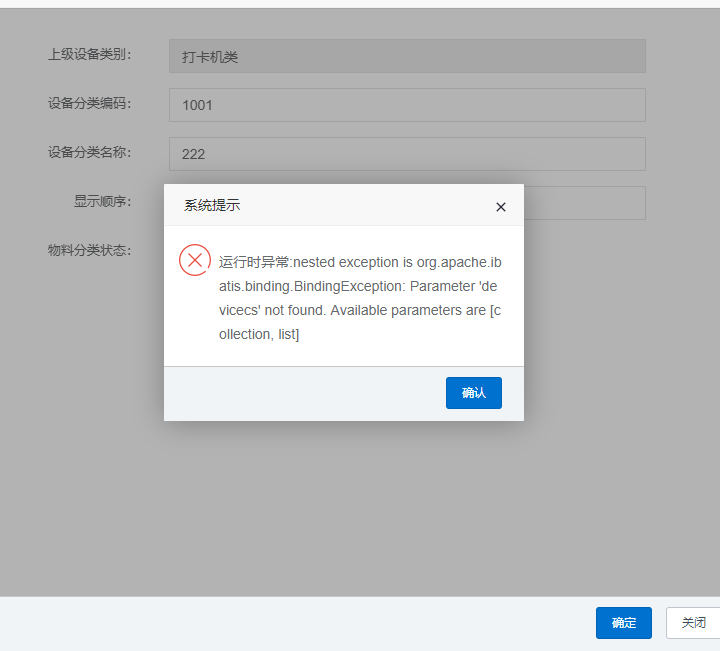
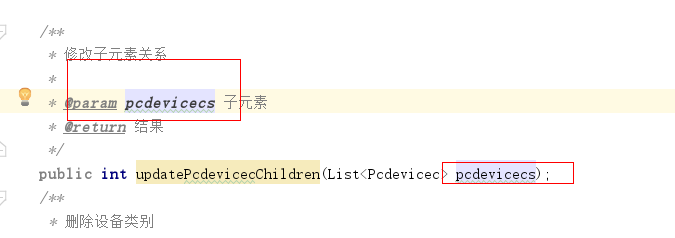
类没有在DevviceMapper.java中找到
老牛:加参数@param(“pcdevicecs”)



6. 无法删除设备类别

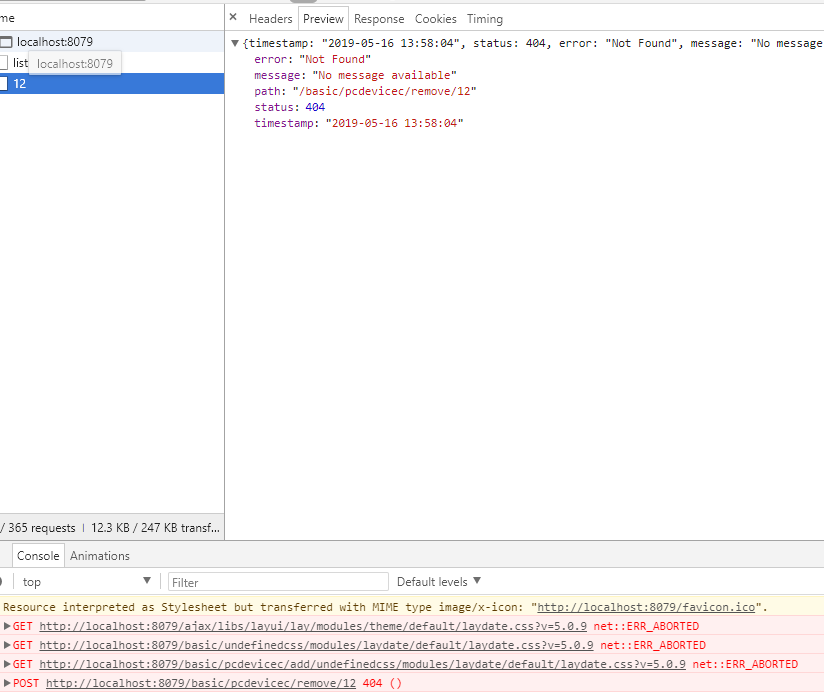


 没有加/{id}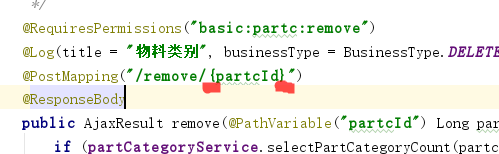
7. 删除设备类别
Caused by: org.apache.ibatis.binding.BindingException: Parameter 'array' not found. Available parameters are [updateBy, devicecId, param1, param2]
数据缺少字段值
8. 如何编辑单元格后得到焦点
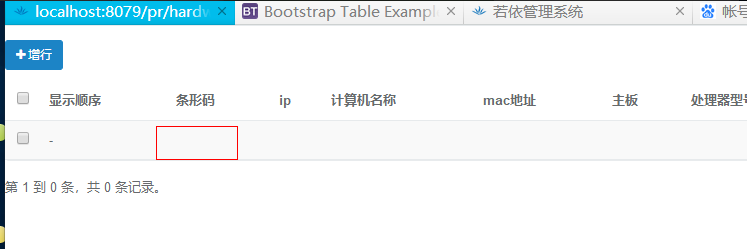

神牛指导:
在pc-mis.js文件 中增加
//获得指定列的列号
getCellIndex: function(field) {
var cellIndex = -1;
var vc = $.table.getVisibleColumns();
$.each(vc, function(index, column) {
if ($.common.isNotEmpty(column.field) && column.field == field) {
cellIndex = index;
return false; //退出循环
}
});
return cellIndex;
},
//获得显示的列
getVisibleColumns: function() {
return $('#' + $.table._option.id).bootstrapTable('getVisibleColumns');
},
    var trlast= $("#" + $.table._option.id +" tbody tr:last");//孔
    var upIndex = $.common.isEmpty(trlast).data("index")? 0 :trlast.data("index")+1;//孔
    $.table.insertRow({
        index: upIndex,
        row: {
            txm:'',
            ip:'',
            pcname:'',
            mac:'',
            motherborad:'',
            cpu:'',
            memory:'',
            disk:'',
            displaycard:'',
            crt:'',
            dvd:'',
            os:'',
            usestatus:'',
remark:''
        }
    });
    // console.info(document.getElementById('txm').cellindex);
    var cellId = $.table.getCellIndex("txm");
    console.log(cellId);
    console.log(upIndex);

     $("#" + $.table._option.id).find('tr[data-index="'+ upIndex +'"]').children('td').eq(cellId).click();
/$('#txm').autocomplete('onFocus');
9如何设置IP地址输入格式
在jquery.validate.extends.js中加入
//校验IP
//校验IP地址
jQuery.validator.addMethod("isIp",function(value,element){
    var ip = /^(?:(?:2[0-4][0-9]\.)|(?:25[0-5]\.)|(?:1[0-9][0-9]\.)|(?:[1-9][0-9]\.)|(?:[0-9]\.)){3}(?:(?:2[0-4][0-9])|(?:25[0-5])|(?:1[0-9][0-9])|(?:[1-9][0-9])|(?:[0-9]))$/;
    return this.optional(element) || (ip).test(value);
},"IP地址格式示例127.0.0.1");
10.如何选择表格多行数据提交到后台:
12.下拉列表框处理
    editFiled: {
                    selectId: 'devicecName',
                    selectName: 'devicecName',
                    defaultOpen: true,
                    ajaxOptions: function (row) {
                        return {
                            url: ctx + "basic/pcdevicec/listable",
                            type: 'POST',
                            data: function (params) {
                                return {
                                    delFlag: 0,
                                    status: 0,
                                    params: {
                                        except: 1,
                                        filter: params.term         //params.term 搜索参数值
                                    }
                                };
                            },
                            processResults: function (data) {
                                var results = $.map(data, function (dataItem) {
                                    return {
                                        id: dataItem.devicecId,
                                        text: dataItem.devicecName
                                    };
                                });
                                return {
                                    results: results
                                };
                            }
                        }
                    },
                    defaultOption: function (row) {   //默认值就是当前行的数据
                        return {
                            id: row.devicecId,
                            text: row.devicec.devicecName
                        };
                    },

                    validate: {
                        required: true,
                    },

},
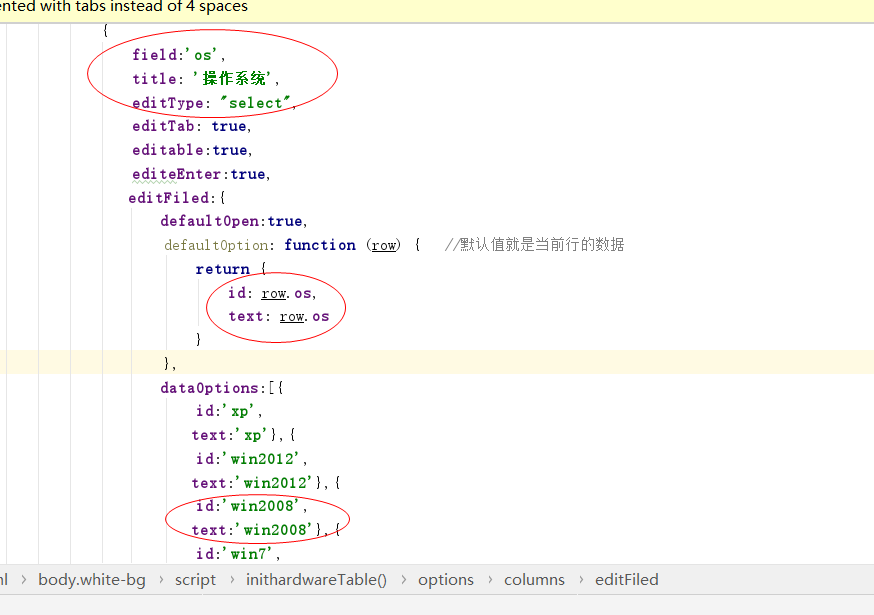
$.table.insertRow({
        index: upIndex,
        row: {
            devicecId:[[${devicec.devicecId}]],
            devicec:{
                devicecName:[[${devicec.devicecName}]]
},
            txm:'',
            ip:'',
            pcname:'',
            mac:'',
            motherborad:'',
            cpu:'',
            memory:'',
            disk:'',
            displaycard:'',
            crt:'',
            dvd:'',
            os:'win7',
            usestatus:'正常',
remark:''
        }
    });
,
下拉列表默认值 选择




 浙公网安备 33010602011771号