
vue3版本实现h5自适应布局
amfe-flexible 和 postcss-pxtorem 可以一起使用来实现移动端的适配效果。
[参考的页面地址]( https://blog.csdn.net/sywdebug/article/details/132764029#:~:text=amfe-flexible 主要用于动态设置根元素字体大小(rem),以根据屏幕尺寸进行自适应布局。 它会根据设备的屏幕宽度计算出根元素字体大小,并将其设置为页面的根元素的字体大小。 然后,开发者可以在 ,CSS%20%E6%A0%B7%E5%BC%8F%E4%B8%AD%E4%BD%BF%E7%94%A8%20rem%20%E5%8D%95%E4%BD%8D%E6%9D%A5%E8%AE%BE%E7%BD%AE%E5%85%83%E7%B4%A0%E7%9A%84%E5%B0%BA%E5%AF%B8%E5%92%8C%E9%97%B4%E8%B7%9D%EF%BC%8C%E4%BB%8E%E8%80%8C%E5%AE%9E%E7%8E%B0%E8%87%AA%E9%80%82%E5%BA%94%E5%B8%83%E5%B1%80%E3%80%82)

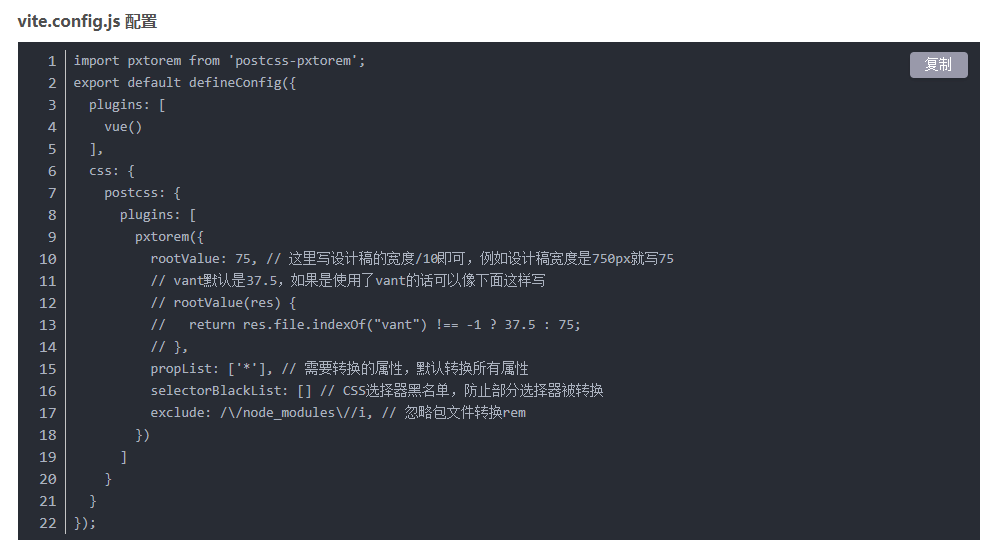
vite.config.js配置
import pxtorem from 'postcss-pxtorem';
export default defineConfig({
  plugins: [
    vue()
  ],
  css: {
    postcss: {
      plugins: [
        pxtorem({
          rootValue: 75, // 这里写设计稿的宽度/10即可,例如设计稿宽度是750px就写75
          // vant默认是37.5,如果是使用了vant的话可以像下面这样写
          // rootValue(res) {
          //   return res.file.indexOf("vant") !== -1 ? 37.5 : 75;
          // },
          propList: ['*'], // 需要转换的属性,默认转换所有属性
          selectorBlackList: [] // CSS选择器黑名单,防止部分选择器被转换
          exclude: /\/node_modules\//i, // 忽略包文件转换rem
        })
      ]
    }
  }
});
遇到的问题
解决vue中安装postcss-pxtorem插件,报错“ Error: PostCSS plugin postcss-pxtorem requires PostCSS 8.”

参考链接
postcss-pxtorem排除特定文件和目录
排除特定页面
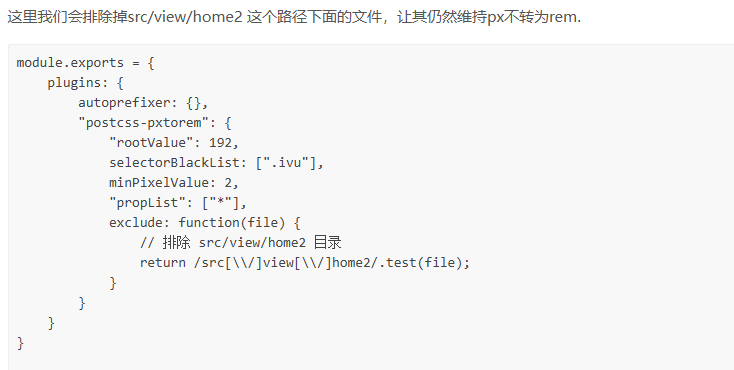
点击查看代码
module.exports = {
    plugins: {
        autoprefixer: {},
        "postcss-pxtorem": {
            "rootValue": 192,
            selectorBlackList: [".ivu"],
            minPixelValue: 2,
            "propList": ["*"],
            exclude: function(file) {
                // 排除 src/view/home2 目录
                return /src[\\/]view[\\/]home2/.test(file);
            }
        }
    }
}
只转换特定文件

点击查看代码
module.exports = {
    plugins: {
        autoprefixer: {},
        "postcss-pxtorem": {
            "rootValue": 192,
            selectorBlackList: [".ivu"],
            minPixelValue: 2,
            "propList": ["*"],
            exclude: function(file) {
                // 排除 不是 src/view/home2 目录的文件
                return !/src[\\/]view[\\/]home2/.test(file);
            }
        }
    }
}

 浙公网安备 33010602011771号