
Gitlab分支合并
1、登录Gitlab官网
https://gitlab.com/
2、选择合并的项目
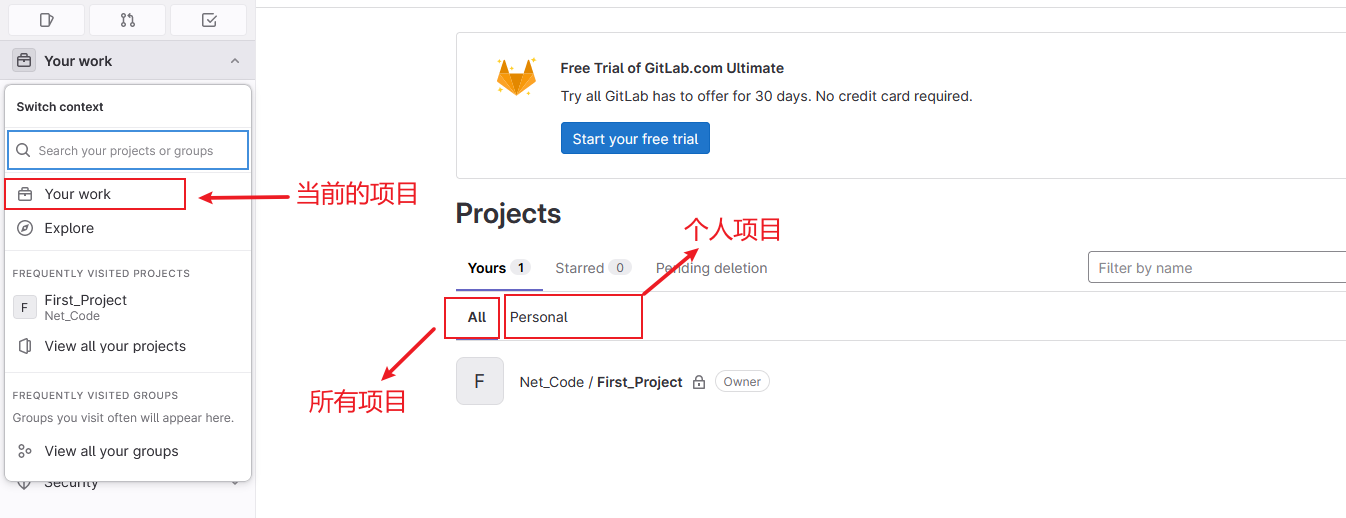
点击Net_Code/First_Project项目进去
3、点击Merge Requests
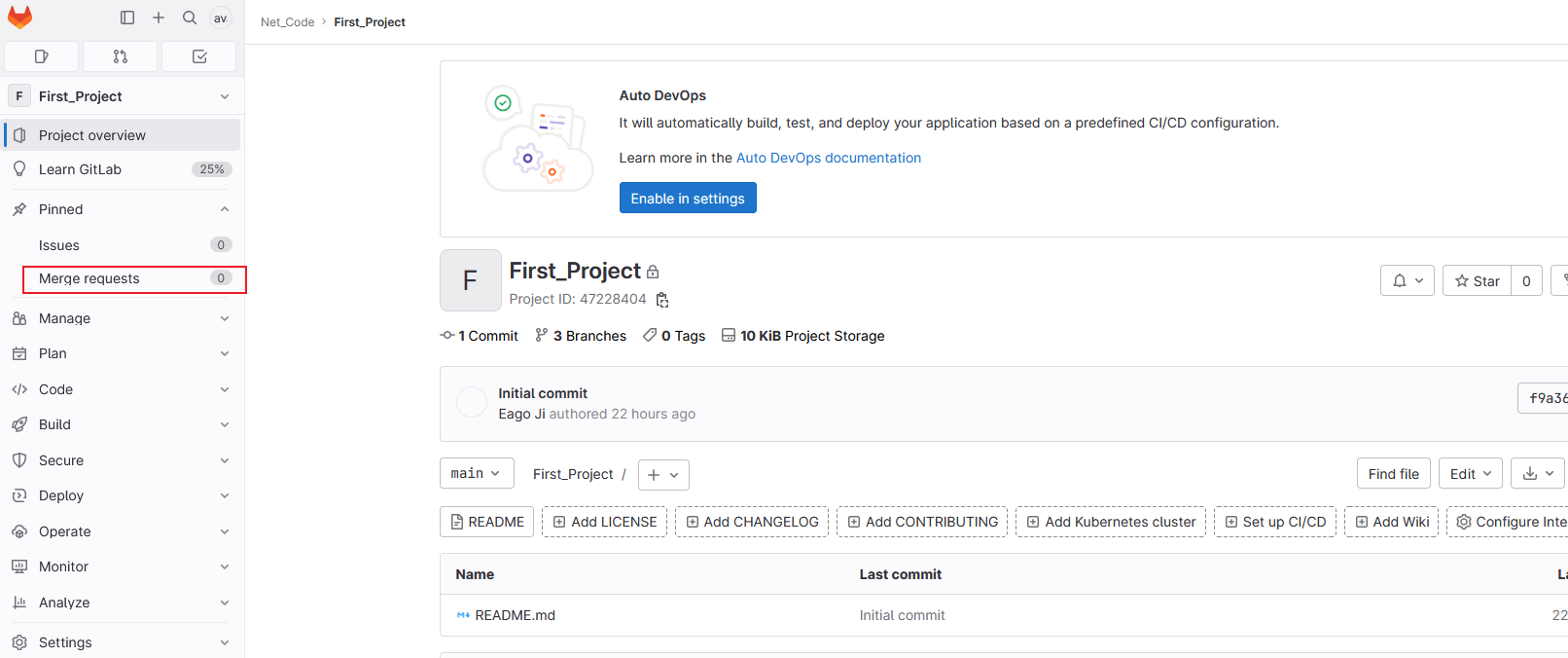
4、分支合并
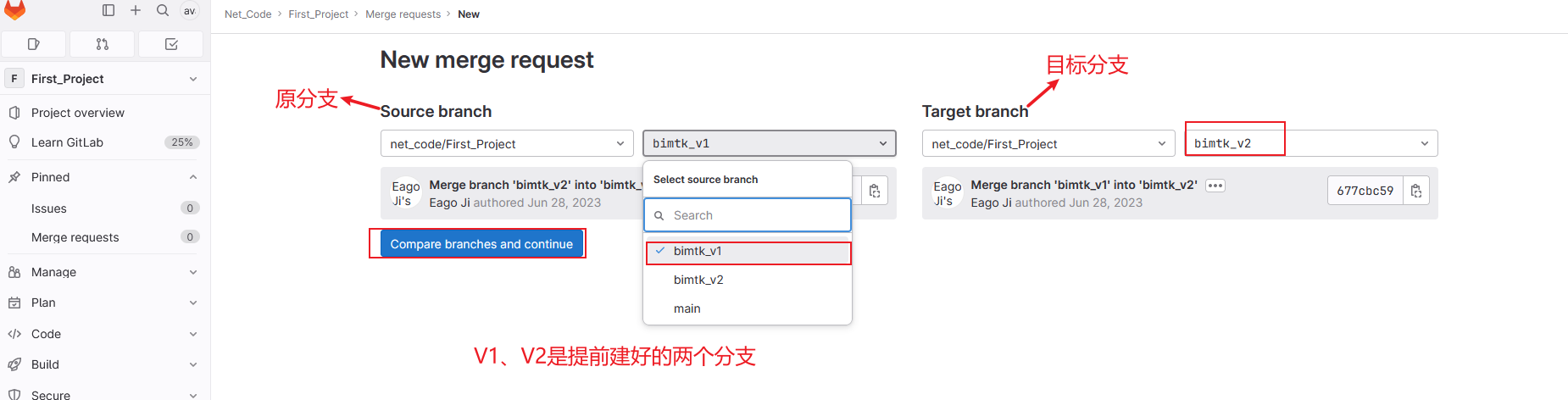
把原分支上面的代码合并到目标分支上面,然后点击compare branches and continue
5、填写合并注释等信息
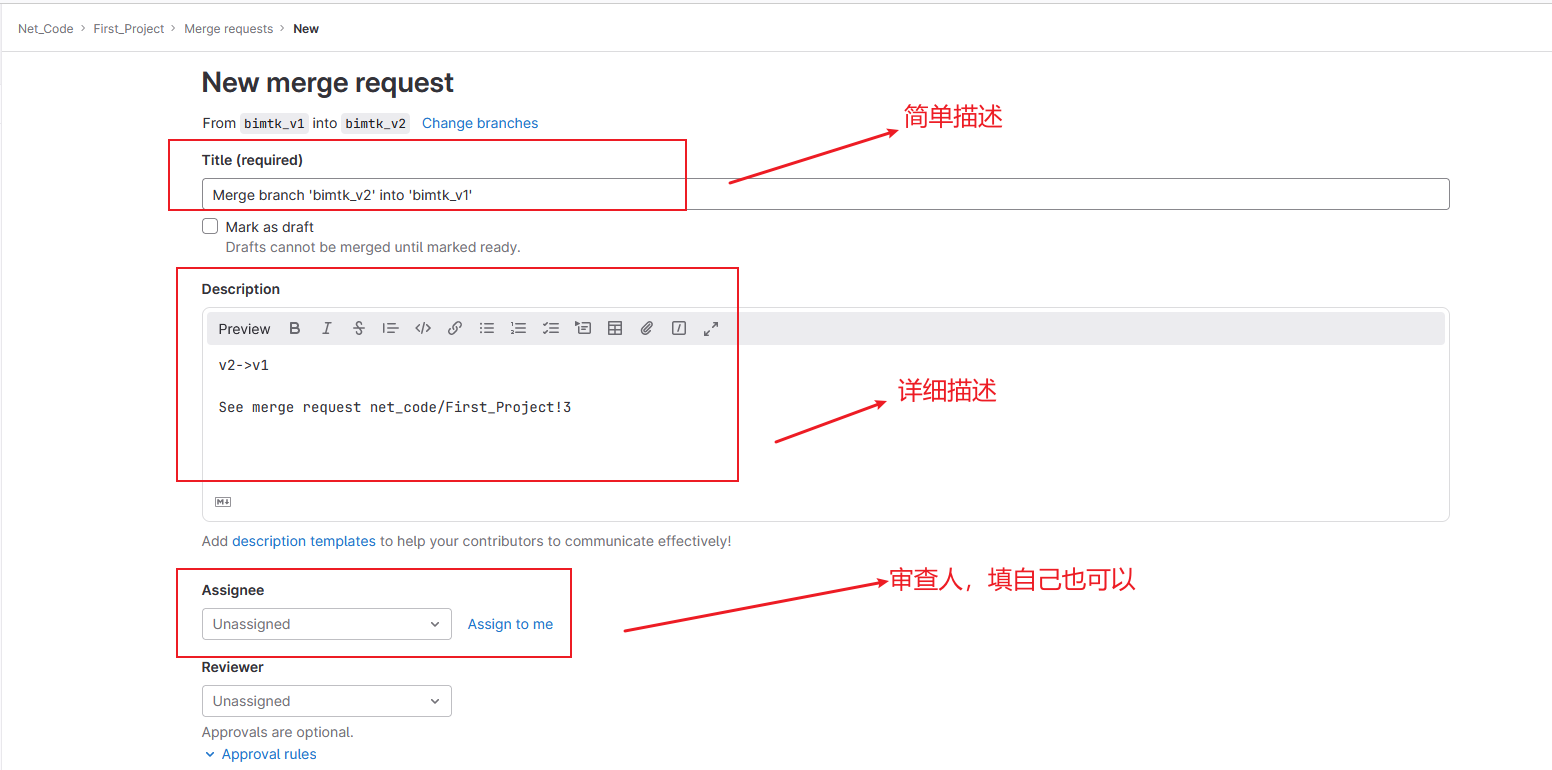
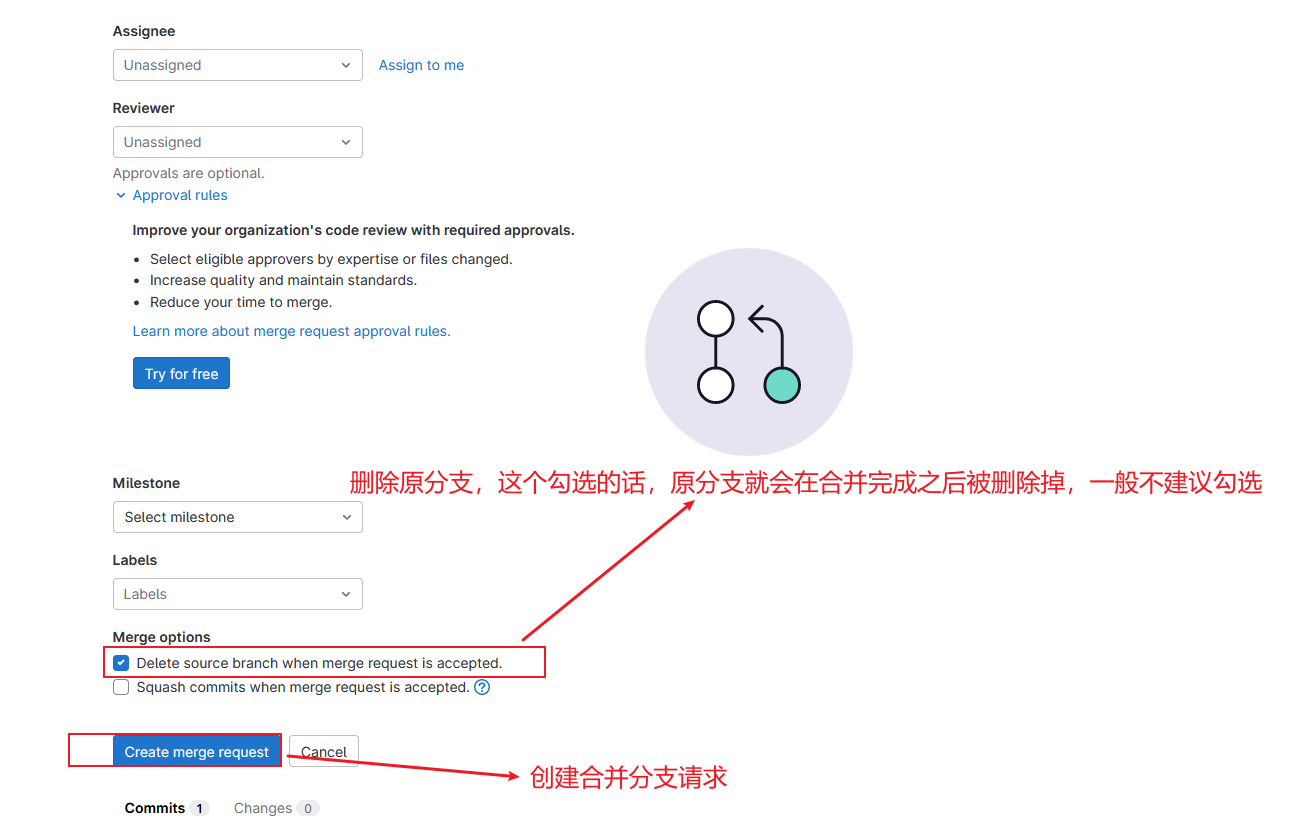
6、存在冲突,解决,没有跳过这一步
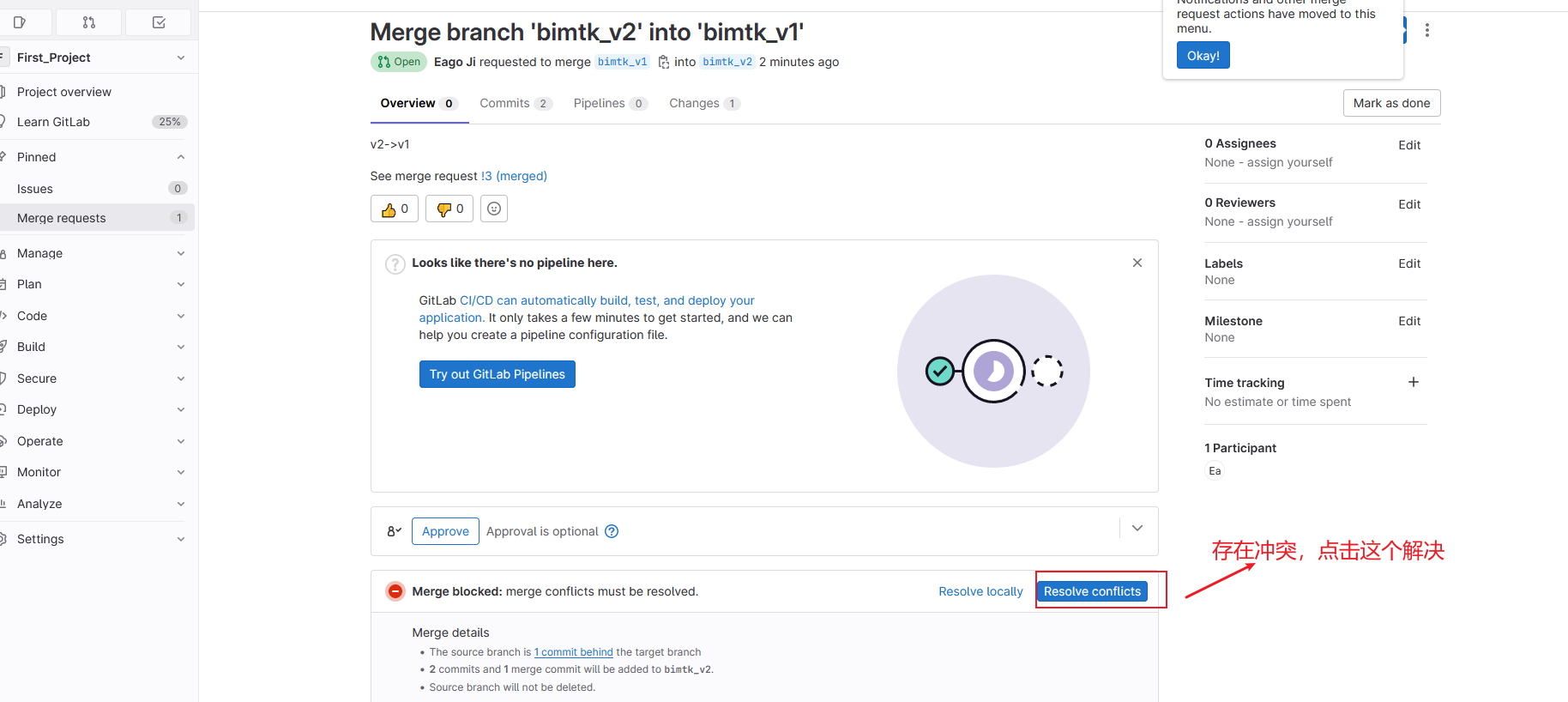
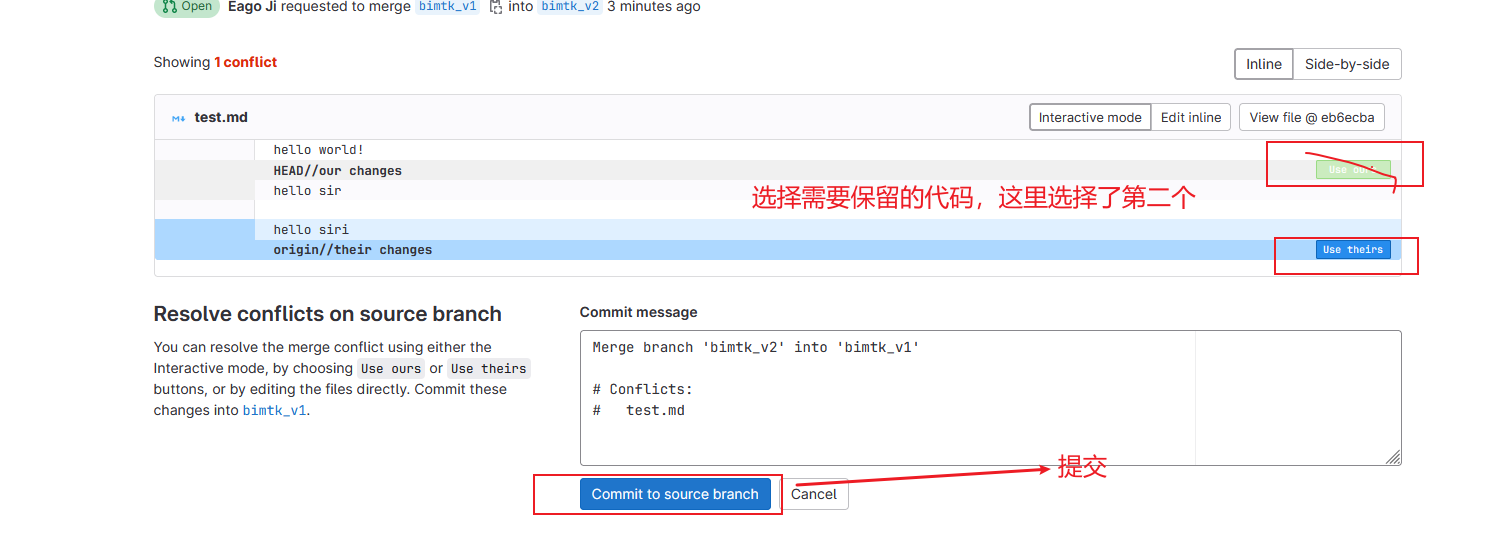
7、合并
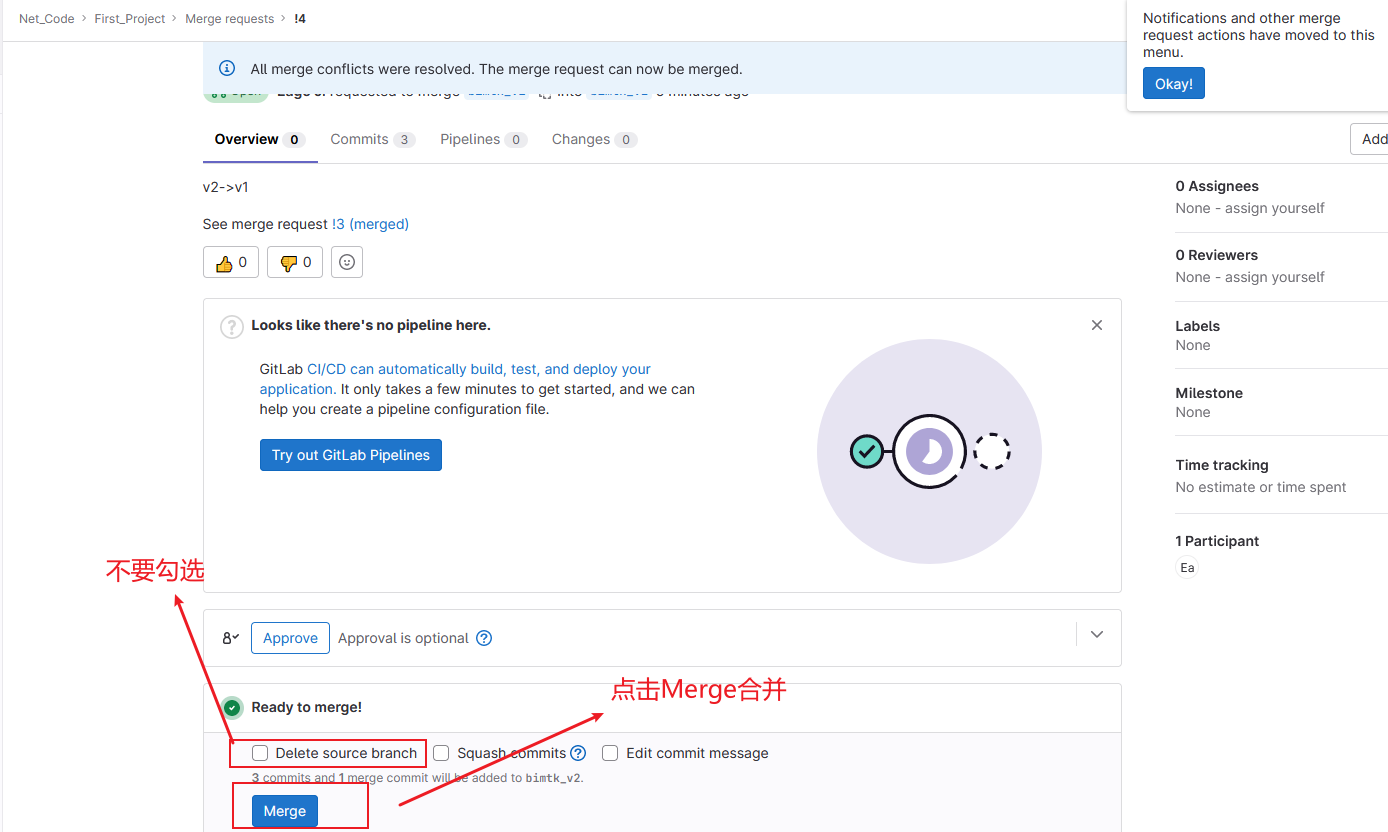
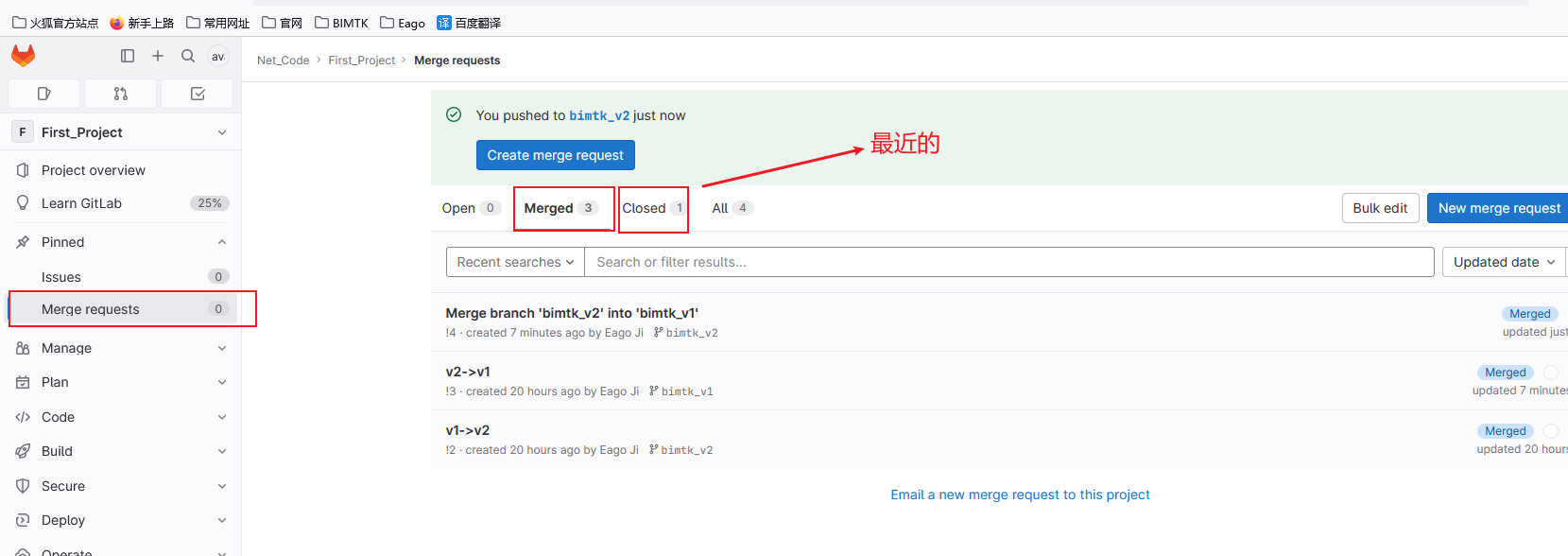
8、查看
https://gitlab.com/
点击Net_Code/First_Project项目进去
把原分支上面的代码合并到目标分支上面,然后点击compare branches and continue

 浙公网安备 33010602011771号