

自定义start
1.新建项目atguigu-hello-spring-boot-starter,在pox.xml中导入自动配置atguigu-hello-spring-boot-starter-autoconfigure项目
    <dependencies>
        <dependency>
            <groupId>com.atguigu</groupId>
            <artifactId>atguigu-hello-spring-boot-starter-autoconfigure</artifactId>
            <version>0.0.1-SNAPSHOT</version>
        </dependency>
    </dependencies>
2.新建项目atguigu-hello-spring-boot-starter-autoconfigure 场景的自动配置
2.1.编写JavaBean
@ConfigurationProperties("atguigu.hello")
public class HelloProperties {

    private String prefix;
    private String suffix;

    public String getPrefix() {
        return prefix;
    }

    public void setPrefix(String prefix) {
        this.prefix = prefix;
    }

    public String getSuffix() {
        return suffix;
    }

    public void setSuffix(String suffix) {
        this.suffix = suffix;
    }
}
2.2编写service
/**
 * 默认不要放在容器中
 */
public class HelloService {

    @Autowired
    HelloProperties helloProperties;

    public String sayHello(String userName){
        return helloProperties.getPrefix() + ":"+userName+"》"+helloProperties.getSuffix();
    }
}
2.3编写自动配置
@Configuration
@EnableConfigurationProperties(HelloProperties.class)  //默认HelloProperties放在容器中
public class HelloServiceAutoConfiguration{

    @ConditionalOnMissingBean(HelloService.class)
    @Bean
    public HelloService helloService(){
        HelloService helloService = new HelloService();
        return helloService;
    }

}
2.4在resource下创建META-INF目录 然后创建spring.factories文件
# Auto Configure
org.springframework.boot.autoconfigure.EnableAutoConfiguration=\
com.atguigu.hello.auto.HelloServiceAutoConfiguration//配置类路径
3.在自己的项目中使用
//那么方法类上就得加上组件注解,方法类上不加组件注解 无法使用自动注入功能
自定义start中 properties类和方法类都不需要一开始加入到容器中,这样可以
1. properties类是可以直接加入到容器中的,
1.1在@configurationproperties标注的类上直接加@Component注解就可以加入容器并绑定属性,但@Autowired注解就报错 找不到bean,使用@ComponentScan就能解决问题,前提是加上了@Component组件,扫描的是组件
1.2在配置类中使用@EnableConfigurationProperties注解,把value=xxx.calss 加入容器,并为xxx.class绑定类上面的@configurationproperties 中value=yyy.properties的属性
1.3不加上@Component 就需要@ConfigurationPropertiesScan 扫配置属性 加入容器中 绑定属性
1.4不加@ConfigurationPropertiesScan配置属性扫描,不加@Component ,不加@EnableConfigurationProperties,可以直接在自动配置类中 new bean,
    @ConditionalOnMissingBean(HelloProperties.class)
    @Bean
    public HelloProperties helloProperties(){
        return new HelloProperties();
    }
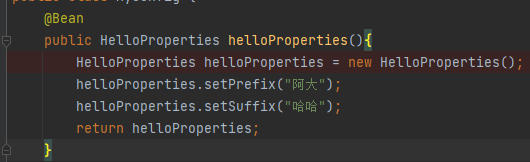
1.5不加@ConfigurationPropertiesScan配置属性扫描,不加@Component,,不加@EnableConfigurationProperties ,可以在自己的项目的配置类中 new bean,配置类中设置属性,配置文件中也设置了属性,谁中外部 并且谁外部越大,就使用谁
@Configuration
public class MyConfig {
    @Bean
    public HelloProperties helloProperties(){
        HelloProperties helloProperties = new HelloProperties();
        helloProperties.setPrefix("阿大");
        helloProperties.setSuffix("哈哈");
        return helloProperties;
    }
   // @Bean
    public HelloService helloService(){
        HelloService helloService = new HelloService();

        return helloService;
    }

}
2.方法类上不加组件注解是因为在配置类里要条件判断,要判断自定义的方法还是场景默认的方法,
2.1比如加上了Component组件 就无法在自己的配置类里重写了,或者自动配置类中没有加条件判断 也无法重写,其他方式是可以重写的,但是名字必须一样 ,注意 这里所说的是以注解的形式创建的组件,然后在自己的myconfig里重写,名字和类名要一致
Component的注解和在自动配置类中new的 但是没用加条件判断的情况下 都不能重写,
2.2使用配置扫描注解ConfigurationPropertiesScan ,或者激活配置属性注解EnableConfigurationProperties,ConfigurationPropertiesScan 内部使用的就是EnableConfigurationProperties,
EnableConfigurationProperties注解也是注册bean定义

new配置属性bean注册对象,进入forEach 得到需要注册的bean,也就是配置属性类,
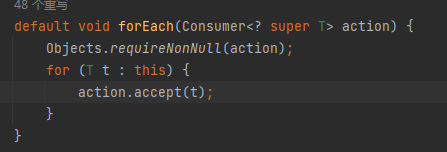
进入 accept 得到configurationproperties注解下的类,

进入this.register 在这里进行了条件判断

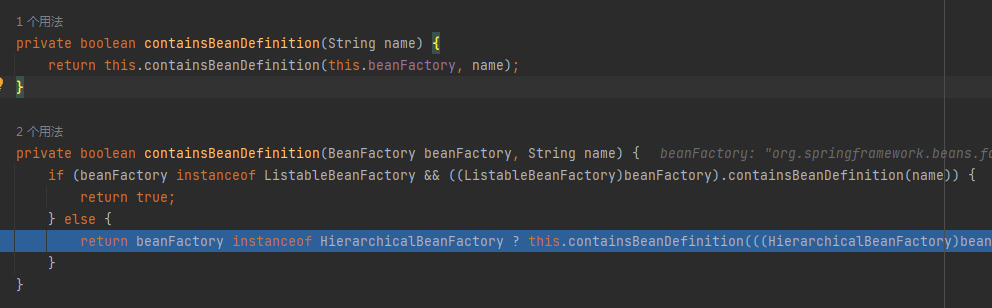
进入registerBeanDefinition

进入registerBeanDefinition
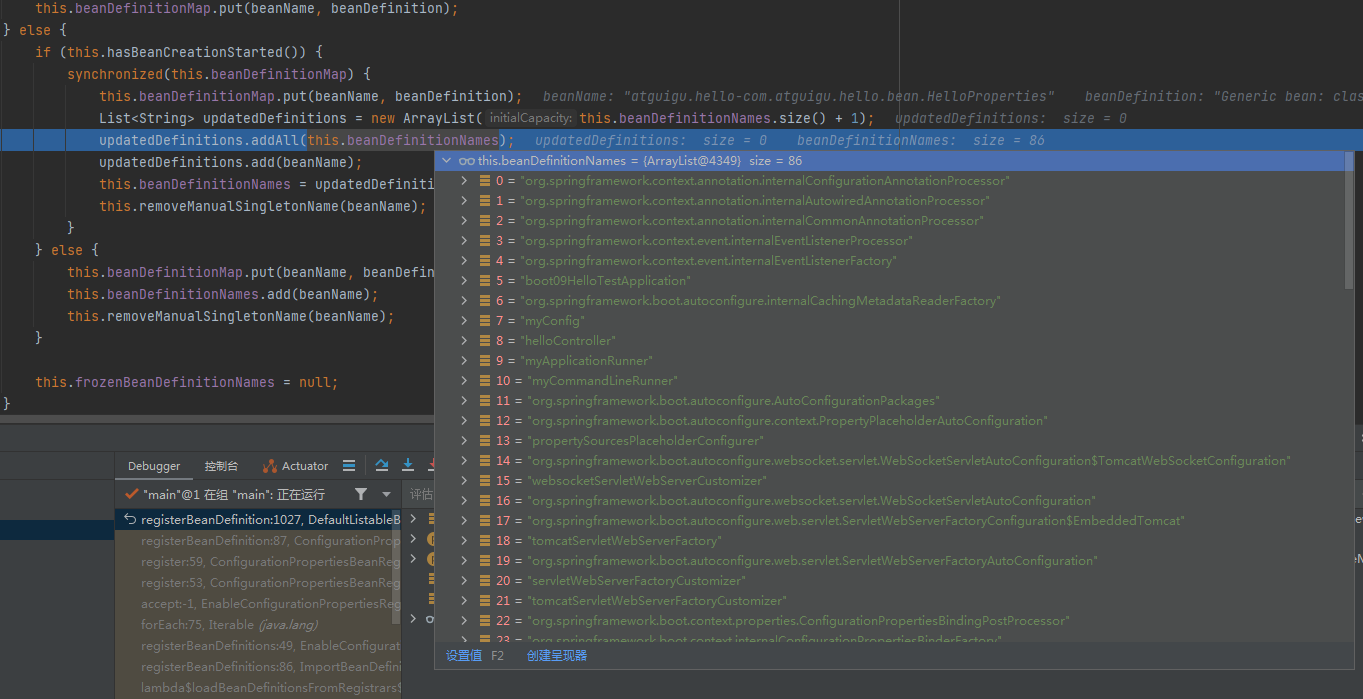
把之前需要注册的组件拿到,添加创建的bean
---------------------------------------
当自己在配置内中重写的时候,自己的和register注册的都有,注意名字要和类一致
当在自动配置类中发现 Component的注解 或者在自动配置类中new的bean 但是没有加条件判断的情况下 都不能重写
因为Component是在容器中添加bean,并且名字是就是类名

在自动配置类中new的bean 也是这样,所以需要添加条件判断,容器中有自定义的bean了 这里就别new了

而EnableConfigurationProperties 或者 ConfigurationPropertiesScan + ConfigurationProperties的方式
存的是
容器中以包名的方式命名的是 就是可以重写,以名字就是不能重写,(这里说的不能重写指的是不能存在两个相同名字的bean,但是名字不同可以存在,优先找名字跟类名相同的)
当包名和名字同时存在的情况下 优先找名字
当存在不同名字的情况下 找类名相同的,

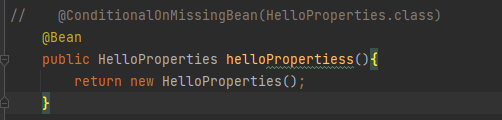


当只有一个名字时 不管是不是和类名相同都使用,

在自己的配置类中重写的时候 为啥非要和类名一致, 因为在自动注入时 需要一个bean,但找到了2个:
那为啥一致的时候没有这个错误呢,
上图:
在doResolveDependency类中
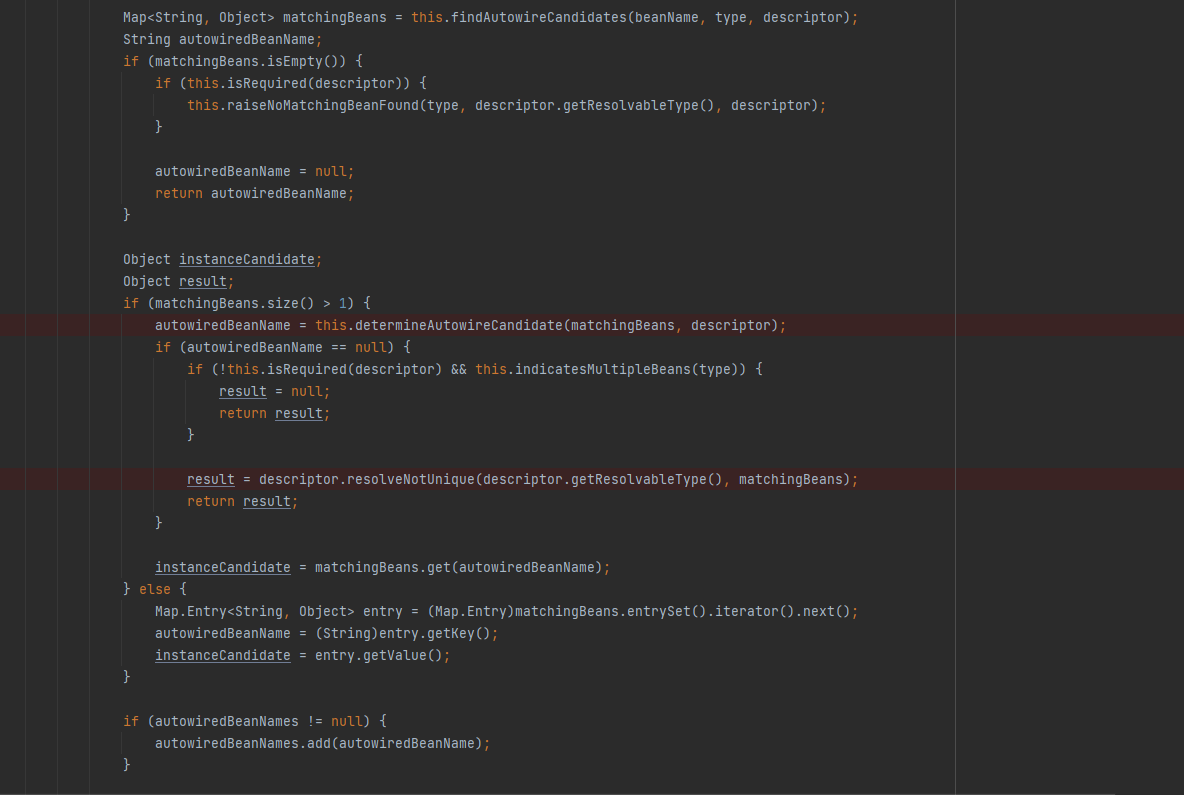
先会判断beans个数是不是大于1,如果大于1继续往下
进入determineAutowireCandidate 自动决定候选
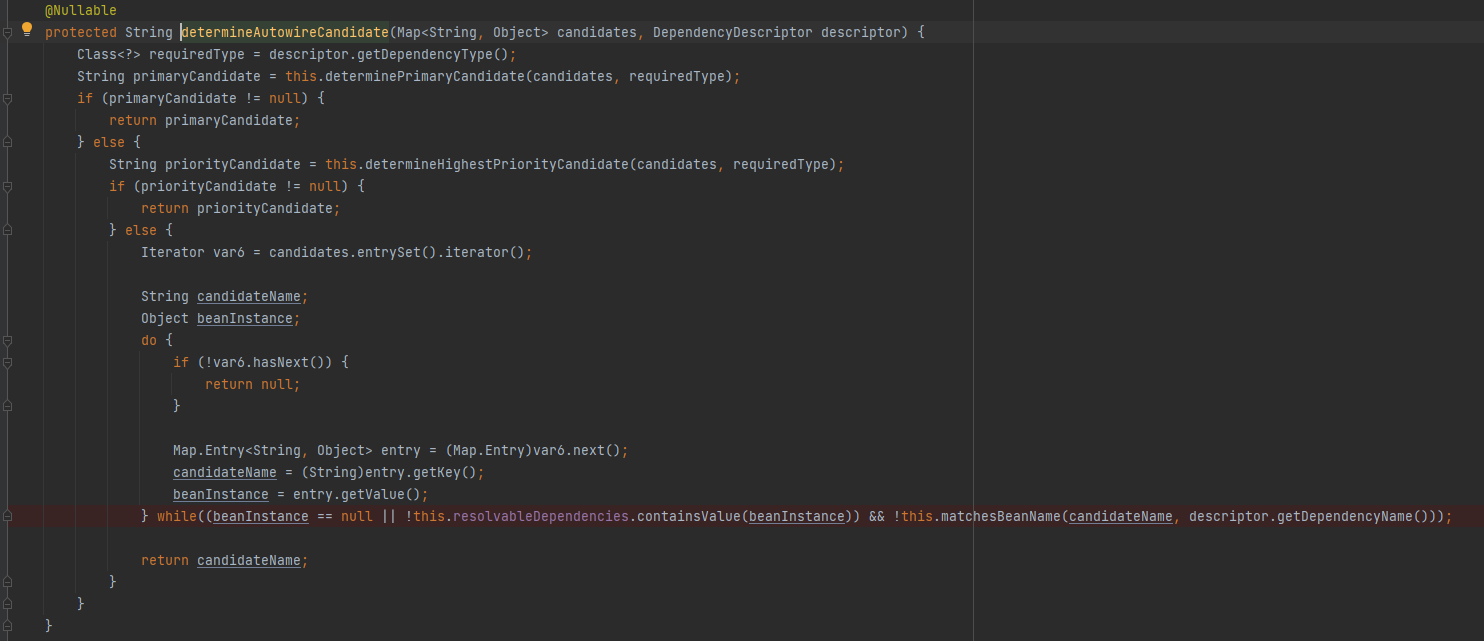
在while条件中matchesBeanNam中传入候选名 和属性名,判断是否一致, 这也是为啥 和类名保持一致 就 不会报错的原因

先分析到这
3.配置属性类与配置文件是绑定关系,并且只要配置属性类加入到了容器,就会自动绑定@configurationproperties中的属性,@configurationproperties这个注解就是用来绑定属性的,只要它标注的类在容器中有就会生效

 浙公网安备 33010602011771号