

git指令笔记
创建仓库:git init
1、添加全局用户名、邮箱
D:\Git\repo1>git config --global user.name "用户名"
D:\Git\repo1>git config --global user.email "邮箱"
2、修改全局用户名、邮箱
(输入下面命令后,在重新执行上方命令添加全局用户名、邮箱)
D:\Git\repo1>git config --system --unset credential.helper
3、查看当前用户名、邮箱
D:\Git\repo1>git config user.name
D:\Git\repo1>git config user.email
4、基本操作指令
git add .                       #添加到暂存区
git commit -m “提交文件的标志”    #提交到分支
git status                      #查看当前文件状态
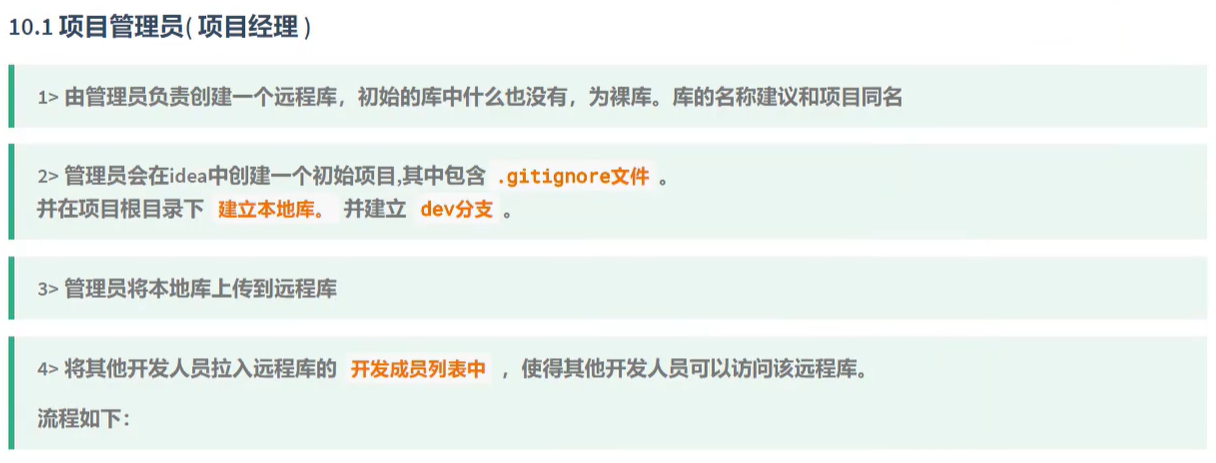
5、将本地仓库上传到远程
#连接到远程仓库地址(例如:git remote add origin https://gitee.com/shine10/git_shine.git.)
D:\Git\repo1>git remote add origin +地址

#查看连接
D:\Git\repo1>git remote -v

#将本地库上传到远程,回车后输入远程库的账户密码就上传成功了
D:\Git\repo1>git push origin master
#本地分支 : master 远程分支 : f_ms_craneGame
命令: git push origin master : f_ms_craneGame
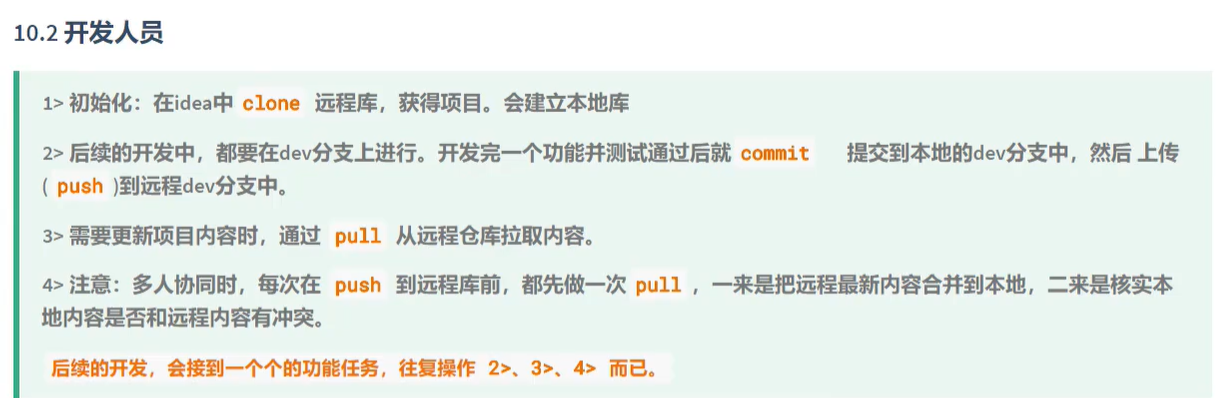
6、从远程获取仓库到本地
#在需要保存文件的目录下输入命令回车即可,例如:D:\Git\repo2>git clone https://gitee.com/shine10/git_shine.git
#1、克隆——本地库啥也没有时候用来下载
D:\Git\repo1>git clone +远程库地址
#2、本地已经有东西了,在拉去远程信息
D:\Git\repo1>git pull origin master
7、分支基本操作
#创建新分支
git branch +名字

#查看当前分支
git branch

#切换到某某分支进行操作
git checkout +名字

#查看当前分支的提交日志
git log --oneline

#将创建的分支合并替换到主分支
git merge +分支名字

 浙公网安备 33010602011771号