
Python基础(3)——文件操作、三元表达式&列表生成式、集合、json操作、函数
目录:
一、文件操作
二、三元表达式&列表生成式
三、集合
四、json操作
五、函数
正文:
一、文件操作-自动关闭文件/大文件读取
1、自动关闭文件
with open(xxx) as x:
# f=open('a.txt')
# f.close()

#代替以上代码

#文件用完自动关闭
with open('user.txt',encoding='utf-8') as f:
    result = f.read()
2、大文件的读取
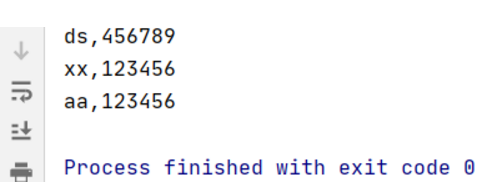
txt内容:
*******************************
ds,456789
xx,123456
aa,123456
*******************************
代码:
#大文件读
with open('user.txt',encoding='utf-8') as f:
     for line in f:
         line=line.strip()
         if line:
            print(line)
练习
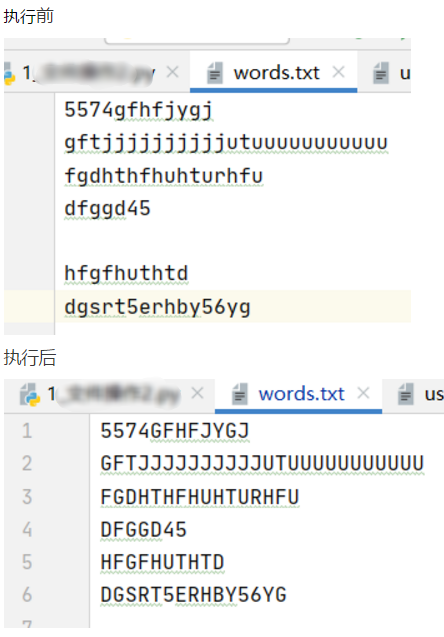
1)读取文件所有内容
# 替换new_str小写转为大写
# 清空原来的文件
# 写进去新的
import os
with open('words.txt') as fr,open('words_new.txt','w') as fw:
    for line in fr:
        line = line.strip()
        if line:   #判断空行
            line=line.upper()
            fw.write(line+'\n')
os.remove('words.txt')
os.rename('words_new.txt','words.txt')
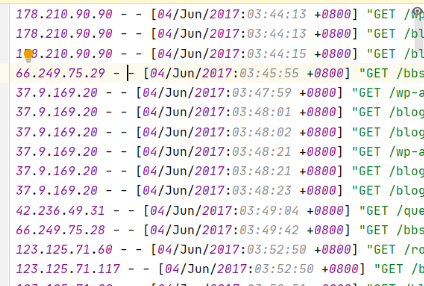
练习2)监控日志,找到每分钟请求大于200的,加入黑名单
日志文件格式:
import time
point=0
while True:
    ips={}  #ip:count
    f=open('access.log',encoding='utf-8')
    f.seek(point)
    for line in f:
        line = line.strip()
        if line:
            ip=line.split()[0]
            if ip in ips:
                ips[ip]+=1
            else:
                ips[ip]=1
    point=f.tell() #记录指针位置
    f.close()
    for ip in ips:
        count=ips[ip]
        if count>=200:
            print('要加入黑名单的ip地址是:%s'%ip)
    time.sleep(60)

二、三元表达式、列表生成式
1、三元表达式
原if..else判断代码
age = 18
if age<18:
    v='未成年'
else:
    v='成年人'
print(v)
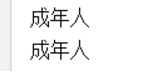
使用三元表达式:
v='未成年' if age<18 else '成年人'
print(v)
2、列表生成式
将a列表加入b列表:
a=[1,2,3,4,5,6]
b=[]
for i in a:
    b.append(str(i))
使用列表生成式:
#列表生成式
c=[str(i) for i in a]
使用列表生成式且只取奇数:
#对2取余
d=[str(i) for i in a if i%2!=0]
print(c)
print(d)

三、集合
set 天生去重,无序的(没有下标)
1、list、集合、字典
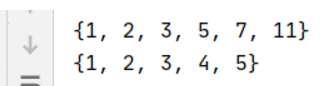
l=[1,2,11,1,1,3,5,7]
l2={1,2,3,4,5,1,1} #集合

l3={} #字典
l3=set()#集合
s=set(l) #list转集合
print(s)
print(l2)
2、集合的增删改查
1)新增
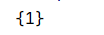
l3=set()
l3.add(1)  #新增元素
print(l3)
2)删除元素
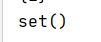
l3.remove(1)  #删除元素
print(l3)
3)把1个集合加入到另一个集合里面
l3.update(l2) #把1个集合加入到另一个集合里面
print(l3)

l3.copy(l2) #浅拷贝
3、交集 并集 差集
1)取交集
stu1 = ['fd','wxl','zjr','lhy']
stu2 = ['fd','wxl','dsx','cc']
stu1_set = set(stu1)
stu2_set = set(stu2)
#取交集
print(stu1_set.intersection(stu2_set))
print(stu1_set & stu2_set)

练习:输入密码需包含大写、小写字母、数字否则提示错误
import string
password='abc123'
password_set = set(password)
if password_set & set(string.digits) and password_set & set(string.ascii_lowercase) and password_set & set(string.ascii_uppercase):
    print("密码合法")
else:
    print("密码需要包含大写、小写字母、数字")

2)取并集
#取并集 把两个集合合并到一起
s1 = {1,2,3,4}
s2 = {4,5,6,7}

print(s1.union(s2))
print(s1 | s2)

3)取差集
#取差集 在一个集合里面存在,在另一个集合不存在的
s1 = {1,2,3,4}
s2 = {4,5,6,7}
print(s1.difference(s2))
print(s1-s2)
4)对称差集
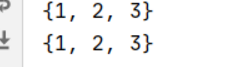
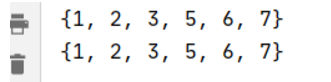
#对称差集  去除两个集合交集
s1 = {1,2,3,4}
s2 = {4,5,6,7}
print(s1 ^ s2)
print(s1.symmetric_difference(s2))
4、集合可循环
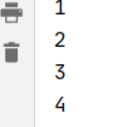
for s in s1:
    print(s)
六、JSON操作
#json就是一个字符串,只不过所有语言都能解析这个字符串
#json.dumps()
#(list\tuple\dict)python的数据类型转json的
#ensure_ascii=False显示中文 indent=4缩进,格式化
1、python的数据类型-->json
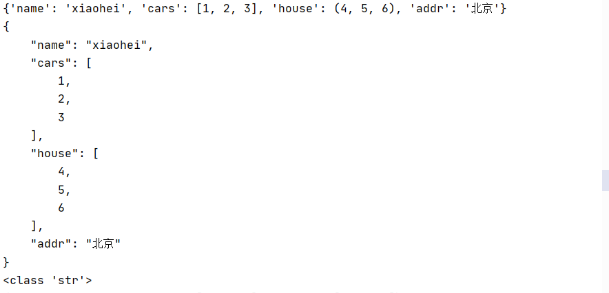
import  json
d={'name':'xiaohei','cars':[1,2,3],'house':(4,5,6),'addr':'北京'}
result = json.dumps(d,ensure_ascii=False,indent=4)
print(d)
print(result)
print(type(result))
2、json--->python数据类型
json_str = '{"name": "xiaohei", "cars": [1, 2, 3], "house": [4, 5, 6]}'
dict2 = json.loads(json_str)
print(dict2)

3、处理文件
# # json.load()#帮你封装 处理文件的功能
# f=''
# # content = f.read()
# # d=json.loads(content)
# d=json.load(f)
# # json.dump()#帮你封装 处理文件的功能
# json_str = json.dumps(d,indent=4,ensure_ascii=False)
# f.write(json_str)
# json.dumps(d,f,indent=4,ensure_ascii=False)
d={'name':'xiaohei','cars':[1,2,3],'house':(4,5,6),'addr':'北京'}
with open('info.txt','w',encoding='utf-8') as fw: json.dump(d,fw,indent=4,ensure_ascii=False) with open('info.txt',encoding='utf-8') as fw: d=json.load(fw) print(d) print(d.get('name')) print(d.get('money'))

七、函数
1、函数及方法
import string
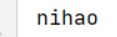
def hello():#定义函数,提高代码的复用性
    print('nihao')
hello()
练习1:写一个函数校验密码是否合法
def check_password(password):#校验密码是否合格,必传参数,位置参数
    password_set = set(password)
    if password_set & set(string.digits) and password_set & set(string.ascii_lowercase) and password_set & set(string.ascii_uppercase):
        print("密码合法")
        return True
    else:
        print("密码需要包含大写、小写字母、数字")
        return False
password_result=check_password('dffsdfs1232A')
print(password_result)
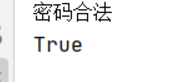
备注:练习1中 定义函数时def check_password(password):传入的password为形式参数(形参);调用方法时password_result=check_password('dffsdfs1232A')传入的dffsdfs1232A为实际参数(实参)
练习2 将读/写文件写成函数
写文件
def write_file(file_name,content):
 with open(file_name,'w',encoding='utf-8') as fw:
     fw.write(content)
#三种传参方式
write_file('1.txt','123456')
write_file(content='1234567',file_name='1.txt')
write_file('1.txt',content='12345678')
读文件
def read_file(file_name):
    with open(file_name, 'r', encoding='utf-8') as fr:
        content=fr.read()
        return content
a=read_file('1.txt')
print(a)

练习3:判断输入数字是否为小数
def is_float(s):
    s=str(s)
    if s.count('.')==1:
        left,right=s.split('.')
        if left.isdigit() and right.isdigit():
            return True
        if left.startswith('-') and left.lstrip('-').isdigit() and right.isdigit():
            return True
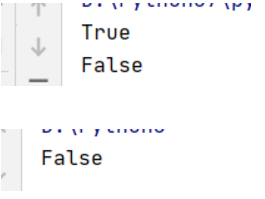
    return False    #不能用else 否则-A1.3这种情况返回空 print(is_float('-1.3'))
 print(is_float('-A1.3'))
 print(is_float('-.3'))
#函数里面遇到return,函数立即结束
2、默认值参数
def op_file(file_name,content=None):
    print(content)
    if content:
        write_file(file_name,content)
    else:
        result = read_file(file_name)
        return result

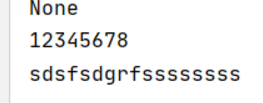
print(op_file('1.txt'))
op_file('1.txt','sdsfsdgrfssssssss')
3、函数返回值
#如果一个函数没有写返回值,那么返回的就是None
#如果函数有多个返回值,那么返回的是一个元祖
def test():
    print('hello')
def test2():
    return 1,2,3
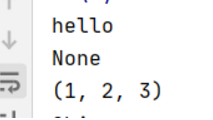
print(test())
print(test2())
a,b,c=test2() #拆包形式
4、全局变量、局部变量
#全局变量:一般定义在代码的最上边,大家都可以用
#局部变量:在函数里面定义的变量都是局部变量
#list、dict、set 不需要global声明
#str、int、float、tuple、bool需要声明
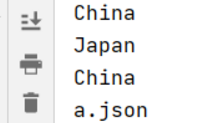
country = 'China'
file_name = '123'
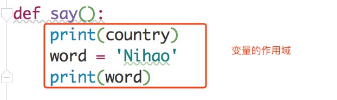
def say():
    print(country)
    word = 'Nihao'

def zc():
    country='Japan'
    print(country)
def update_file_name():
    global  file_name
    file_name = 'a.json'

say()
zc()
update_file_name()
print(country)
print(file_name)
练习1:
# money返回多少
money = 500
def test(consume):
    return money-consume
def test1(money):
    return test(money)+money

money = test1(money)
print(money)
答案:500
练习2:以下代码打印出的结果是?
def test():
    global a
    a = 5
def test1():
    c= a+5
    return  c
res = test1()
print(res)
答案:报错
#需改为
#test()
# res = test1()
# print(res)
5、函数参数:
#必传参数(位置参数)、默认值参数
#可选参数(参数组)、关键字参数
1)可选参数
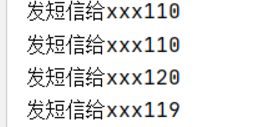
def send(*args):  #可选参数 它不是必传的,不限制参数个数,他是把参数放到了一个list里面
    for p in args:
       print('发短信给xxx%s'%p)
send()
send(110)
send(110,120,119)
2)关键字参数
#关键字参数,它不是必传的,不限制参数个数
#它是把参数放到一个字典里面,但是它传参的时候必须用关键字的方式
def send_sms(**kwargs):
    print(kwargs)
send_sms()
send_sms(xzh='晚上好')
send_sms(lhh='新年好',fd='生日快乐',lyh='新婚幸福')
3)函数参数传入顺序
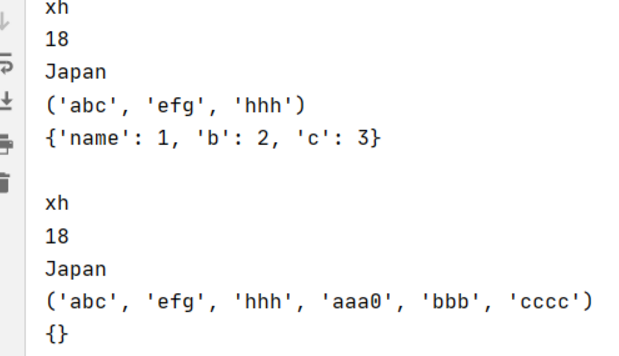
def nb_func(name1,age,country='China',sex='女',*args,**kwargs):
    #1必填参数  name1,age
    #2默认值参数  country
    #3参数组  *args
    #4关键字参数  **kwargs
    print(name1)
    print(age)
    print(country)
    print(args)
    print(kwargs)
nb_func('xh',18,'Japan','nan','abc','efg','hhh',name=1,b=2,c=3)
print()
nb_func('xh',18,'Japan','nan','abc','efg','hhh','aaa0','bbb','cccc')


 浙公网安备 33010602011771号