
使用Detours库截获windows api
1,目的
介绍微软的一个用来截获系统API的库detours的简单用法,示例截获MessageBox的方法。
2,实现
win32控制台程序:
#include "stdafx.h"
#include <windows.h>
#include "detours.h"
#include <string.h>
#include <fstream.h>
#pragma comment(lib, "detours.lib")
#pragma comment(lib, "detoured.lib")

//指向MessageBox函数的指针
int (WINAPI *SysMessageBox)(HWND hWnd, LPCTSTR lpText, LPCTSTR lpCaption, UINT uType)
= MessageBox;

//截获后我们实际执行的函数,其中先把内容记录到一个文本,然后接着调用原来的MessageBox函数去弹那个窗,并且替换了内容
int WINAPI MyMessageBox(HWND hWnd, LPCTSTR lpText, LPCTSTR lpCaption, UINT uType)
{
	ofstream ofs("record.txt", ios::app);
	ofs.write(lpText, strlen(lpText));
	ofs.close();
	return SysMessageBox(hWnd, "此函数已经被钩到", lpCaption, uType);
}

void Hook()
{
	DetourTransactionBegin();
	DetourUpdateThread(GetCurrentThread());
	DetourAttach(&(PVOID&)SysMessageBox, MyMessageBox);
	DetourTransactionCommit();
}
void Unhook()
{
	DetourTransactionBegin();
	DetourUpdateThread(GetCurrentThread());
	DetourDetach(&(PVOID&)SysMessageBox, MyMessageBox);
	DetourTransactionCommit();
}

int main()
{
	MessageBox(NULL,"AAAAAAAAAA","",MB_OK);
	Hook();
	MessageBox(NULL,"AAAAAAAAAA","",MB_OK);
	Unhook();
	MessageBox(NULL,"AAAAAAAAAA","",MB_OK);
	return 0;
}
3,效果
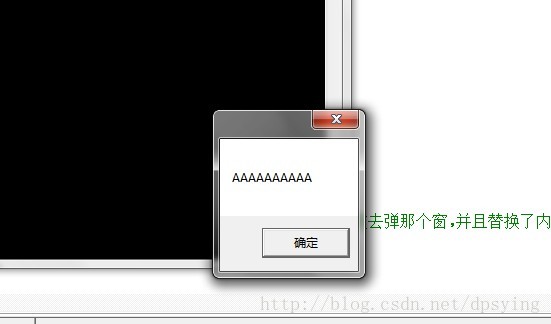
第一遍MessageBox的效果:
第二遍:
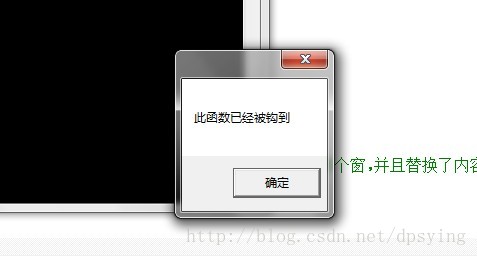
第三遍和第一遍一样。
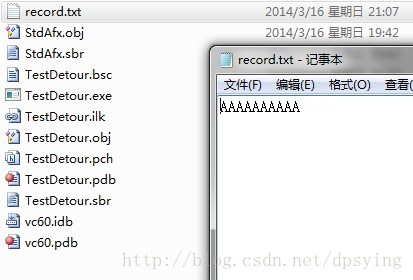
此时看到工程目录下(如果是在编译器运行)或debug目录(手动运行),就看到一个record.txt中记录了截获时的内容:

 浙公网安备 33010602011771号