

python_uiautomator2学习001连接手机
一、简介
uiautomator2是一个python库,用于Android的UI自动化测试,其底层基于Google uiautomator,Google提供的uiautomator库可以获取屏幕上任意一个APP的任意一个控件属性,并对其进行任意操作。
二、工作原理
python端:运行脚本,并向移动设备发送HTTP请求
移动设备:移动设备上运行了封装了uiautomator2的HTTP服务,解析收到的请求,并转化成uiautomator2的代码。
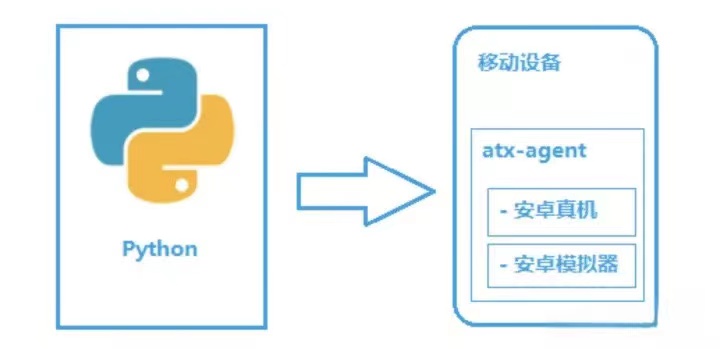
整个过程:
1.在移动设备上安装atx-agent(守护进程),随后atx-agent启动uiautomator2服务(默认7912端口)进行监听
2.在PC上编写测试脚本并执行(相当于发送HTTP请求到移动设备的server端)
3.移动设备通过WIFI或USB接收到PC上发来的HTTP请求,执行制定的操作
三、安装
3.1 环境要求
python 3.6+
Android 4.4+
3.2 安装adb
下载地址:https://developer.android.google.cn/studio/releases/platform-tools?hl=zh-cn
解压至文件夹,并把包含adb.exe的目录添加到系统的path中,如下图所示:
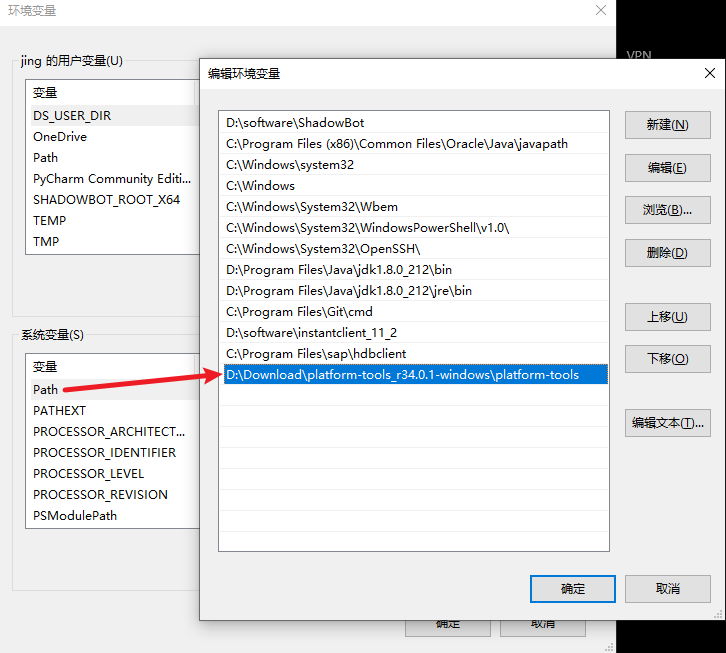
使用命令行执行adb devises
3.3 安装uiautomator2
执行命令行pip install --pre uiautomator2
如果需要截图,可以安装pillowpip install pillow
3.4 设备安装atx-agent
首先设备连接到PC,并能用adb devises发现该设备
uiautomator-server,atx-agent,openstf / minicap,openstf / minitouch会自动安装本库所需要的设备端程序 (这步没执行过,先跳过)
python -m uiautomator2 initinit就是所有用USB连接电脑的手机都安装uiautomator2
python -m uiautomator2 init --mirror --serial $SERIAL指定手机安装uiautomator2
3.5 安装weditor
pip install -U weditor #pip install --pre weditorcmd不行的话,可以用pyCharm的Terminal执行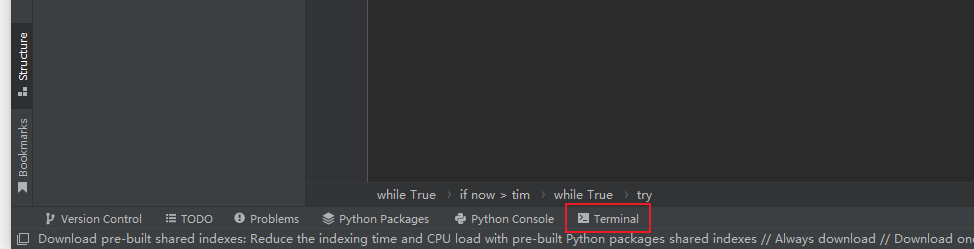
安装好之后可以执行weditor --help确认是否安装成功
Windows系统可以使用命令在桌面创建一个快捷方式:
python -m weditor –shortcut或者weditor --shortcut
启动方法:
方法1:命令行直接输入weditor会自动打开浏览器
方法2:桌面上双击WEditor快捷方式
方法3:命令行中执行python -m weditor后会自动打开网页
连接手机:
打开cmd,输入adb devices查看手机序列号,在网页的输入框中填写设备的IP或Serial(序列号),点击Connect即可

 浙公网安备 33010602011771号