


写在前,谢谢大师的视频:https://www.bilibili.com/video/BV1mY411K7C5?p=1
笔记如下:
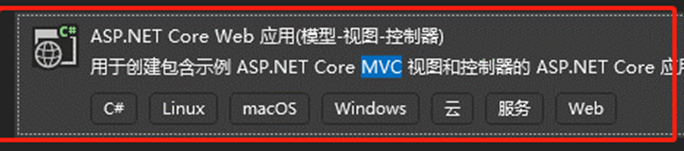
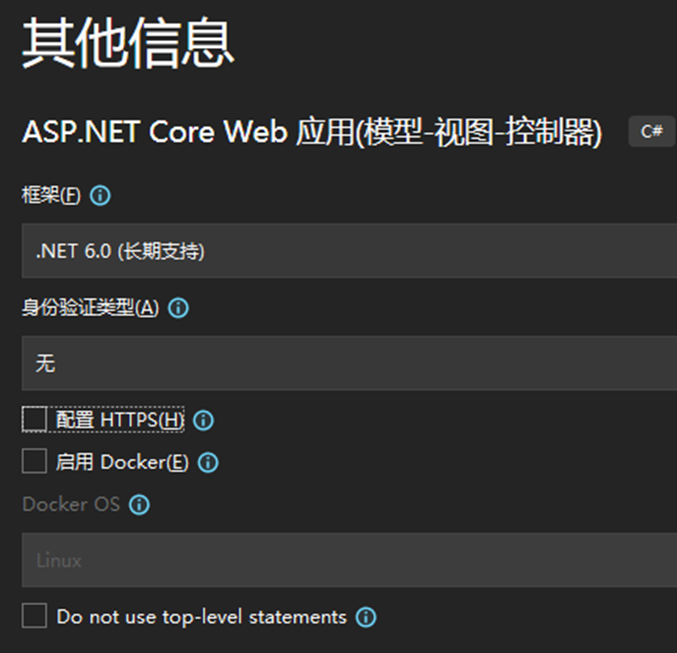
使用VS2022新建项目,选择 .NET Core Web应用(模型-视图-控制器),取消【配置 HTTPS(H)】选项,如图:
F5调试运行,如图:

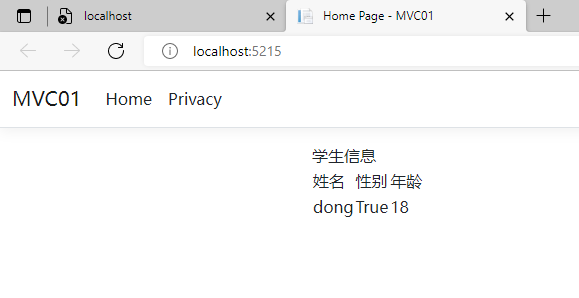
添加自己的代码,目的是体验一次从Model ->View->Control 的过程:
运行页面如下:
代码贴出入下:
Models 下创建 StudViewModel
   public class StudViewModel
    {
        public string Name { get; set; }
        public bool Sex { get; set; }
        public int Age { get; set; }
    }
Views 下修改页面:
@{
    ViewData["Title"] = "Home Page";
}
@model MVC01.Models.StudViewModel
<html>
<head>
    <tile>学生信息</tile>
</head>
<body>
    <table>
        <tr>
            <td>姓名</td>
            <td>性别</td>
            <td>年龄</td>
        </tr>
        <tr>
            <td>@Model.Name</td>
            <td>@Model.Sex</td>
            <td>@Model.Age</td>
        </tr>
    </table>

</body>
</html>
@*<div class="text-center">
    <h1 class="display-4">Welcome</h1>
    <p>Learn about <a href="https://docs.microsoft.com/aspnet/core">building Web apps with ASP.NET Core</a>.</p>
</div>
*@


COntrollers下修改为自己的代码:
    public class HomeController : Controller
    {
        public IActionResult Index()
        {
            StudViewModel stu = new StudViewModel()
            {
                Name = "dong",
                Sex = true,
                Age = 18
            };
            return View(stu);
        }
        //注释掉原有内容 如上的Index方法中添加自己的代码 把Stu返回给前端view
        //public IActionResult Index()
        //{
        //    return View();
        //}
        //private readonly ILogger<HomeController> _logger;
        //public HomeController(ILogger<HomeController> logger)
        //{
        //    _logger = logger;
        //}
        //public IActionResult Privacy()
        //{
        //    return View();
        //}
        //[ResponseCache(Duration = 0, Location = ResponseCacheLocation.None, NoStore = true)]
        //public IActionResult Error()
        //{
        //    return View(new ErrorViewModel { RequestId = Activity.Current?.Id ?? HttpContext.TraceIdentifier });
        //}
    }
本文来自博客园,作者:董锡振,转载请注明原文链接:https://www.cnblogs.com/dongxizhen/p/16479447.html

 浙公网安备 33010602011771号