


第二周个人作业WordCount
代码上传地址:https://github.com/donghaixiang/newFile
说明:关于打包成exe文件形式,我试了半天的时间,代码没问题可是导出的exe总是无法运行,个人觉得意义不大的前提下就终止了转换,将jar件和java project一起压缩上传
其中char.txt为输入文件 result.txt为对应输出文件
PSP
| PSP2.1 | PSP 阶段 | 预估耗时 (分钟) | 实际耗时 (分钟) |
|---|---|---|---|
| Planning | 计划 | 30 | 40 |
| · Estimate | · 估计这个任务需要多少时间 | 50 | 45 |
| Development | 开发 | 360 | 360 |
| · Analysis | · 需求分析 (包括学习新技术) | 20 | 15 |
| · Design Spec | · 生成设计文档 | 0 | 0 |
| · Design Review | · 设计复审 (和同事审核设计文档) | 0 | 0 |
| · Coding Standard | · 代码规范 (为目前的开发制定合适的规范) | 20 | 30 |
| · Design | · 具体设计 | 30 | 20 |
| · Coding | · 具体编码 | 200 | 240 |
| · Code Review | · 代码复审 | 10 | 10 |
| · Test | · 测试(自我测试,修改代码,提交修改) | 30 | 50 |
| Reporting | 报告 | 100 | 100 |
| · Test Report | · 测试报告 | 10 | 10 |
| · Size Measurement | · 计算工作量 | 10 | 5 |
| · Postmortem & Process Improvement Plan | · 事后总结, 并提出过程改进计划 | 80 | 85 |
解题思路
想跟武姐姐说明下:我是走产品经理方向的,代码方面不是很在行,但是我也尽我所能去完成,最终设计完成了基本功能,希望老师谅解
审题以后大致思路如下:
1、资料可以通过搜索引擎获取
2、程序可以分为:命令参数分析、输入输出文件定位、执行命令三个主体部分
3、测试,采用简单的白盒测试
程序设计实现
本程序包含两个类:主函数类Main,和逻辑类Wordclass
本人代码方面比较菜。目前无法实现在命令行中调用文件,只能在程序运行开始输入源文件地址和输出地址,随后可以输入诸如-c -w -l -o等命令
代码大致如下:
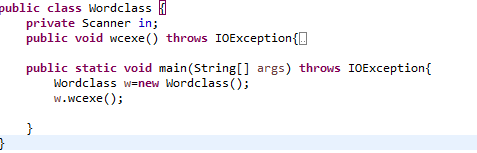
代码说明
import java.io.BufferedReader;
import java.io.BufferedWriter;
import java.io.File;
import java.io.FileInputStream;
import java.io.FileNotFoundException;
import java.io.IOException;
import java.io.InputStreamReader;
import java.util.*;
import java.io.FileNotFoundException;
import java.io.FileWriter;
@SuppressWarnings("unused")
public class Wordclass {
private Scanner in;
@SuppressWarnings("resource")
public void wcexe() throws IOException{
Scanner scan = new Scanner(System.in);//创建Scanner对象
System.out.println("请输入读取文件地址:");
String str = scan.nextLine();//获取键盘输入的字符串并复制给变量
Scanner scan2 = new Scanner(System.in);//创建Scanner对象
System.out.println("请输入输出文件地址:");
String str3 = scan.nextLine();//获取键盘输入的字符串并复制给变量
String filepath=str;//文件路径
BufferedReader br =null;
int countWord=0;
int countChar=0;
int countLine=0;
String s="";
String strCount="";
try {
br = new BufferedReader(new InputStreamReader(new FileInputStream(new File(filepath))));
while((s=br.readLine())!=null)
{
s=s+" ";
strCount+=s;
countLine++;
}
for(int i=0;i<strCount.split(" ").length;i++){
if(!strCount.split(" ")[i].equals(" "))
countWord++;
countChar+= strCount.split(" ")[i].length();
}
Scanner scan1 = new Scanner(System.in);//创建Scanner对象
System.out.println("请输入命令:");
String str1 = scan1.nextLine();//获取键盘输入的字符串并复制给变量
if(str1.equals("-c"))
{
System.out.println("单词数:"+countWord);
}
if(str1.equals("-w"))
{
System.out.println("字符数:"+countChar);
}
if(str1.equals("-l"))
{
System.out.println("行数:"+countLine);
}
if(str1.equals("-c -w -l"))
{
System.out.println("单词数:"+countWord);
System.out.println("字符数:"+countChar);
System.out.println("行数:"+countLine);
}
if(str1.equals("-c -w"))
{
System.out.println("单词数:"+countWord);
System.out.println("字符数:"+countChar);
}
if(str1.equals("-c -l"))
{
System.out.println("单词数:"+countWord);
System.out.println("行数:"+countLine);
}
if(str1.equals("-w -l"))
{
System.out.println("字符数:"+countChar);
System.out.println("行数:"+countLine);
}
if(str1.equals("-o"))
{
File file=new File(str3);
BufferedWriter bw=new BufferedWriter(new FileWriter(file));
bw.write("单词数"+countWord+"\n");
bw.write("字符数"+countChar+"\n");
bw.write("行数"+countLine+"\n");
bw.close();
System.out.println("文件已录入完毕");
}
} catch (FileNotFoundException e) {
e.printStackTrace();
}finally{
br.close();
}
}
public static void main(String[] args) throws IOException{
Wordclass w=new Wordclass();
w.wcexe();
}
}
测试设计过程
采用简单的白盒测试
测试用的.c和.txt文件,我会放入git里面。
测试结果如下
在源路径下创建char.txt 在git中附加
输入命令- o
由于文件夹权限问题,最终输出失败
那么我们换一个管理员权限成功的路径,就好了(


测试-c命令 成功

测试-w 成功

测试-l 成功

测试 -c -w 成功

测试 -c -l 成功

测试-w -l 成功

测试 -c -w -l 成功

总的来说,高风险的测试在于-o 命令的测试,我将代码给我同学测试-o都可以,但我的电脑是工作型电脑,权限我尝试调整无法成功,也是没办法的事,后来经过思考发现,如果在目录上创建一个txt可以嘛,测试结果成功,如下图,至于单元测试,在学习课程之后再行修改

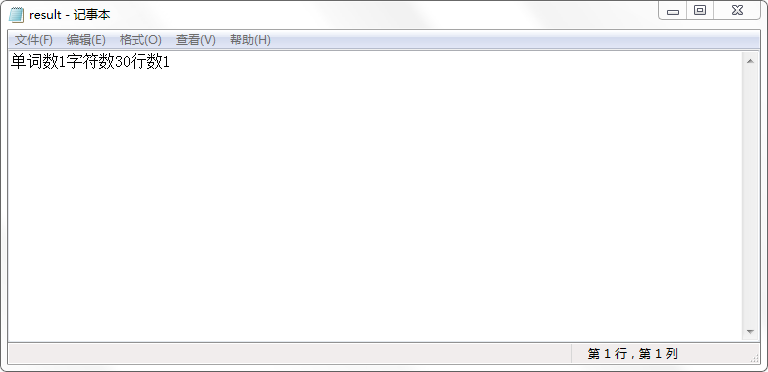
至此,测试完成。
参考文献链接
http://blog.csdn.net/ddffr/article/details/52895457
https://www.cnblogs.com/collectionne/p/6815924.html
https://www.2cto.com/kf/201508/431677.html

 浙公网安备 33010602011771号