


1.新建项目

2.在工具箱公共控件中添加Button组件,修改该组件Text属性为:ClickMe
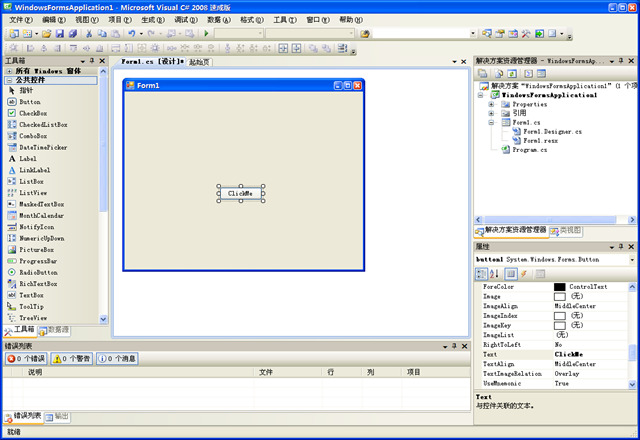
3,双击该Button在Form1.cs代码文件中的自动生成button1_Click事件的框架中,添加如下代码。
using System;
using System.Collections.Generic;
using System.ComponentModel;
using System.Data;
using System.Drawing;
using System.Linq;
using System.Text;
using System.Windows.Forms;

namespace WindowsFormsApplication1
{
    public partial class Form1 : Form
    {
        public Form1()
        {
            InitializeComponent();
        }

        private void button1_Click(object sender, EventArgs e)
        {
            MessageBox.Show("HELLO WORLD!");// 在这里添加代码
         }
    }
}
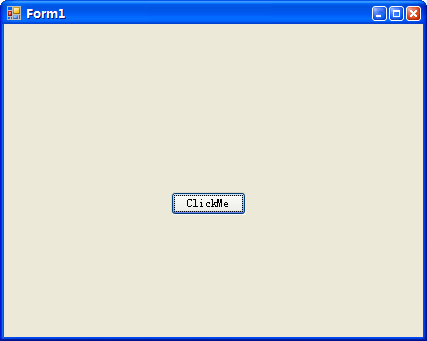
4,按F5或点击集成编译环境中的绿色箭头,开始调试程序。如果程序无误刚刚设计好的窗体将运行。
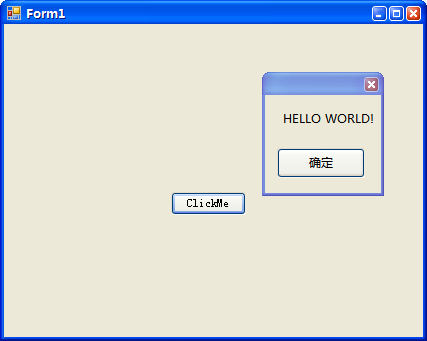
5,点击窗体中的按钮,出现Hello world字样的消息框。
[ The End ]

 浙公网安备 33010602011771号