
python学习笔记3_数据载入、存储及文件格式
一、丛mysql数据库中读取数据
1、
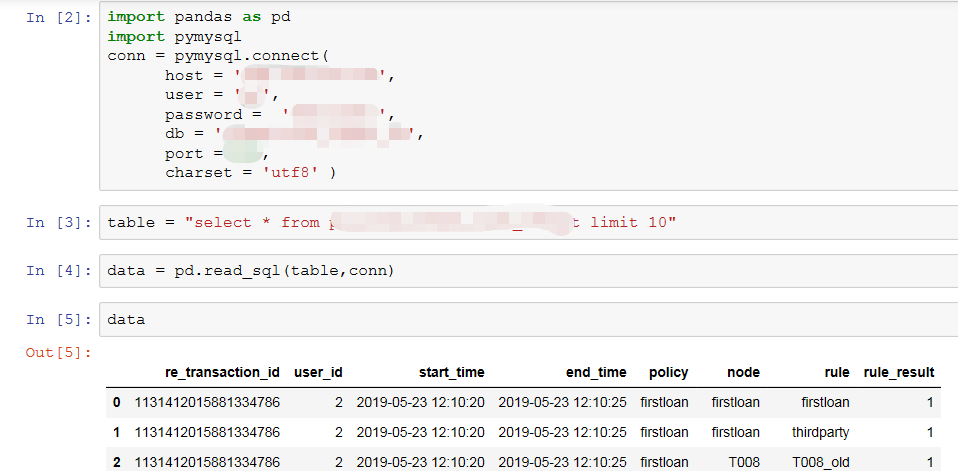
import pandas as pd
import pymysql
conn = pymysql.connect(
host = '***',
user = '***',
password = '***',
db = '***',
port =3306,
charset = 'utf8' )
table = "select * from pl_risk_credit_rule_result limit 10"
data = pd.read_sql(table,conn)
data
2、MySQLdb只支持Python2.x,还不支持3.x,可以用PyMySQL代替。
#########################python2.x#########################
import MySQLdb
base_db_dct = MySQLdb.connect(
    host='***',
    port=***,
    user='***',
    password='***',
    db='transition_layer_v2',
    charset='utf8'
)
cursor = base_db_dct.cursor()  # 使用cursor()方法获取操作游标

# SQL查询语句
sql = """ select distinct id
           ,user
           ,host
           ,db
           ,command
           ,time
           ,state
           ,info
           ,now() as ctime
           ,concat('kill ',id) as kill_sql_str
   from information_schema.processlist
   where
    #and instr(info,'Username: lipingding@91fintek.com')>0##dlp 测试
    db='transition_layer_v2'
   and ((info like '%* Username:%' and time>=240)
        or (command='Sleep' and time>=60 and user='bi')
      )
    ;
    """

try:
    # 执行SQL语句
    cursor.execute(sql)
    # 获取所有记录列表
    results = cursor.fetchall()
    for id in results:
        print(id)
        cursor.execute(id[9])
        logger.info(str(id))

except:
    print("Error: unable to fecth data")
########################python3.x#########################
##实现redash运行时间过长任务自动删除
base_db_dct = pymysql.connect(
    host='***',
    port=9918,
    user='root',
    password='***',
    db='transition_layer',
    charset='utf8'
)
cursor = base_db_dct.cursor()  # 使用cursor()方法获取操作游标
# SQL查询语句
sql = """ select distinct id
           ,user
           ,host
           ,db
           ,command
           ,time
           ,state
           ,info
           ,now() as ctime
           ,concat('kill ',id) as kill_sql_str
   from information_schema.processlist
   where
    #and instr(info,'Username: lipingding@91fintek.com')>0##dlp 测试
    db='transition_layer'
   and ((info like '%* Username:%' and time>=240)
        or (command='Sleep' and time>=60 and user='bi')
      )
    ;
    """

try:
    # 执行SQL语句
    cursor.execute(sql)
    # 获取所有记录列表
    results = cursor.fetchall()
    for id in results:
        print(id)
        cursor.execute(id[9])
        logger.info(str(id))

except:
    print("Error: unable to fecth data")
二、从表格读取数据
文件位置保存在:
jupyter notebook:C:\Users\Administrator
idle命令:C:\Users\Administrator\Miniconda3\Lib\idlelib
1、read_csv(默认分隔符为,# 注意:此种文件不可由excle直接修改后缀名得到,必须由excle另存为.csv格式文件,否则pandas读取文件会报错)

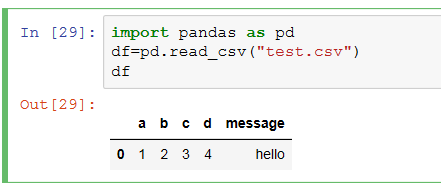
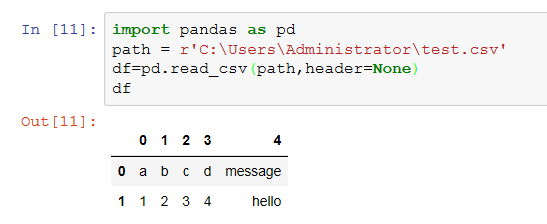

代码:
import pandas as pd
df=pd.read_csv("test.csv") #单双引号都可以
df
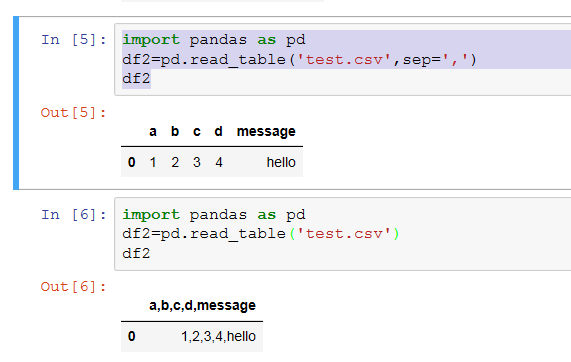
2、read_table(默认分隔符为:制表符'\t'# 注意用read_table方式读取.csv文件时需指定分隔符,sep=',' 否则读取文件会包含逗号)
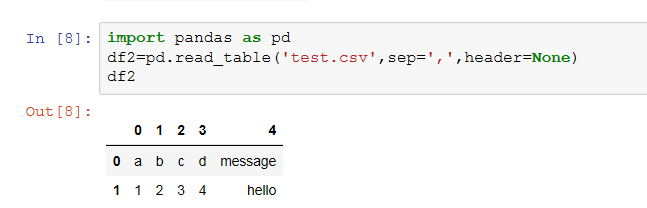
注意:header=None,其中None区分大小写
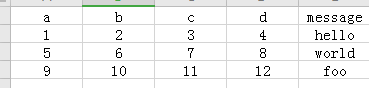
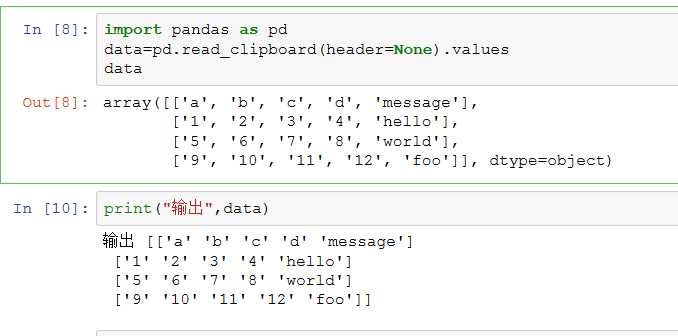
3、read_clipboard
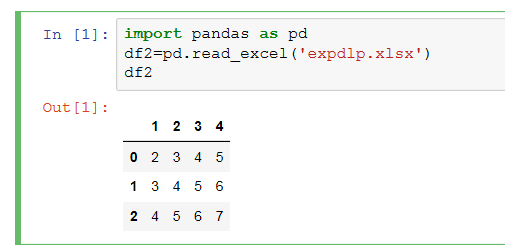
4、read_excel(可用来读取.xlsx和.xls文件)

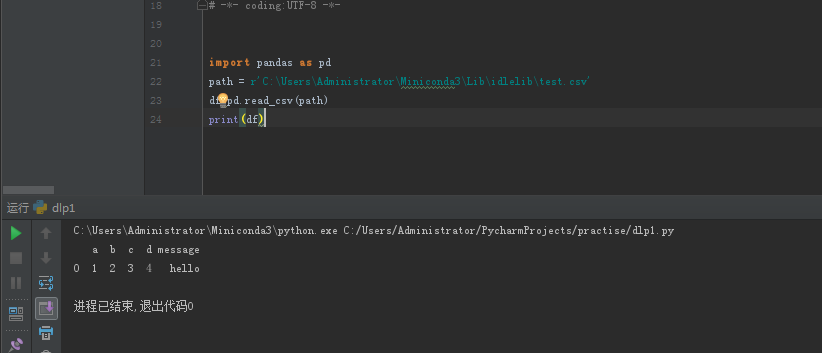
三、在PyCharm中读取数据
注意:在cmd里输入python命令,是直接交互,实时获得结果。
如果用pycharm输入,要主动写print


 浙公网安备 33010602011771号