<body>
    <script>
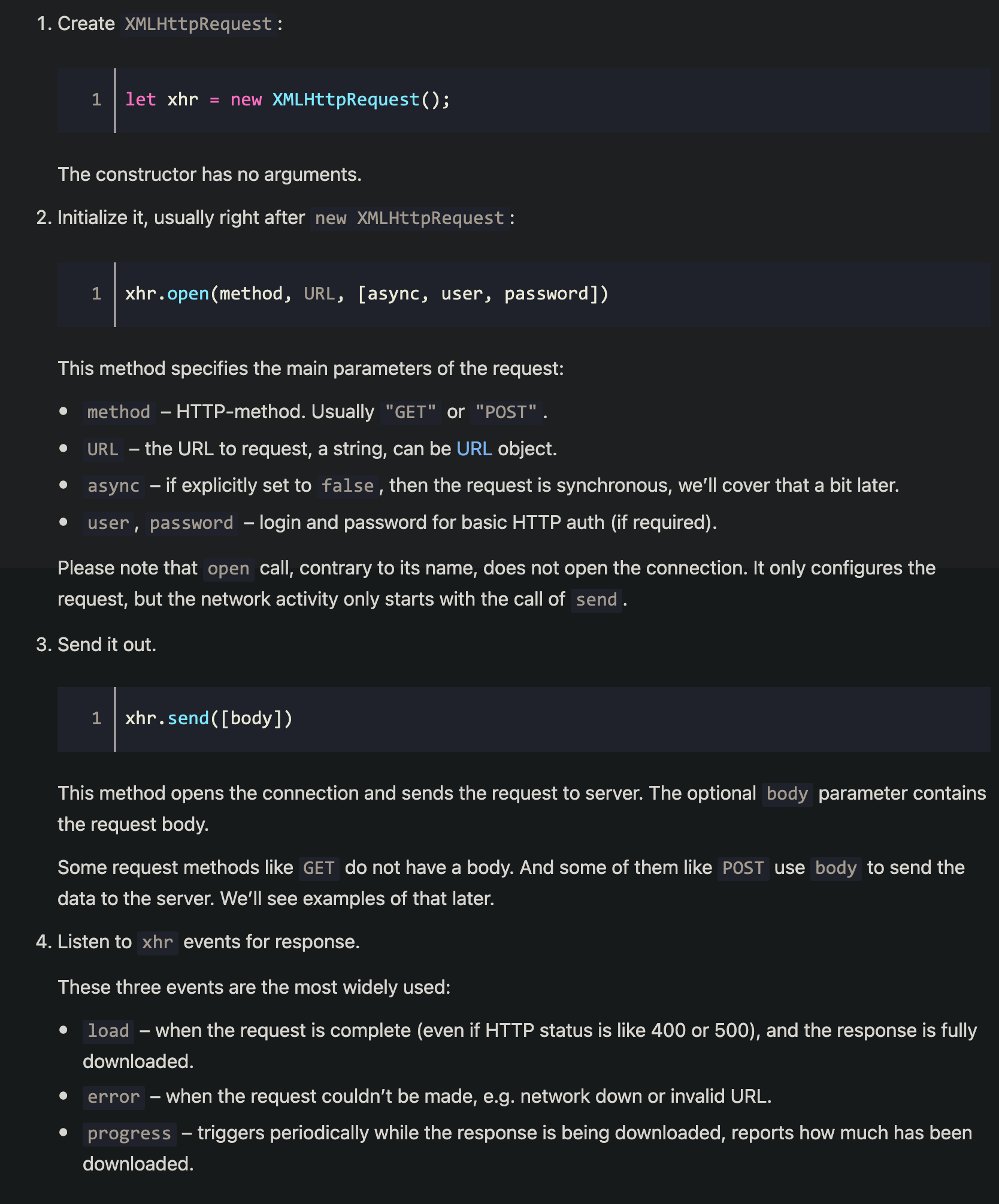
        // Create a new XMLHTTPRequest object
        let xhr = new XMLHttpRequest()
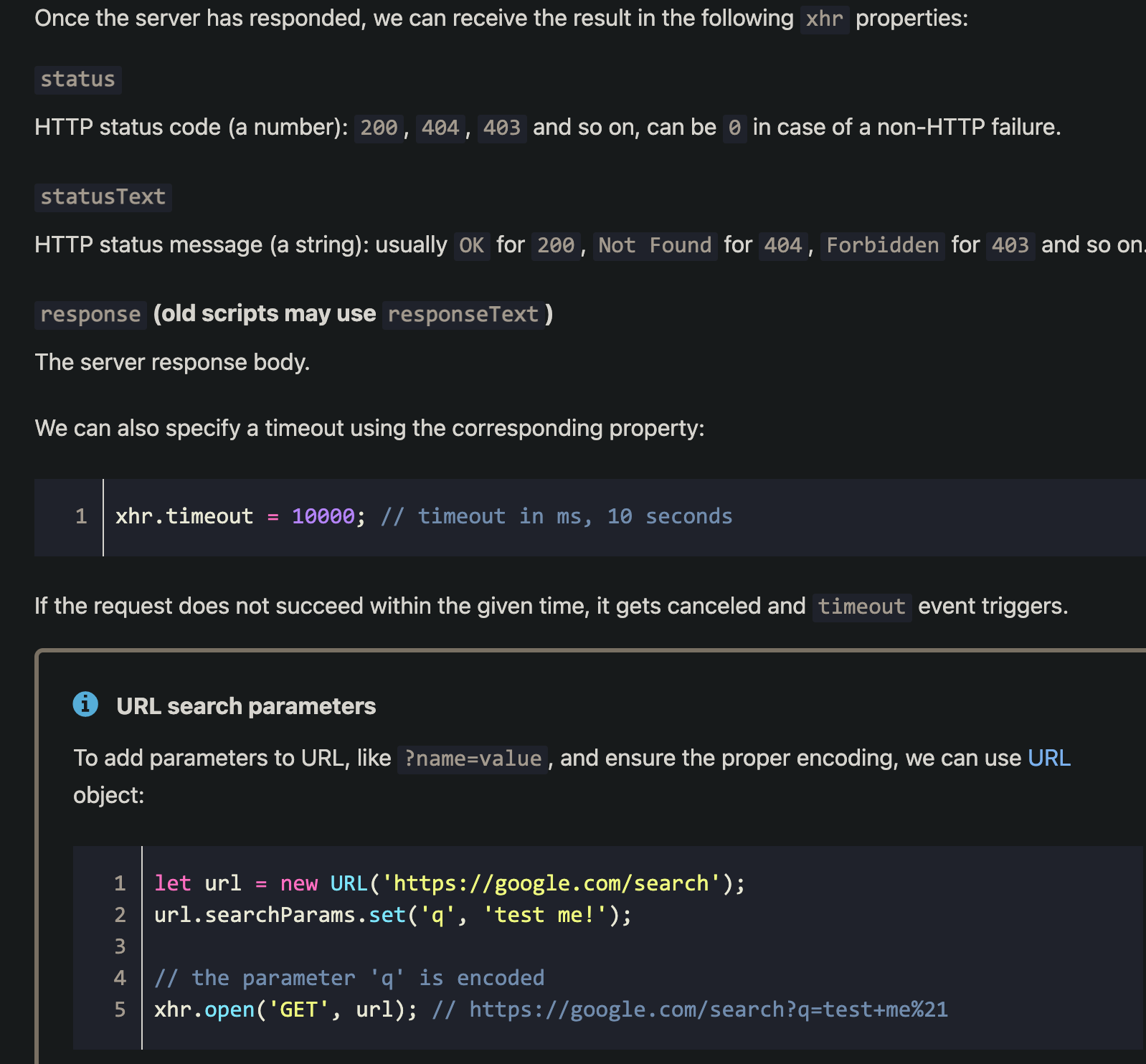
        xhr.timeout = 5000  // timeout in ms
        let url = new URL('https://cursive.winch.io/cookie.png')
        url.searchParams.set('q', 'test me!')  // https://cursive.winch.io/cookie.png?q=test+me%21
        // Configure
        xhr.open('GET', url)
        // Send the request over the network
        xhr.send()
        // This will be called after the request is complete (even if HTTP status is like 400 or 500), and the response is fully downloaded
        xhr.onload = function () {
            if(xhr.status != 200) {
                console.log(`Error: ${xhr.status}: ${xhr.statusText}`)
            } else {
                console.log(`Done: ${xhr.response} bytes`)
            }
        }
        // When the request couldn't be made, e.g. network down or invalid URL https mistach
        xhr.onerror = function () {
            console.log('onerrror')
        }
        // Triggers periodcally while the response is being downloaded, reports how much has been downloaded
        xhr.onprogress = function (event) {
            // event.loaded - how many bytes downloaded
            // event.lengthComputable = true if the server sent Content-Length header
            // event.total - total number of bytes (if lengthComputable)
            if(event.lengthComputable) {
                console.log(`Received ${event.loaded} of ${event.total} bytes`)
            } else {  // no Content-Length
                console.log(`Received ${event.loaded} bytes`)
            }
        }
        xhr.onreadystatechange = function () {
            console.log(xhr.readyState, 55)
            if(xhr.readyState === XMLHttpRequest.HEADERS_RECEIVED)
                console.log('HEADERS_RECEIVED')
            else if(xhr.readyState === XMLHttpRequest.LOADING)
                console.log('LOADING')
            else if(xhr.readyState === XMLHttpRequest.DONE)
                console.log('Done')
        }
    </script>
</body>
setup
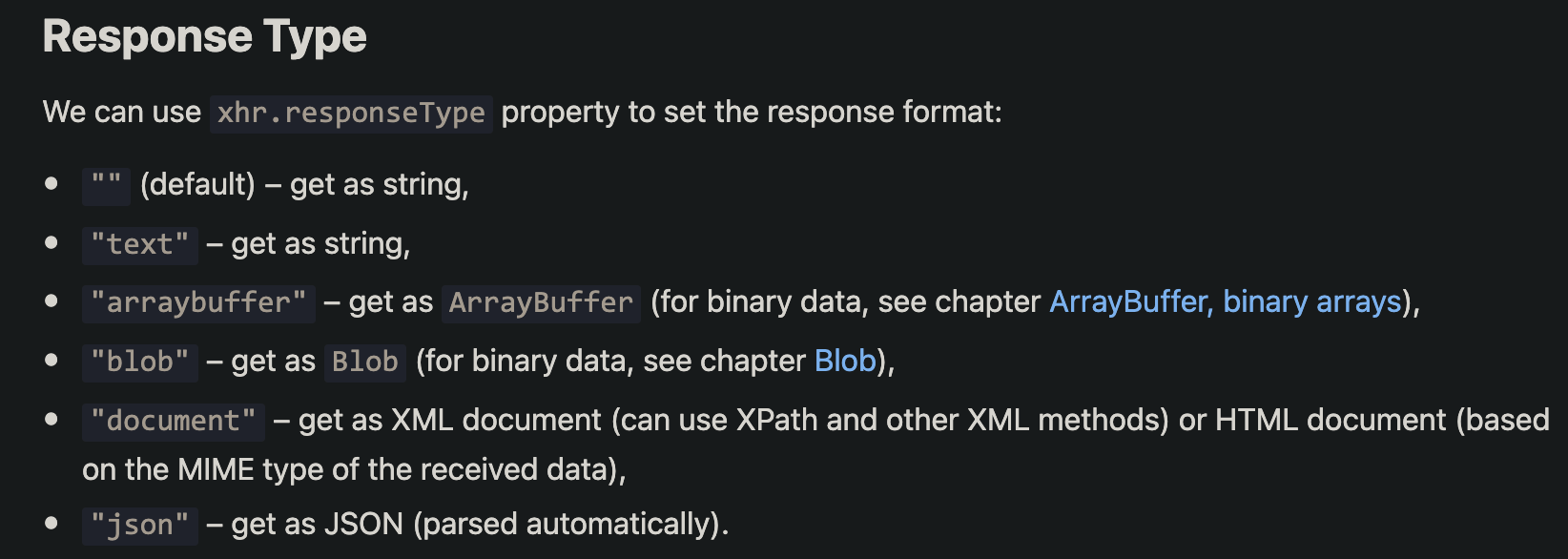
Response Type

<body>
    <script>
        let xhr = new XMLHttpRequest()
        xhr.open('GET', 'http://cursive.winch.io:3000/xhr')
        xhr.responseType = 'json'
        xhr.send()
        xhr.onload = function () {
            console.log(typeof this.response)
            console.log(this.response)
        }
    </script>
</body>
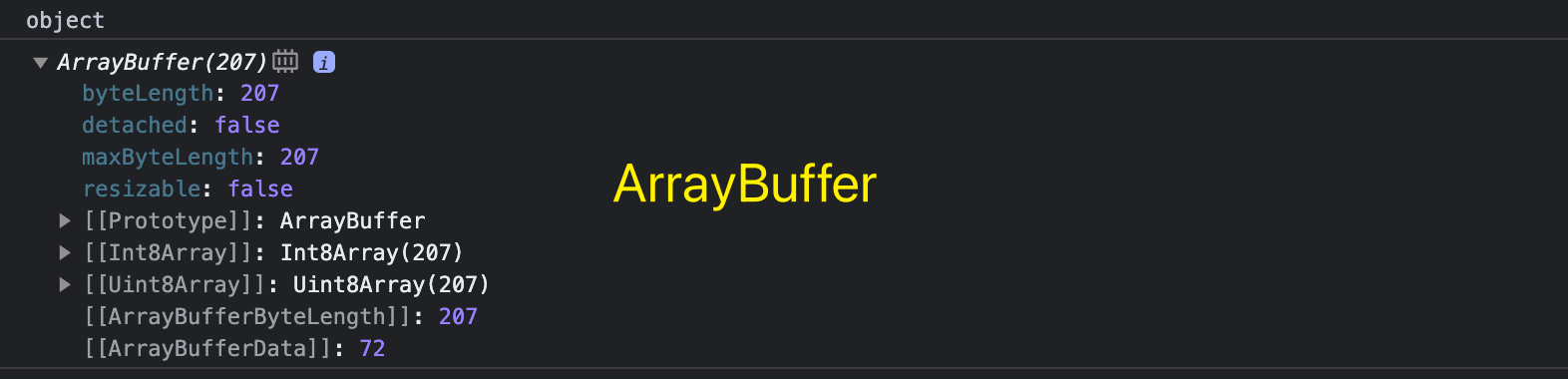
测试发现json,任何Content-Type都能解析, document可不设置或必须正确设置
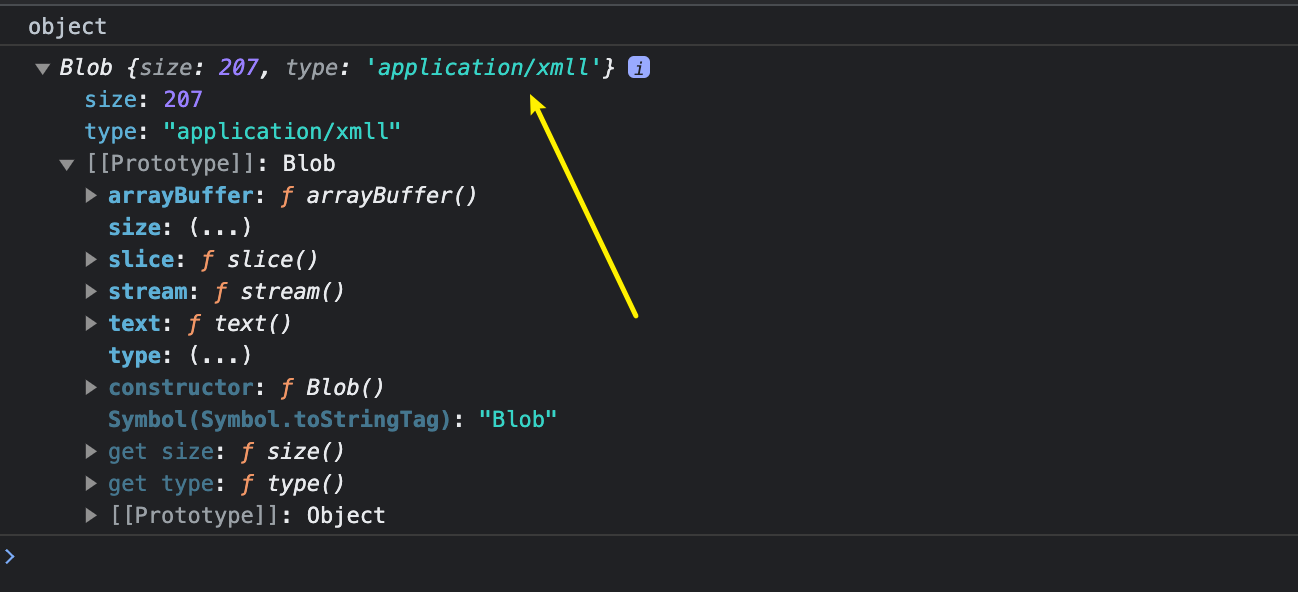


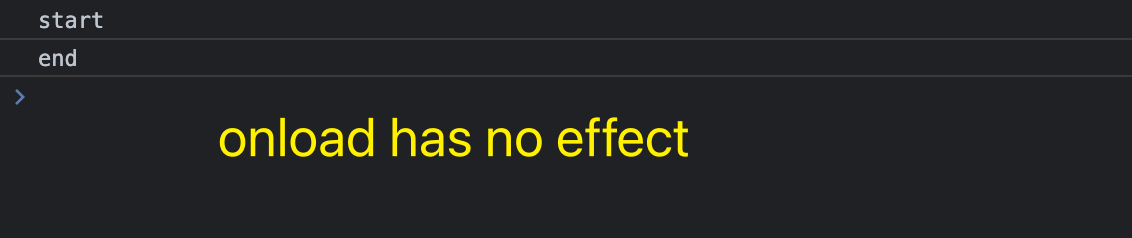
Synchronous 绑定事件需在send前, 否则 事件绑定无效
<body>
    <script>
        console.log('start')
        // 1. 创建ajax对象 synchronous
        const xhr = new XMLHttpRequest()
        // 2. 配置请求信息, synchronous
        xhr.open('get', 'http://cursive.winch.io:3000/xhr', async = false)
        // 4. 发送请求
        xhr.send()
        // 3. 绑定事件
        xhr.onload = function () {
            console.log('xhr.onload', this)
            console.log(JSON.parse(this.response))
        }
        console.log('end')
    </script>
</body>
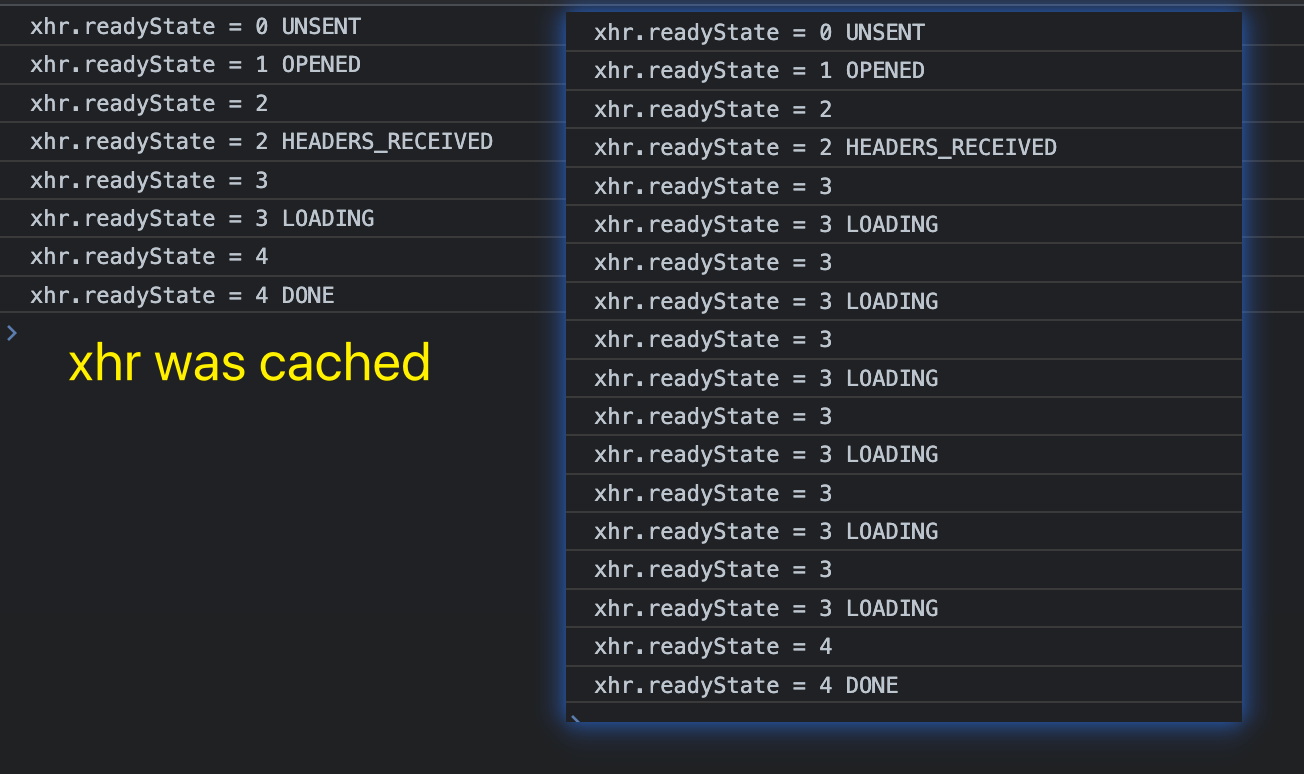
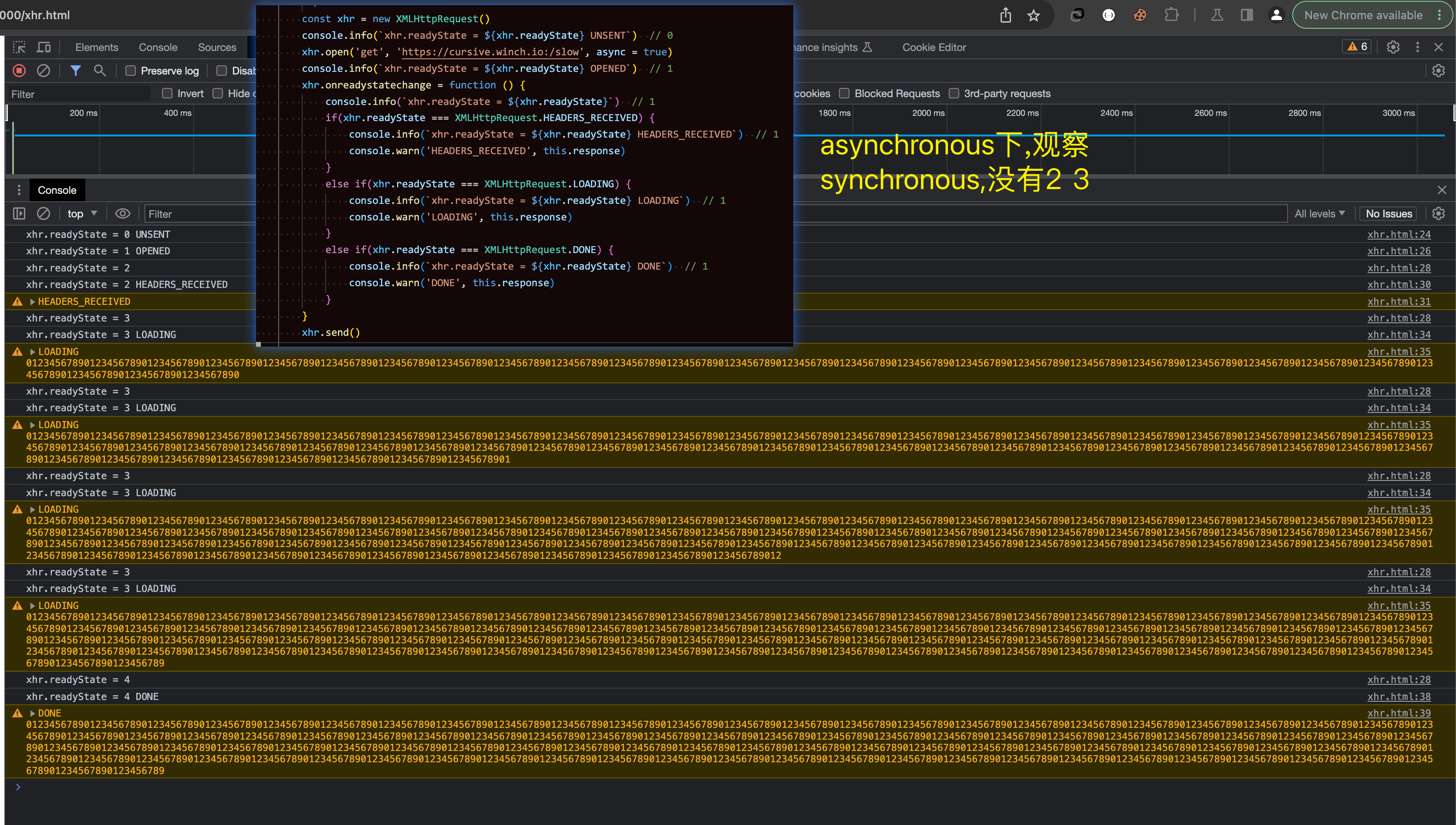
ReadyState

<body>
    <script>
        /**
         * readyState == 0 创建ajax对象成功, XMLHTTPRequest.UNSENT, initial state
         * readyState == 1 配置请求信息完成, XMLHTTPRequest.OPENED, open called
         * readyState == 2 响应报文回到了浏览器, XMLHTTPRequest.HEADERS_RECEIVED, response headers received
         * readyState == 3 浏览器正在解析响应报文, XMLHTTPRequest.LOADING, response is loading (a data packet is received)
         * readyState == 4 解析响应报文成功, 可使用xhr.response, XMLHTTPRequest.DONE, request complete
         *
         * 同步时, 只有 0 1 4 没有 2 3 状态
         * 异步时 0 1 2 3 4
         */
        const xhr = new XMLHttpRequest()
        console.info(`xhr.readyState = ${xhr.readyState} UNSENT`)  // 0
        xhr.open('get', 'https://cursive.winch.io:/cookie.png', async = true)
        console.info(`xhr.readyState = ${xhr.readyState} OPENED`)  // 1
        xhr.onreadystatechange = function () {
            console.info(`xhr.readyState = ${xhr.readyState}`)  // 1
            if(xhr.readyState === XMLHttpRequest.HEADERS_RECEIVED)
                console.info(`xhr.readyState = ${xhr.readyState} HEADERS_RECEIVED`)  // 1
            else if(xhr.readyState === XMLHttpRequest.LOADING)
                console.info(`xhr.readyState = ${xhr.readyState} LOADING`)  // 1
            else if(xhr.readyState === XMLHttpRequest.DONE)
                console.info(`xhr.readyState = ${xhr.readyState} DONE`)  // 1
        }
        xhr.send()

    </script>
</body>

Aborting Request



 浙公网安备 33010602011771号