
Windows 共享文件夹权限控制
启用Guest
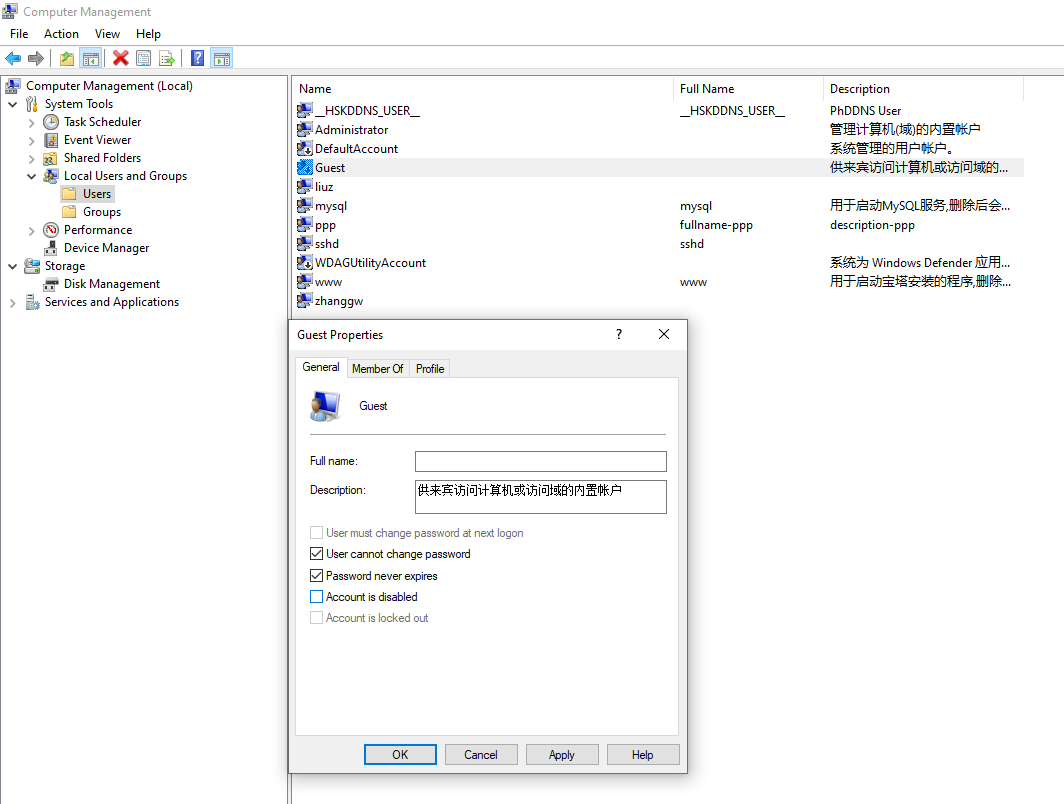
命令行
net user
net user guest
net user guest /active:yes
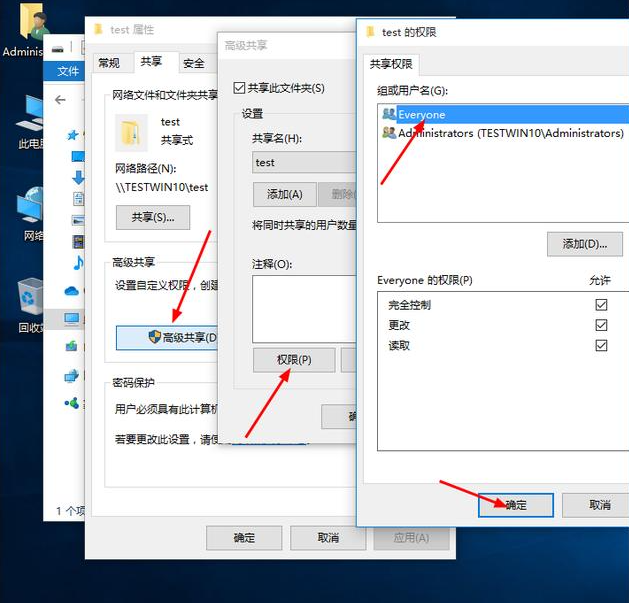
选择要共享的文件文件夹 属性 => 高级 => 高级共享 => 权限 Everyone
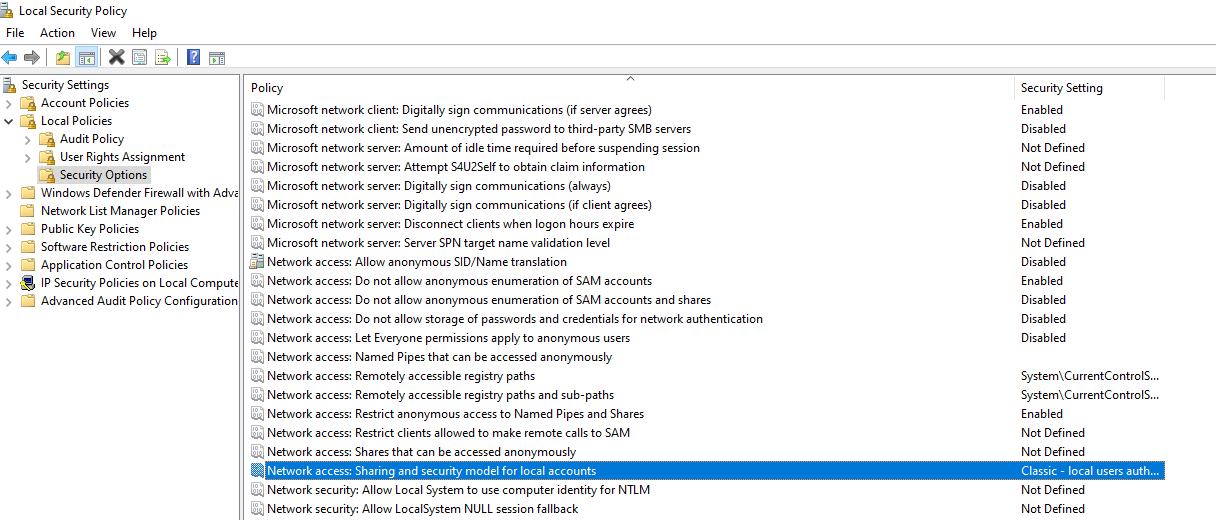
secpol.msc
Security |Settings => Local Policies => Security Options => Network access:Sharing and security model for local accounts
有两个选项:
Guest Only是把所有用户映射到Guest用户
Classic local users authenticate as thenselves 用户以其本身账号验证
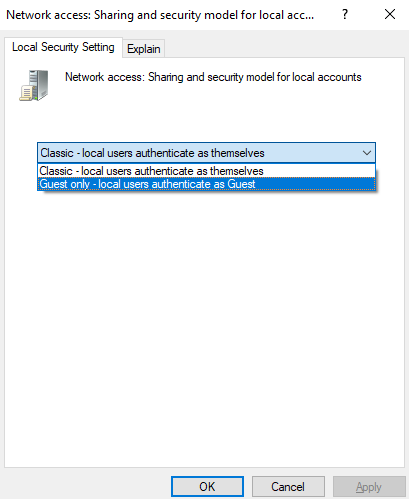
选择Guest only
授予Guest用户网络访问权限,否则其只能本地登录
Security Settings => Local Policies => User Rights Assignment => Deny access to this computer from the network
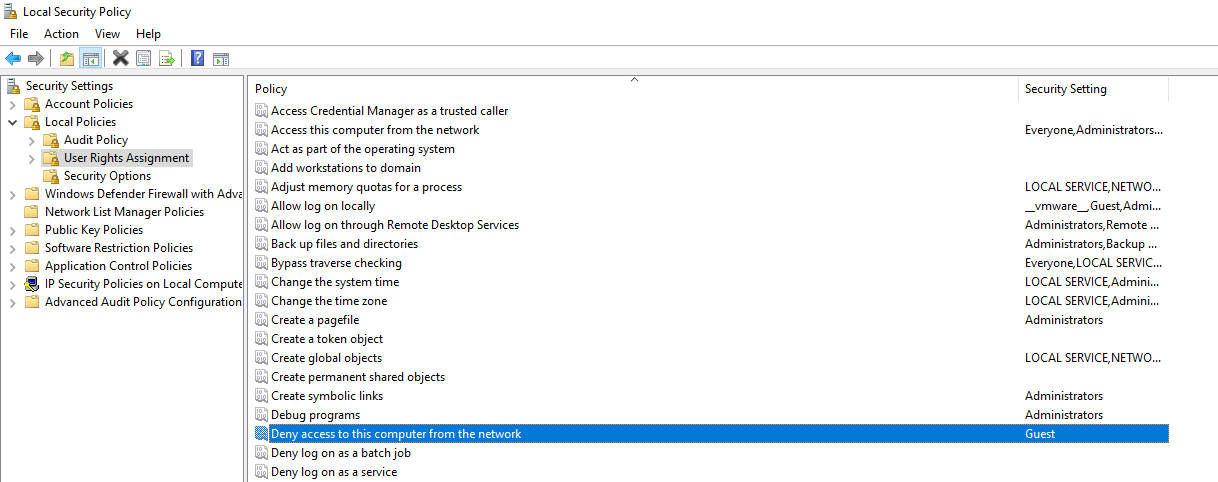
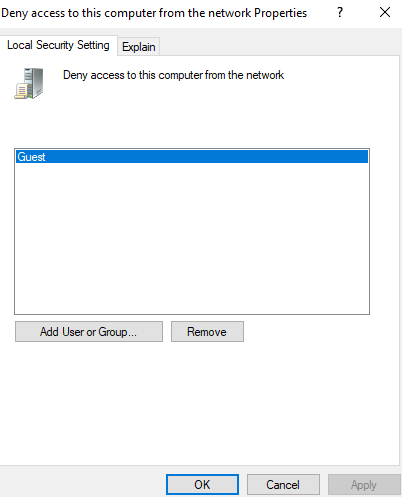
移除Guest用户

 浙公网安备 33010602011771号