
curl
curl --request HEAD --include jd.com 用HEAD方法请求,必须加--include,否则无响应
--include Include protocol headers in the output curl会打印header信息
--interface Specify network interface/address to use
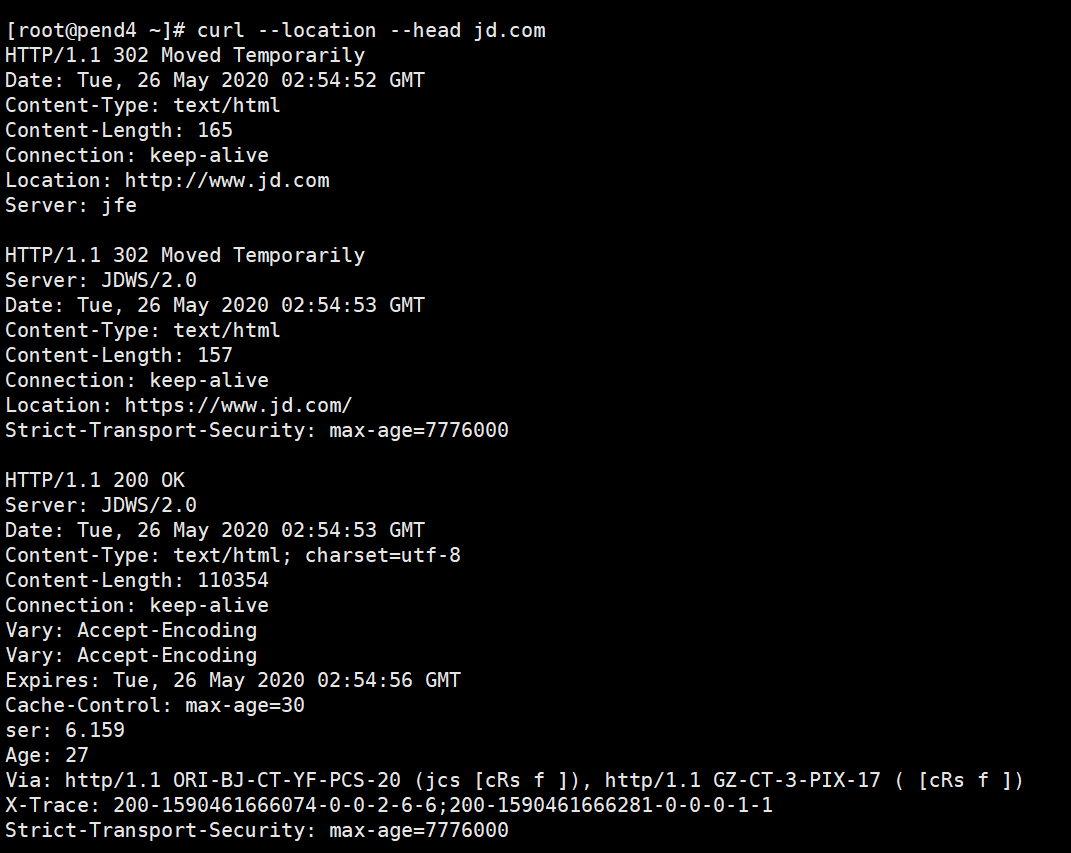
--location Follow redirects curl默认不会follow链接,必须显示指出--location
--header Custom header to pass to server
--head Show document info only 使用HEAD方法请求,使用--localtion追踪
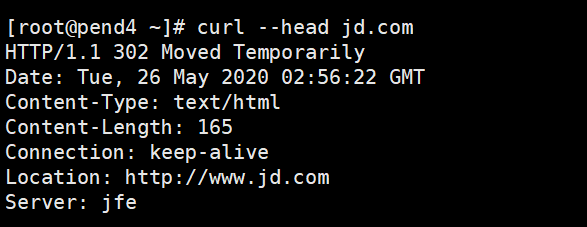
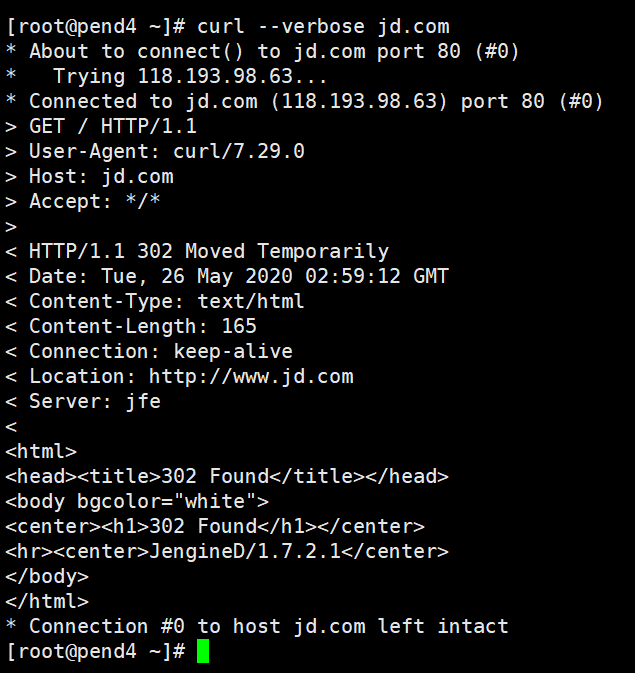
--verbose 显示链接具体过程,有助于理解http通信过程
--referer Referer URL
--insecure Allow connections to ssl sites without certs 不检查目标的证书合法性
--limite-rate Limit transfer speed to this rate 下载时限制速率
--user-agent User-Agent to send to server 有些网站会限制curl访问,此时需使用--user-agent选项模拟为其他浏览器
--output Write output to file instead of stdout curl默认输出得到stdout
--remote-name -O 以server端文件名保存文件
--remote-name-all 使用server端文件名保存
--dump-header header.txt 保存header于文件中
--cookie 使用cookie访问站点
--connect-timeout 设置连接超时时间

- curl GET请求
curl url/login?user=mm&password=mm - curl POST请求
curl -XPOST -d "title=title&content=content" url - curl POST json
curl -XPOST --header 'Content-Type:application/json' -d 'xxx' url cat xx.json | curl --header 'Content-Type:application/sjon' -XPOST -d @- url - curl POST xml
echo 'xx' | curl -XPOST --header 'Content-Type:text/xml' -d @- url
cat 'xx.xml' | curl -XPOST --header 'Content-Type:text/xml' -d @- url - curl --trace - jd.cm 调试debug

 浙公网安备 33010602011771号