

前端打包报错(内存不足)JavaScript heap out of memory (JavaScript堆内存不足)时该怎么办
原因:
因为在 Node 中,通过JavaScript使用内存时只能使用部分内存(64位系统:1.4 GB,32位系统:0.7 GB),这个时候,如果前端项目非常的庞大,Webpack编译时就会占用很多的系统资源,如果超出了V8引擎对Node默认的内存限制大小时,就会产生内存溢出的错误。
解决方案:
1,安装依赖
npm install cross-env increase-memory-limit
2,在package.json 里的 script 里进行配置
LIMIT是你想分配的内存大小,这里的8192单位是M也就是8G,大小可根据情况而定。
"scripts": {
"limit": "cross-env LIMIT=8192 increase-memory-limit"
},
3,执行一次 npm run limit ,然后重新启动项目即可。
但是这时候,重新启动会报错,
运行内存溢出 increase-memory-limit ‘“node --max-old-space-size=8192”’
不是内部或外部命令,也不是可运行的程序
FATAL ERROR: Ineffective mark-compacts near heap limit Allocation
failed - JavaScript heap out of memory
‘cross-env‘ 不是内部或外部命令,也不是可运行的程序 或批处理文件
解决方案
1.第一步:安装
使用 increase-memory-limit
npm install --save-dev increase-memory-limit
npm install --save-dev cross-env
1
2
安装完成插件,在package.json scripts中添加下面代码,并运行
"limit": "cross-env LIMIT=8192 increase-memory-limit",
1
2.第二步:替换 “%_prog%”
如果报错 “不是内部或外部命令” 在根目录下 新建与node-modules同级的文件,increase-memory-limit.js,把wfpath改成自己的项目地址即可,注意有两处地方需要调整,
const fs = require('fs') function replaceStr(filePath, sourceRegx, targetSrt) { //文件路径、 需要修改的字符串、修改后的字符串 fs.readFile(filePath, (err, data) => { if (err) console.log(err) else { let str = data.toString(); str = str.replace(sourceRegx, targetSrt); fs.writeFile(filePath, str, (err) => { if (err) console.log(err); }) } }) } var wfPath = 'D:/mgsworker/newTran/node_modules/.bin' fs.readdir(wfPath, (err, files) => { if (err) console.log(err); else { if (files.length != 0) { files.forEach((item) => { var wfPath = 'D:/mgsworker/newTran/node_modules/.bin';// 或者var wfPath = path.resolve(__dirname, '../node_modules/.bin') if (item.split('.')[1] === 'cmd') { wfPath += /${item}; replaceStr(wfPath, /"%_prog%"/, '%_prog%') } }) } } })
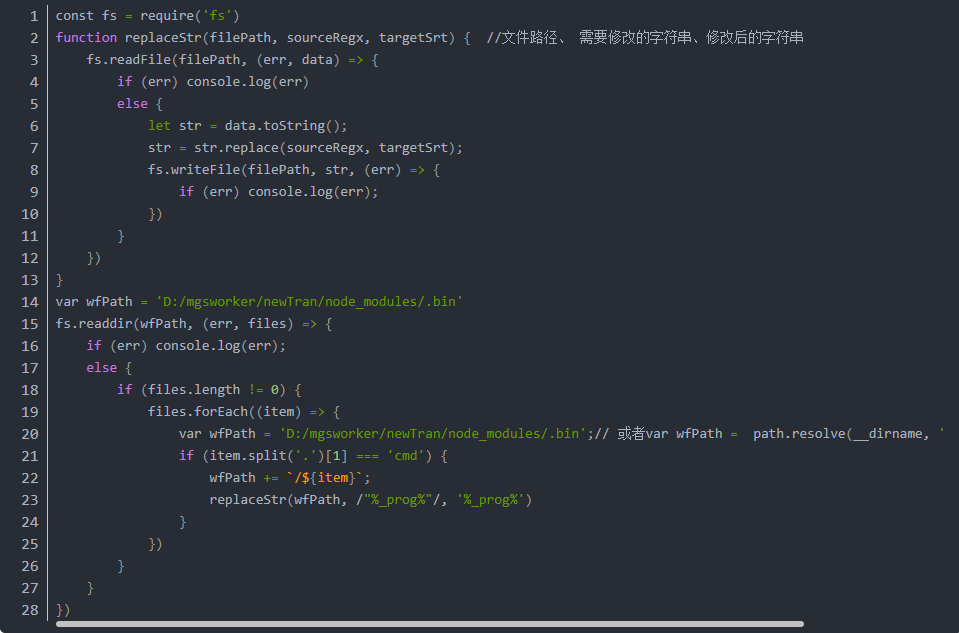
3.第三步:运行替换:
文件根目录下执行命令:node increase-memory-limit.js 执行完可以删除脚本文件
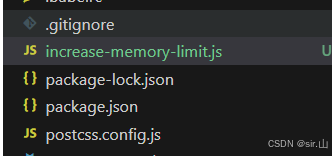
4.第四步:正常运行和打包了
补充
当npm install 运行报错的时候 多半是源的问题;
因为访问https://registry.npmjs.org这个地址需要FQ才能访问,所以在国内经常会出现连接超时等问题。为了解决这个问题,可以将npm的源设置为国内的镜像例如淘宝镜像。
npm config set registry https://registry.npmmirror.com
npm config get registry // 查看设置
npm 官方原始镜像网址是:https://registry.npmjs.org/
淘宝最新 NPM 镜像:https://registry.npmmirror.com
阿里云 NPM 镜像: https://npm.aliyun.com
腾讯云 NPM 镜像:https://mirrors.cloud.tencent.com/npm/
华为云 NPM 镜像:https://mirrors.huaweicloud.com/repository/npm/
网易 NPM 镜像:https://mirrors.163.com/npm/
中科院大学开源镜像站:http://mirrors.ustc.edu.cn/
清华大学开源镜像站:https://mirrors.tuna.tsinghua.edu.cn/

 浙公网安备 33010602011771号