模态对话框JS调用:
<script>
    function showDelete(){
        $("#deleteModal").modal('show');
    }
</script>
flex页面布局
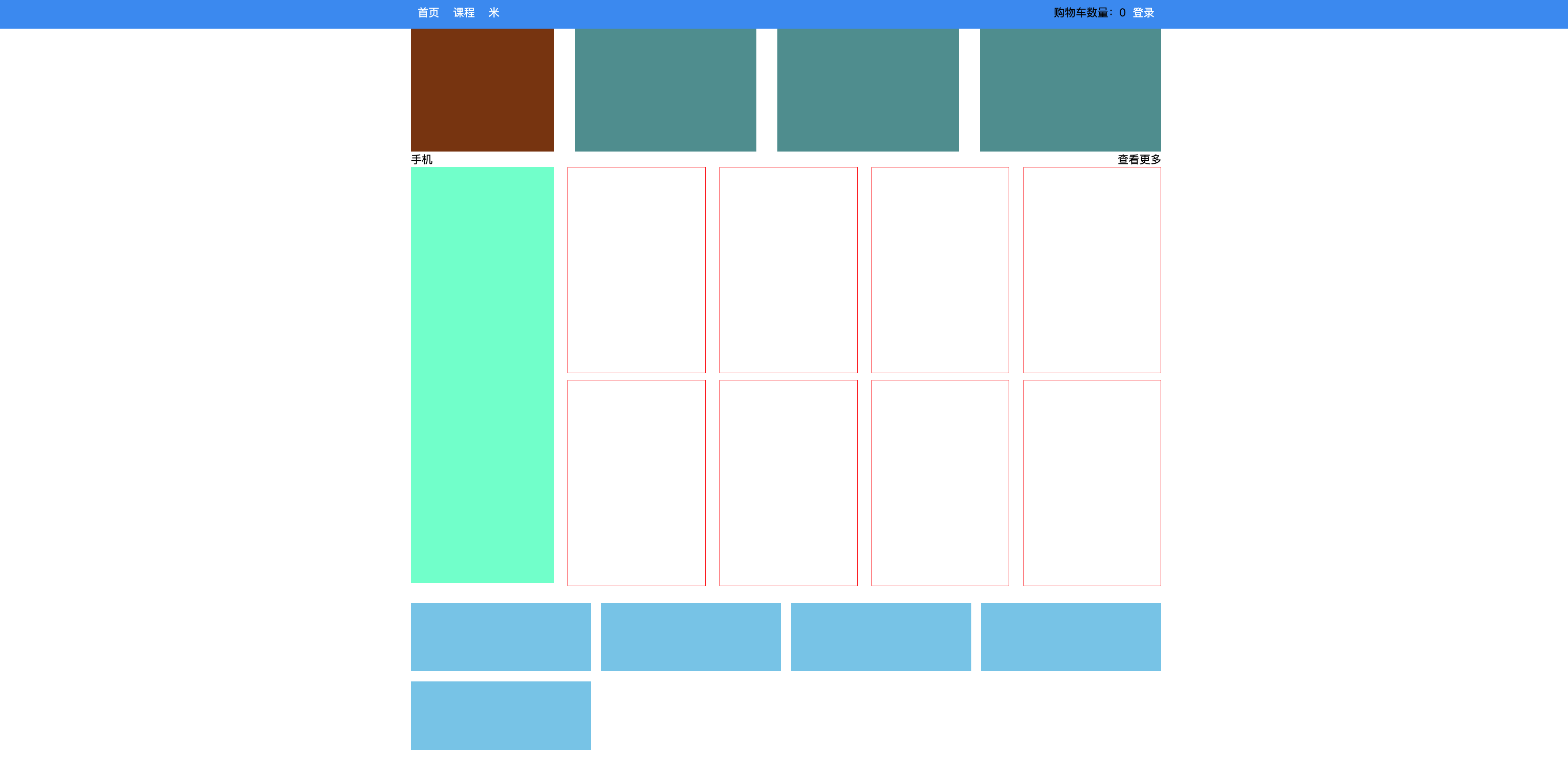
<template>
    <div>
        <div class="row1">
            <div class="company"></div>
            <div class="pic"></div>
            <div class="pic"></div>
            <div class="pic"></div>
        </div>
        <div class="row2">
            <div class="title">
                <div>手机</div>
                <div>查看更多</div>
            </div>
            <div class="pic-list">
                <div class="big"></div>
                <div class="right-list">
                    <div class="group">
                        <div class="phone"></div>
                        <div class="phone"></div>
                        <div class="phone"></div>
                        <div class="phone"></div>
                    </div>
                    <div class="group">
                        <div class="phone"></div>
                        <div class="phone"></div>
                        <div class="phone"></div>
                        <div class="phone"></div>
                    </div>

                </div>
            </div>
        </div>

        <div class="course-list">
            <div class="item"></div>
            <div class="item"></div>
            <div class="item"></div>
            <div class="item"></div>
            <div class="item"></div>

        </div>
    </div>
</template>

<script>
    export default {
        name: "Mi"
    }
</script>

<style scoped>
    .row1 {
        display: flex;
        flex-direction: row;
        justify-content: space-between;
    }

    .row1 .company {
        width: 210px;
        height: 180px;
        background-color: saddlebrown;
    }

    .row1 .pic {
        width: 266px;
        height: 180px;
        background-color: cadetblue;
    }

    .row2 .title {
        display: flex;
        flex-direction: row;
        justify-content: space-between;
    }

    .row2 .pic-list {
        display: flex;
        flex-direction: row;
        justify-content: space-between;
    }

    .row2 .pic-list .big {
        background-color: aquamarine;
        height: 610px;
        width: 210px;
        margin-right: 20px;
    }

    .row2 .pic-list .right-list {
        /*background-color: antiquewhite;*/
        flex-grow: 1;
    }

    .row2 .pic-list .right-list .group {


        display: flex;
        flex-direction: row;
        justify-content: space-between;
        flex-wrap: wrap;
    }

    .row2 .pic-list .right-list .phone {
        margin-bottom: 10px;
        border: 1px solid red;
        width: 200px;
        height: 300px;
    }

    .course-list {
        display: flex;
        justify-content: space-between;
        flex-wrap: wrap;
    }

    .course-list .item {
        width: 24%;
        height: 100px;
        background-color: skyblue;
        margin-top: 15px;
    }

	// 如果最后一个元素,是第3个,右边距=一个位置 + 所有空白位置/3(有三个空白位置)
    .course-list .item:last-child:nth-child(4n - 1) {
        margin-right: calc(24% + 4% / 3);
    }

	// 如果最后一个元素,是第2个,右边距=两个位置 + 所有空白位置/3*2(有三个空白位置)
    .course-list .item:last-child:nth-child(4n - 2) {
        margin-right: calc(48% + 8% / 3);
    }
</style>


 浙公网安备 33010602011771号