
CentOS服务器上docker搭建GitLab
(1).参考文献
GitLab英文官方网站安装方法:Install GitLab in a Docker container | GitLab Docs
(2).实验环境
4核8G CentOS7.9.2009
已设置阿里云yum源,并且yum -y install epel-release,关闭SELinux和防火墙。
(3).docker安装
1、安装docker,可以参考:Docker容器(一)——Docker的介绍与部署 - 苦逼运维 - 博客园
#安装依赖
[root@localhost ~]# yum -y install yum-utils device-mapper-persistent-data lvm2
#添加镜像,我这里用阿里云镜像
#添加国外镜像:yum-config-manager --add-repo https://download.docker.com/linux/centos/docker-ce.repo
#添加阿里云镜像:yum-config-manager --add-repo https://mirrors.aliyun.com/docker-ce/linux/centos/docker-ce.repo
[root@localhost ~]# yum-config-manager --add-repo https://mirrors.aliyun.com/docker-ce/linux/centos/docker-ce.repo
Loaded plugins: fastestmirror
adding repo from: https://mirrors.aliyun.com/docker-ce/linux/centos/docker-ce.repo
grabbing file https://mirrors.aliyun.com/docker-ce/linux/centos/docker-ce.repo to /etc/yum.repos.d/docker-ce.repo
repo saved to /etc/yum.repos.d/docker-ce.repo
#查看源中可使用版本
[root@localhost ~]# yum list docker-ce --showduplicates
......
Available Packages
docker-ce.x86_64                                                       17.03.0.ce-1.el7.centos                                                       docker-ce-stable
docker-ce.x86_64                                                       17.03.1.ce-1.el7.centos                                                       docker-ce-stable
docker-ce.x86_64                                                       17.03.2.ce-1.el7.centos                                                       docker-ce-stable
docker-ce.x86_64                                                       17.03.3.ce-1.el7                                                              docker-ce-stable
......
docker-ce.x86_64                                                       3:26.1.1-1.el7                                                                docker-ce-stable
docker-ce.x86_64                                                       3:26.1.2-1.el7                                                                docker-ce-stable
docker-ce.x86_64                                                       3:26.1.3-1.el7                                                                docker-ce-stable
docker-ce.x86_64                                                       3:26.1.4-1.el7                                                                docker-ce-stable
#安装指定版本docker
[root@localhost ~]# yum -y install docker-ce-26.1.4-1.el7
#启动docker
[root@localhost ~]# systemctl start docker
#docker设置开机自启动
[root@localhost ~]# systemctl enable docker
Created symlink from /etc/systemd/system/multi-user.target.wants/docker.service to /usr/lib/systemd/system/docker.service.
[root@localhost ~]# docker version
Client: Docker Engine - Community
 Version:           26.1.4
 API version:       1.45
 Go version:        go1.21.11
 Git commit:        5650f9b
 Built:             Wed Jun  5 11:32:04 2024
 OS/Arch:           linux/amd64
 Context:           default

Server: Docker Engine - Community
 Engine:
  Version:          26.1.4
  API version:      1.45 (minimum version 1.24)
  Go version:       go1.21.11
  Git commit:       de5c9cf
  Built:            Wed Jun  5 11:31:02 2024
  OS/Arch:          linux/amd64
  Experimental:     false
 containerd:
  Version:          1.6.33
  GitCommit:        d2d58213f83a351ca8f528a95fbd145f5654e957
 runc:
  Version:          1.1.12
  GitCommit:        v1.1.12-0-g51d5e94
 docker-init:
  Version:          0.19.0
  GitCommit:        de40ad0
2、配置加速器
[root@localhost ~]# vim /etc/docker/daemon.json
{
    "registry-mirrors": [
        "https://docker.m.daocloud.io",
        "https://dockerproxy.com",
        "https://docker.mirrors.ustc.edu.cn",
        "https://docker.nju.edu.cn"
    ]
}
[root@localhost ~]# systemctl daemon-reload
[root@localhost ~]# systemctl restart docker
国内目前可用加速器
DaoCloud 镜像站
加速地址:https://docker.m.daocloud.io
支持:Docker Hub、GCR、K8S、GHCR、Quay、NVCR 等
对外免费:是

网易云
加速地址:https://hub-mirror.c.163.com
支持:Docker Hub
对外免费:是

Docker 镜像代理
加速地址:https://dockerproxy.com
支持:Docker Hub、GCR、K8S、GHCR
对外免费:是

百度云
加速地址:https://mirror.baidubce.com
支持:Docker Hub
对外免费:是

南京大学镜像站
加速地址:https://docker.nju.edu.cn
支持:Docker Hub、GCR、GHCR、Quay、NVCR 等
对外免费:是

上海交大镜像站
加速地址:https://docker.mirrors.sjtug.sjtu.edu.cn/
支持:Docker Hub、GCR 等
限制:无

阿里云
加速地址:https://<your_code>.mirror.aliyuncs.com
支持:Docker Hub
限制:需要登录账号获取CODE

科大镜像站
加速地址:https://docker.mirrors.ustc.edu.cn
支持:Docker Hub、GCR、Quay
限制:仅供内部访问
3、容器安装GitLab
[root@localhost ~]# docker run --detach \
  --hostname 192.168.142.103 \
  --publish 443:443 --publish 80:80\
  --name gitlab \
  --restart always \
  --volume $GITLAB_HOME/config:/etc/gitlab \
  --volume $GITLAB_HOME/logs:/var/log/gitlab \
  --volume $GITLAB_HOME/data:/var/opt/gitlab \
  --shm-size 256m \
  gitlab/gitlab-ce
latest: Pulling from gitlab/gitlab-ce
a3629ac5b9f4: Pull complete
b175af4d3a30: Pull complete
94dccf1505e8: Pull complete
90bc2ebfb1f5: Pull complete
0e94668ed4aa: Pull complete
b84c2c2942b0: Pull complete
ba40b3cf2198: Pull complete
6b2bac0c2448: Pull complete
df255cc79cfe: Pull complete
Digest: sha256:f6ed2e5b9df47279b16fc0abbc163fca30559d8101b886e80dd09f1edfd383f9
Status: Downloaded newer image for gitlab/gitlab-ce:latest
cd2591e1d56620b9e87f12688837d1ab27e936a96ba68920b9d432fc057dac19
#查看镜像
[root@localhost ~]# docker images
REPOSITORY         TAG       IMAGE ID       CREATED      SIZE
gitlab/gitlab-ce   latest    5818ed4c2453   5 days ago   3.88GB
#查看容器
[root@localhost ~]# docker ps -a
CONTAINER ID   IMAGE                     COMMAND                  CREATED      STATUS                PORTS                                                                              NAMES
cd2591e1d566   gitlab/gitlab-ce:latest   "/assets/init-contai…"   2 days ago   Up 2 days (healthy)   0.0.0.0:80->80/tcp, :::80->80/tcp, 22/tcp, 0.0.0.0:443->443/tcp, :::443->443/tcp   gitlab
#查看初始密码
[root@localhost ~]# docker exec -it gitlab /bin/bash
root@192:/# cat /etc/gitlab/initial_root_password
......
Password: yanttfq9SIX1CGBCX7pQshFOYQTjO4Czf16koa9sfrY=
......
基础运行参数:
--detach:以后台模式运行容器,不占用当前终端。--restart always:设置容器的重启策略为“始终重启”,确保 Docker 服务重启或容器意外停止后能自动恢复。
网络与主机配置:
--hostname 192.168.142.103:将容器的主机名设置为 IP 地址192.168.142.103。这通常用于内部网络通信,但在实际生产环境中,建议使用域名而非 IP 地址以提高灵活性和可维护性。--publish 443:443 --publish 80:80 --publish 22:22:将容器内的端口映射到宿主机的对应端口:- 443:HTTPS 流量
- 80:HTTP 流量
- 注意:如果宿主机的 80 和 443 端口已被占用(如运行了 Nginx),此命令会执行失败。
环境变量配置(我没有设置,如需使用请调整hostname):
--env GITLAB_OMNIBUS_CONFIG="external_url 'http://gitlab.example.com'":- 设置 GitLab 的外部访问地址为
http://gitlab.example.com。 - 关键点:这里的配置与上面的
--hostname存在潜在冲突。hostname设为 IP,而external_url设为域名。在实际访问时,用户必须通过http://gitlab.example.com访问,且需要确保该域名能正确解析到192.168.142.103(通常通过修改本地 hosts 文件或内网 DNS 实现)。
数据持久化(挂载卷):
使用环境变量
$ GITLAB_HOME 定义宿主机的存储路径,将容器内的关键目录挂载出来,防止容器删除后数据丢失:--volume $ GITLAB_HOME/config:/etc/gitlab:GitLab 的配置文件。--volume $ GITLAB_HOME/logs:/var/log/gitlab:日志文件。--volume $ GITLAB_HOME/data:/var/opt/gitlab:项目仓库数据、数据库等核心数据。
资源限制:
--shm-size 256m:设置容器的共享内存(Shared Memory)大小为 256MB。- 原因:GitLab 使用 PostgreSQL 和 Redis,它们依赖共享内存。Docker 默认的 64MB 共享内存可能导致 GitLab 运行缓慢或报错(如
could not resize shared memory segment),因此必须手动增加此值。
镜像与版本:
gitlab/gitlab-ee:<version>-ee.0:- 使用的是 GitLab Enterprise Edition (EE) 镜像。
<version>是占位符,实际使用时需要替换为具体的版本号(如16.0.2)。如果不指定版本,默认会拉取latest标签,但在生产环境中强烈建议指定具体版本以确保稳定性。
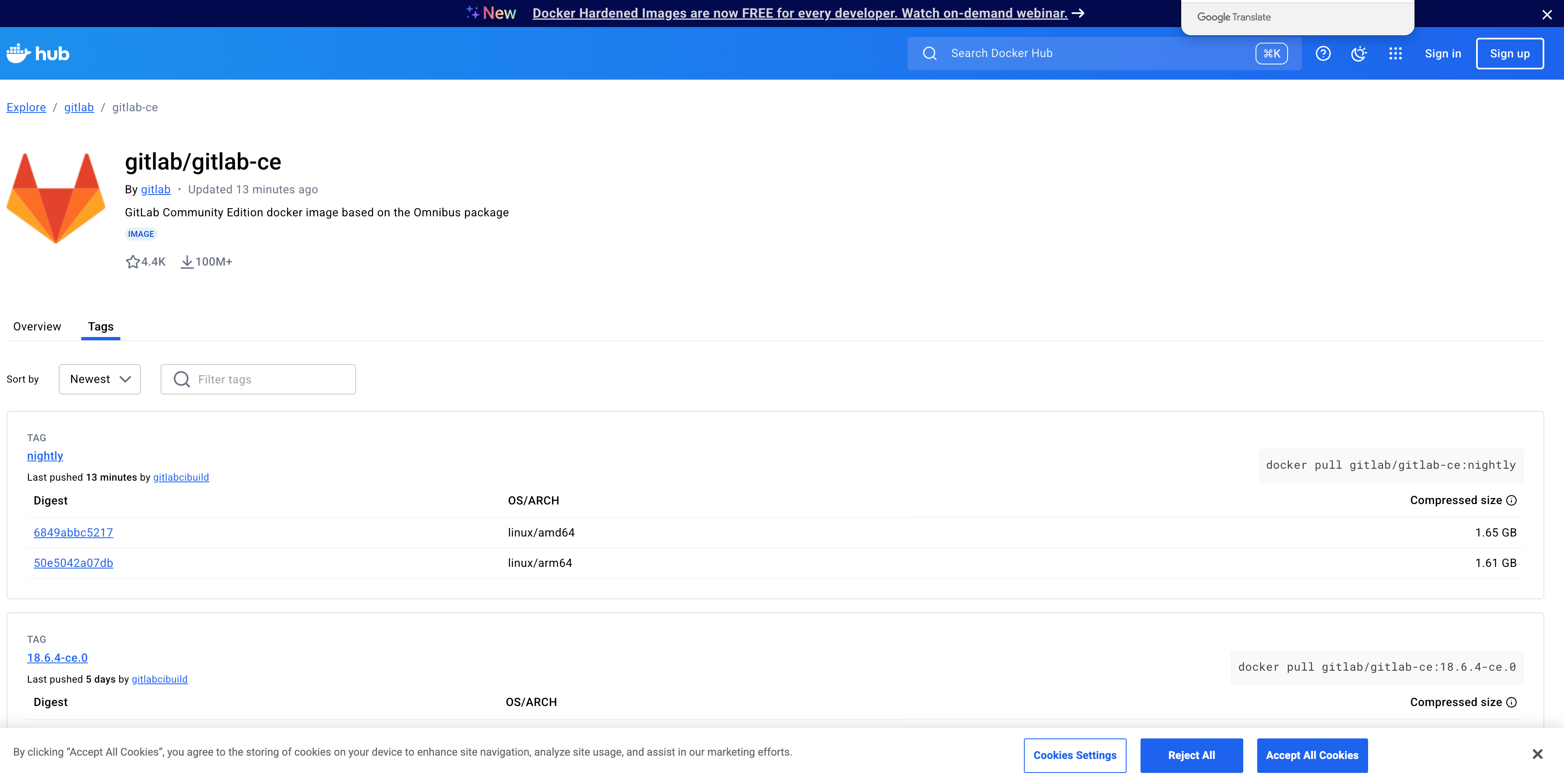
容器版本可以查看:https://hub.docker.com/r/gitlab/gitlab-ce/tags/
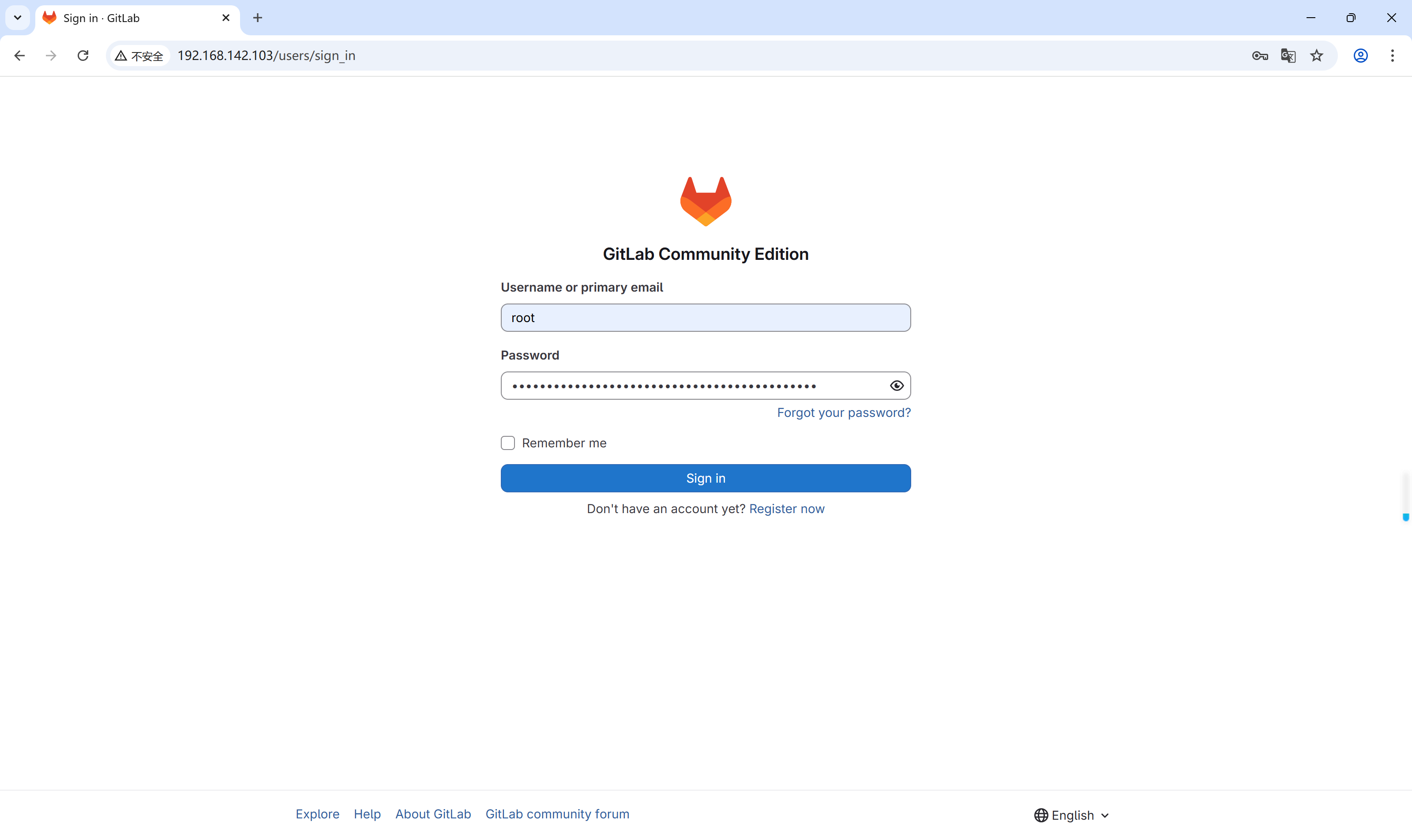
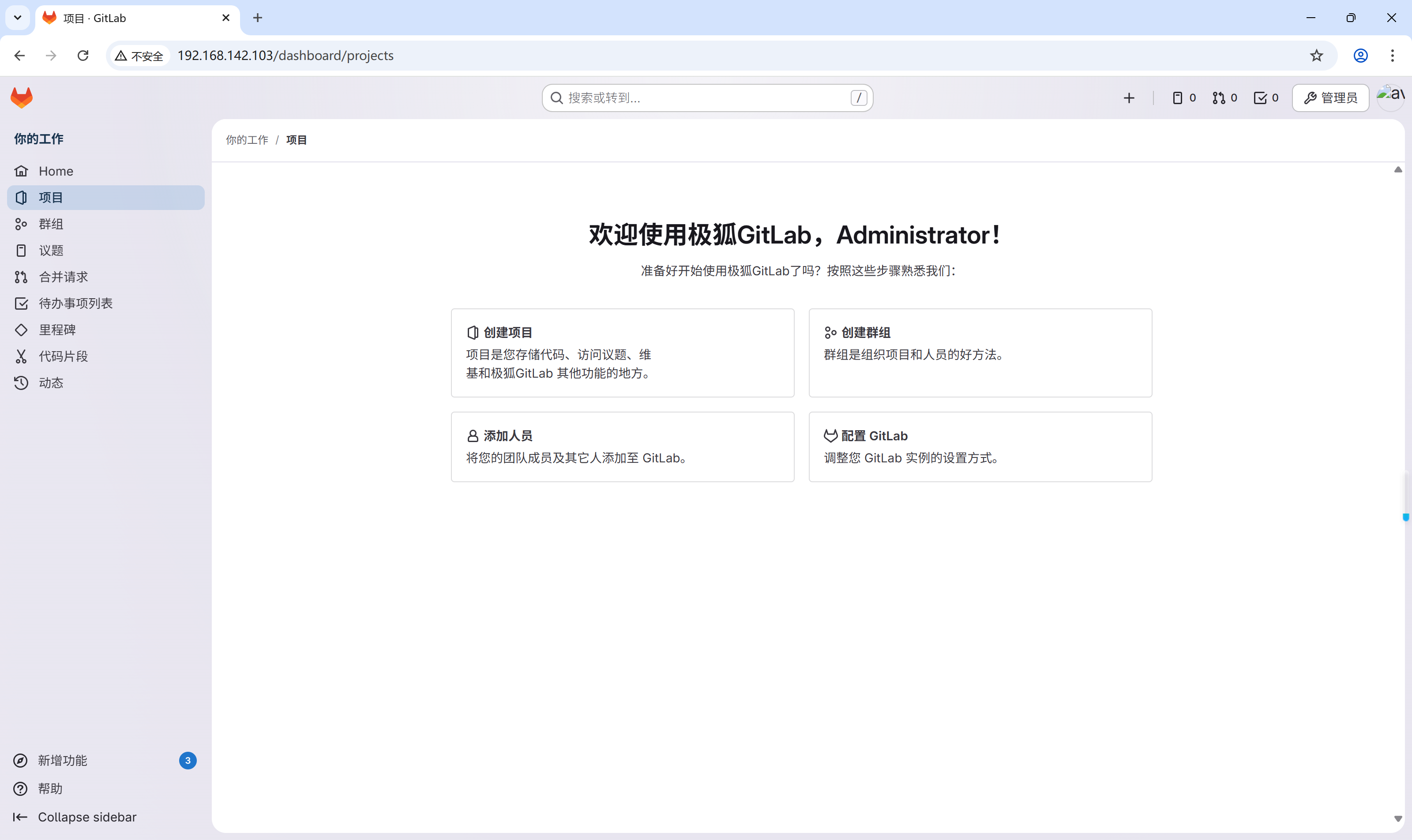
(4).测试

 浙公网安备 33010602011771号