
Linux上安装MySQL
版本:
Linux:CentOS7
MySQL:mysql-5.7.29-1.el7.x86_64.rpm-bundle
一、离线安装
1、上传MySQL到Linux上(位置/opt)
2、解压上传的安装包
创建解压文件夹
mkdir /opt/mysql
解压
tar -xvf mysql-5.7.29-1.el7.x86_64.rpm-bundle.tar -C /opt/mysql
3、卸载系统自带的mariadb-lib
先查出mariadb-lib
rpm -qa|grep mariadb
卸载
rpm -e --nodeps mariadb-libs-5.5.56-2.el7.x86_64
4、为了避免出现权限问题,给mysql解压文件所在目录赋予最大权限
chmod -R 777 mysql
5、严格按照顺序安装:mysql-community-common-5.7.29-1.el7.x86_64.rpm、mysql-community-libs-5.7.29-1.el7.x86_64.rpm、mysql-community-client-5.7.29-1.el7.x86_64.rpm、mysql-community-server-5.7.29-1.el7.x86_64.rpm这四个包
rpm -ivh mysql-community-common-5.7.29-1.el7.x86_64.rpm

rpm -ivh mysql-community-libs-5.7.29-1.el7.x86_64.rpm

rpm -ivh mysql-community-client-5.7.29-1.el7.x86_64.rpm

rpm -ivh mysql-community-server-5.7.29-1.el7.x86_64.rpm
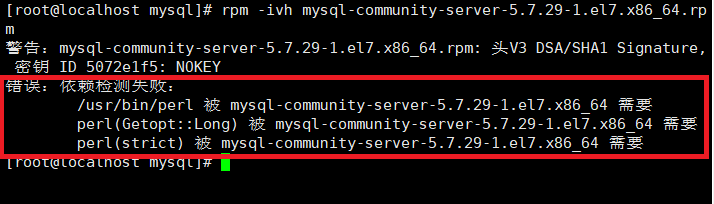
如果安装过程中出现这个错误就在后面添加 --force --nodeps,这可能是由于yum安装了旧版本的GPG keys造成的
rpm -ivh mysql-community-server-5.7.29-1.el7.x86_64.rpm --force --nodeps
6、配置数据库
vim /etc/my.cnf
插入三行代码
skip-grant-tables
character_set_server=utf8
init_connect='SET NAMES utf8'
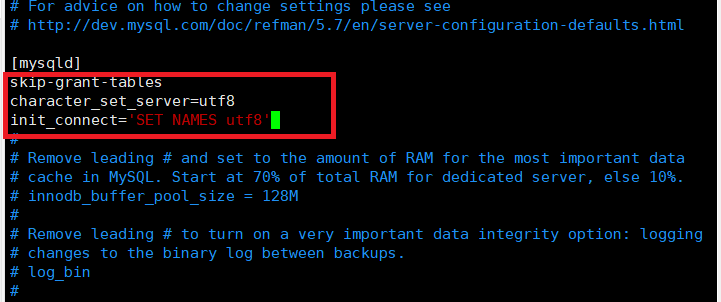
skip-grant-tables:跳过登录验证
character_set_server=utf8:设置默认字符集UTF-8
init_connect=‘SET NAMES utf8’:设置默认字符集UTF-8
7、开启服务
systemctl start mysqld.service
8、进入MySQL并设置简单密码
进入mysql
mysql
设置简单密码
update mysql.user set authentication_string=password('123456') where user='root';
立即生效
flush privileges;
9、退出mysql并停止mysql服务
systemctl stop mysqld.service
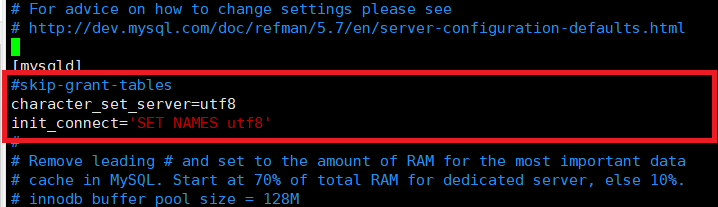
10、编辑my.cnf配置文件将:skip-grant-tables这一行注释掉
vim /etc/my.cnf
11、重启mysql服务
systemctl start mysqld.service
12、再次登录mysql
mysql -uroot -p123456
13设置密码的验证强度等级,设置 validate_password_policy 的全局参数为 LOW
set global validate_password_policy=LOW;
14、只要设置密码的长度小于 3 ,都将自动设值为 4
set global validate_password_length=4;
15、重新设置密码
set password=password('123456');
16、开启远程登录
grant all privileges on *.* to 'root'@'%' identified by '123456' with grant option;
17、开放端口
firewall-cmd --zone=public --add-port=3306/tcp --permanent;
18、重启防火墙
firewall-cmd --reload
二、在线安装

 浙公网安备 33010602011771号