
nginx https
一、制作证书
1、certbot 工具
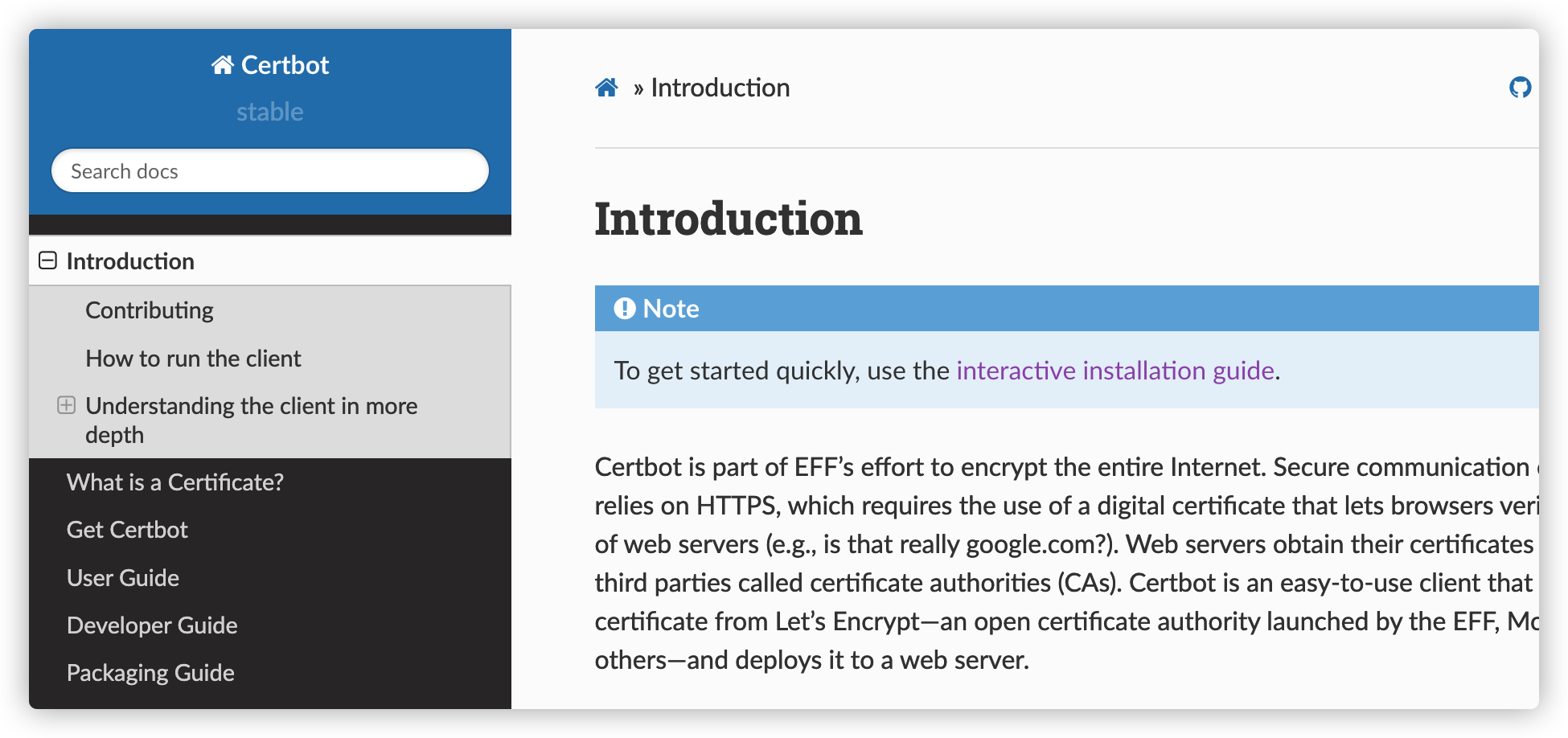
Introduction — Certbot 1.31.0 documentation (eff-certbot.readthedocs.io) 操作说明
配置自动续期的免费通配符SSL证书 - 轶哥 (wyr.me)
2、生成自签名证书
#!/bin/sh

# create self-signed server certificate:

read -p "Enter your domain [www.example.com]: " DOMAIN

echo "Create server key..."

openssl genrsa -des3 -out $DOMAIN.key 1024

echo "Create server certificate signing request..."

SUBJECT="/C=CN/ST=BeiJing/L=Haidian/O=private/OU=zhangsan/CN=$DOMAIN"

openssl req -new -subj $SUBJECT -key $DOMAIN.key -out $DOMAIN.csr

echo "Remove password..."

mv $DOMAIN.key $DOMAIN.origin.key
openssl rsa -in $DOMAIN.origin.key -out $DOMAIN.key

echo "Sign SSL certificate..."

openssl x509 -req -days 3650 -in $DOMAIN.csr -signkey $DOMAIN.key -out $DOMAIN.crt

echo "TODO:"
echo "Copy $DOMAIN.crt to /etc/nginx/ssl/$DOMAIN.crt"
echo "Copy $DOMAIN.key to /etc/nginx/ssl/$DOMAIN.key"
echo "Add configuration in nginx:"
echo "server {"
echo "    ..."
echo "    listen 443 ssl;"
echo "    ssl_certificate     /etc/nginx/ssl/$DOMAIN.crt;"
echo "    ssl_certificate_key /etc/nginx/ssl/$DOMAIN.key;"
echo "}"
在当前目录下会创建出4个文件:
- www.test.com.crt:自签名的证书
- www.test.com.csr:证书的请求
- www.test.com.key:不带口令的Key
- www.test.com.origin.key:带口令的Key
3、权威证书颁发机构(CA, Certificate Authority)
是负责发放和管理数字证书的权威机构,并作为电子商务交易中受信任的第三方,承担公钥体系中公钥的合法性检验的责任。
有备案域名的话,腾讯云、阿里云都有免费的CA证书
SSL 证书 域名型(DV)免费 SSL 证书申请流程-证书申请-文档中心-腾讯云 (tencent.com)
4、Docker搭配免费SSL证书 - 轶哥 (wyr.me)
5、ZeroSSl 免费证书生成网站
https://manage.sslforfree.com/certificate/new
二、配置证书
1、nginx配置
user nginx;
worker_processes auto;
error_log /var/log/nginx/error.log;
pid /run/nginx.pid;
include /usr/share/nginx/modules/*.conf;
events {
    worker_connections 1024;
}
http {
    log_format  main  '$remote_addr - $remote_user [$time_local] "$request" '
                      '$status $body_bytes_sent "$http_referer" '
                      '"$http_user_agent" "$http_x_forwarded_for"';
    access_log  /var/log/nginx/access.log  main;
    sendfile            on;
    tcp_nopush          on;
    tcp_nodelay         on;
    keepalive_timeout   65;
    types_hash_max_size 4096;
    include             /etc/nginx/mime.types;
    default_type        application/octet-stream;
    include /etc/nginx/conf.d/*.conf;
    server {
	listen 80 default_server;
	server_name _;
	rewrite ^(.*)$ https://$host$1 permanent;
    }
    server {
        listen       443 ssl;
    	ssl_certificate /etc/nginx/ssl/local/nginx-selfsigned.crt;
    	ssl_certificate_key /etc/nginx/ssl/local/nginx-selfsigned.key;
    	ssl_dhparam /etc/nginx/ssl/dhparams.pem;
        error_page 404 /404.html;
        location = /404.html {
        }
        error_page 500 502 503 504 /50x.html;
        location = /50x.html {
        }
	location / {
		root /opt/web/nginx ;
		autoindex on;
		autoindex_exact_size off;
	}
    }
}
ssl_dhparam:SSL 公共密钥小于1024的安全隐患
生成2048位的dhparam的证书
openssl dhparam -out dhparam.pem 2048
修改ningx 配置文件,在server下配置
ssl_dhparam path/dhparam.pem;
2、同一个80端口衍射两个不同域名的服务
# cat /etc/nginx/conf.d/ops.qi.ai.conf
server  {
	listen  80;
	server_name  ops.qi.ai;
	location /  {
		 sendfile on;
                 autoindex on;
                 autoindex_exact_size on;
                 autoindex_localtime on;
                 charset utf-8,gbk;
		 root /opt/moqi_web/nginx ;
	}
}

# cat /etc/nginx/conf.d/yum.qi.ai.conf
server  {
	listen  80;
	server_name  yum.moqi.ai;
	location /  {
		 sendfile on;
                 autoindex on;
                 autoindex_exact_size on;
                 autoindex_localtime on;
                 charset utf-8,gbk;
		 root /opt/moqi_web/yum ;
	}
}
三、效果
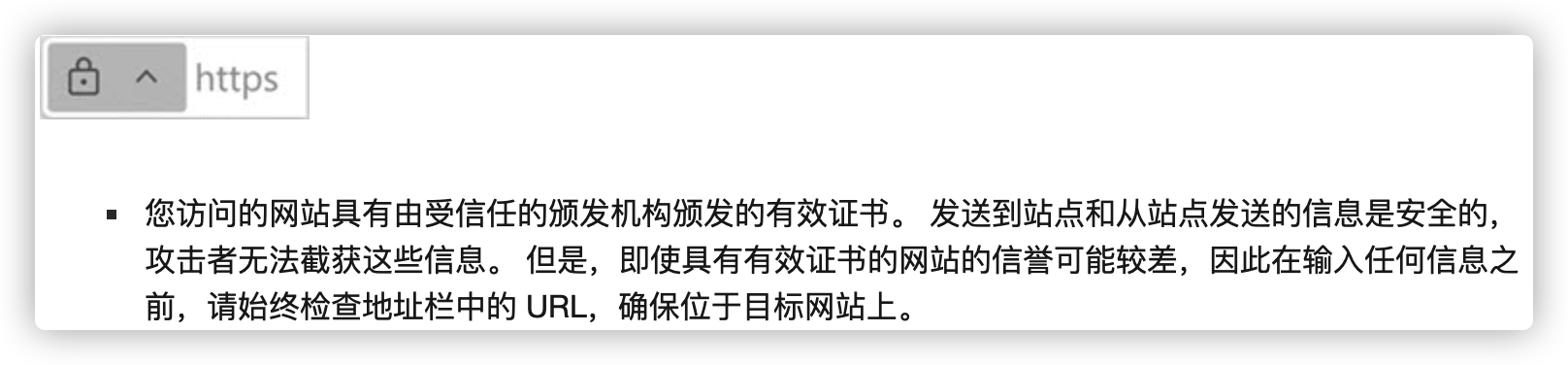
1、连接安全 (有效的证书)
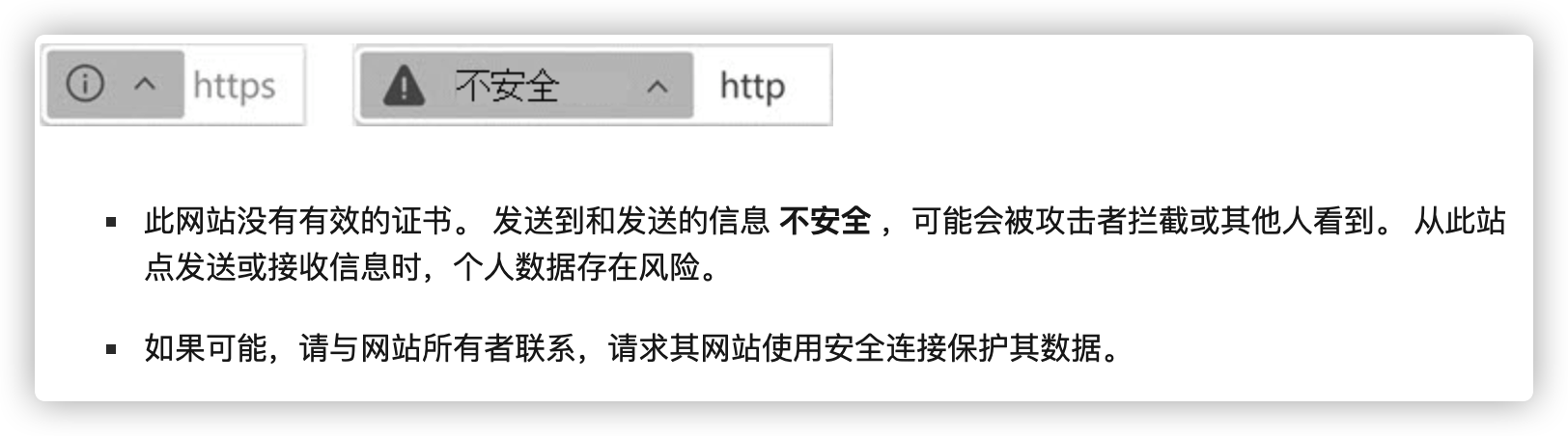
2、没有完全安全 (证书证书)
3、过期的安全配置 (无效、已过期、自签名)
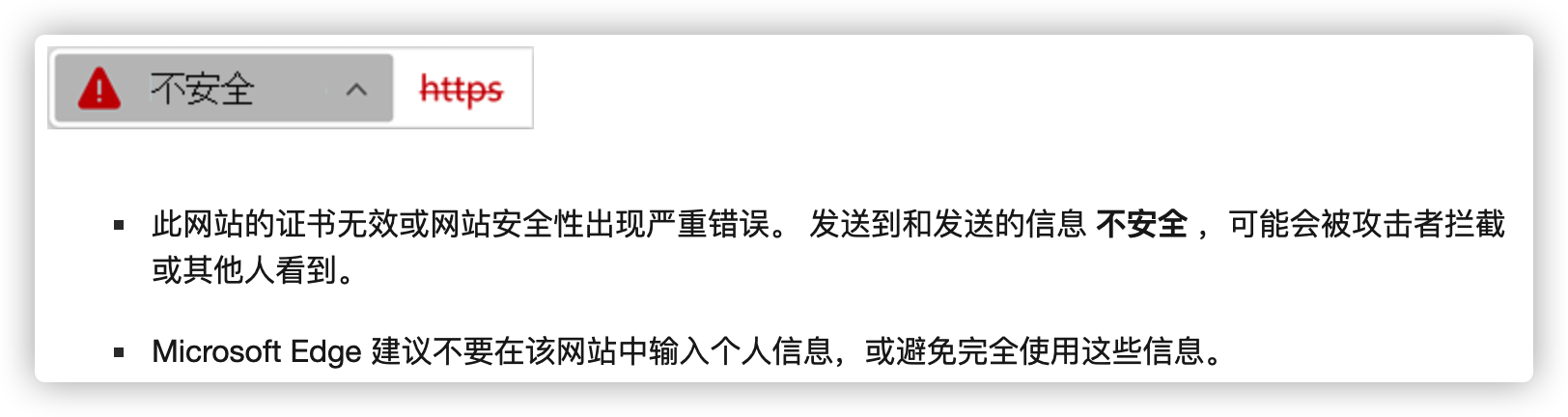
4、可疑或危险网站 (网络仿冒或恶意软件)


 浙公网安备 33010602011771号