
ansible 之 handlers 触发器
1、初始化一个role文件,包含如下文件
ansible-galaxy  init  nginx

 tree nginx/
nginx/
├── defaults
│   └── main.yml
├── files
├── handlers
│   └── main.yml
├── meta
│   └── main.yml
├── README.md
├── tasks
│   └── main.yml
├── templates
├── tests
│   ├── inventory
│   └── test.yml
└── vars
    └── main.yml

8 directories, 8 files
handlers:特殊的task
意为触发器,与notify搭配使用,对某个子任务进行监听,当其状态发生变化时,执行定义的额外动作。使用handlers,无需更改后续任务,便可增加额外的功能,playbook的功能扩展更为灵活。
2、使用场景
以修改nginx 端口为例
nginx_restart.yml中task定义了两个任务,一是修改端口,二是重启nginx
---
- hosts: 10.1.1.145
  remote_user: root
  tasks:
  - name: Modify the configuration
    lineinfile:
      path=/etc/nginx/nginx.conf
      regexp="listen(.*) 81 (.*)"
      line="listen\1 82 \2"
      backrefs=yes
      backup=yes
  - name: restart nginx
    service:
      name=nginx
      state=restarted
执行结果
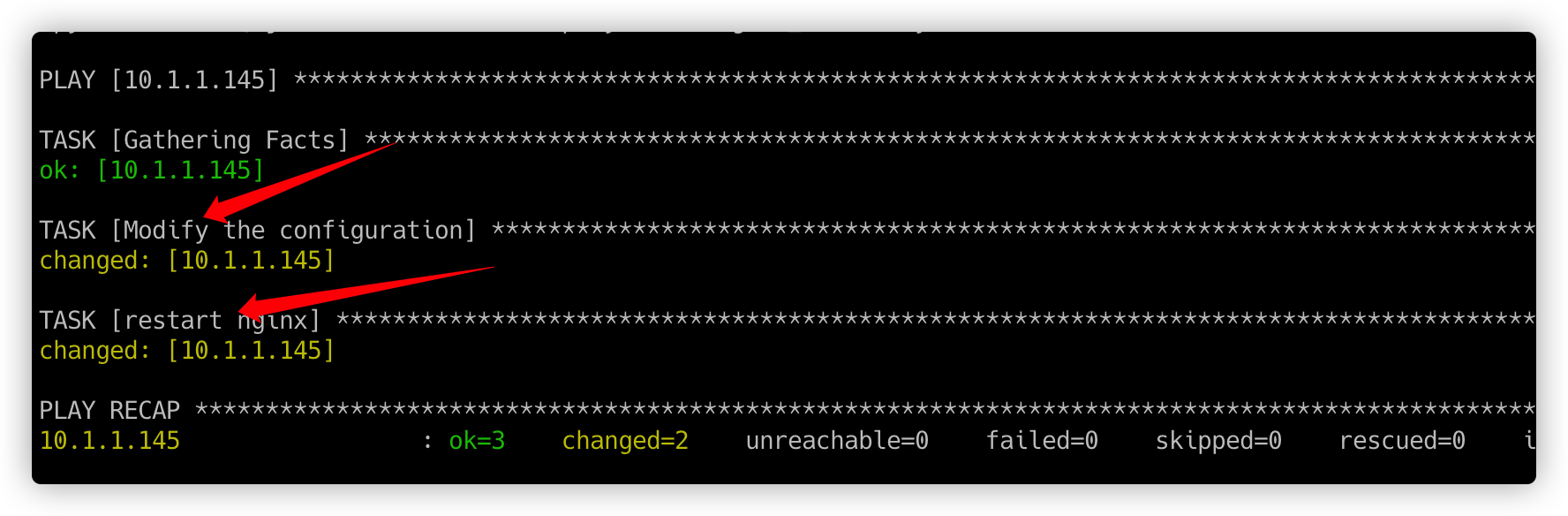
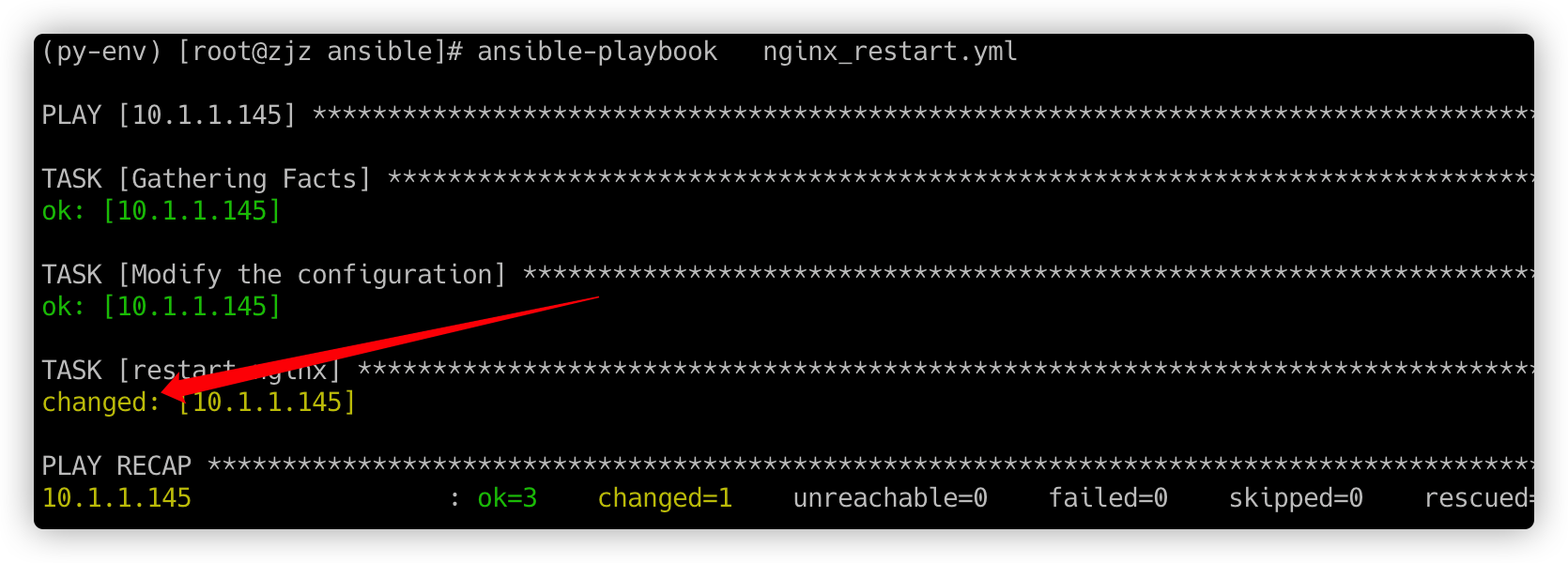
第二次执行(端口未变) ,但是还是重启了nginx(在nginx端口未做修改时,不希望重启nginx)
3、nginx_restart1.yml notify+handlers
handlers与tasks是’对齐’的(缩进相同)
---
- hosts: 10.1.1.145
  remote_user: root
  tasks:
  - name: Modify the configuration
    lineinfile:
      path=/etc/nginx/nginx.conf
      regexp="listen(.*) 82 (.*)"
      line="listen\1 83 \2"
      backrefs=yes
      backup=yes
    notify:
      restart nginx

  handlers:
  - name: restart nginx
    service:
      name=nginx
      state=restarted
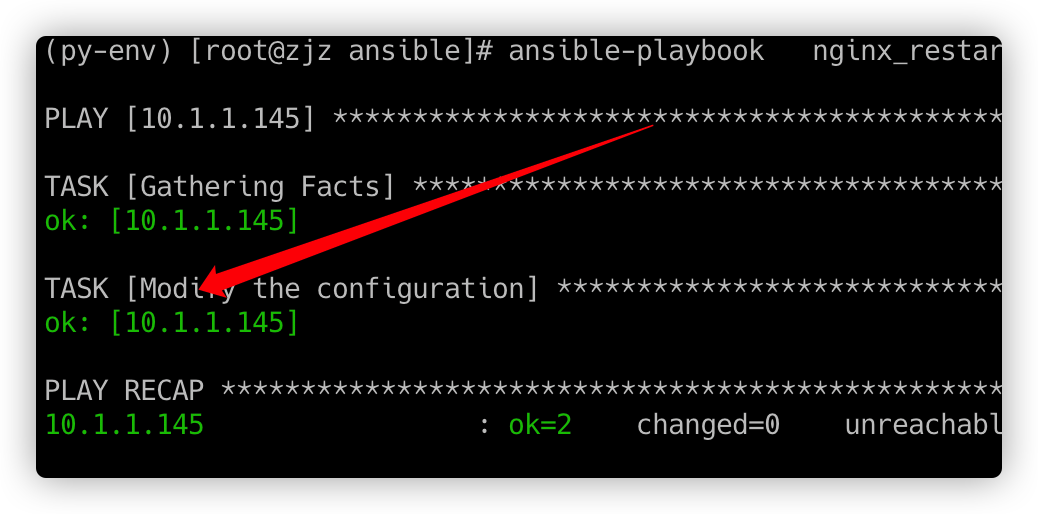
执行效果
端口没有改动,handlers任务没有被触发,所以看不到重启nginx的执行过程
4、handlers是另一种任务列表,handlers中可以有多个任务,被tasks中不同的任务notify
---
- hosts: test70
  remote_user: root
  tasks:
  - name: make testfile1
    file: path=/testdir/testfile1
          state=directory
    notify: ht2
  - name: make testfile2
    file: path=/testdir/testfile2
          state=directory
    notify: ht1

  handlers:
  - name: ht1
    file: path=/testdir/ht1
          state=touch
  - name: ht2
    file: path=/testdir/ht2
          state=touch
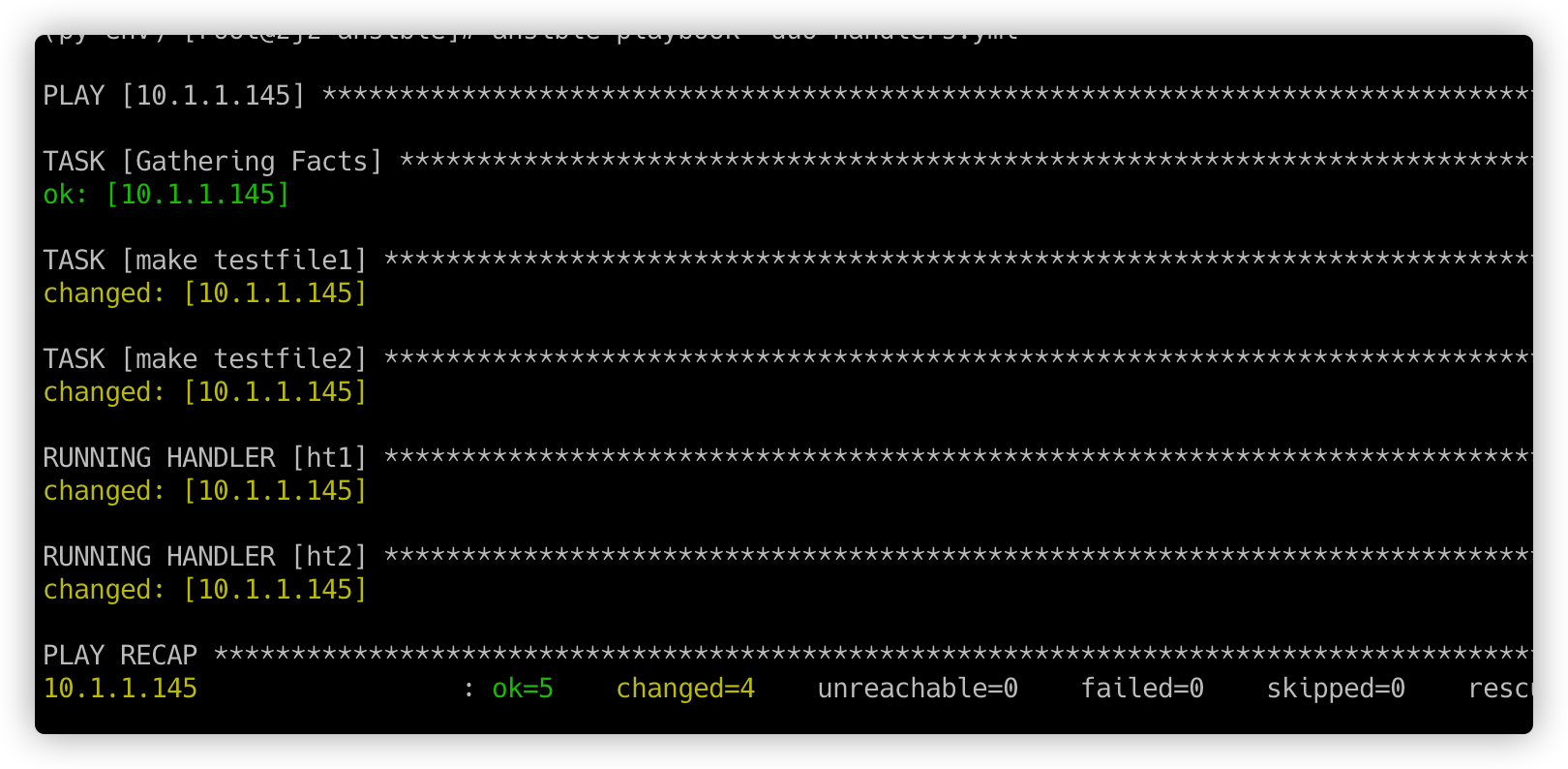
执行效果:如上yml先notify的ht2,但是执行过程中却是按照handlers的顺序执行的。
结论:handler执行的顺序与handler在playbook中定义的顺序是相同的,与”handler被notify”的顺序无关。
5、默认情况下,所有task执行完毕后,才会执行各个handler,并不是执行完某个task后,立即执行对应的handler
如果想要在执行完某些task以后立即执行对应的handler,则需要使用meta模块,示例如下
---
- hosts: 10.10.10.145
  remote_user: root
  tasks:
  - name: task1
    file: path=/root/testfile
          state=touch
    notify: handler1

  - meta: flush_handlers

  - name: task2
    file: path=/root/testfile2
          state=touch
    notify: handler2

  - name: task3
    file: path=/root/testfile3
          state=touch
    notify: handler3

  handlers:
  - name: handler1
    file: path=/root/ht1
          state=touch
  - name: handler2
    file: path=/root/ht2
          state=touch
  - name: handler3
    file: path=/root/ht3
          state=touch
执行效果
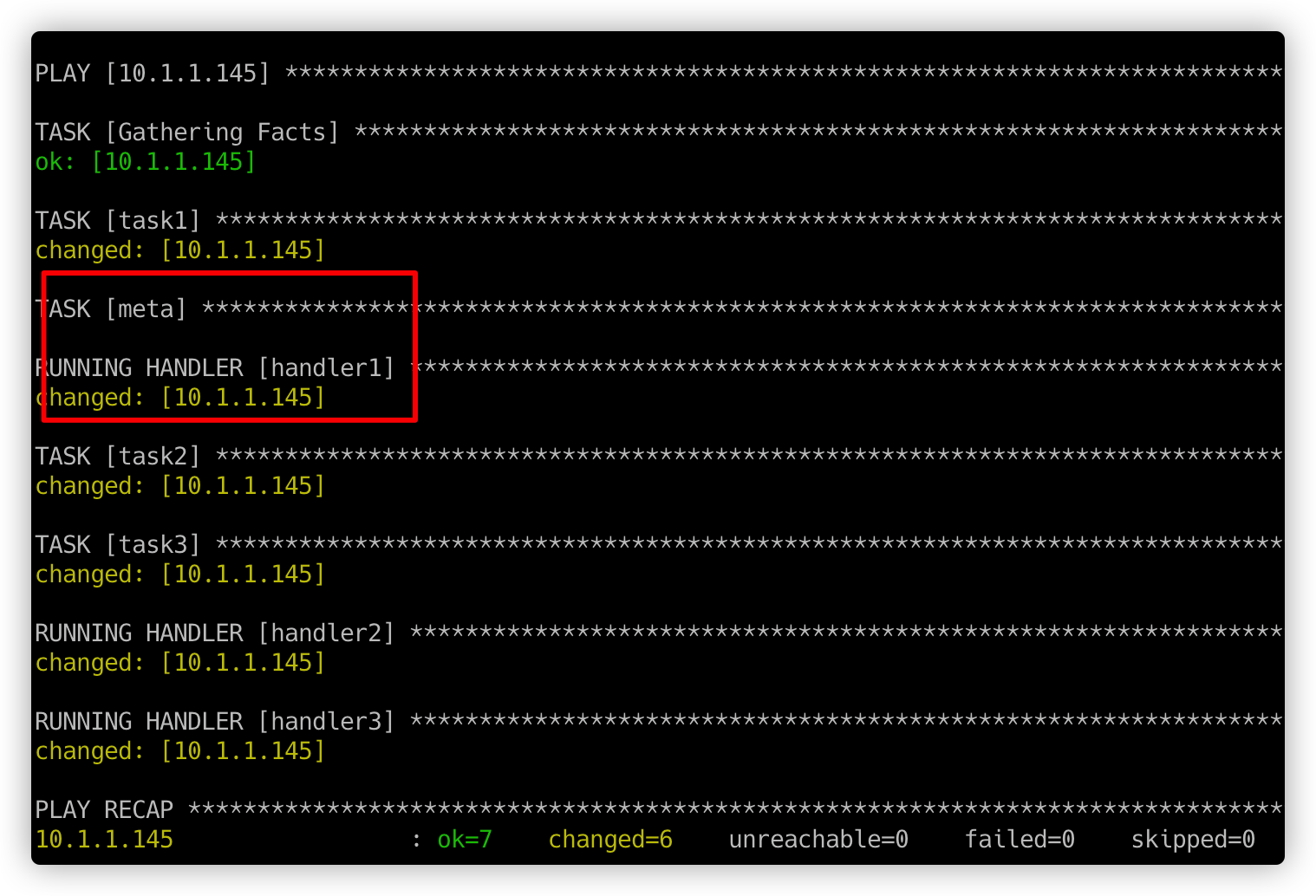
从上可知,meta字段使得handler1被立即执行。 meta这个特殊的任务如果是放在task2后面,那么mate就会执行task1和task2的hander。
想要每个task在实际操作后都立马执行对应handlers,则可以在每个任务之后都添加一个meta任务,并将其值设置为flush_handlers
6、task中一次性notify多个handler
当多个handler的name相同时,只有一个handler会被执行。如果想要一次notify多个handler,则需要借助另一个关键字,它就是’listen’,你可以把listen理解成”组名”,我们可以把多个handler分成”组”,当我们需要一次性notify多个handler时,只要将多个handler分为”一组”,使用相同的”组名”即可,当notify对应的值为”组名”时,”组”内的所有handler都会被notify。
---
- hosts: 10.10.1.145
  remote_user: root
  tasks:
  - name: task1
    file: path=/root/testfile
          state=touch
    notify: handler group1

  handlers:
  - name: handler1
    listen: handler group1
    file: path=/root/ht1
          state=touch
  - name: handler2
    listen: handler group1
    file: path=/root/ht2
          state=touch
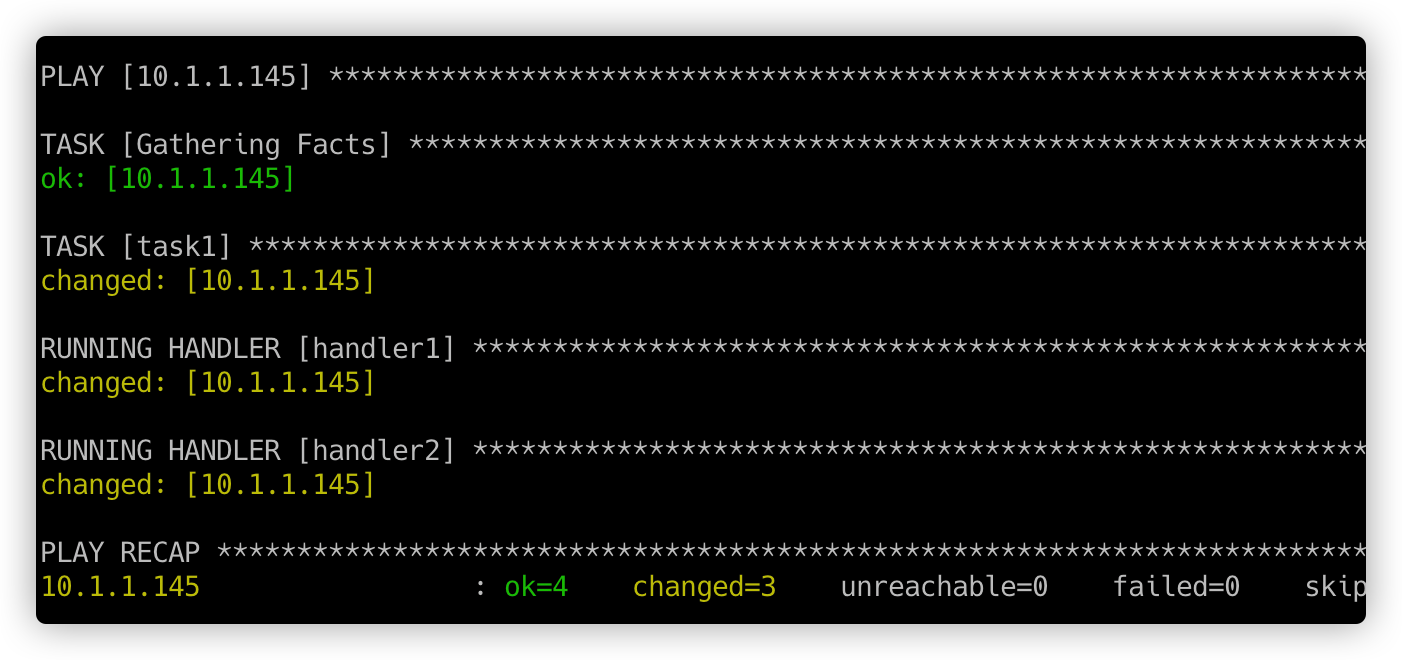
留存问题:
每次都是changed,不正常。

 浙公网安备 33010602011771号