
封装UIlabel 辨别用户名 ,话题 ,链接,电话,高亮文字等
概述
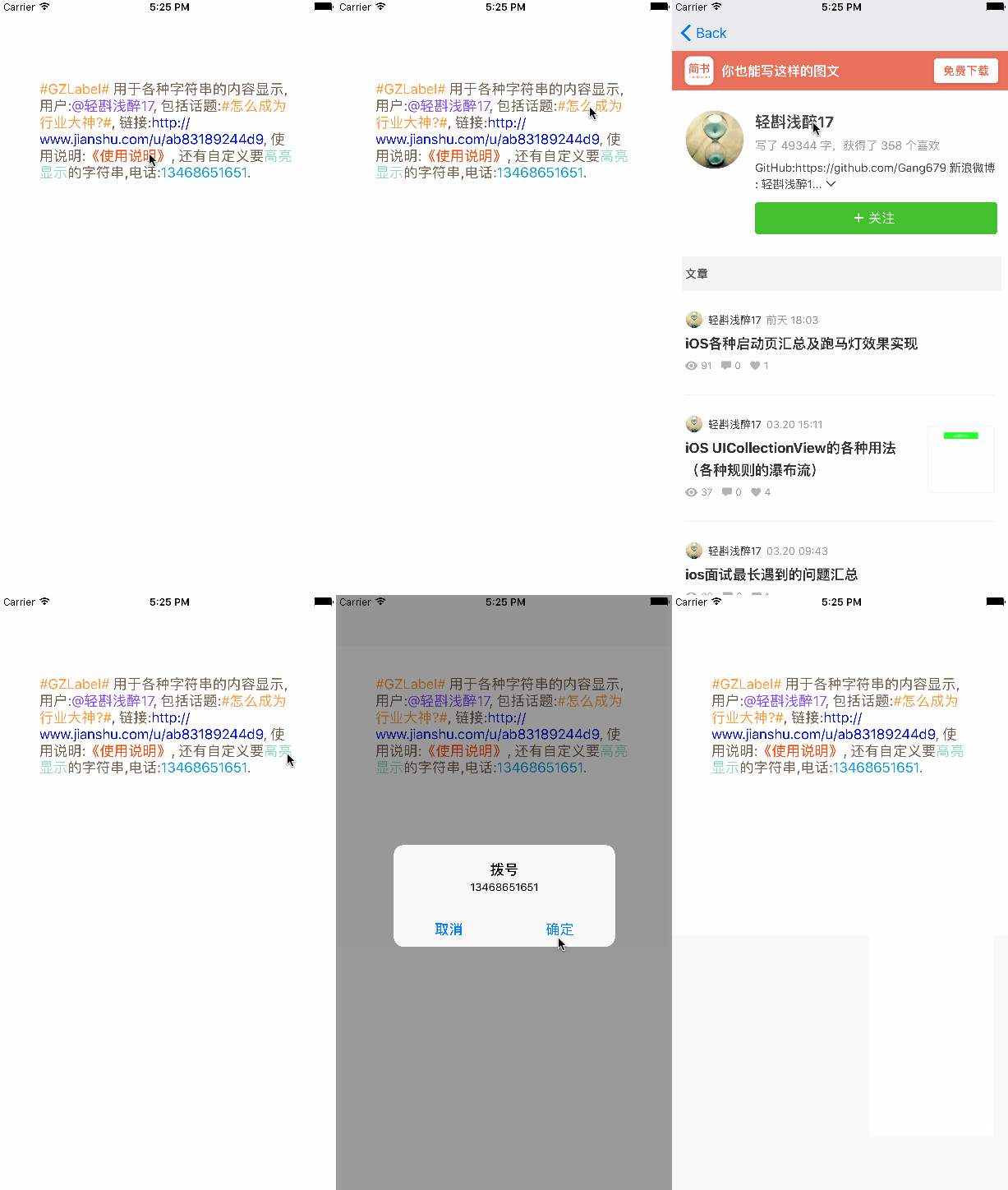
对UIlabel进行封装 用于辨别用户名 ,话题 ,链接,电话,高亮文字等,链接跳转网页,电话点击拨打电话,完美封装UIlabel,适合绝大多数需求
详细
 封装UIlabel辨别用户名,话题,链接,电话,高亮文字等,链接跳转网页,拨打电话
 完美封装UIlabel,适合绝大多数需求
一、准备工作
整体项目中,主要是自己自定义的一个GZLabel类
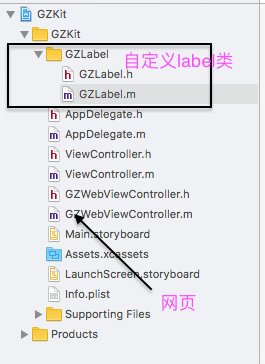
只需要依赖此自定义类,可以设置自己想要的所有效果。
二、程序实现
对UIlabel进行封装,让其识别一些Label不匹配的东西,我们就要利用
NSMutableAttributeString
来对其进行处理,我们用到的主要是它的子类
@property(nonatomic, strong)NSTextStorage *GZTextString;
主要就是对Label进行匹配,给其一个类型属性
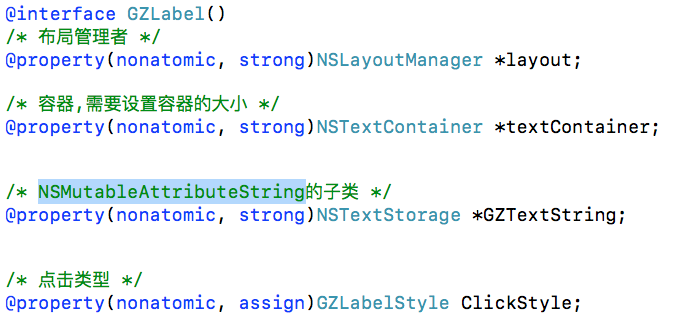
我们想要达到自己想要的效果的话,就必须要对label进行分类处理
typedef NS_ENUM(NSUInteger , GZLabelStyle){
    GZLabelStyleNone = 0,
    GZLabelStyleUser = 1,
    GZLabelStyleTopic = 2,
    GZLabelStyleLink = 3,
    GZLabelStyleAgreement = 4,
    GZLabelStyleUserDefine = 5,
    GZLabelStylePhoneNumber = 6
};
给label设置各种属性,(点击前后颜色,代理 ,点击事件等)
/* 普通文字颜色 */
@property(nonatomic , strong)UIColor *GZLabelNormalColor ;
/* 选中时高亮背景色 */
@property(nonatomic , strong)UIColor *GZLabelHightLightBackgroundColor ;
/* 字符串+显示颜色 字典数组, */
@property(nonatomic, strong)NSArray<NSDictionary *> *GZLabelMatchArr;
/* 高亮文字设置颜色*/
-(void)setHightLightLabelColor:(UIColor *)hightLightColor forGZLabelStyle:(GZLabelStyle)GZLabelStyle;
/* delegate */
@property(nonatomic, weak)id<GZLabelDelegate> delegate;
/* 点击事件block */
@property(nonatomic, strong)TapGZLabel GZTapOperation;
设置自己想要的文字颜色,范围 位置
/* 用于记录用户选中的range */
@property(nonatomic, assign)NSRange selectedRange;
/* 用户记录点击还是松开 */
@property(nonatomic, assign)BOOL isSelected;
/* 用户文字颜色 */
@property(nonatomic, strong)UIColor *userHightColor;
/* 话题文字颜色 */
@property(nonatomic, strong)UIColor *topicHightColor;
/* 链接文字颜色 */
@property(nonatomic, strong)UIColor *linkHightColor;
/* 协议/政策文字颜色 */
@property(nonatomic, strong)UIColor *agreementHightColor;
/* 电话号码文字颜色 */
@property(nonatomic, strong)UIColor *PhoneNumberHightColor;
/* 链接范围 */
@property(nonatomic, strong)NSArray *linkRangesArr;
/* 用户名范围 */
@property(nonatomic, strong)NSArray *userRangesArr;
/* 话题范围 */
@property(nonatomic, strong)NSArray *topicRangesArr;
/* 协议/政策范围 */
@property(nonatomic, strong)NSArray *agreementRangesArr;
/* 电话号码范围 */
@property(nonatomic, strong)NSArray *PhoneNumberRangesArr;
/* 自定义要查找的范围 */
@property(nonatomic, strong)NSArray *userDefineRangesArr;
再者我们需要重写系统的属性
#pragma mark 重写系统的属性
-(void)setText:(NSString *)text{
    [super setText:text];
    [self prepareText];
}
-(void)setFont:(UIFont *)font{
    [super setFont:font];
    [self prepareText];
}
-(void)setTextColor:(UIColor *)textColor{
    [super setTextColor:textColor];
    [self prepareText];
}
系统回调
#pragma mark 系统回调
// 布局子控件
-(void)layoutSubviews{
    [super layoutSubviews];

    // 设置容器的大小为Label的尺寸
    self.textContainer.size = self.frame.size;
}
字符串匹配封装
#pragma mark 字符串匹配封装
// 查找用户给定的字符串的range
-(NSArray<NSDictionary*> *)getUserDefineStringsRange{

    if (self.GZLabelMatchArr.count == 0) return nil;

    NSMutableArray<NSDictionary*> *arrM = [NSMutableArray array];

    NSString *str = [self.GZTextString string];
    for (NSDictionary *dict in self.GZLabelMatchArr) {
        NSString *subStr = dict[@"string"];
        UIColor *color = dict[@"color"];
        // 没传入字符串
        if (!subStr) return nil;

        NSRange range = [str rangeOfString:subStr];

        // 没找到
        if (range.length == 0) continue;

        NSValue *value = [NSValue valueWithBytes:&range objCType:@encode(NSRange)];
        NSMutableDictionary *aDictM = [NSMutableDictionary dictionary];
        aDictM[GZRange] = value;
        aDictM[GZColor] = color;
        [arrM addObject:[aDictM copy]];
    }

    return [arrM copy];
}
创建正则表达式对象
-(NSArray *)getRanges:(NSString *)pattern{

    // 创建正则表达式对象
    NSError *error;
    NSRegularExpression *regex = [[NSRegularExpression alloc]initWithPattern:pattern options:0 error:&error];

    return [self getRangesFromResult:regex];
}
三、运行效果
这些只是我能用到的一些属性,如果你们需要其他的可以自己试着写或者联系我,我根据你们的需求来定义!
运行效果如下:


 浙公网安备 33010602011771号